
- Age rating4+
- CategoryBusiness
- DeveloperTony Al Akik
- Size20.1 MB
Links to the official App Store page
Download.org hosts no file of TruePlate: AR Menu. The button opens its official App Store page, published by Tony Al Akik. Listing last checked on Nov 18, 2026.
Screenshots


About
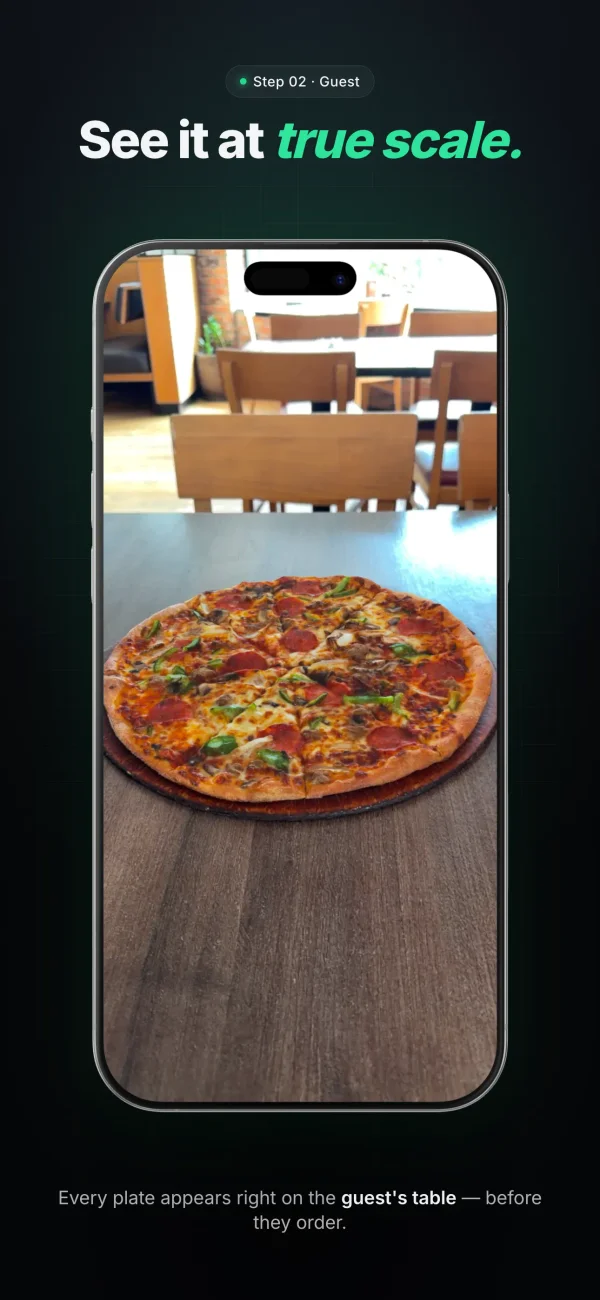
Show guests every dish at its real size, right on their table, before they order. TruePlate brings your menu to life in augmented reality and gives you the tools to run service from your phone.
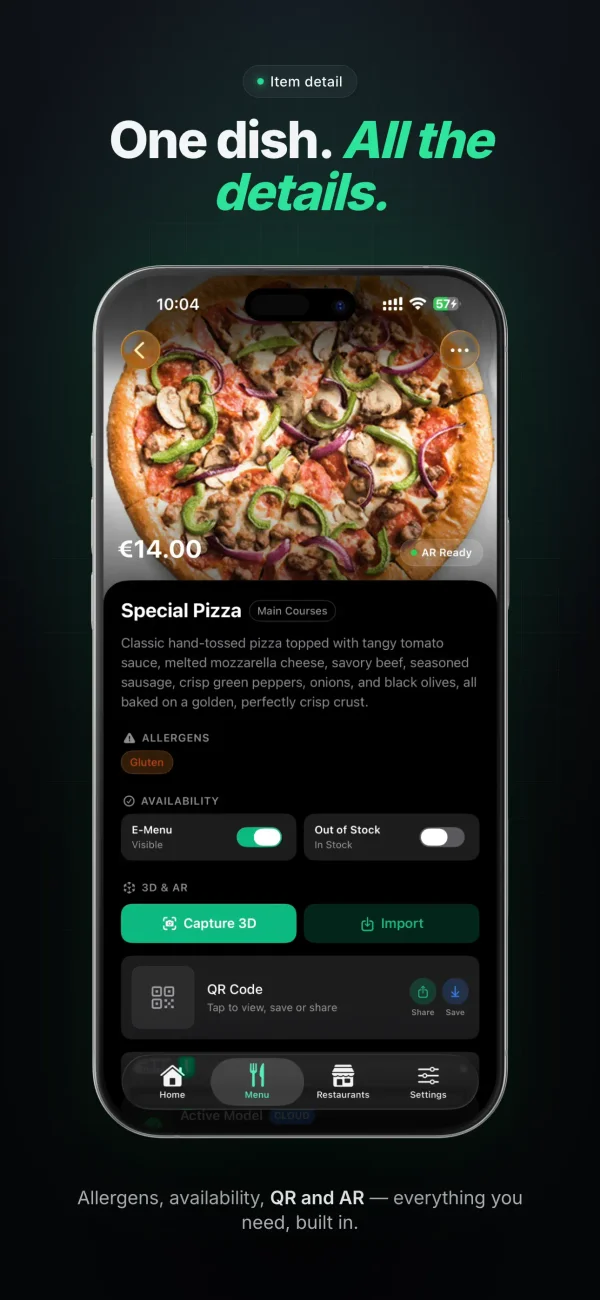
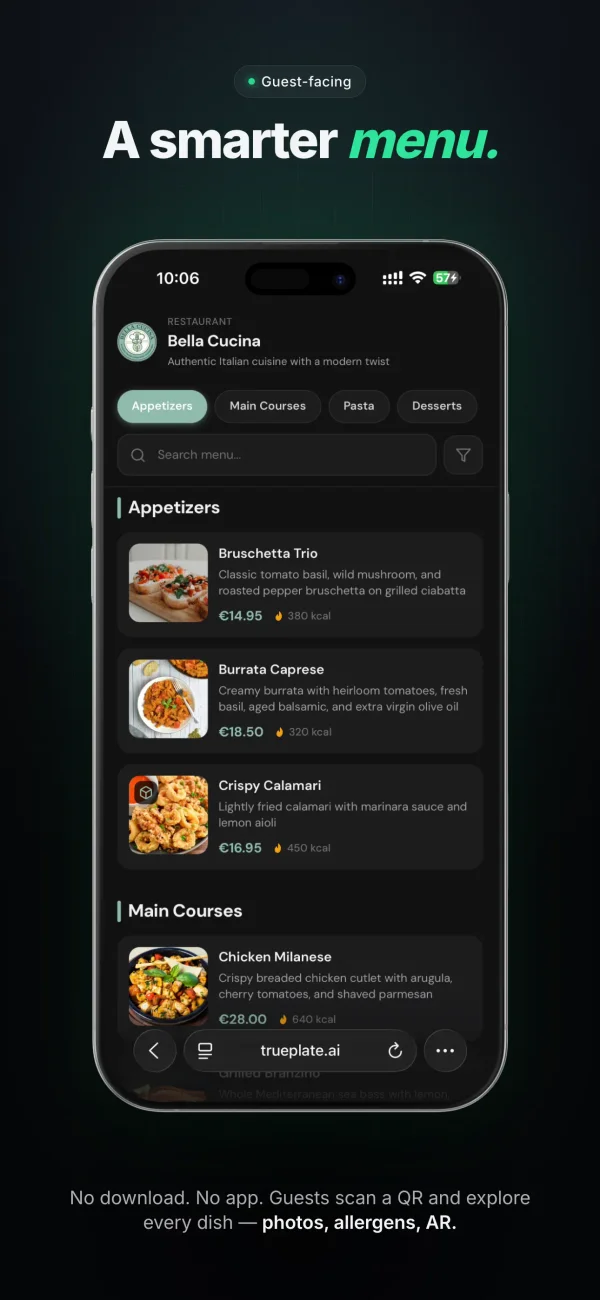
Scan a dish with your iPhone Pro or iPad Pro and TruePlate builds a photoreal, true-to-size 3D model. Touch it up in seconds, add it to your menu and share a QR code. Guests open your menu in their phone's browser and place the dish on their table in AR. Nothing to install.
NEW: TOUCH UP
• Trim and fill the base, crop, clean up stray bits and turn the dish to face your guests
• Your original scan always stays in the model library
CAPTURE AND PUBLISH IN 3D
• Guided 3D capture with the LiDAR Scanner
• QR codes for every dish, every table and your full menu, styled with your logo
• Sections, drag to reorder, photos, prices, labels, allergens and nutrition
• Dish options such as sizes and extras
• Menu translations in several languages
• Promotions and limited-time offers
• Your menu's colors and look, previewed live
RUN SERVICE
• Live orders board, from new to kitchen to ready
• Table and pickup orders, table QR codes and table sessions
• Waiter calls and bill requests
• Push notifications for new orders, service requests and support replies
• Team members with owner, manager and server roles
• Full order history and an activity log
AI MENU CONCIERGE
• Answers guests' questions from your own dishes
• Choose its name, its tone and who can use it
KNOW YOUR NUMBERS
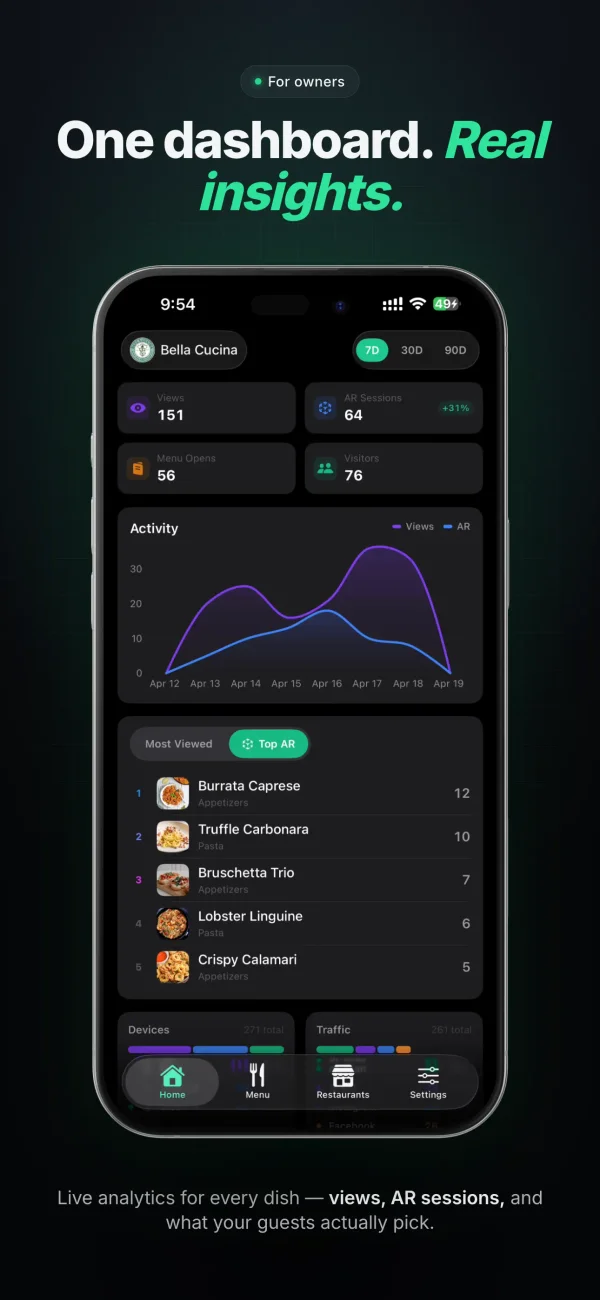
• Menu views, AR sessions and guests, day by day and dish by dish
• Sales, speed of service and staff insights
• Export reports as PDF, CSV or Excel
For a single café or a group with several locations.
3D scanning needs an iPhone Pro or iPad Pro with a LiDAR Scanner. Everything else works on any recent iPhone or iPad, and your guests need no app at all.
What’s new
Version 1.3 · Oct 1, 2026
Touch up your 3D dishes
Trim and fill the base, crop, clean up stray bits and turn the dish to face your guests. Your original scan always stays in the model library, and you can touch up the model that's live on your menu too.
Also new
• AI menu concierge: set its name, tone and who can use it
• Menu appearance: pick your menu's colors and preview them live
• Dish options such as sizes and extras
• Styled QR codes with your logo
• Order history and a day-by-day activity log
• Opening hours, address, phone and Wi-Fi for the info sheet on your guest menu
• A cleaner Analytics screen with quick filters and report exports
• Push notifications for support replies and account updates on every plan
• Scans that can't be built now tell you why
• Many fixes and improvements
App privacy
What Tony Al Akik declares on the App Store about how this app handles data.
-
Data linked to you
May be collected and linked to your identity.
- Contact info
- User content
- Identifiers
- Usage data
- Surroundings
Privacy practices may vary, for example with the features you use or your age.
Information
- Seller
- Tony Al Akik
- Category
- Business
- Version
- 1.3
- Updated
- Oct 1, 2026
- Released
- Feb 6, 2026
- Size
- 20.1 MB
- Requires
- iOS 26.1 or later
- Age rating
- 4+
- Price
- Free
- Copyright
- © 2026 TruePlate
You might also like
-
 Daycent - Day Progress TrackerTrack your day at a glance
-
 Online Signitureعقود واتفاقيات وتوقيع فوري
-
 Serene: App & Website BlockerScreen Time, Focus & Detox
-
 HomevismAugmented Reality Architecture
-
 Provider GapeGrow business effortlessly!
-
 MpleJobs: Cyprus ServicesHire Local Pros, Find Clients
-
 SplatTour: 3D Virtual TourReal estate 360 tour by video
-
 Kelgatrack inventory, sales
-
 JOBSEEQRBusiness
-
 Sound NegotiatorPrepare. Practice. Negotiate.