
Truly Simple Flashcards
Spaced Repetition, Simplified
Designed for iPhone, iPad, Mac
Free · In-app purchases
- Age rating4+
- CategoryEducation
- DeveloperColin Wright
- LanguagesEnglish
- Size2.7 MB
Links to the official App Store page
Download.org hosts no file of Truly Simple Flashcards. The button opens its official App Store page, published by Colin Wright. Listing last checked on Nov 14, 2026.
Screenshots

About
Truly Simple Flashcards is a clean, no-subscription spaced-repetition app for iPhone, iPad, and Mac. Whether you're a student cramming for exams, a language learner building vocabulary, a professional studying for boards, or an Anki refugee looking for a modern alternative, this app does the core job exceptionally well and stops there.
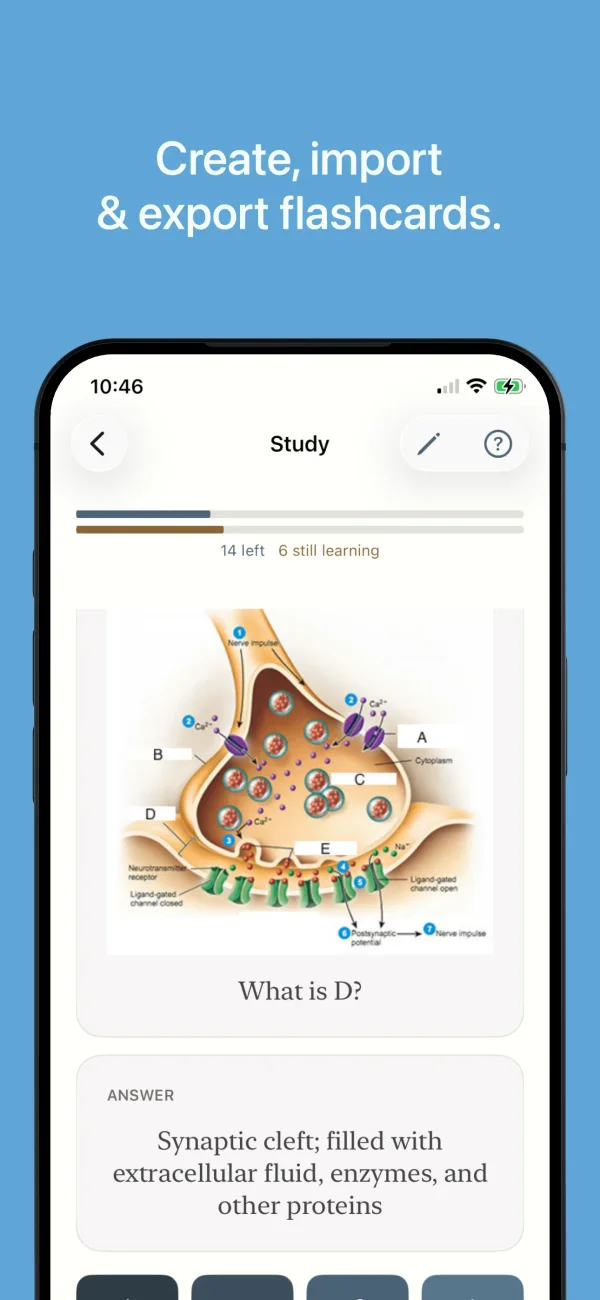
Make decks, add cards, and study. The app decides when to show each card again using FSRS, which is the same modern spaced-repetition algorithm power users trust. By asking you to grade how hard a card was to recall, the schedule adapts, so you spend your time on the cards you're about to forget. Format your cards with bold, italics, and colors, keep related decks together in groups, and add audio when hearing something matters as much as reading it. Bring in your existing decks from Anki or a spreadsheet, export your decks to use elsewhere, study seamlessly across all your Apple devices, and own your software forever.
Features:
• Smart scheduling: Uses the proven FSRS algorithm to adapt to your memory, with an adjustable "target retention" rate per deck.
• Two card types: Create classic front-and-back cards, or use fill-in-the-blank (cloze) cards to memorize words in context. Images are fully supported on either side of the card.
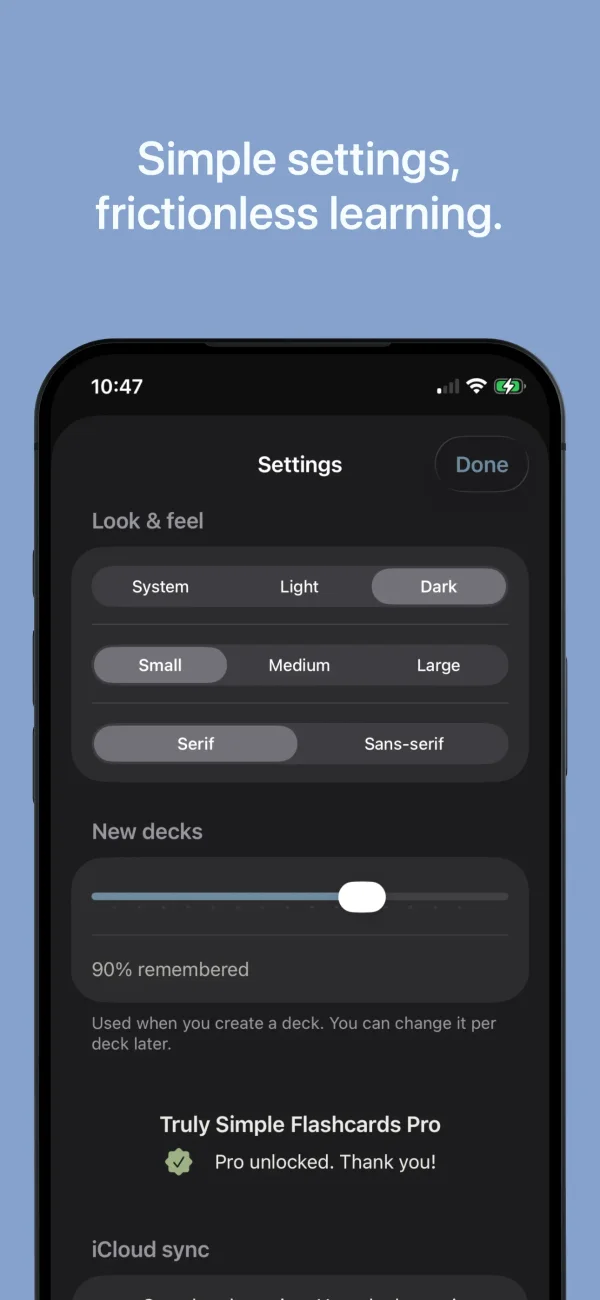
• Formatting and color-coding: Make words bold, italic, or underlined, and color-code your cards with five text colors and four highlights. Colors stay readable in light and dark mode.
• Audio on your cards: Attach audio to the front, the back, or both. Add an existing audio file, or record it right in the app.
• Deck groups: Keep related decks together, like every topic in a unit. Groups fold away when you don't need them and show what's due inside.
• Simple imports: Bring your existing decks with you. Import Anki files (.apkg / .colpkg, including the newest formats) or CSV/TSV spreadsheets. Anki subdecks arrive as groups, with their formatting intact.
• Two-way study: Turn on two-way review to test your recall back-to-front, which is especially effective for learning vocabulary words.
• Paced learning: Set a daily limit for new cards so a huge imported deck doesn't overwhelm your study session.
• Study ahead: Caught up for the day and want more? Study tomorrow's cards early.
• Undo a grade: Tapped the wrong button? Undo brings the card back so you can answer it again.
• Flip-through mode: Review a deck casually without affecting your spaced-repetition schedule.
• Reliable device sync: Your decks sync privately and securely through your own personal iCloud account across your Mac, iPad, and iPhone.
• Genuinely accessible: Built natively for Apple devices with full VoiceOver support, Dynamic Type for comfortable reading, light/dark modes, and calm, minimal motion.
• Pay once, keep forever: Use one deck for free with unlimited cards. Unlock unlimited decks with a one-time, lifetime in-app purchase. No subscriptions, no ads, no hidden fees or data-harvesting.
What’s new
Version 1.1.1 · Nov 8, 2026
• Re-import without duplicates. Importing into a deck now skips cards it already has, so you can keep one master spreadsheet, add to it, and import it again. Only the new cards come in, and your progress stays put.
• Choose which side comes first. In each deck’s settings you can show the front first, the back first, or study both directions. Switching keeps your progress in each direction.
Both of these came from Axel, who’s learning Spanish and emailed me about them. Thanks, Axel!
App privacy
What Colin Wright declares on the App Store about how this app handles data.
-
Data not collected
The developer does not collect any data from this app.
Privacy practices may vary, for example with the features you use or your age.
Information
- Seller
- Colin Wright
- Category
- Education
- Version
- 1.1.1
- Updated
- Nov 8, 2026
- Released
- Jul 2, 2026
- Size
- 2.7 MB
- Requires
- iOS 26.0 or later
- Age rating
- 4+
- Price
- Free
- In-app purchases
- Yes
- Languages
- English
- Copyright
- © 2026 Colin Wright
You might also like
-
 Discito: FSRS FlashcardsSpaced Repetition & AI Cards
-
 JustFlip: FlashcardsSpaced Repetition Study Cards
-
 Kinako — Study FlashcardsVocabulary & Spaced Repetition
-
 Orbit: Memorize AnythingSpaced repetition, in orbit
-
 FlashCard Go - Quiz MakerSpaced Repetition Flashcards
-
 Flashcards - Swipe & LearnAll Swipes Right
-
 Flashcard: Spaced RepetitionSpaced repetition study
-
 Recall: Flashcard & Study AppSpaced Repetition Flashcards
-
 qdeck flash cardlearn and practice mandarin
-
 Drill: FlashcardsSpaced repetition study cards