TSKS – Tasks & Cal.
Tasks synced to your calendar
Designed for iPhone, iPad, Mac
Free · In-app purchases
- Age rating4+
- CategoryProductivity
- Developerasobigraphic
- LanguagesEnglish+ 1 more
- Size10.7 MB
Links to the official App Store page
Download.org hosts no file of TSKS – Tasks & Cal. The button opens its official App Store page, published by asobigraphic. Listing last checked on Nov 26, 2026.
Screenshots

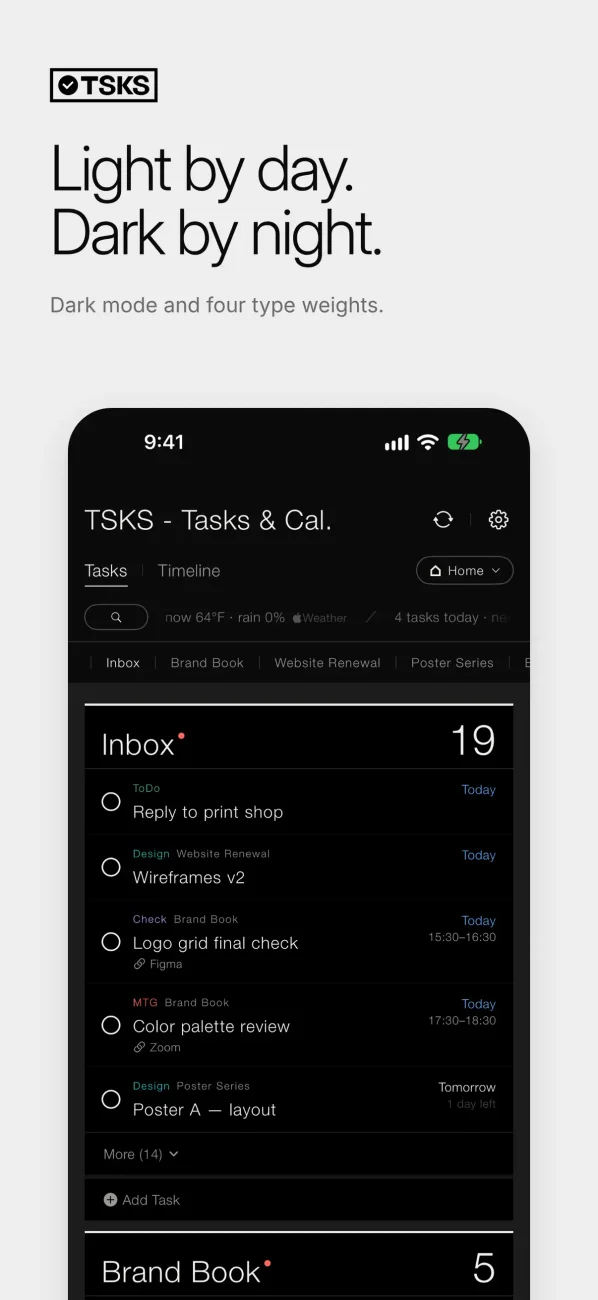

About
Projects and tasks, in one flow.
Everything you need, easy to use and beautifully made.
A standard task manager, built to last.
WHAT YOU GET, FREE
• Sync across Mac, iPhone and iPad through your own iCloud
• Dated tasks flow into the calendars you choose
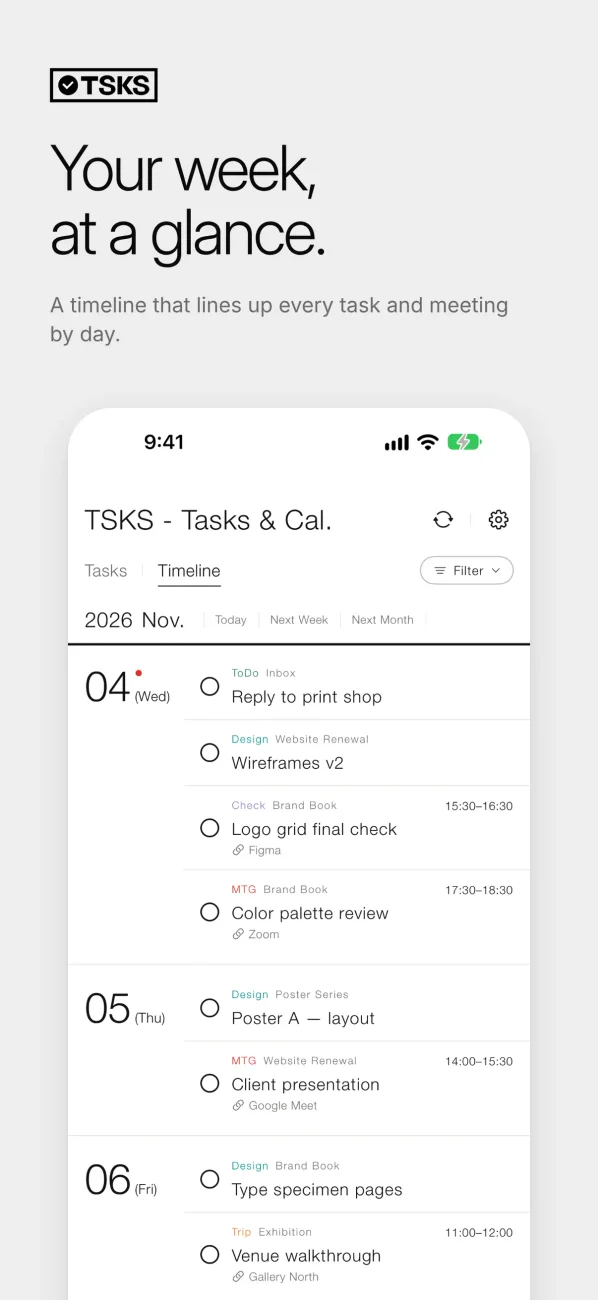
• A timeline that shows the week ahead at a glance
• Up to 4 projects with 5 open tasks each, plus 5 tasks without a project
• A ticker with the weather, the next holiday, sunrise and sunset, and the season
TSKS+
• Unlimited projects and tasks
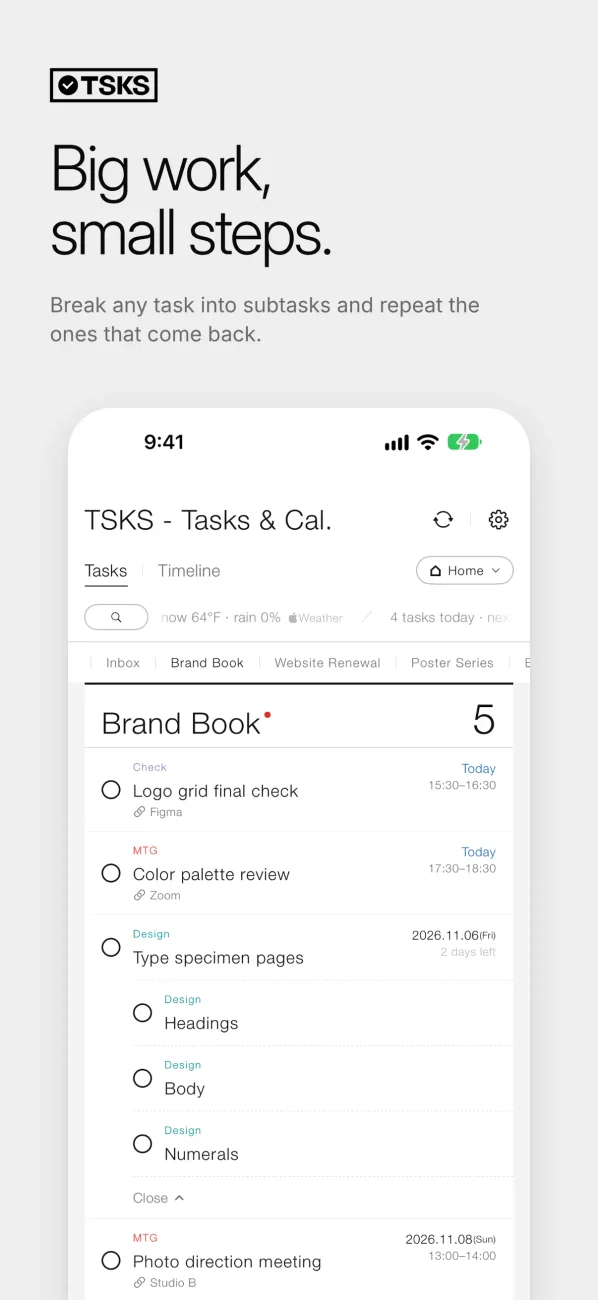
• Subtasks and repeating tasks
• Search across everything
• Your own RSS feeds in the ticker
• A ticker reserved for your weather, seasons and news
YOUR DATA STAYS YOURS
TSKS works without signing up. Your tasks live on your own devices and in your own iCloud.
SUBSCRIPTION
TSKS+ is available as a monthly or yearly auto-renewing subscription, with the first 3 months free for new subscribers. The price for your region is shown in the app before you subscribe. Payment is charged to your Apple Account at confirmation of purchase, after the free trial ends. The subscription renews automatically unless cancelled at least 24 hours before the end of the current period. Manage or cancel any time in your Apple Account settings. One subscription works on Mac, iPhone and iPad.
Privacy Policy: https://a-so-bi.com/shigoto/tsks
Terms of Use: https://www.apple.com/legal/internet-services/itunes/dev/stdeula/
What’s new
Version 1.3 · Nov 26, 2026
- After entering a date, tap Next to continue straight to the URL and memo fields.
- When you create a new task, a project picker now opens after the title, with Inbox selected by default. A Next button now appears opposite Skip.
- More space above the Skip and Next buttons on the input screens for easier reading.
- Added "Rate TSKS" at the bottom of Settings.
- On iPhone, the dividers in the project bar now align with the left edge.
App privacy
What asobigraphic declares on the App Store about how this app handles data.
-
Data linked to you
May be collected and linked to your identity.
- Location
- Identifiers
- Usage data
-
Data not linked to you
May be collected but is not linked to your identity.
- Diagnostics
Privacy practices may vary, for example with the features you use or your age.
Information
- Seller
- ASOBI GRAPHIC, K.K.
- Category
- Productivity
- Version
- 1.3
- Updated
- Nov 26, 2026
- Released
- Nov 10, 2026
- Size
- 10.7 MB
- Requires
- iOS 17.0 or later
- Age rating
- 4+
- Price
- Free
- In-app purchases
- Yes
- Languages
- English, Japanese
- Copyright
- © 2026 ASOBI GRAPHIC, K.K.
You might also like
-
 Kaizen FamilyProductivity
-
 ShareCal Connect予定・休み・天気が見やすいカレンダー
-
 Nokosu - Folder NotesKeep notes, images & to-dos
-
 AKOiHeartProductivity
-
 SparkPDF: Scan, Sign & FillPDF Filler & Document Scanner
-
 Elephas: Secure AI for FilesChat documents, PDFs & notes
-
 ZIG SIMProductivity
-
 Speakly: AI Voice KeyboardDon't type, just Speakly.
-
 Aitemasu mobileScheduling for Google Calendar
-
 EZCast ProProductivity