Tucked: Gridfinity Tray Maker
Photo to STL for 3D Printing
Designed for iPhone
In-app purchases
- Age rating4+
- CategoryGraphics & Design
- DeveloperLITTLE INSPIRATION LIMITED
- LanguagesEnglish+ 1 more
- Size10.8 MB
Links to the official App Store page
Download.org hosts no file of Tucked: Gridfinity Tray Maker. The button opens its official App Store page, published by LITTLE INSPIRATION LIMITED. Listing last checked on Nov 23, 2026.
Screenshots

About
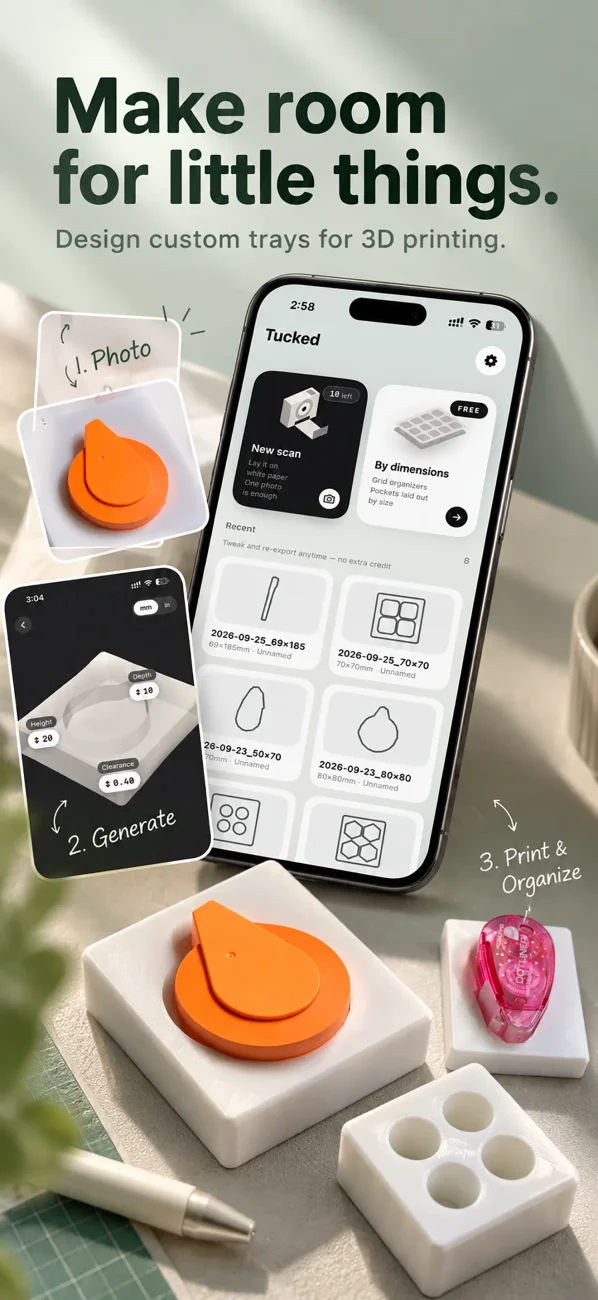
Design custom storage trays and Gridfinity bins for the little things on your desk and around your home. Tucked turns an object's outline into a model you can export and 3D print. No CAD experience needed.
NEW: GRIDFINITY SUPPORT
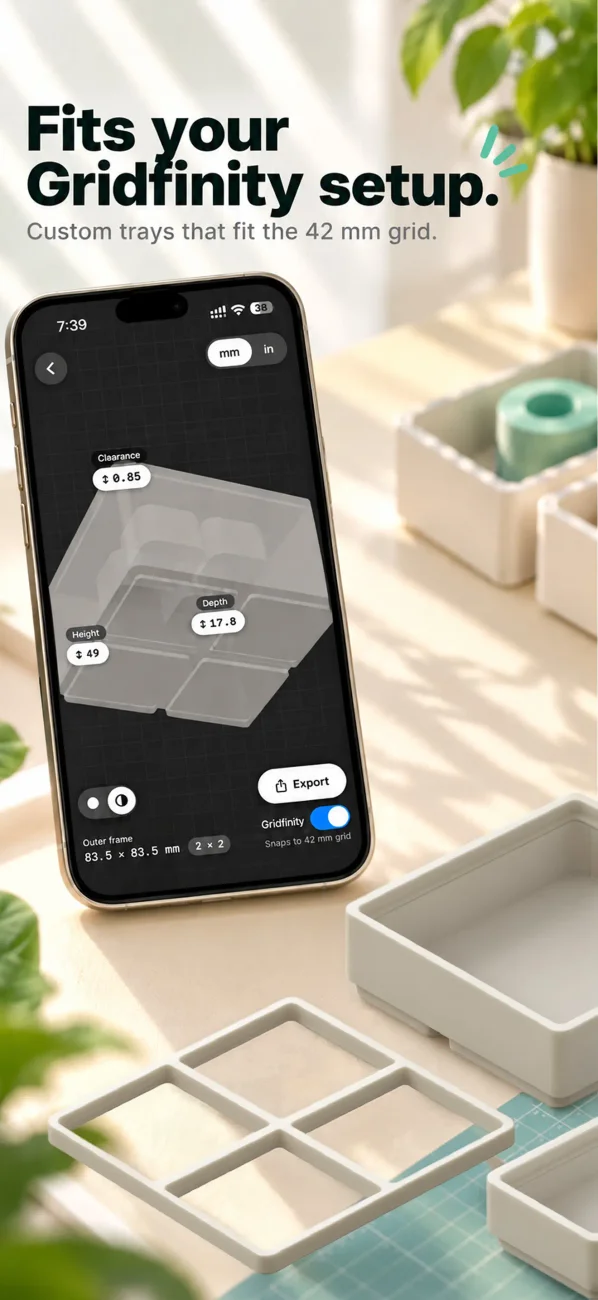
Turn on the Gridfinity option while editing, and Tucked automatically resizes your tray to fit the Gridfinity grid, using the standard 42 mm unit by default. Your custom pocket stays the same, and the bin drops right into your existing Gridfinity setup.
START WITH A PHOTO
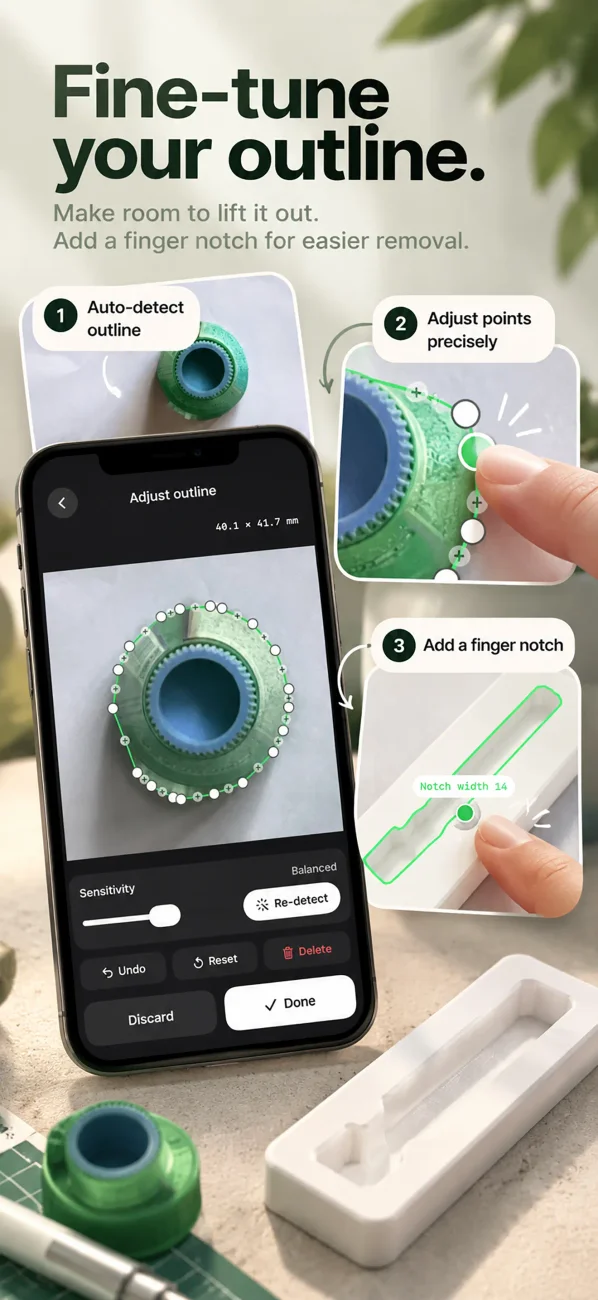
Place your object on A4 or US Letter white paper, select the paper size, and take a photo from directly above. Tucked detects the outline to help you create a custom-shaped pocket.
CHECK AND REFINE
Detection helps distinguish your object from its shadow. Review the outline, choose between suggested results when available, or adjust individual points for more control.
ADJUST WITH A DRAG
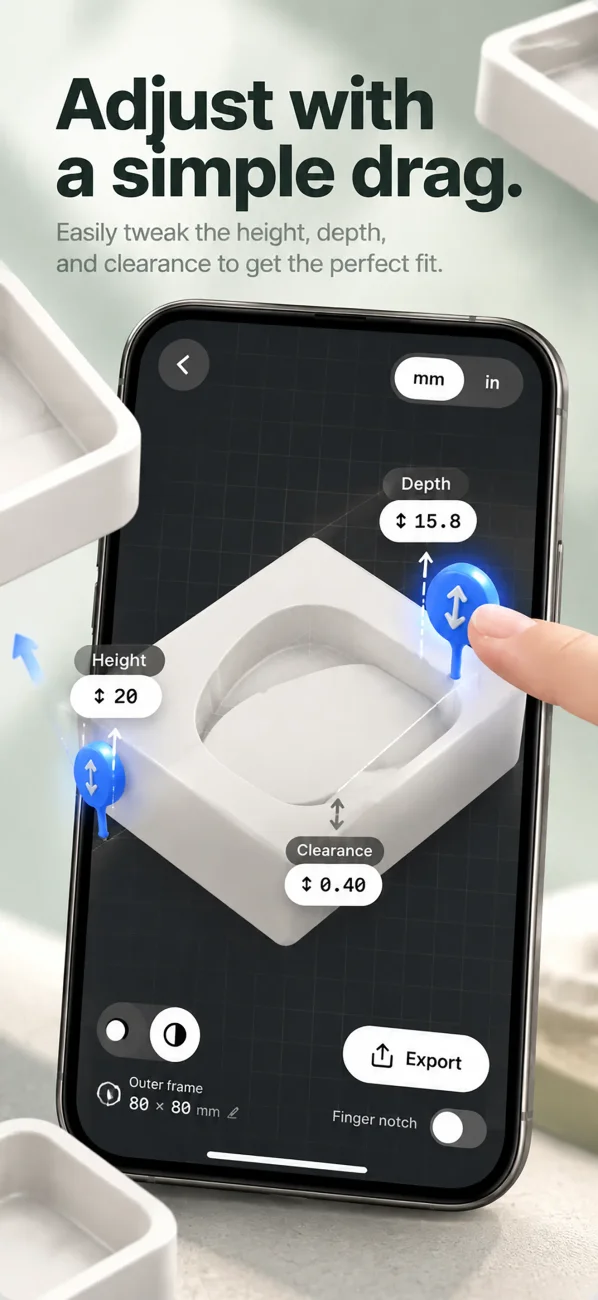
Drag handles on the model to change pocket depth, tray height, clearance, and outer dimensions. Add a finger notch to make stored items easier to lift out.
MATCHING ITEMS, NEATLY ARRANGED
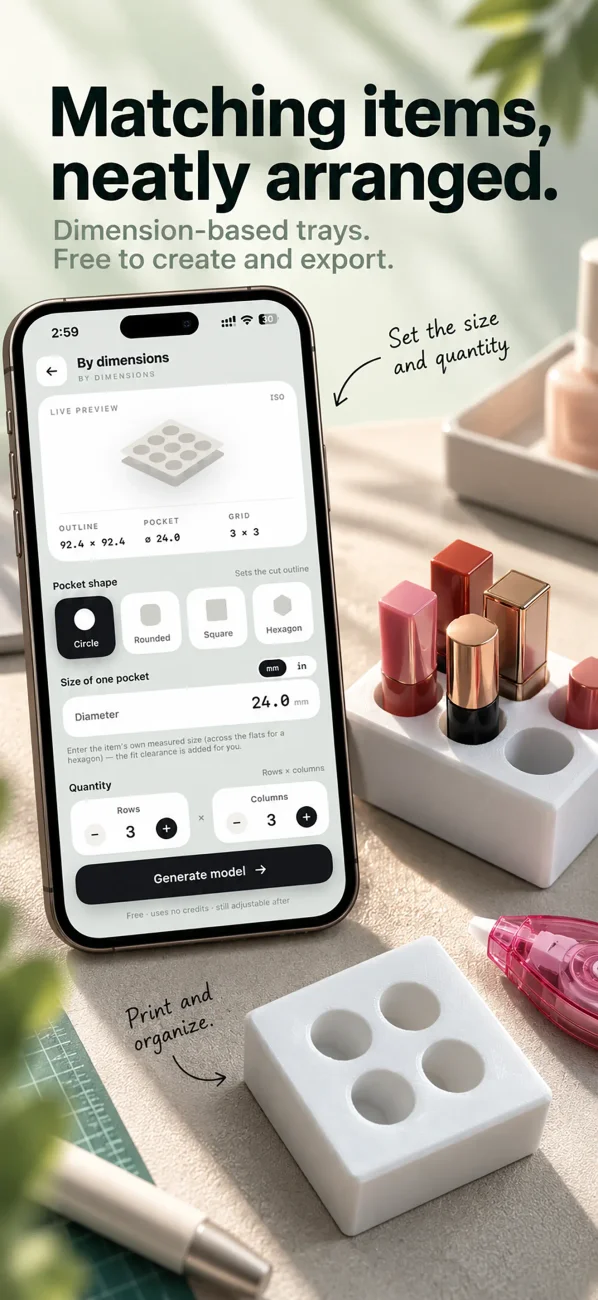
Create trays with repeated pockets for items such as same-sized lipsticks. Choose a shape, enter dimensions, and set the rows and columns. Dimension-based trays are completely free to create and export.
EXPORT FOR 3D PRINTING
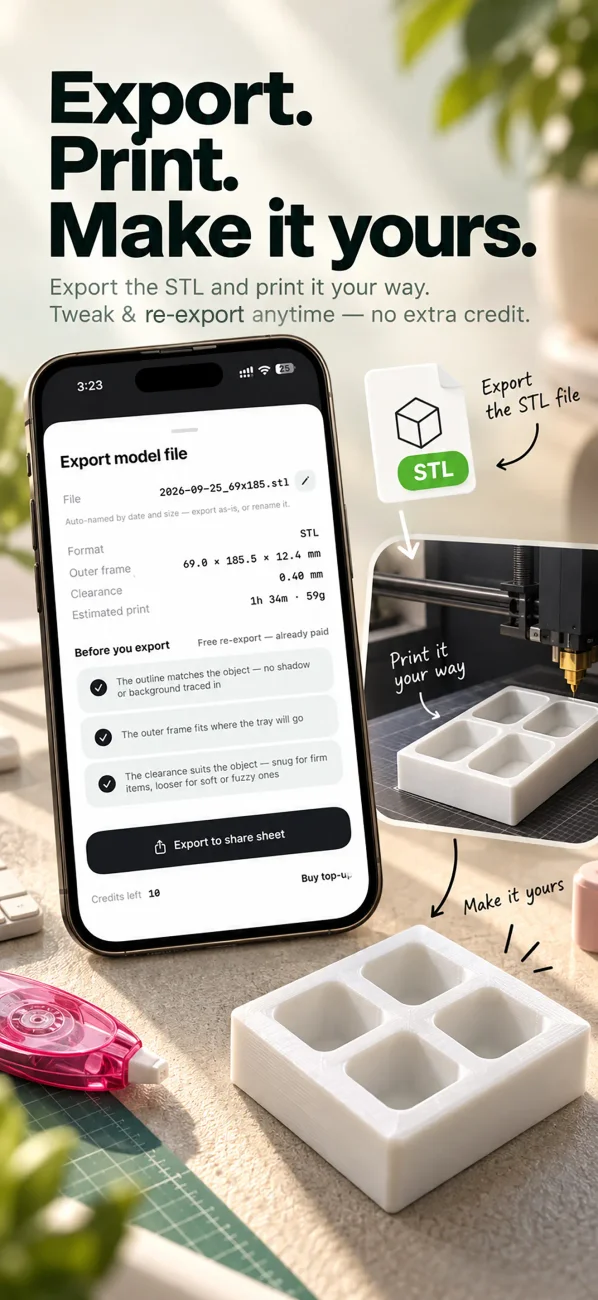
Export an STL file, then prepare it in your preferred slicer and print it yourself, or arrange printing through a separate service.
SIMPLE MODEL CREDITS
- Start with 5 free photo-model credits.
- Buy 10 credits for $3.99 or 30 credits for $8.99 in the US.
- Purchased credits do not expire.
- Taking photos, generating previews, and making adjustments use no credits.
- Each new photo-based model uses 1 credit only when it is first successfully exported.
- Fine-tuning and re-exporting a saved model use no additional credits.
ON-DEVICE PROCESSING
Photos are processed locally on your device, without uploading them to an external AI vision service.
Tucked creates flat-bottomed storage tray and bin models from outlines or dimensions. It does not perform full 3D scanning or reconstruct an object's complete shape. Fit depends on the photo, your adjustments, and your printing setup.
Access to a 3D printer or a separate printing service is required to make physical trays. Tucked does not print, ship physical products, or control a printer. Gridfinity is an open-source modular storage system; Tucked is not affiliated with its creator.
What’s new
Version 1.1.3 · Nov 13, 2026
• NEW: Get It Printed — after exporting, US users can send their tray straight to a print partner and have it shipped, no printer needed
• Minor UI and stability improvements
App privacy
What LITTLE INSPIRATION LIMITED declares on the App Store about how this app handles data.
-
Data not linked to you
May be collected but is not linked to your identity.
- Purchases
Privacy practices may vary, for example with the features you use or your age.
Information
- Seller
- LITTLE INSPIRATION LIMITED
- Category
- Graphics & Design
- Version
- 1.1.3
- Updated
- Nov 13, 2026
- Released
- Sep 30, 2026
- Size
- 10.8 MB
- Requires
- iOS 17.0 or later
- Age rating
- 4+
- In-app purchases
- Yes
- Languages
- English, Simplified Chinese
- Copyright
- © 2026 Little Inspiration Limited
You might also like
-
 Bernie – Laser EngravingEngraver & cutter for GRBL
-
 Jigsmith: STL Designer3D Modeling for 3D Printing
-
 ExactoScanReal-to-CAD in seconds
-
 STL & 3D Viewer - MeshPeekFiles Preview, obj, 3mf
-
 ChromaLoveGraphics & Design
-
 Threads3dEmbroidery 3d Viewer
-
 Realform: LiDAR 3D ScannerScan to 3D Print: STL & 3MF
-
 Modelify: AI 3D Model MakerImage to 3D Model Generator
-
 Moldora: AI 3D Model GeneratorSculpt, Paint & Render
-
 Forma3D - 3D Modeling & PrintSTL, 3MF & Mesh Repair