
TurboTurtle - Video Browser
Video, IPTV & Privacy
Designed for iPhone, iPad
Free · In-app purchases
- Age rating17+
- CategoryUtilities
- DeveloperSven Dyckmanns
- LanguagesEnglish
- Size6.6 MB
Links to the official App Store page
Download.org hosts no file of TurboTurtle - Video Browser. The button opens its official App Store page, published by Sven Dyckmanns. Listing last checked on Nov 20, 2026.
Screenshots
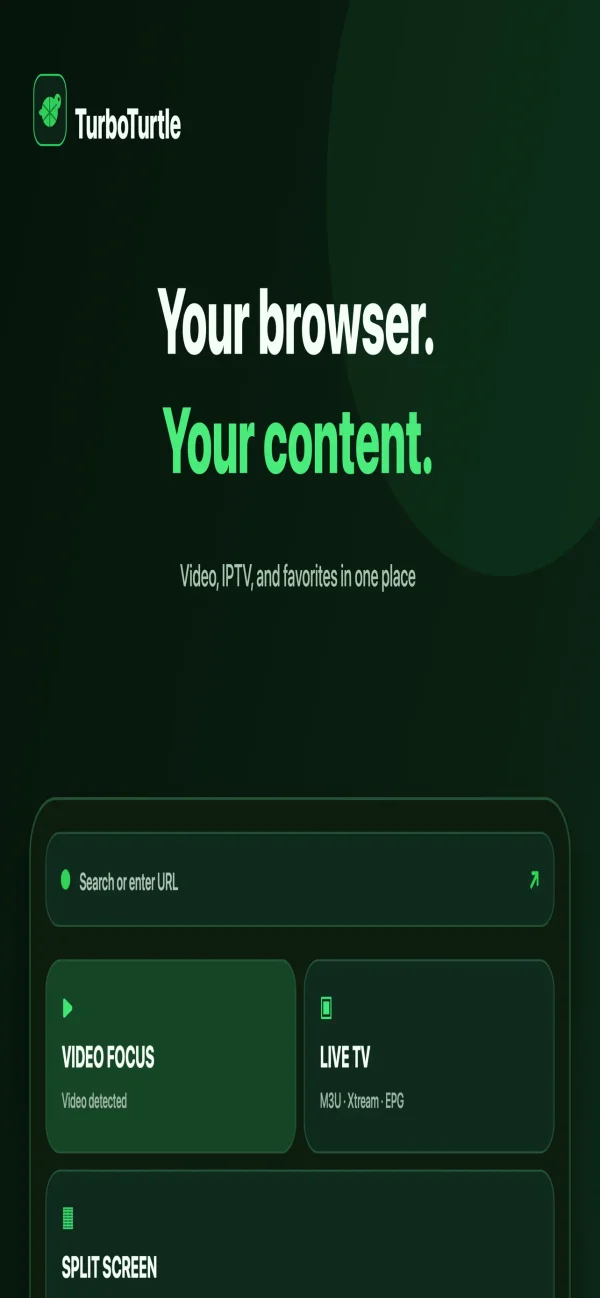

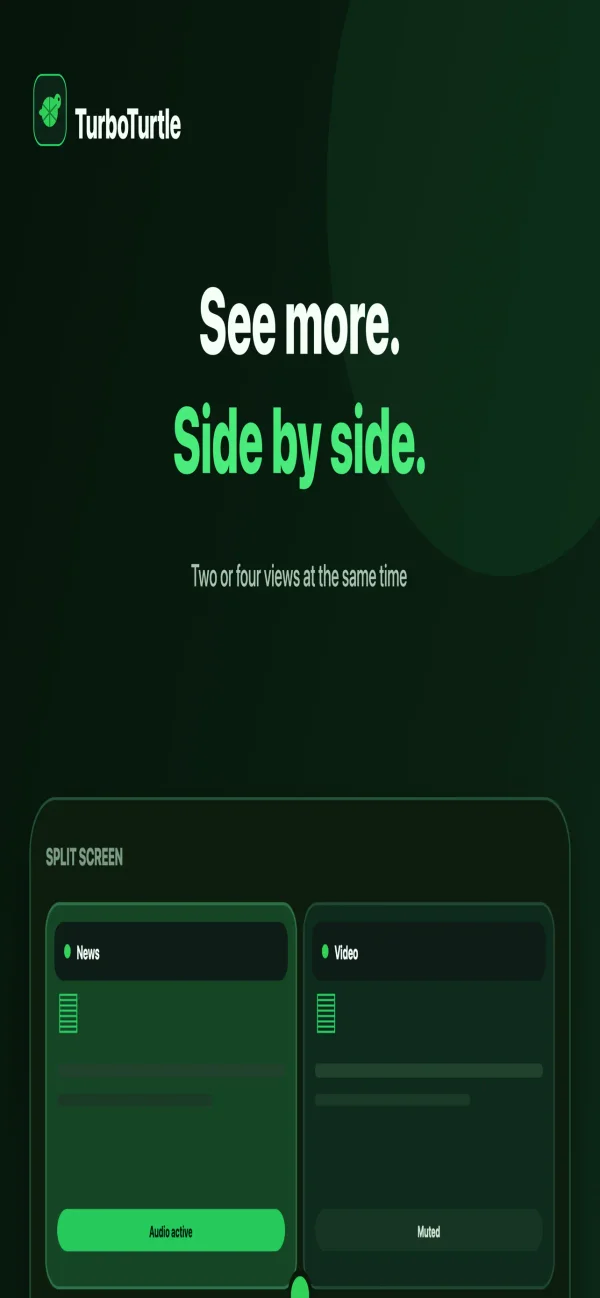


About
TurboTurtle combines a fast browser with focused tools for video, your own IPTV sources, parallel browsing, and custom CarPlay hubs on iPhone and iPad.
VIDEO, FRONT AND CENTER
TurboTurtle detects videos on supported websites and puts useful controls within easy reach. Playback, fullscreen, Picture in Picture, speed, chapters, sleep timer, and recently watched videos stay close at hand.
YOUR IPTV SOURCES
Add your own M3U playlists or Xtream account, organize channels, save favorites, and import XMLTV program data. Credentials are stored in the iOS Keychain. TurboTurtle does not include channels, streams, subscriptions, or media catalogs.
TWO OR FOUR VIEWS
Open two pages side by side or four pages in a grid. Resize the layout and control the active audio source—useful for video, news, live content, and research.
ADD-ONS FOR YOUR SITES
Local host add-ons can turn compatible pages into organized list or workspace views. Generic signals are checked for usable endpoints when a page opens; individual providers are not hard-coded into the app.
YOUR CARPLAY HUBS
Build and manage your CarPlay hubs on iPhone. Compatible favorites, MediaHub catalogs, and video sources detected while browsing appear as organized native lists in CarPlay. Before external playback begins, TurboTurtle checks locally that a source contains a usable video track.
Video on the CarPlay display requires iOS 27 and a compatible vehicle or test system, and is available only when CarPlay permits playback while parked. TurboTurtle does not mirror a free-form web browser onto the vehicle display. DRM, web-only players, and formats that AVPlayer cannot play therefore can’t be presented as CarPlay video.
PRIVACY WITH CONTROL
Tracking protection, content blocking, cleaned links, private site profiles, and local browser data put you in control. Saved credentials and PIN verifiers remain protected on your device. Websites you visit remain subject to their own privacy practices.
MORE FEATURES
• Tabs, favorites, history, and watchlist
• System, Light, and Dark appearance
• Dynamic Type and adaptive iPad layouts
• Import and encrypted export of local data
• Home Screen widget for recently watched videos
• AirPlay, Picture in Picture, and background audio where supported by the source and system
• Custom CarPlay hubs with favorites and compatible video catalogs
Some add-on, split-screen, IPTV, and CarPlay features may require an in-app purchase. Availability and playback of external content depend on each source, its rights, the system, and the vehicle’s technical capabilities.
**What’s New in Version 1.6.4:**
Create custom CarPlay hubs on iPhone and open compatible favorites, MediaHub catalogs, and detected video sources in a native CarPlay view while your vehicle is parked. Also improved: local source validation, fallback selection, fullscreen playback, and CarPlay/AirPlay output.
Apple Standard EULA:
https://www.apple.com/legal/internet-services/itunes/dev/stdeula/
What’s new
Version 1.6.7 · Nov 15, 2026
- Design Update
- Bug fixes
App privacy
What Sven Dyckmanns declares on the App Store about how this app handles data.
-
Data linked to you
May be collected and linked to your identity.
- Location
- Identifiers
- Usage data
Privacy practices may vary, for example with the features you use or your age.
Information
- Seller
- Sven Dyckmanns
- Category
- Utilities
- Version
- 1.6.7
- Updated
- Nov 15, 2026
- Released
- Apr 23, 2026
- Size
- 6.6 MB
- Requires
- iOS 17.0 or later
- Age rating
- 17+
- Price
- Free
- In-app purchases
- Yes
- Languages
- English
- Copyright
- © 2026 SD Projects
You might also like
-
 Car Video CheckCan your car play videos?
-
 AutoCinema: Car IPTV PlayerCar TV, Video & Live Streams
-
 Screencast • mirroring for carscreen share to your vehicle
-
 Car Cinema: TV, IPTV & CastVideo for Car Play & Mirror
-
 Car TV: Smart M3U IPTV PlayerWatch live TV in your car
-
 Car Cast - Screen MirrorPhone to Tesla Sharing
-
 CarLink: Car Sync Play ConnectAutolink, Car Widgets & Pass
-
 Car Auto Play - Connect SyncSmart Link for Digital Cast