
Turnly: Shift Rota Calendar
Work Schedule & Roster Planner
Designed for iPhone, iPad
- Age rating4+
- CategoryProductivity
- DeveloperDANIEL MONT FERRANDIZ
- LanguagesSpanish+ 4 more
- Size31.5 MB
Links to the official App Store page
Download.org hosts no file of Turnly: Shift Rota Calendar. The button opens its official App Store page, published by DANIEL MONT FERRANDIZ. Listing last checked on Nov 23, 2026.
Screenshots

About
Your shift calendar, free for real: no account, no ads, no purchases.
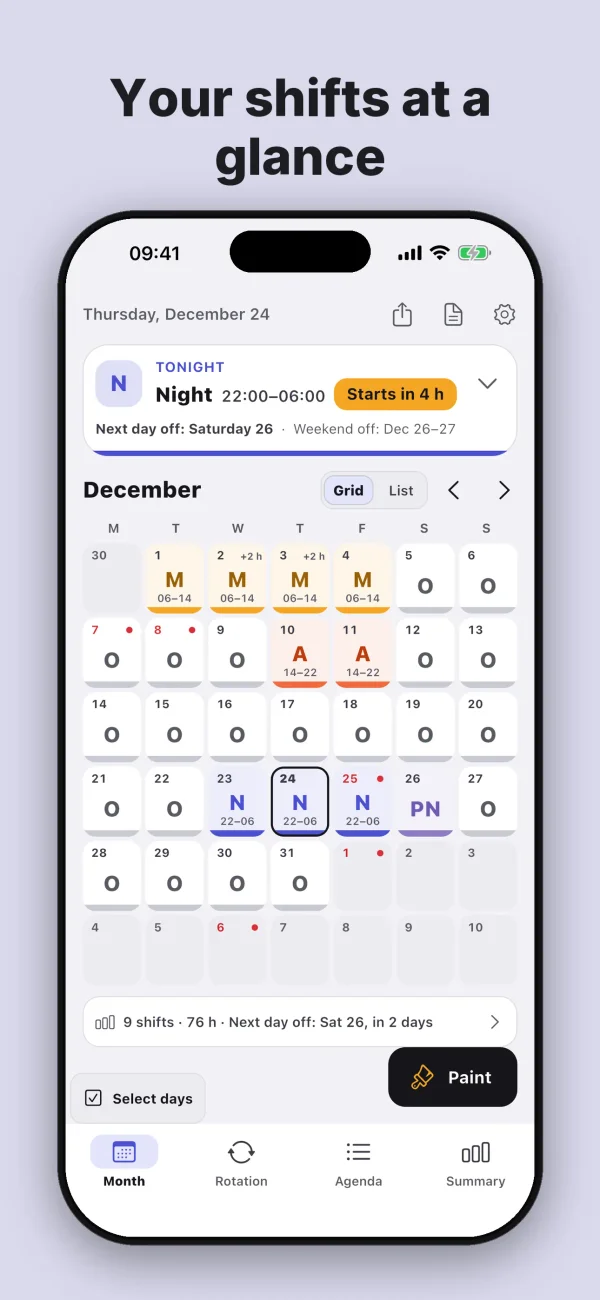
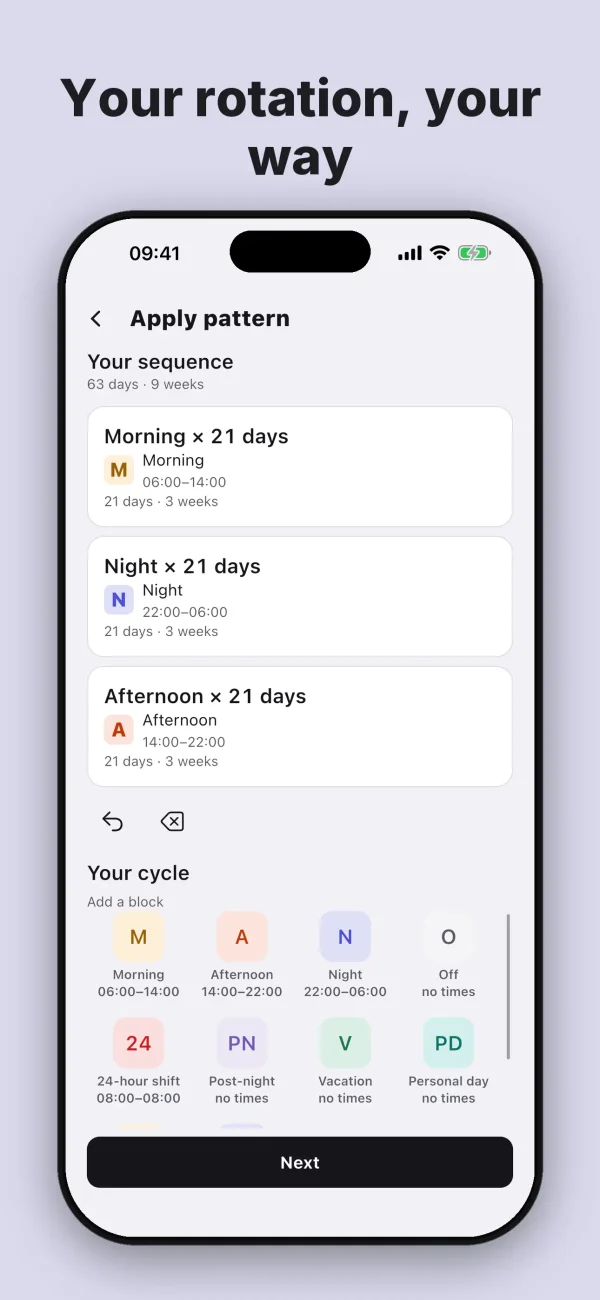
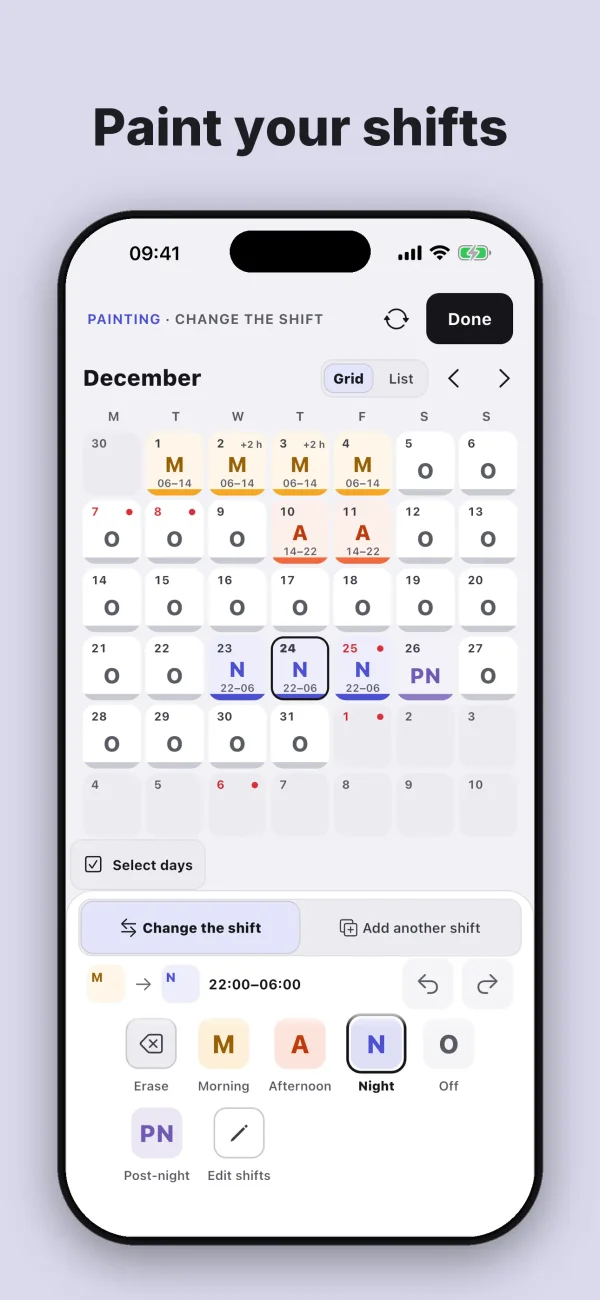
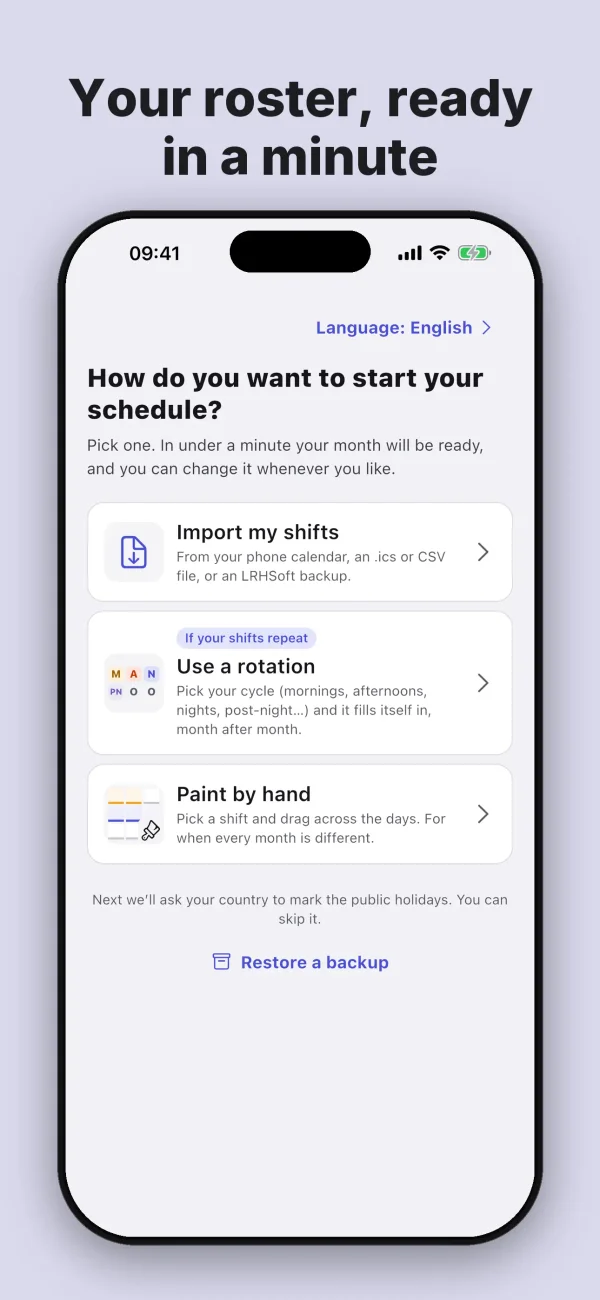
Paint mornings, evenings, nights and 24-hour shifts with a tap, or apply your rotation (Pitman, Panama, 4x4, 24/72) and Turnly fills in the year. See today’s shift on the widget, track night and holiday hours, log your overtime and keep your calendar in a backup that is yours. It works offline.
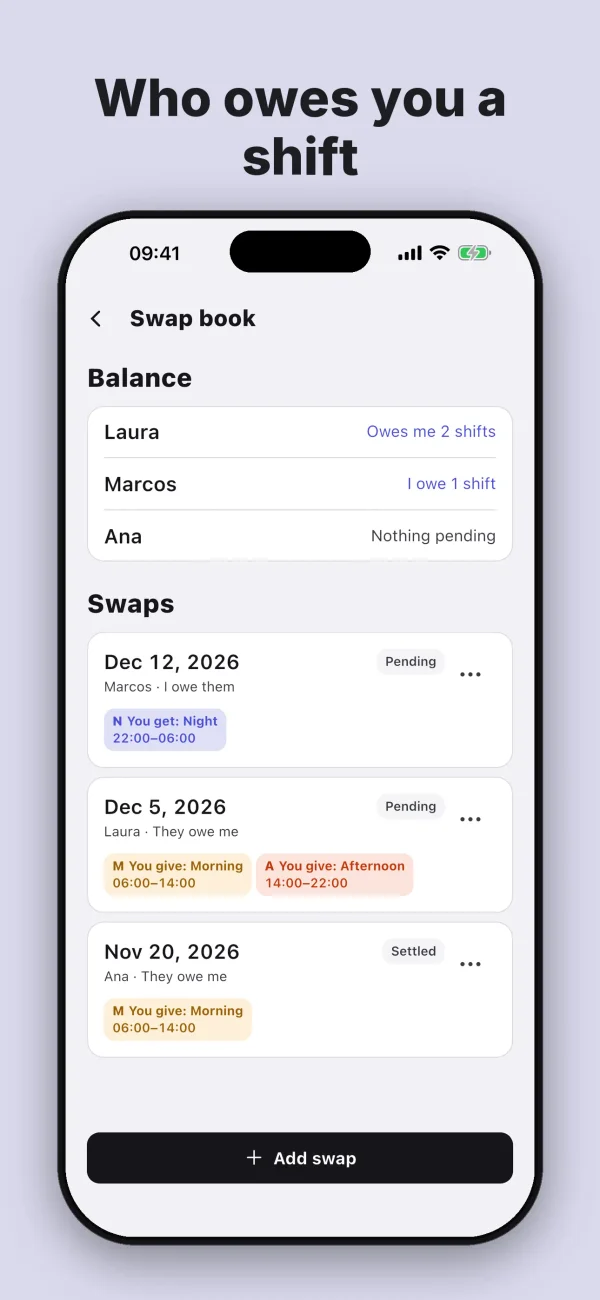
Add several shifts to a day and see each one with a colour, code and times. View the month or year and add your notes.
OVERTIME BY BLOCKS
Log overtime on any day with a start and an end (it can run past midnight), an unpaid break and a note, as many blocks as you need. Use “Right after the shift” to set the start time and the +1 h to +4 h buttons to choose the duration. Create your own overtime types: each is paid as the shift, with a multiplier, at a fixed hourly rate or not at all, and you choose whether it counts toward your hours goal. The day detail lists its hours and pay, and the calendar cell shows “+2 h”.
YOUR ROTATION, FROM ANY DAY
In the day detail you can start the rotation right there, mark the last day of that rotation or resume it on an empty day. Each option explains what will change and can be undone. You also see whether a shift comes from your rotation or was changed by hand. New “2 on, 2 off” and “3 on, 1 off” rotations with the shift you choose, and familiar names (Pitman, Panama, DuPont) in the catalogue.
EVERYTHING AT A GLANCE
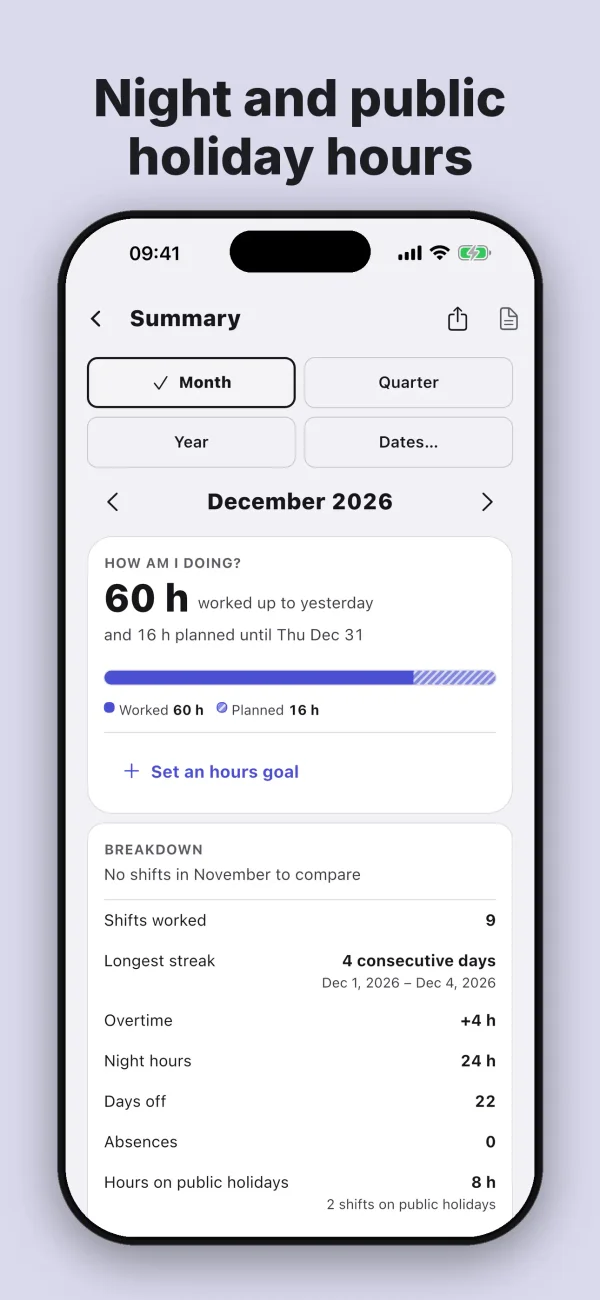
Under the month, a strip shows its shifts, your hours against your goal and your next day off; tap it to open that month’s summary. The summary and the PDF report show your longest run of days worked in a row.
A WIDGET THAT CHANGES DAY ON ITS OWN
Check today, the week or the month without opening the app. Widgets show your overtime and early leave next to your shift, and the 7-day widget totals its hours. Day changes depend on system permissions and restrictions.
BACKUPS YOU CAN CHECK
Create local backups and use Test restore to check that they can be recovered. Review the contents before restoring. To change phones, save a .turnly file outside the app and take it to your new device: local backups are lost when you uninstall.
BRING YOUR SHIFTS
Import your .Shifter backup from LRHSoft (Calendario de Turnos) and review the preview before saving. You can also import from your phone’s calendar, .ics or CSV.
PUBLIC HOLIDAYS AND HOURS
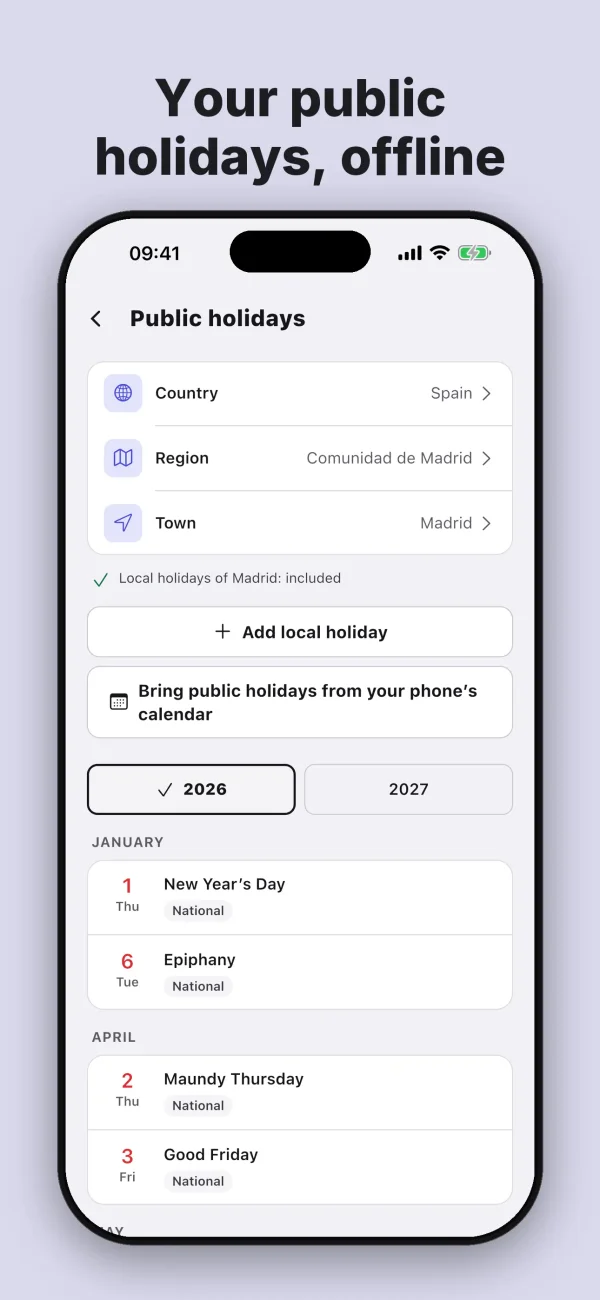
Check the national and regional public holidays for Spain included in the app, offline. Use the local holidays available for your municipality or add your own manually. Check the summary of worked hours, night and public holiday hours, overtime and early leave. An hourly rate and a fixed allowance per shift help you estimate the month.
IN YOUR LANGUAGE
Español, català, galego, euskara and English, with a language selector. For healthcare, police, firefighters, industry and anyone who works shifts.
FREE AND OPEN SOURCE
Everything in the app is free, and the code is open: you can review it and build it yourself. No accounts, no ads, no purchases and no subscriptions.
What’s new
Version 1.2.3 · Nov 22, 2026
Five new ready-made rotations: 4 on, 4 off with nights, 24/48 guard, 6 on, 6 off, 7 on, 7 off and 14 on, 14 off; in the last three you choose your work shift. The bottom bar stays on Rotation, Agenda and Summary, so you can switch between them without going back to the month, and “Rotation” always opens “My rotations”. With the largest text sizes, on iPhone in landscape, shift names and hours in the side pane and the rotation wizard title no longer break mid-word.
App privacy
What DANIEL MONT FERRANDIZ declares on the App Store about how this app handles data.
-
Data not collected
The developer does not collect any data from this app.
Privacy practices may vary, for example with the features you use or your age.
Information
- Seller
- DANIEL MONT FERRANDIZ
- Category
- Productivity
- Version
- 1.2.3
- Updated
- Nov 22, 2026
- Released
- Nov 10, 2026
- Size
- 31.5 MB
- Requires
- iOS 17.0 or later
- Age rating
- 4+
- Languages
- Spanish, Catalan, Basque, Galician, English
- Copyright
- © 2026 Daniel Mont Ferrandiz
You might also like
-
 myWorkShift: Cuadrante TurnosProductivity
-
 Turnada: Shift Work CalendarShift planner, pay & hours
-
 PlanQuokka: AI Calendar FriendDaily planner you talk to
-
 SalturnoProductivity
-
 ÅrshjulPlan your year in one wheel
-
 Turnativo: Shift Work CalendarTeam rota and staff schedule
-
 Police ShiftSchedule, Calendar, OT Tracker
-
 Kuadri: Shift Work CalendarShifts, rota and pay
-
 TurnoClip - Cambios de TurnoProductivity
-
 Shift Planner RosterShiftDuty rota, swaps, fair load