
Turtles: Learn to Code for Fun
Programming Education
Designed for iPhone, iPad, iPod touch
Free
- Age rating4+
- CategoryEducation
- DeveloperToshio Miyasaka
- LanguagesEnglish+ 3 more
- Size10.8 MB
Links to the official App Store page
Download.org hosts no file of Turtles: Learn to Code for Fun. The button opens its official App Store page, published by Toshio Miyasaka. Listing last checked on Nov 14, 2026.
Screenshots
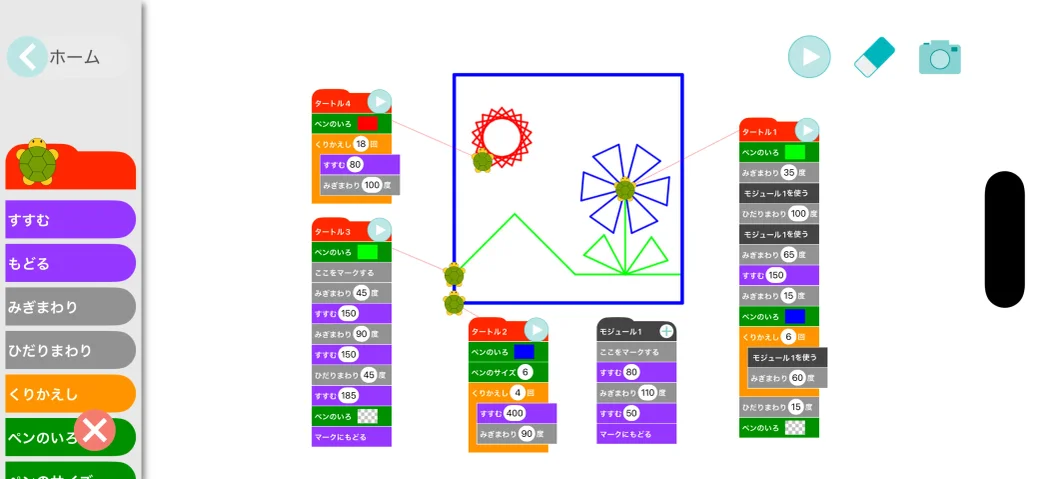
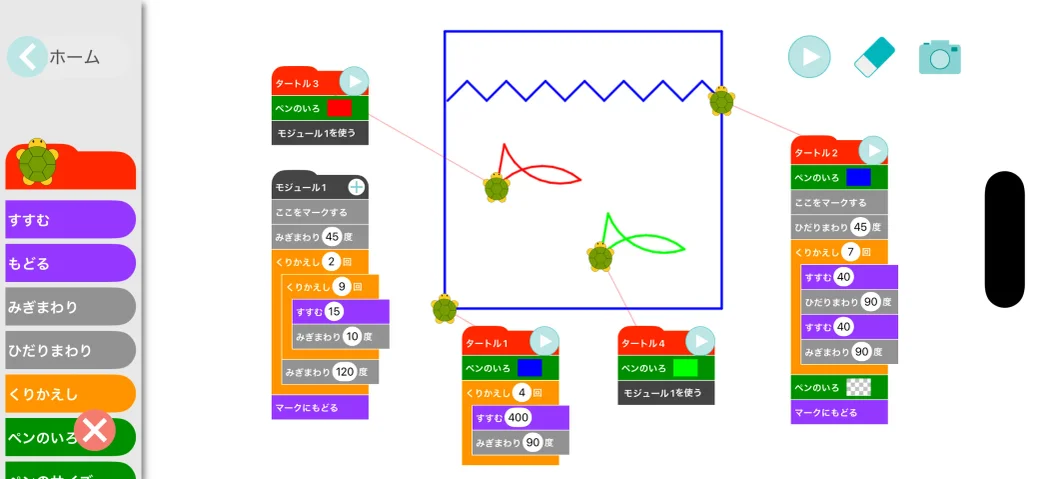
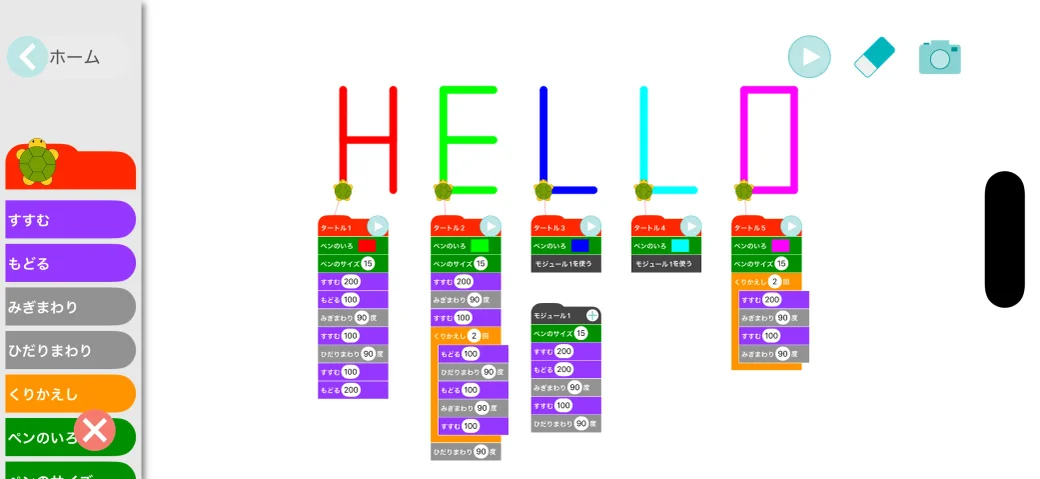

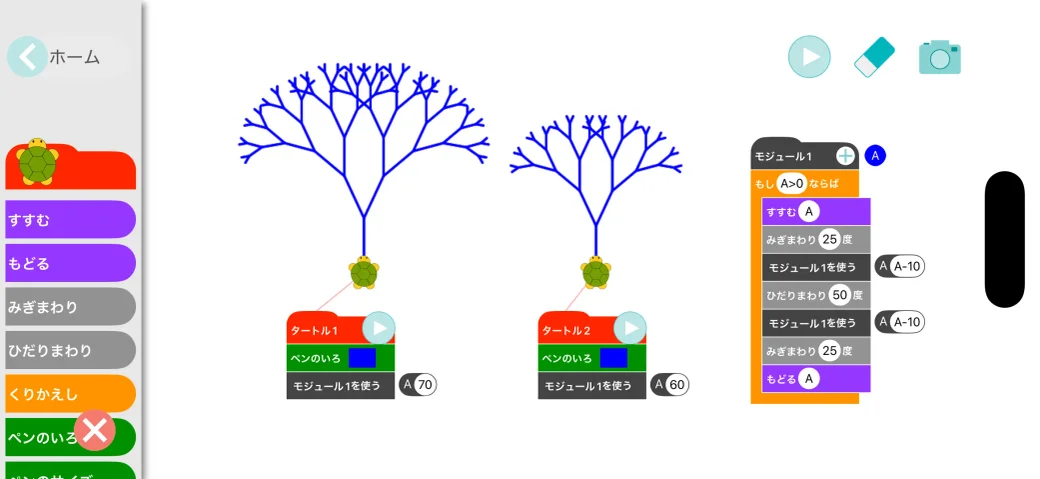
About
Simple commands, deep thinking.
Turtles is a turtle graphics programming app for elementary school students and beginners.
Draw shapes while learning the basics of programming, including loops, variables, and functions.
Give commands to the turtle on the screen to draw lines, create shapes and patterns, and build interactive projects.
Before memorizing difficult syntax, learners can build a program, run it, see the result, and improve it step by step.
Turtles can be used for children’s first programming experience, adult learning, school lessons, coding classes, and workshops.
It also works on iPhone, but a larger screen such as iPad is recommended for creating projects.
Sample projects and related information are available on our website.
https://turtle360.net/
First Steps in Programming:
Turtles is a programming app that helps learners think by combining simple commands.
Starting with basic commands such as “move forward,” “turn right,” and “repeat,” even first-time programmers can quickly begin experimenting and learning by doing.
Learn Programming Basics:
By drawing shapes, learners can understand important programming concepts such as sequencing, loops, conditions, variables, and functions.
Because the result appears immediately on the screen, it is easy to understand how a program works.
Try More Advanced Expressions:
After learning the basics, learners can try more complex shapes, patterns, and fractal drawings.
They can also explore ideas connected to computer science, such as recursion, in a natural and visual way.
Create Mini Games and Projects:
Turtles is not only for moving a turtle. Learners can also create interactive projects and simple mini games based on their own ideas.
By combining the commands they have learned, they can experience the joy of thinking and creating by themselves.
About Turtle Graphics:
Turtle graphics is a programming method where learners give commands to a turtle on the screen to draw shapes.
It was developed in the 1960s for the LOGO programming language, and it is still used today in many programming learning environments.
Turtles is designed based on this idea so that both children and adults can enjoy learning programming.
Acknowledgments:
Turtles was inspired by many programming languages and learning environments, including LOGO, Squeak Etoys, Scratch, Python, and Swift.
We thank the developers around the world who created and nurtured these ideas.
What’s new
Version 6.3 · May 10, 2026
- Added support for French and Spanish.
- Improved multilingual display.
- Reviewed internal processing and improved stability.
- Mac availability has been temporarily paused while we review the Mac version.
App privacy
What Toshio Miyasaka declares on the App Store about how this app handles data.
-
Data not collected
The developer does not collect any data from this app.
Privacy practices may vary, for example with the features you use or your age.
Information
- Seller
- Toshio Miyasaka
- Category
- Education
- Version
- 6.3
- Updated
- May 10, 2026
- Released
- Apr 28, 2019
- Size
- 10.8 MB
- Requires
- iOS 12.0 or later
- Age rating
- 4+
- Price
- Free
- Languages
- English, French, Japanese, Spanish
- Copyright
- © 2019 Project MTS
You might also like
-
 CodeHub: Learn ProgrammingLearn coding with ease & fun
-
 Learn to Code: Grumpy RoyalYour #1 real coding course
-
 PyonkeeBased on Scratch
-
 Jungle Code - Coding for kidsLearn coding in a fun way
-
 Junior Coding From ScratchVisual programming practice
-
 Learn BASIC ProgrammingProgramming made easy.
-
 PROGRAMMING ZEMIA programming educational app
-
 Python For Beginners 2024Learn The Latest Python V.3.13
-
 Learn Java Coding: Java XProgramming Lessons | Compiler
-
 Coding GridLearn to Code