
- Age rating4+
- CategorySports
- DeveloperChun Yin Low
- LanguagesEnglish
- Size136.5 MB
Links to the official App Store page
Download.org hosts no file of TurTur Dive Log. The button opens its official App Store page, published by Chun Yin Low. Listing last checked on Nov 17, 2026.
Screenshots


About
TurTur is a personal dive logbook and planning companion built for recreational scuba divers who want a clean, fast, and capable tool on their iPhone.
LOG EVERY DIVE
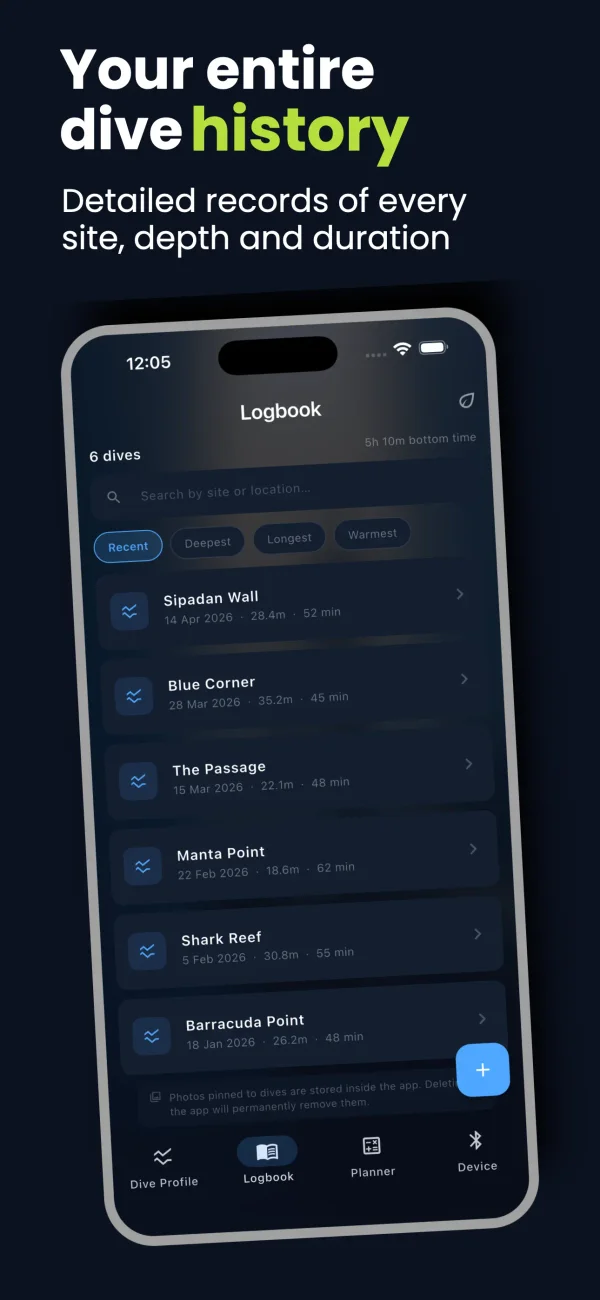
Keep a detailed record of every dive — site name, location, date, depth, duration, water temperature, and personal notes. Add a dive manually in seconds, sync wirelessly from your TurTur-compatible dive computer over Bluetooth, or import dive files from Garmin, Shearwater, or Suunto.
DEPTH PROFILE CHARTS
Visualise your dive with a full depth profile chart pulled directly from your dive computer's sensor data. See your maximum depth point, safety stop position, and mid-ascent rate highlighted in the chart. Toggle between the depth profile and water temperature graph for a complete picture of each dive.
DIVE EVENTS & SAFETY ANALYSIS
For every synced dive, TurTur automatically identifies key moments: maximum depth, safety stop, and ascent rate. Ascent rate is colour-coded green, amber, or red so you can instantly see how the dive compares to recommended limits.
MARINE LIFE LOGBOOK
Log the marine species you spotted on each dive and build a personal life list over time. Browse your sightings by rarity, track what you've seen, and explore the species you're yet to encounter.
MULTI-DIVE PLANNER
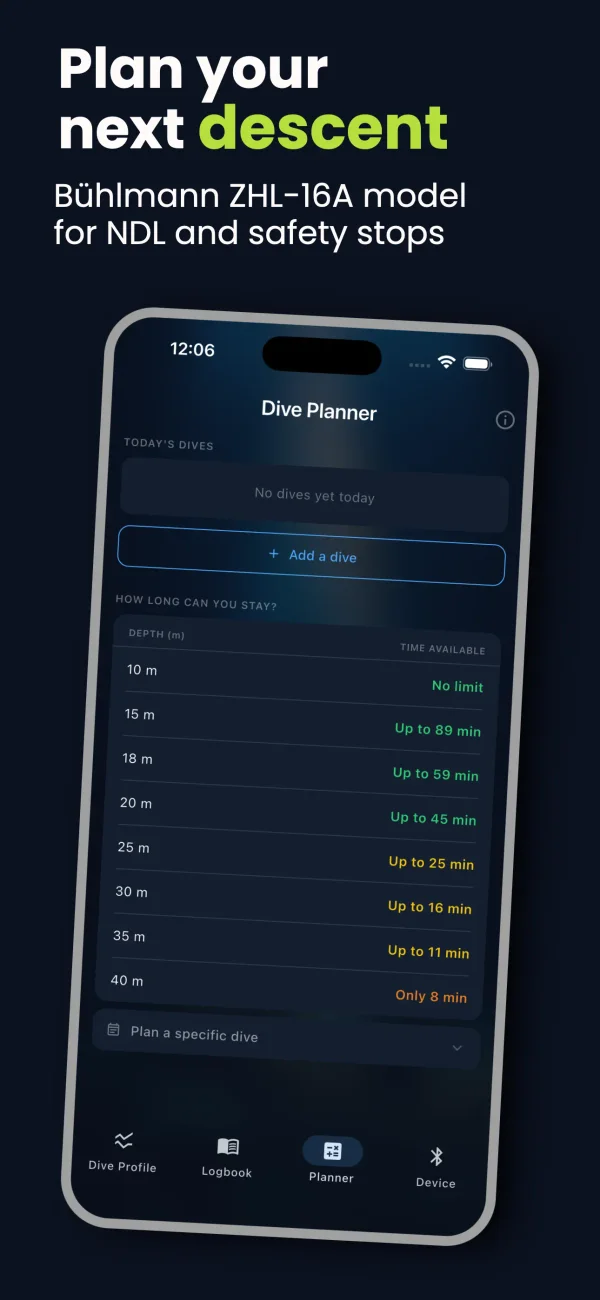
Plan repetitive dives with the built-in planner. Set your target depth and bottom time for each dive, track your surface interval, and see your projected no-decompression limit (NDL) update in real time. The planner uses the Bühlmann ZHL-16A decompression model — the same scientific framework used in professional dive computers — for informational guidance.
Note: The planner is a reference tool for recreational divers. It is not a substitute for a certified dive computer, professional dive training, or on-site judgment. Always dive with a certified dive computer.
SHARE YOUR DIVES
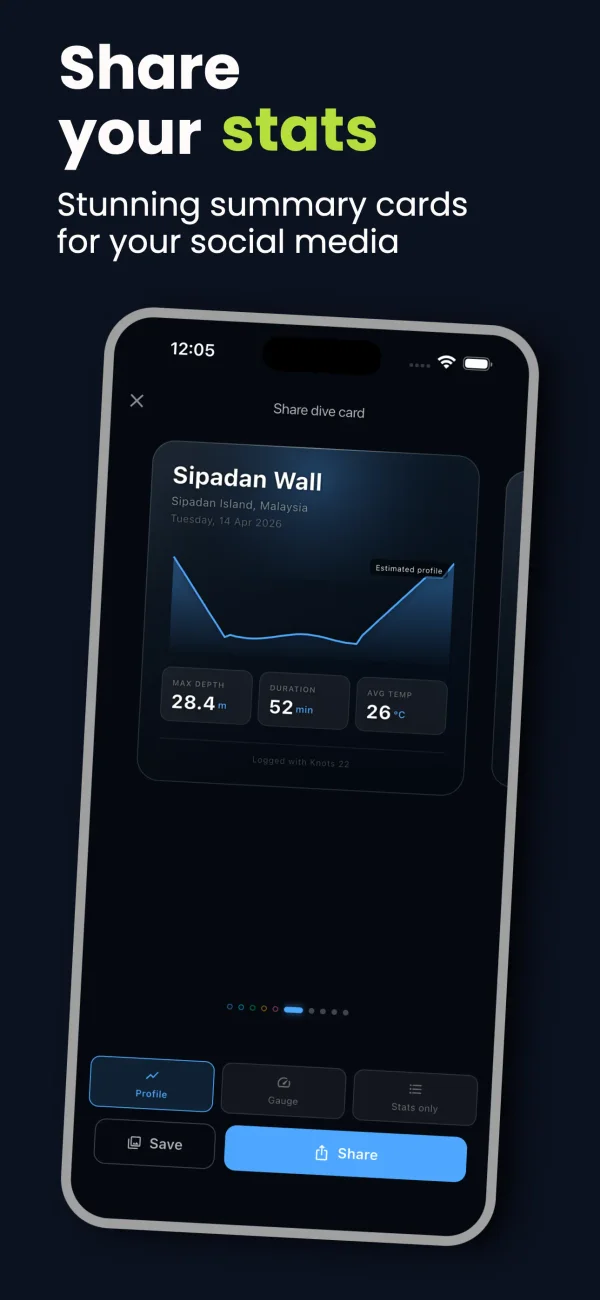
Create beautiful dive summary cards and share them directly to Instagram Stories, save to your Photos library, or share via any iOS app. Choose from multiple colour themes and card layouts — depth profile, gauge, or stats-only.
WIRELESS SYNC & IMPORT
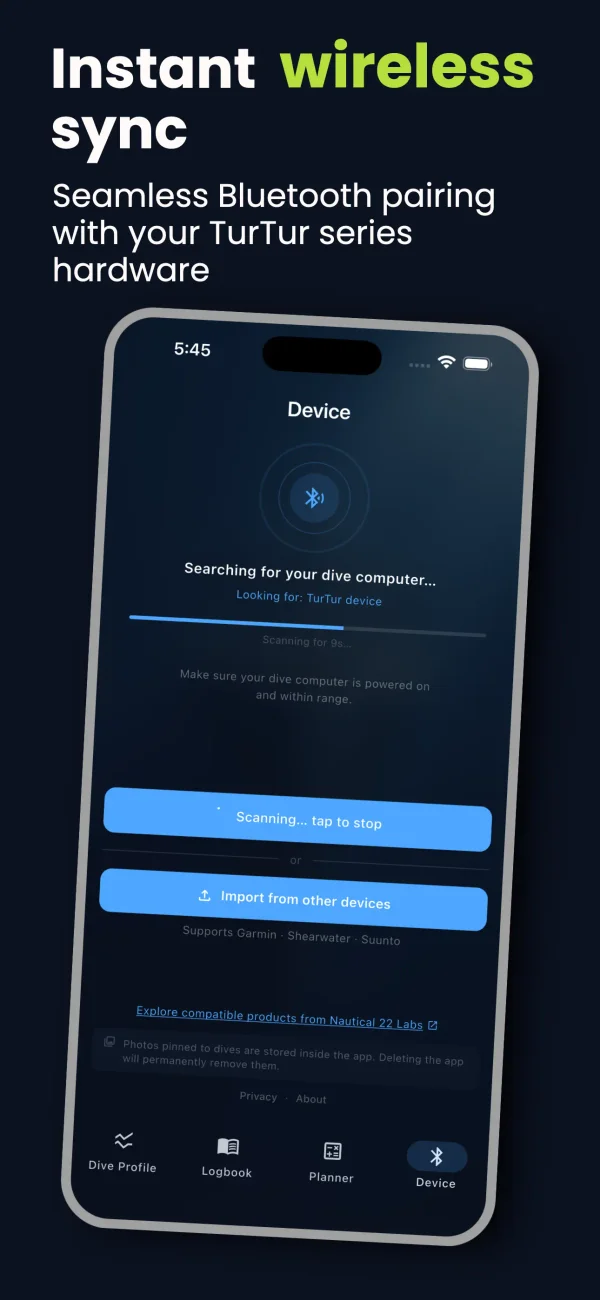
Connect to a TurTur-compatible dive computer via Bluetooth and transfer your full dive history automatically. No cables, no desktop software. Already diving with a Garmin, Shearwater, or Suunto? Import your dive files directly — Garmin .FIT and Shearwater/Suunto .UDDF formats are supported.
UNITS & CUSTOMISATION
Switch between metric (m / °C) and imperial (ft / °F) units at any time. Your preference is saved and applied throughout the app.
PRIVACY FIRST
TurTur stores all your dive data locally on your device. Nothing is sent to external servers. No account required. No analytics.
This is just the beginning. More features to support the dive community and island goers are on the way.
What’s new
Version 1.4.1 · Oct 11, 2026
What's new in this build:
SYNCED DIVE SUMMARY
• Synced dives take max depth and duration from the summary the device
writes at the end of each dive, so they match Device Diagnostics.
• Needs TurTur firmware from Oct 2026 or later. With older firmware the app
falls back to the per-minute log rows, as before.
DEVICE DIAGNOSTICS
• Max depth ever and recent-dive depths were shown as 0 — now shown to one
decimal place.
• New error label: "Dive ended — depth sensor failed".
LICENCES & CREDITS
• About → Licences opens the list of open-source licences used by the app.
• About shows credits for the Wikipedia photos and Open-Meteo weather data.
• Welcome screen: a small, faint credit line at the very bottom names the
photo's Wikipedia article and Open-Meteo, for whichever has loaded.
• Privacy dialog mentions the welcome screen's weather and photo requests.
WHAT TO VERIFY
• Sync a dive, then open Device → Diagnostics: the dive's max depth and
minutes match the synced dive.
• About → Licences opens and lists packages (e.g. flutter_blue_plus, sqflite).
• About shows "Version 1.4.1".
• Cold launch: credit line visible at the bottom of the welcome screen once
the photo/weather load; nothing shown when offline. Tapping it dismisses
the overlay like anywhere else.
App privacy
What Chun Yin Low declares on the App Store about how this app handles data.
-
Data not linked to you
May be collected but is not linked to your identity.
- Location
- User content
Privacy practices may vary, for example with the features you use or your age.
Information
- Seller
- Chun Yin Low
- Category
- Sports
- Version
- 1.4.1
- Updated
- Oct 11, 2026
- Released
- May 12, 2026
- Size
- 136.5 MB
- Requires
- iOS 16.0 or later
- Age rating
- 4+
- Languages
- English
- Copyright
- © 2026 Nautical 22 Labs
You might also like
-
 Puffin - Dive LogLogbook for All
-
 ScubaDen: Dive Log & PlannerScuba logbook & deco planner
-
 Bottomtime: Dive LogbookScuba Journal, Sites & Gear
-
 Dyvo: Scuba Dive LogDiving Log, Planner & Stats
-
 Dive Log: Scuba Logbook SeaLogComputer Sync, Photo Color Fix
-
 Below: Scuba Dive Log & Sites10,000+ sites & 60+ computers
-
 Oceans – the scuba logbook.The #1 dive log & community.
-
 Currents: Diving CommunityScuba & Freediving
-
 Picklr LabPickleball session manager
-
 Shearwater CloudSports