
- Age rating4+
- CategoryUtilities
- DeveloperHongKong Tutrack Technology Limited
- LanguagesEnglish+ 1 more
- Size122.7 MB
Links to the official App Store page
Download.org hosts no file of TUTRACKAI. The button opens its official App Store page, published by HongKong Tutrack Technology Limited. Listing last checked on Nov 23, 2026.
Screenshots

About
Stay connected to your vehicles and assets with TUTRACKAI.
TUTRACKAI works with compatible GPS trackers to bring location updates, tracking history, device alerts, and everyday device management into one app. Whether you are checking on your car, keeping an eye on equipment, or managing several trackers, the information you need is easy to find.
#Subscription-Free Service Options
TUTRACKAI supports both subscription-free tracking service and paid service plans. Some compatible device models include tracking service with no subscription fee, while others require a paid plan.
Whether a subscription is required depends on your device model and the service terms shown on the product's purchase page when you bought it. Paid plan prices also vary by device model and plan. If your device includes subscription-free service, you can use that included service without purchasing a subscription.
#Location at a Glance
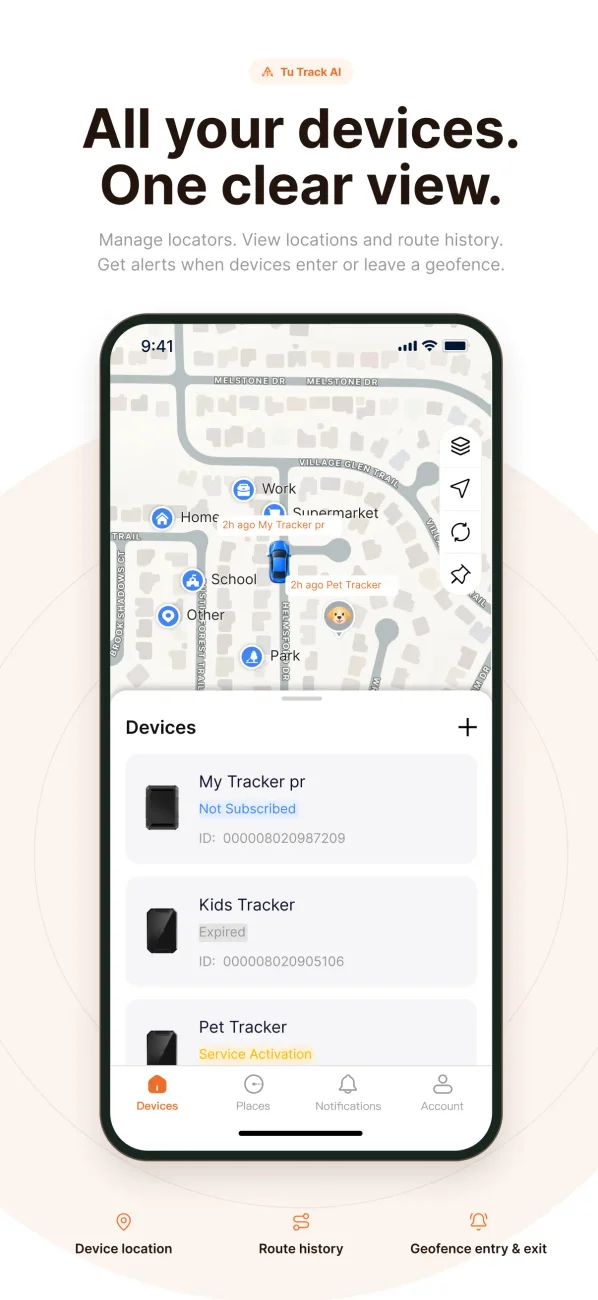
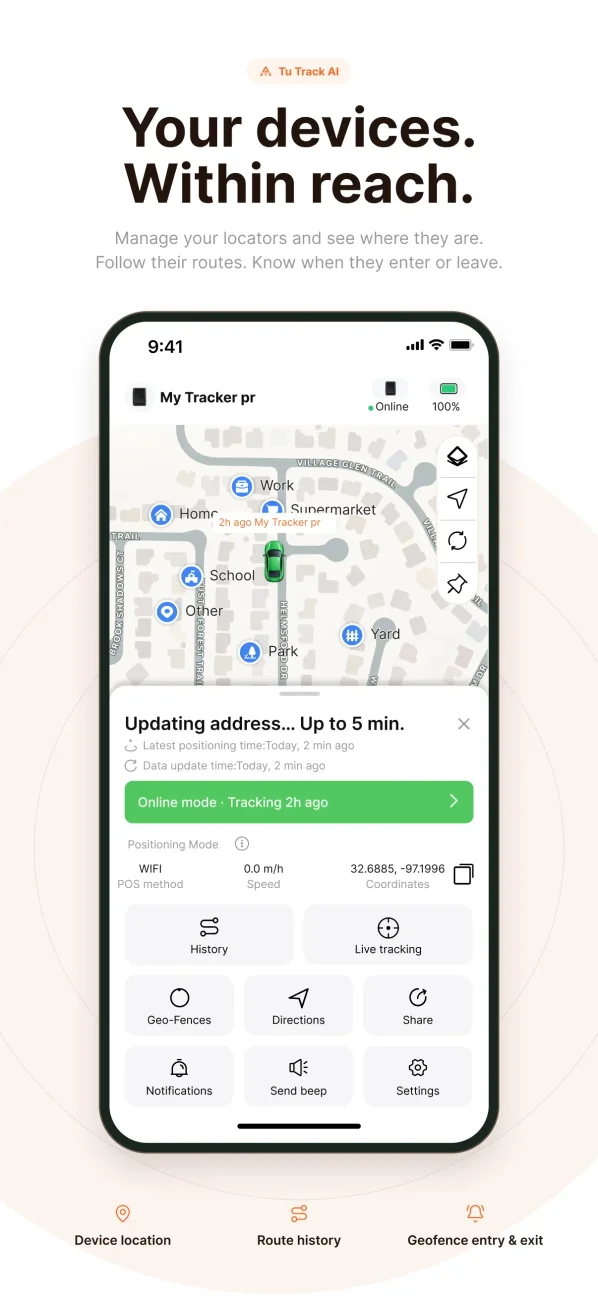
See your devices on the map, check their status, and open a device for more details. Switch between your device list and map overview to find what you need.
#Location History & Playback
Review past locations and replay routes to understand where a vehicle or asset has been. Browse available tracking records and device reports.
#Geofences & Device Alerts
Create geofences around places that matter to you and receive alerts when your device enters or leaves them. Configure other supported device alerts to stay informed about important changes.
#Multiple Devices, One Account
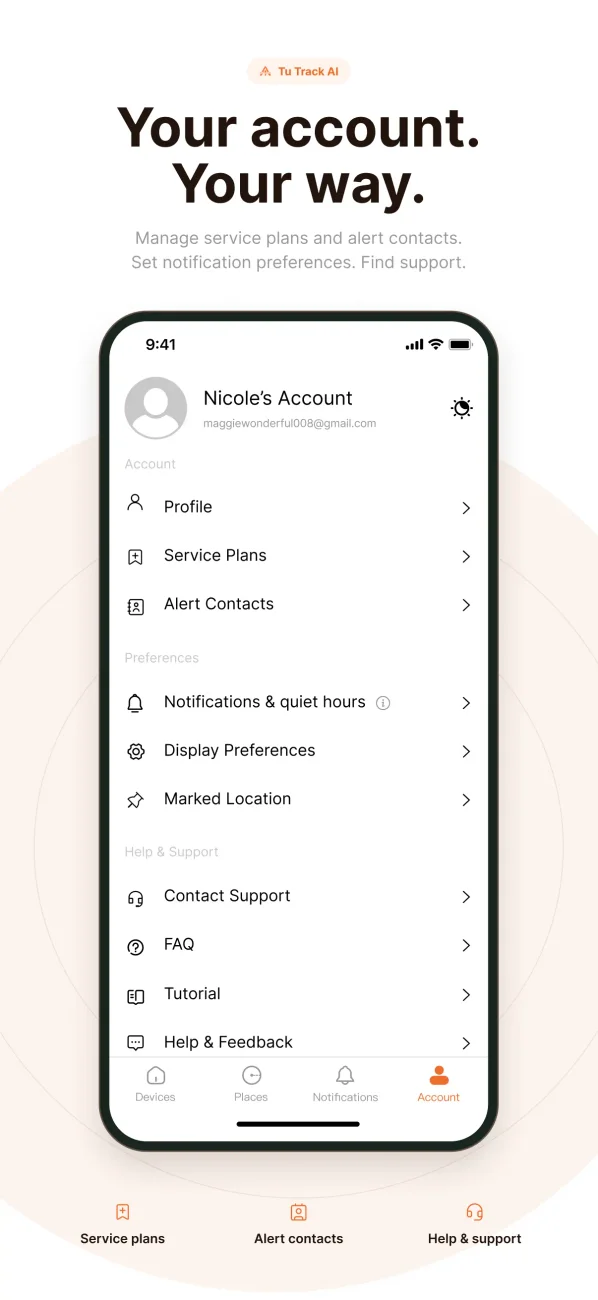
Keep your compatible trackers together in one account. Give devices recognizable names and share device access with people you trust.
#Saved Places
Save your own map markers for locations such as home, parking areas, warehouses, and other places you want to find again.
#Notifications Your Way
Choose your supported alert delivery methods and set quiet hours to fit your routine. Adjust language and measurement units for a more familiar experience.
#Service Information & Support
Check the service status and included service for each device. For devices with paid plans, view available options, review billing information, and manage automatic renewal where applicable.
Contact support from the app and select the device you need help with so our team can follow up with the right information.
#Getting Started
1. Create an account or sign in.
2. Add your compatible GPS tracker using its device ID.
3. Follow the in-app instructions to set up the device and its included service or applicable plan.
A compatible GPS tracker is required. Features vary by device. Location updates and alerts depend on the device's connection and settings.
Need help? Contact support in the app or email support@tutrackai.com.
What’s new
Version 1.0.4 · Nov 17, 2026
Fix some known issues.
App privacy
What HongKong Tutrack Technology Limited declares on the App Store about how this app handles data.
-
Data linked to you
May be collected and linked to your identity.
- Contact info
-
Data not linked to you
May be collected but is not linked to your identity.
- Location
- Diagnostics
Privacy practices may vary, for example with the features you use or your age.
Information
- Seller
- HongKong Tutrack Technology Limited
- Category
- Utilities
- Version
- 1.0.4
- Updated
- Nov 17, 2026
- Released
- Nov 4, 2026
- Size
- 122.7 MB
- Requires
- iOS 15.0 or later
- Age rating
- 4+
- Price
- Free
- Languages
- English, French
- Copyright
- © 2026 HongKong Tutrack Technology Limited
You might also like
-
 Camcast – Screen SharingFast Screen Share & Cast
-
 GPS Pro using TraccarUtilities
-
 TrackEaseProtect Your Assets
-
 Interest Calculator - CompoundInvestment & Savings Planner
-
 CFT CalculatorCFT Calculator - Cubic Feet
-
 KitchenBossUtilities
-
 LockNotes: Note on Lock ScreenLock Screen Notes Widgets
-
 LOCK MEMO - Secure NotesPrivate notes with passcode
-
 Timestamp Camera & GPS Map TagGeotag Photo Proof & Location
-
 EcovoxUtilities