
TV Cast & Control
Screen Mirroring & Video Cast
Designed for iPhone, iPad
Free · In-app purchases
- Age rating4+
- CategoryUtilities
- DeveloperPro App Company Limited
- LanguagesEnglish+ 49 more
- Size42.4 MB
Links to the official App Store page
Download.org hosts no file of TV Cast & Control. The button opens its official App Store page, published by Pro App Company Limited. Listing last checked on Nov 16, 2026.
Screenshots

About
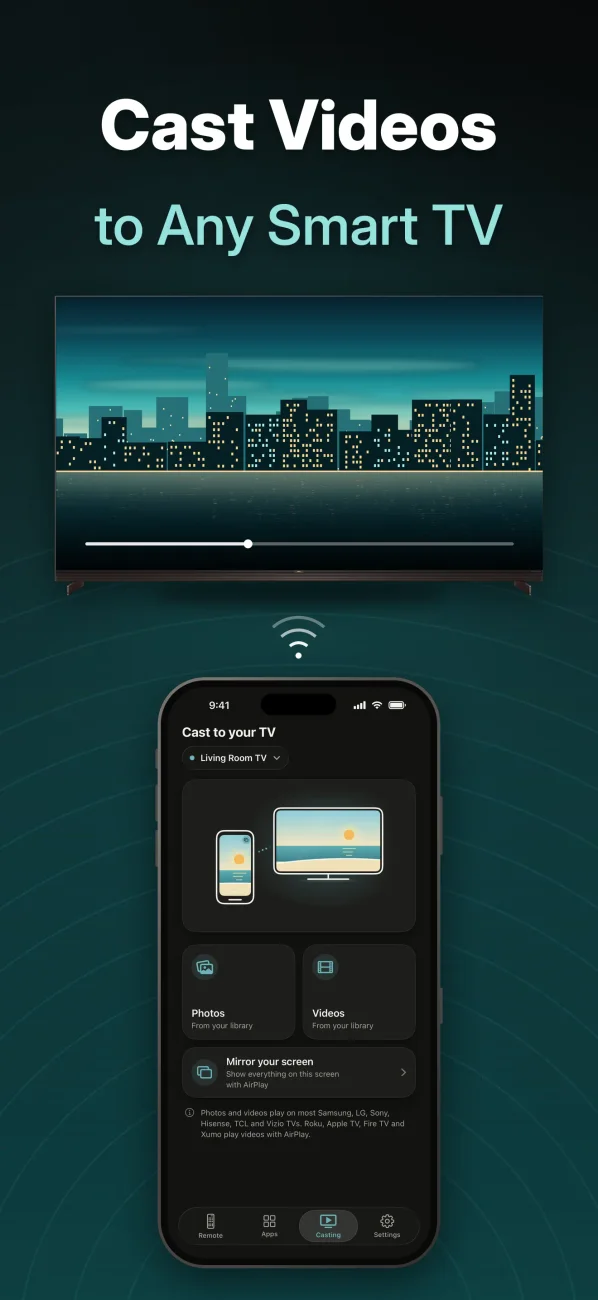
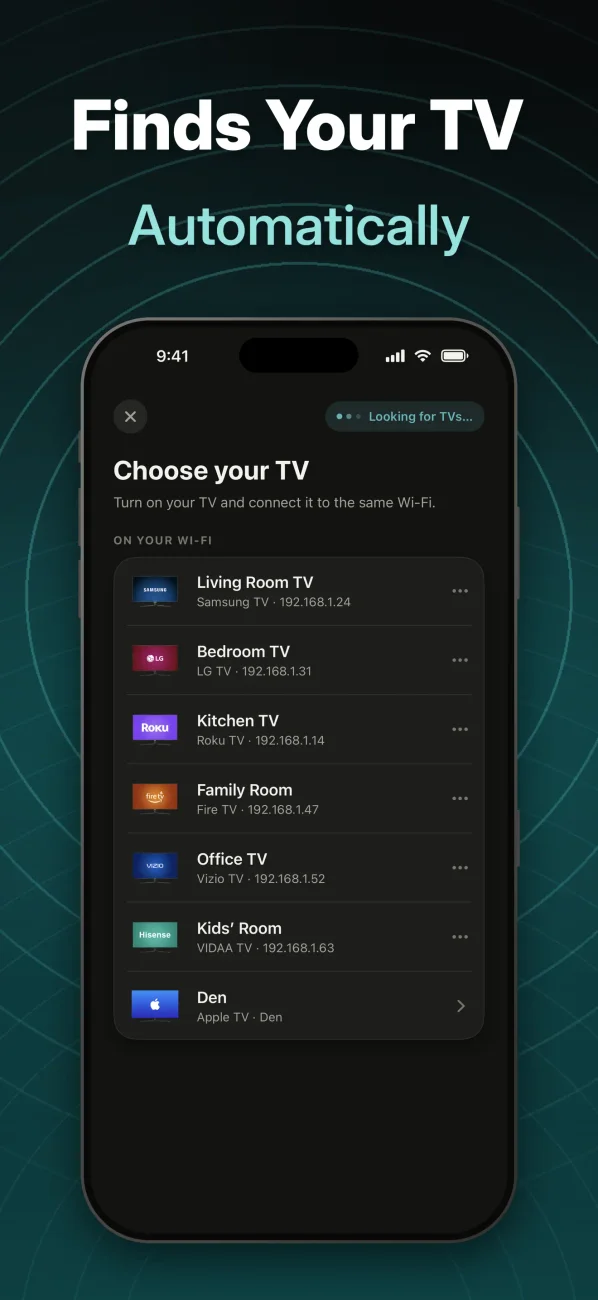
Show your photos and videos on the big screen. TV Cast finds the TVs on your Wi-Fi in seconds and sends pictures and videos from your iPhone or iPad straight to the one you pick. Mirror your whole screen with AirPlay, and keep a full TV remote one tab away.
No cables, nothing to plug in. Your device and your TV just need to be on the same Wi-Fi.
Cast and mirror
• Cast photos and videos from your library to the TV, with nothing to install on the TV. Run a slideshow, or play, pause and skip through a video from your device.
• With AirPlay, videos keep playing when you lock your device or switch apps.
• Mirror photos, videos and apps to Apple TV and AirPlay-ready smart TVs with AirPlay screen mirroring, built into iOS and iPadOS.
• Find your TV without typing an IP address. Pair once, and TV Cast reconnects the next time you open it.
Casting photos and videos works on most Samsung, LG, Sony, Hisense, TCL and Vizio TVs. Roku, Apple TV, Fire TV and Xumo TVs play videos with AirPlay. Some streaming sticks can’t receive casts.
A TV remote, too
TV Cast also controls Samsung, LG, Roku, Fire TV, Google TV, Apple TV, Vizio, VIDAA and Xumo TV, including TVs from Sony, TCL, Hisense, Toshiba, Philips, Panasonic, Sharp, Insignia, onn, Element, Pioneer and Westinghouse that run these systems.
• Power, volume, mute, channels, play and pause, Back, Home and Options. Hold a key and it keeps going.
• Steer three ways: arrows with OK in the middle, a touchpad you swipe, or a number pad for channel numbers.
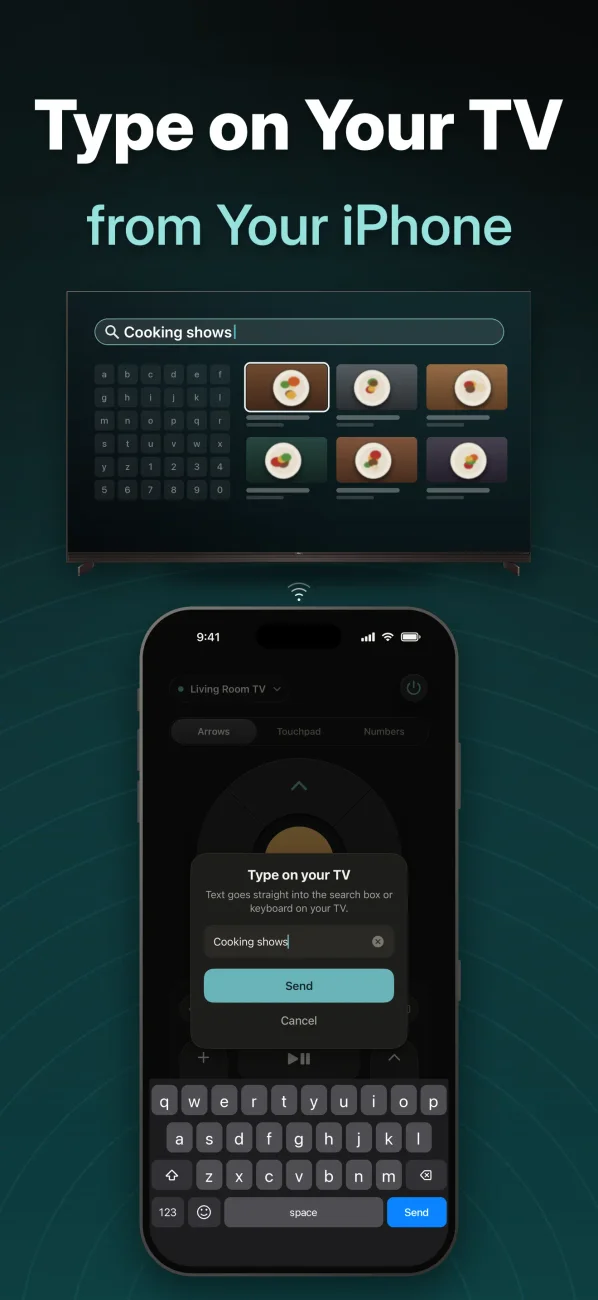
• Type with your keyboard to search for a show or enter a password.
• Open TV apps in one tap from the Apps tab.
• Turn the TV on over Wi-Fi.
Some features depend on your TV: typing, number keys, opening apps and turning the TV on work on models that support them.
Get started
1. Turn on your TV and connect it to the same Wi-Fi as your iPhone or iPad.
2. Open TV Cast, tap Find my TV and allow Local Network access.
3. Pick your TV. The first time, some TVs ask you to select Allow or enter the code shown on screen.
TV Cast Pro
TV Cast is free to download and lets you try casting and the remote first, so you can check that it works with your TV. TV Cast Pro unlocks casting photos and videos without limits, AirPlay screen mirroring, unlimited remote control and opening TV apps in one tap.
Choose a weekly or yearly subscription (some plans start with a free trial), or pay once for Lifetime. Subscriptions renew automatically unless canceled at least 24 hours before the end of the current period. Manage or cancel them anytime in your Apple Account settings.
No account. No ads.
Terms of Use: https://proapps.org/tvcast/terms-of-use.html
Privacy Policy: https://proapps.org/tvcast/privacy-policy.html
What’s new
Version 1.1.7 · Nov 2, 2026
This update brings bug fixes and performance improvements to make TV Cast smoother and more reliable.
App privacy
What Pro App Company Limited declares on the App Store about how this app handles data.
-
Data linked to you
May be collected and linked to your identity.
- Location
- Identifiers
- Diagnostics
Privacy practices may vary, for example with the features you use or your age.
Information
- Seller
- Pro App Company Limited
- Category
- Utilities
- Version
- 1.1.7
- Updated
- Nov 2, 2026
- Released
- Sep 28, 2026
- Size
- 42.4 MB
- Requires
- iOS 17.0 or later
- Age rating
- 4+
- Price
- Free
- In-app purchases
- Yes
- Languages
- English, Amharic, Arabic, Bengali, Burmese, Catalan, Croatian, Czech, Danish, Dutch, Finnish, French + 38 more
- Copyright
- © 2026 Pro App Company Limited
You might also like
-
 TV Remote Control PlusRemote Control for All TVs
-
 TV Remote. Universal Control.Remote Control for TV
-
 Universal TV™ Remote ControlSmart TV Remote & Casting
-
 TVRemoteX: Universal TV RemoteNo Ads, Widgets & Apple Watch
-
 Universal TV Remote: SmartCtrlFor Samsung, LG, Roku, Fire TV
-
 Xumo RemoteUtilities
-
 TV Remote For All TV BrandsSmart Control, Cast & Mirror
-
 Remotely - Universal TV RemoteRemote for Samsung, Roku, LG..
-
 Universal TV Remote Control HDVoice, Keyboard & Cast Media
-
 TV Remote Control Universal ·Stick & Smart TV Controller