
- Age rating4+
- CategoryUtilities
- Developerwing global it service
- LanguagesEnglish
- Size20.2 MB
Links to the official App Store page
Download.org hosts no file of TV Remote - Free Universal. The button opens its official App Store page, published by wing global it service. Listing last checked on Nov 6, 2026.
Screenshots
About
TV Remote - Free Universal
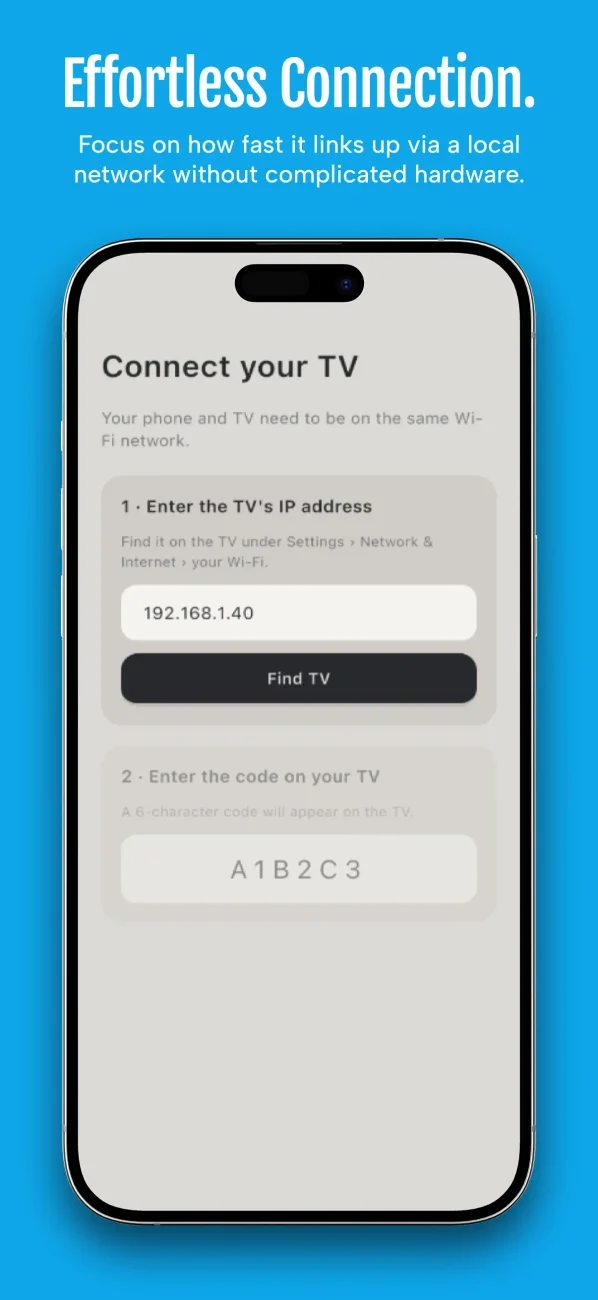
Turn your phone into a convenient remote control for your Android TV or Google TV. Connect directly to your TV over your local Wi-Fi network and control it from your phone without a PC, server, or extra hardware.
KEY FEATURES
Easy TV Pairing
- Connect to your TV using its IP address.
- Enter the pairing code displayed on your TV.
- Save your pairing for future connections.
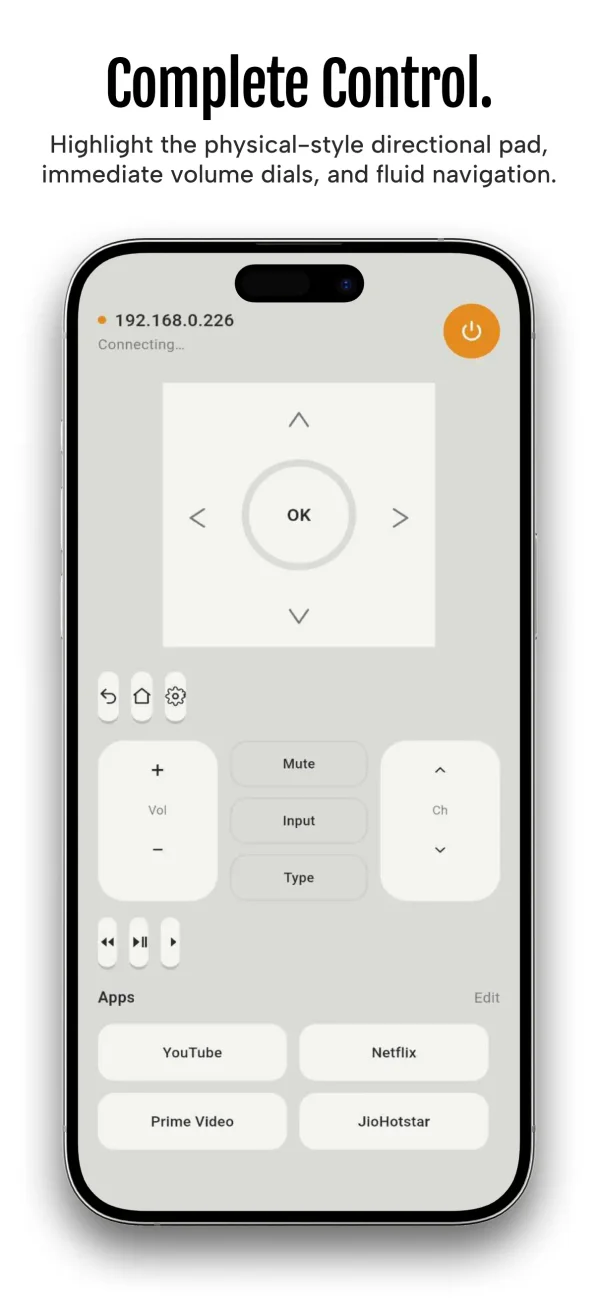
Complete Remote Control
- Navigate using the directional pad and select button.
- Access Home, Back, Settings, and Power controls.
- Control volume and channels.
- Use Mute and Input controls.
- Control media playback with Play, Pause, Rewind, and Fast Forward.
Type from Your Phone
- Enter text into supported TV input fields.
- Use Delete, Enter, and Search keys for convenient navigation.
Quick App Shortcuts
- Launch supported TV apps, including YouTube, Netflix, Prime Video, and JioHotstar.
- Customize your shortcuts by adding or removing apps.
TV Status and Connection
- View your TV's connection and standby status.
- Check the active app and volume information.
- Automatically attempt to reconnect when the connection drops.
Local Network Connection
TV Remote communicates directly with compatible TVs over your local Wi-Fi network using the Android TV Remote protocol. Pairing credentials are stored securely on your device.
HOW TO GET STARTED
1. Connect your phone and TV to the same local Wi-Fi network.
2. Open TV Remote and enter your TV's IP address.
3. Follow the instructions and enter the pairing code displayed on your TV.
4. Start controlling your TV from your phone.
IMPORTANT INFORMATION
- Requires a compatible Android TV or Google TV device that supports the Android TV Remote protocol.
- Your phone and TV must be connected to the same local network.
- Features may vary depending on your TV model and software.
- This is an independent remote control app and is not affiliated with or endorsed by Google or any TV manufacturer.
App privacy
What wing global it service declares on the App Store about how this app handles data.
-
Data not collected
The developer does not collect any data from this app.
Privacy practices may vary, for example with the features you use or your age.
Information
- Seller
- Wing Global IT Services Private Limited
- Category
- Utilities
- Version
- 1.0
- Updated
- Nov 3, 2026
- Released
- Nov 2, 2026
- Size
- 20.2 MB
- Requires
- iOS 15.0 or later
- Age rating
- 4+
- Price
- Free
- Languages
- English
- Copyright
- © Tv remote @ 2026