TwinkleBox: Camera Roll Sorter
Split work photos from family
Designed for iPhone, iPad
In-app purchases
- Age rating4+
- CategoryUtilities
- Developer瑞 吴
- LanguagesTraditional Chinese+ 43 more
- Size10.6 MB
Links to the official App Store page
Download.org hosts no file of TwinkleBox: Camera Roll Sorter. The button opens its official App Store page, published by 瑞 吴. Listing last checked on Nov 12, 2026.
Screenshots

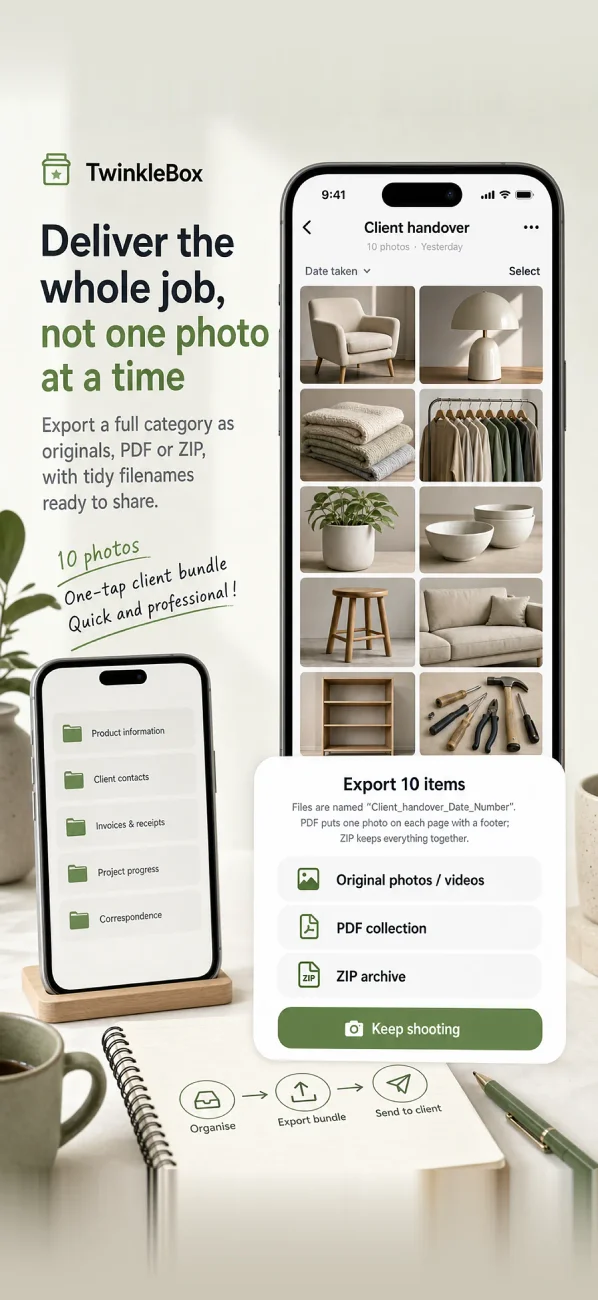
About
Somewhere in your camera roll there is a boiler serial number, a meter reading, your daughter's nativity play and a receipt you will want at self assessment. All in one scroll, in the order it happened, which is no order at all.
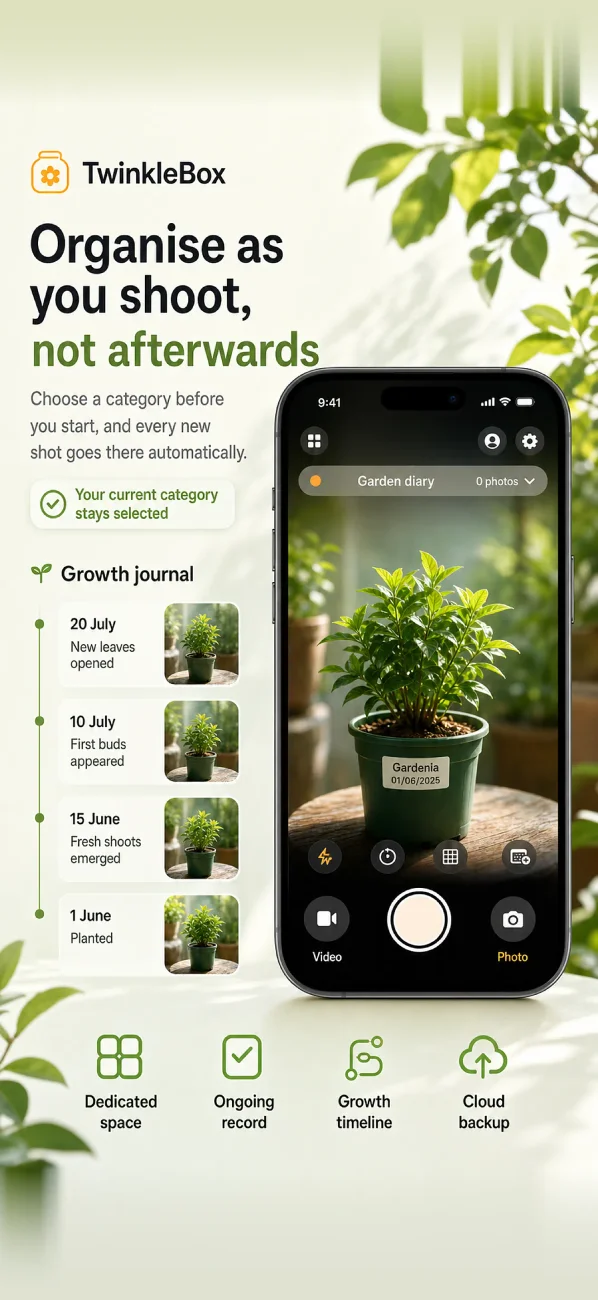
TwinkleBox is a camera and an album together. You choose a category before you shoot, and the shot goes there. Tidying up afterwards never happens, so this app never asks you to.
CHOOSE A CATEGORY ONCE, THEN CARRY ON
Tap a colour-coded category and it stays chosen. Forty photos of a check-in, a rewire, a damp patch, a school trip — every one lands in the right place while you keep working. Shut the app, come back on Monday, and the camera is exactly where you left it. That single behaviour is the whole point of the app.
SCREENSHOTS THAT NORMALLY VANISH
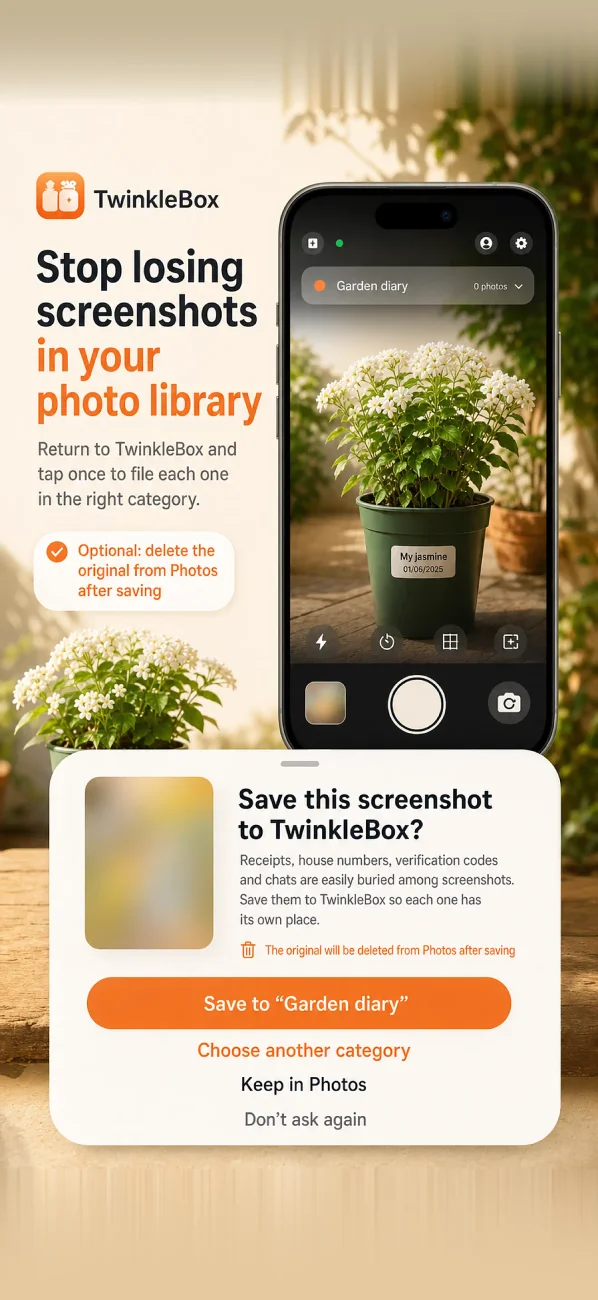
The key safe code. The parcel tracking number. The confirmation you screenshotted on the train. Take one while TwinkleBox is open and it asks where it goes straight away. Take one anywhere else and TwinkleBox looks back over the last few hours of screenshots when you next open it, offering them one by one. One tap puts it away, and it can remove the original from Photos so the library shrinks rather than grows.
READ THE WRITING IN THE PHOTO
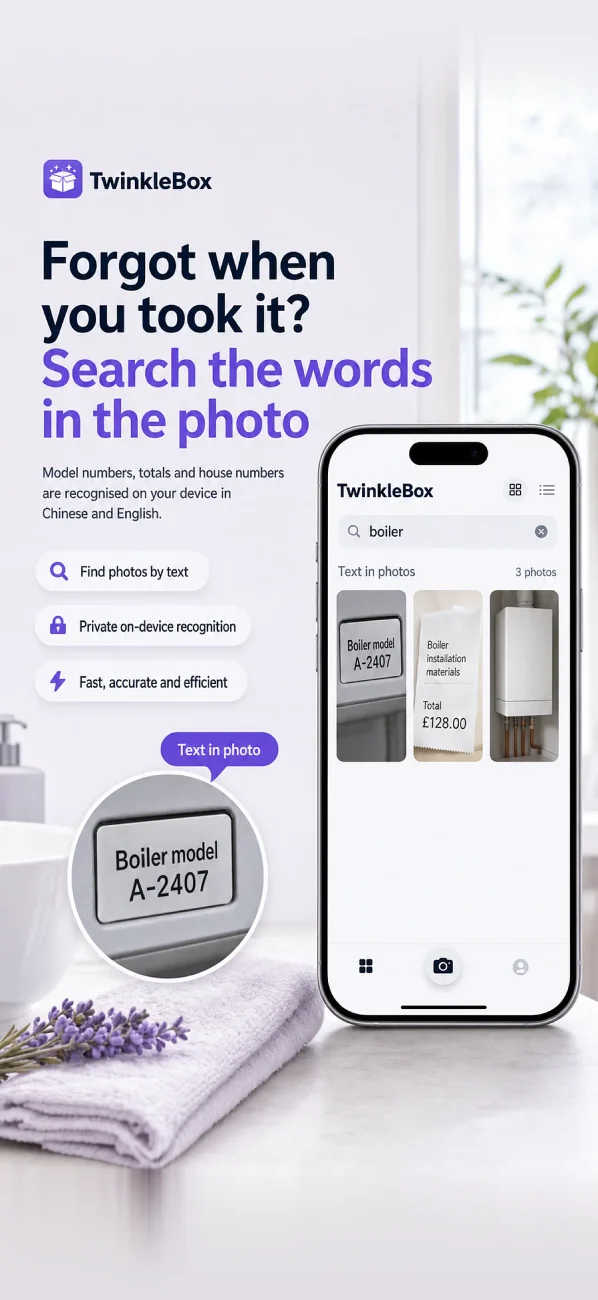
Text recognition runs on the handset and makes the words inside a photo searchable — an invoice number, a postcode, a serial plate on a boiler, a name on a form. Search for what you remember rather than guessing which week you took it. Nothing leaves the device to be read.
AND IT HAS A GUESS
When a picture contains words such as invoice, receipt, total, passport, licence, contract, agreement, tracking or boarding, TwinkleBox suggests the matching category before you choose. Filing is usually a single tap. Straightforward pattern matching on the text it found, not a black box.
LOCK THE ONES THAT MATTER
Any category can sit behind Face ID, Touch ID or your passcode — documents, medical letters, anything you would rather not scroll past while somebody is looking at your phone. Locked categories hide their covers on the home screen, are kept out of search results, and lock again the moment the app goes to the background. With no passcode set, the app tells you the lock is decorative rather than real protection.
HAND THE WHOLE LOT OVER
Export a category as the original files, as a PDF with one photo per page and a footer carrying category name and capture time, or as one zip. Files come out named Category_20260728_001 instead of a string of random characters, so the letting agent, the insurer or your accountant can read the list. Video is left out of the PDF.
DATE AND CATEGORY ON THE FRAME
An optional watermark burns date, time and category into photos and video, with a live preview in the viewfinder so you know precisely what will appear before you press the shutter. Useful for check-in and check-out evidence, where a dated photo settles a deposit dispute quietly.
WITHOUT OPENING THE APP AT ALL
File screenshots, shoot into a category, or open one directly using Shortcuts, Siri, Back Tap or the Action Button. Background refresh lets TwinkleBox catch up on screenshots it missed, sending a notification with buttons that file them where you are. Honestly: iOS does not wake an app at the instant of a screenshot, so this catches up rather than reacting live, and it needs notification permission.
TwinkleBox Annual Membership unlocks every feature, plus ongoing updates and support. It renews automatically through your Apple Account unless cancelled at least 24 hours before the current period ends; renewal is charged within the final 24 hours. Manage or cancel it in Settings > Apple Account > Subscriptions.
Terms of Use: https://burly-origami-e7c.notion.site/TwinkleBox-Terms-of-Use-3abcc92c14208114b8fdd148c90c8efd?pvs=73
Privacy Policy: https://burly-origami-e7c.notion.site/TwinkleBox-Privacy-Policy-3abcc92c142081d18a71d6319f8e3134?pvs=73
App privacy
What 瑞 吴 declares on the App Store about how this app handles data.
-
Data not collected
The developer does not collect any data from this app.
Privacy practices may vary, for example with the features you use or your age.
Information
- Seller
- 瑞 吴
- Category
- Utilities
- Version
- 1.0
- Updated
- Aug 12, 2026
- Released
- Aug 12, 2026
- Size
- 10.6 MB
- Requires
- iOS 17.6 or later
- Age rating
- 4+
- In-app purchases
- Yes
- Languages
- Traditional Chinese, Bengali, Gujarati, Hindi, Oriya, Slovenian, Urdu, Vietnamese, Danish, Russian, Croatian, Catalan + 32 more
- Copyright
- © TWBox