
- Age rating4+
- CategoryBusiness
- DeveloperTwintual Inc.
- LanguagesEnglish+ 1 more
- Size57.4 MB
Links to the official App Store page
Download.org hosts no file of Twintual. The button opens its official App Store page, published by Twintual Inc. Listing last checked on Nov 24, 2026.
Screenshots



About
Twintual is your AI twin for every conversation and meeting you own.
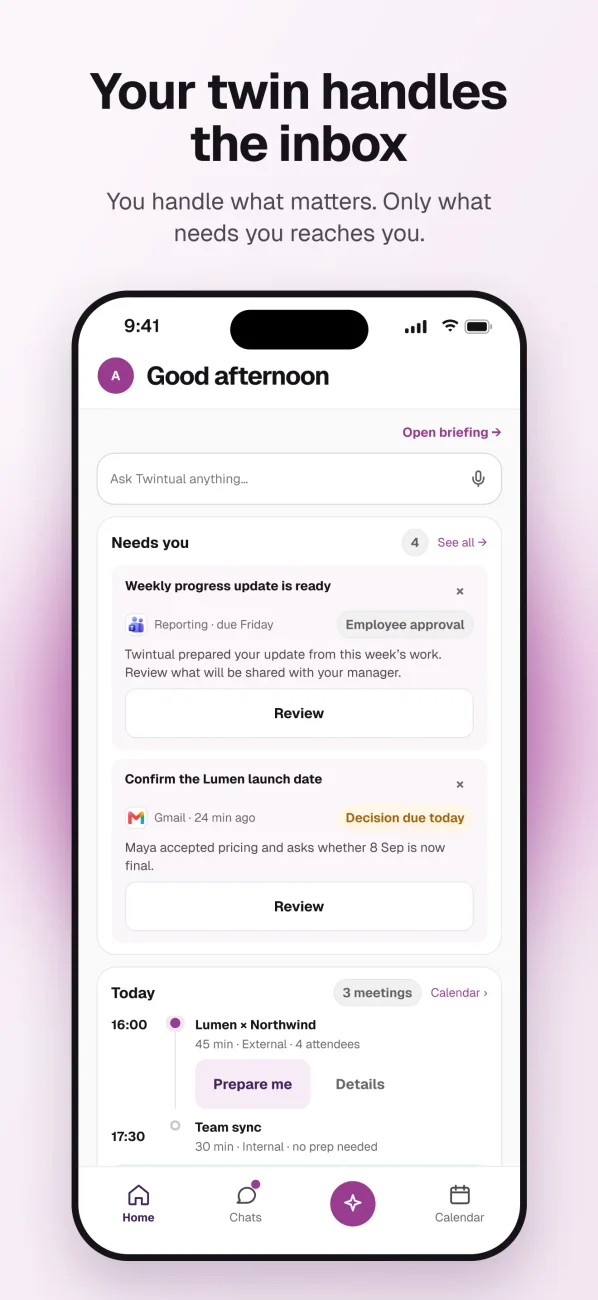
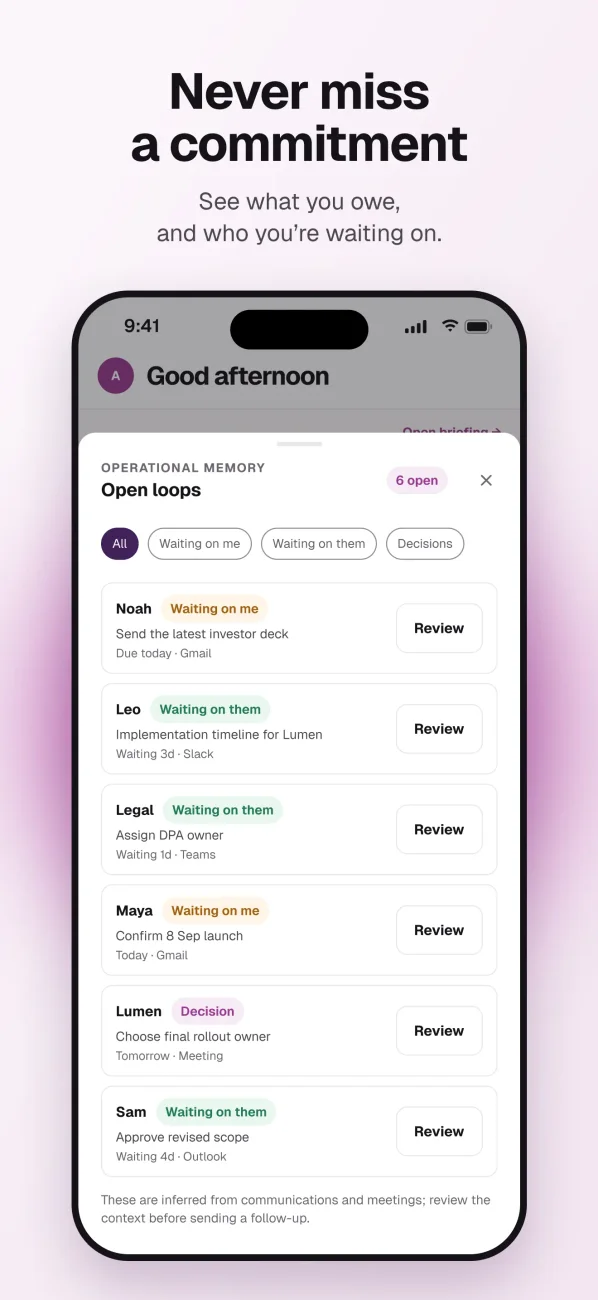
Open the app and Home shows exactly what needs you right now — the messages worth a reply, the follow-ups going quiet, and what's already handled. No more hunting through five inboxes to find out what actually matters today.
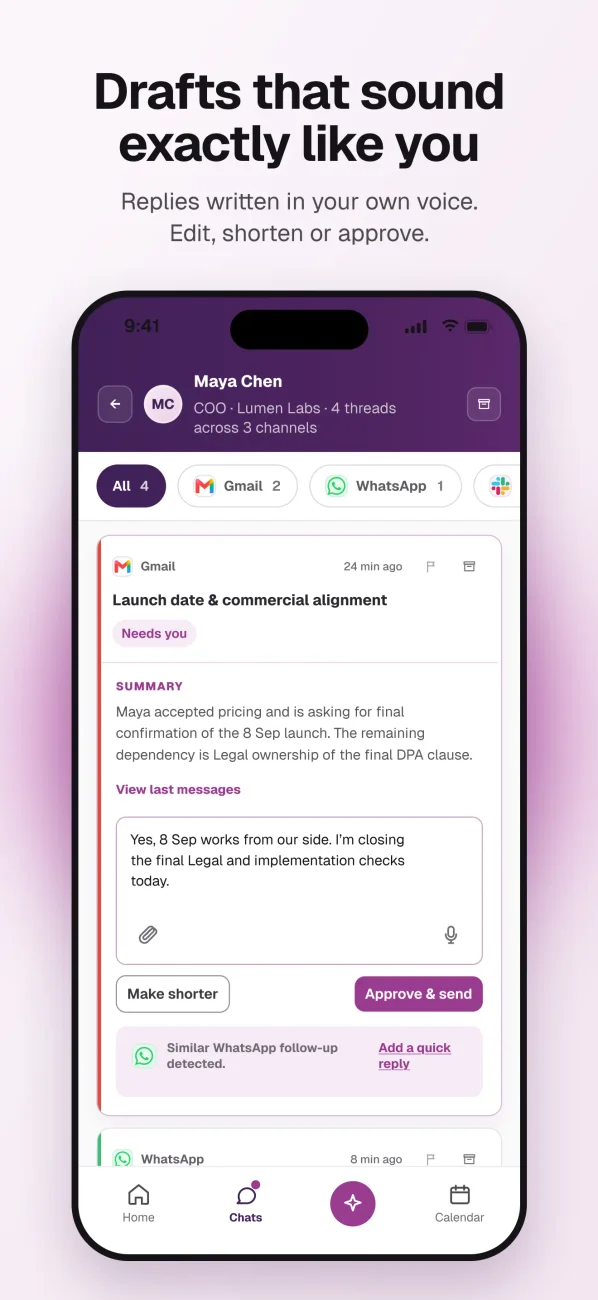
Drafts in your voice
Twintual reads your Gmail, Outlook, Slack, Microsoft Teams and WhatsApp Business threads and drafts the reply for you — in your own writing voice, not a generic bot tone. Review it, change a word if you want, and tap Send. Nothing is ever sent without you.
Ask, out loud
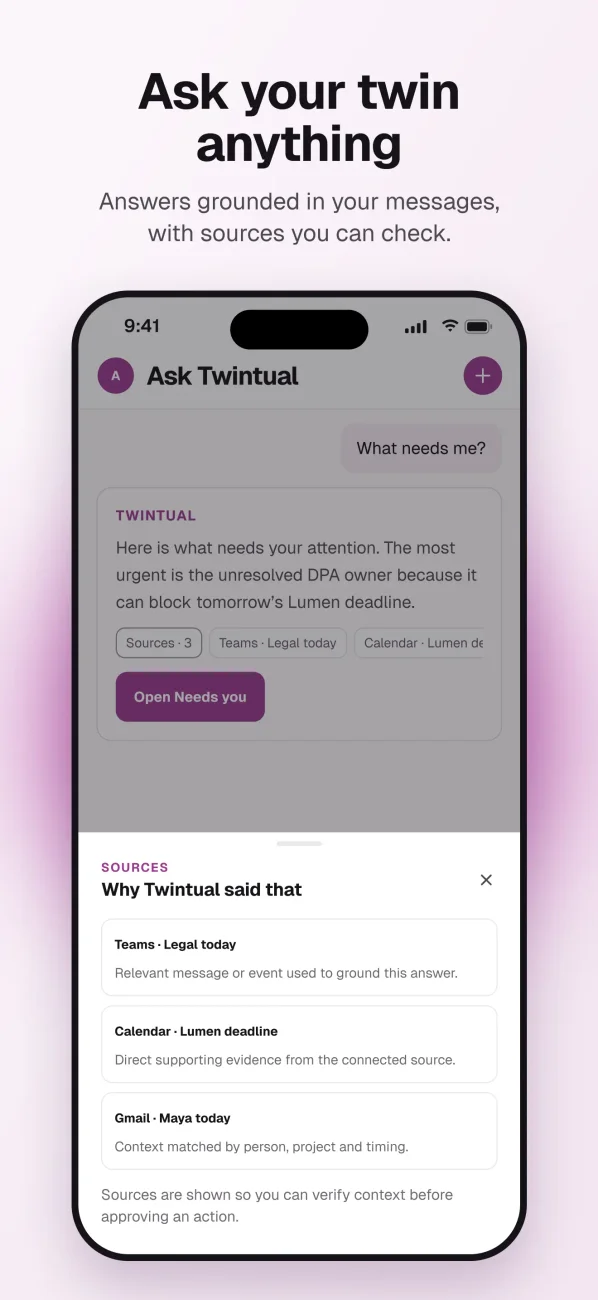
Stuck mid-task? Ask Twintual by voice or text — "What's still open with Acme?", "What did Sarah say about the launch date?" — and get an answer pulled straight from your real threads, not a guess.
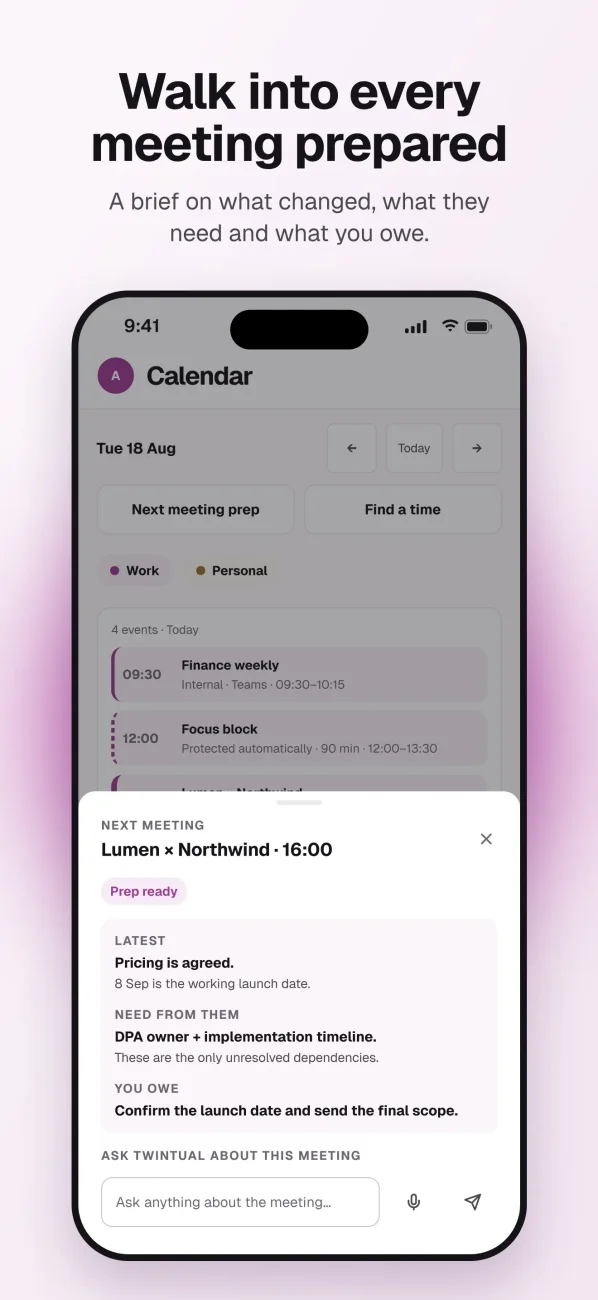
Your calendar, handled
Twintual understands what a meeting actually needs: the prep beforehand, the follow-up after, the reschedule nobody got round to. Calendar keeps today's meetings and the open loops around them in one place.
Needs, not noise
Twintual turns your inbox into a short, ranked list of what actually needs you — not every unread message, just the ones that do.
You stay in control
Every draft waits for your tap before it sends. Every suggestion shows where it came from. Nothing is sent, scheduled or deleted without you.
Works across Gmail, Outlook, Slack, Microsoft Teams, WhatsApp Business and Google Chat, with Google Calendar, Microsoft 365 and iCloud Calendar — in English and Spanish.
What’s new
Version 5.0.6 · Nov 22, 2026
- Your time zone now follows your device
- New App lock option: unlock with Face ID or fingerprint
- Settings uses the two-pane layout in landscape
- Clear message when a reply can't be drafted, with Try again
- Calendar times stay on one line at large text sizes
- Signing out clears the app's notifications
- Android notifications show the Twintual icon
- Clearer note when you disconnect an account
App privacy
What Twintual Inc. declares on the App Store about how this app handles data.
-
Data linked to you
May be collected and linked to your identity.
- Purchases
- Financial info
- Location
- Contact info
- Contacts
- User content
- Search history
- Identifiers
- Usage data
- Diagnostics
Privacy practices may vary, for example with the features you use or your age.
Information
- Seller
- Twintual Inc.
- Category
- Business
- Version
- 5.0.6
- Updated
- Nov 22, 2026
- Released
- Dec 16, 2024
- Size
- 57.4 MB
- Requires
- iOS 16.4 or later
- Age rating
- 4+
- Price
- Free
- Languages
- English, Spanish
- Copyright
- © Twintual Inc
You might also like
-
 RhoBusiness Banking
-
 Superhuman MailAI-native email client
-
 BizzaboBusiness
-
 Brella.ioNetwork at events
-
 Grok BotAI agents that do real work
-
 Linear MobilePlan and build your product
-
 Jobright - AI Job SearchSkip the hunt, land interviews
-
 Wispr FlowAI Voice Keyboard & Notetaker
-
 Swapcard - Smart Event AppCustom Event Experiences
-
 Granola - AI Meeting NotesAI notes with Google Calendar