
- Age rating4+
- CategoryUtilities
- DeveloperOoi Way Min
- LanguagesEnglish
- Size1.3 MB
Links to the official App Store page
Download.org hosts no file of Type-Cat. The button opens its official App Store page, published by Ooi Way Min. Listing last checked on Nov 18, 2026.
Screenshots

About
Type-Cat brings AI-powered writing directly into your keyboard - no app switching, no copy-pasting..
Wherever you type on iPhone, Type-Cat is there. Select your text or start typing, and let AI fix your grammar, adjust your tone, or translate - all without leaving the app you're in.
FEATURES
• Fix Grammar - Automatically detects and corrects grammar, spelling, punctuation, and verb agreement errors while preserving your original meaning.
• Rewrite Tone - Instantly rewrite your text as Casual, Concise, Formal, Gen Z, Singlish.
• Translate - Translate your text into English, Chinese, Malay, Indonesian, Japanese, Korean, Thai, Vietnamese, French, German, or Spanish.
• Quick Fix Bar - Spelling corrections appear inline above the keyboard so you can apply them with a single tap.
BRING YOUR OWN KEY
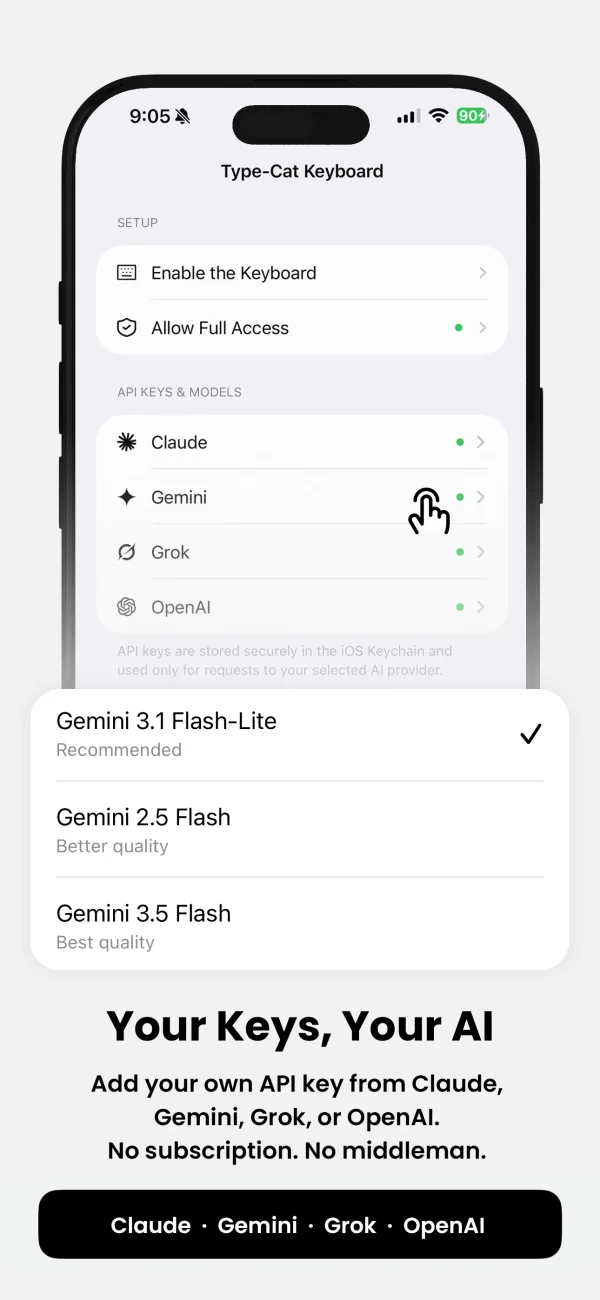
Type-Cat works with your own API key - you choose your AI provider:
• OpenAI (GPT)
• Google Gemini
• xAI Grok
• Anthropic Claude
Your API key is stored securely in the iOS Keychain and never shared with anyone. Text is sent directly from your device to your chosen provider - the developer never sees it.
PRIVACY FIRST
• No account required
• No data collection
• No tracking or analytics
• Spelling checks run entirely on-device
HOW TO GET STARTED
1. Install Type-Cat
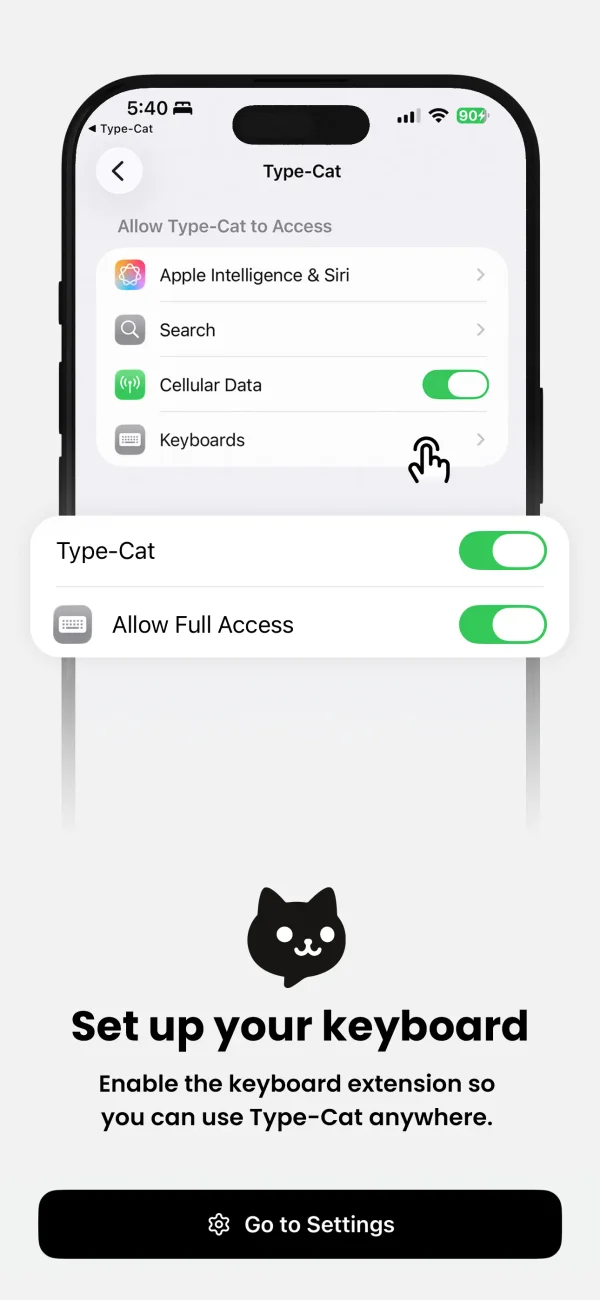
2. Go to Settings → General → Keyboard → Keyboards → Add New Keyboard → Type-Cat
3. Tap Type-Cat and enable Allow Full Access
4. Open Type-Cat and add your API key
5. Start typing anywhere — tap the cat icon to open the assistant
What’s new
Version 1.3 · Sep 2, 2026
Performance improvements and bug fixes.
App privacy
What Ooi Way Min declares on the App Store about how this app handles data.
-
Data not collected
The developer does not collect any data from this app.
Privacy practices may vary, for example with the features you use or your age.
Information
- Seller
- Ooi Way Min
- Category
- Utilities
- Version
- 1.3
- Updated
- Sep 2, 2026
- Released
- Jul 1, 2026
- Size
- 1.3 MB
- Requires
- iOS 18.6 or later
- Age rating
- 4+
- Price
- Free
- Languages
- English
- Copyright
- © MinLoveCat
You might also like
-
 Macro Keyboard PrimeAI snippets & shortcuts
-
 KKelcUtilities
-
 RightSplit: Bill Splitter TipScan & share group expenses
-
 iHide PhotoRedact Private Info
-
 Evansville Works 4UUtilities
-
 Face Search: Reverse ImageCheck Where Your Photos Appear
-
 Mac Tools EM823Utilities
-
 ProseKey AIUtilities
-
 PrettyKey: Keyboard ThemesAI themes, colors & fonts
-
 Hermes Paper: HarnessChat with your Hermes agent