Ultimate Soundboard Pro
Podcasting, sports, pro audio.
Designed for iPhone, iPad
Free · In-app purchases
- Age rating4+
- CategoryMusic
- DeveloperAdam Randazzo
- LanguagesEnglish
- Size16.4 MB
Links to the official App Store page
Download.org hosts no file of Ultimate Soundboard Pro. The button opens its official App Store page, published by Adam Randazzo. Listing last checked on Nov 24, 2026.
Screenshots




About
Build the perfect soundboard for any situation. Ultimate Soundboard gives you a fast, customizable grid of sound buttons with professional audio controls — no complexity you don't need.
INSTANT PLAYBACK
Tap to play. Tap to stop. Every button triggers instantly with low-latency audio powered by AVAudioEngine. Play multiple sounds simultaneously, solo a track, or stop everything with one tap.
IMPORT FROM ANYWHERE
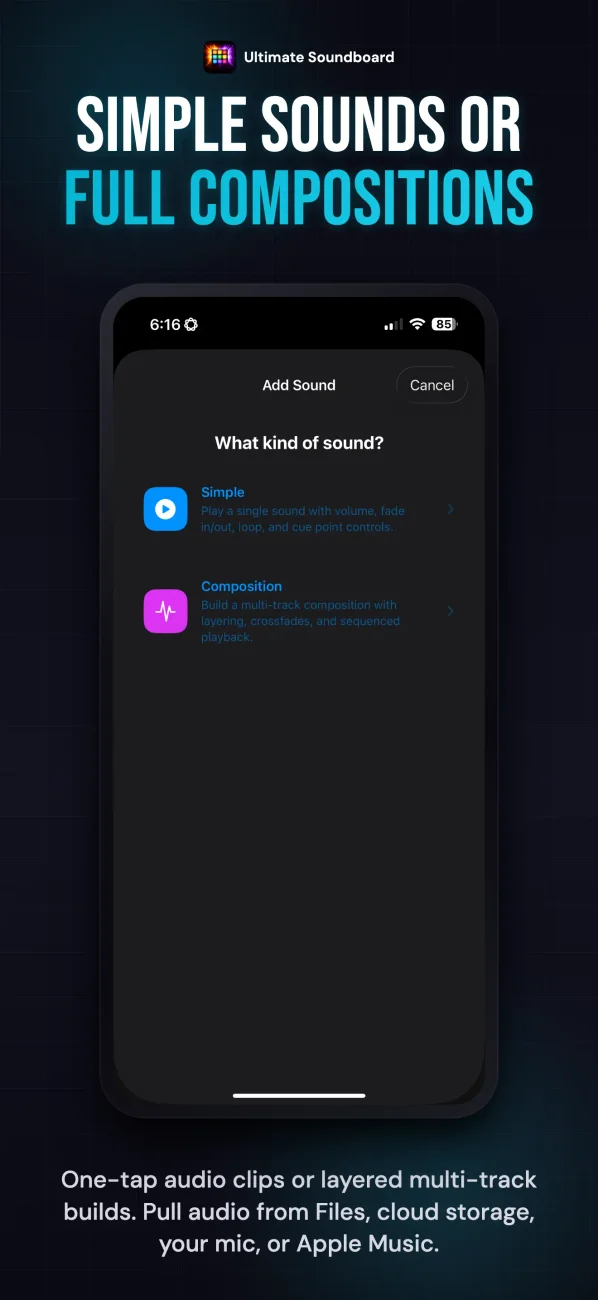
• Import MP3, WAV, AAC, M4A, AIFF, and more from Files
• Browse Google Drive, Dropbox, and OneDrive directly from the file picker
• Record audio with the built-in microphone recorder
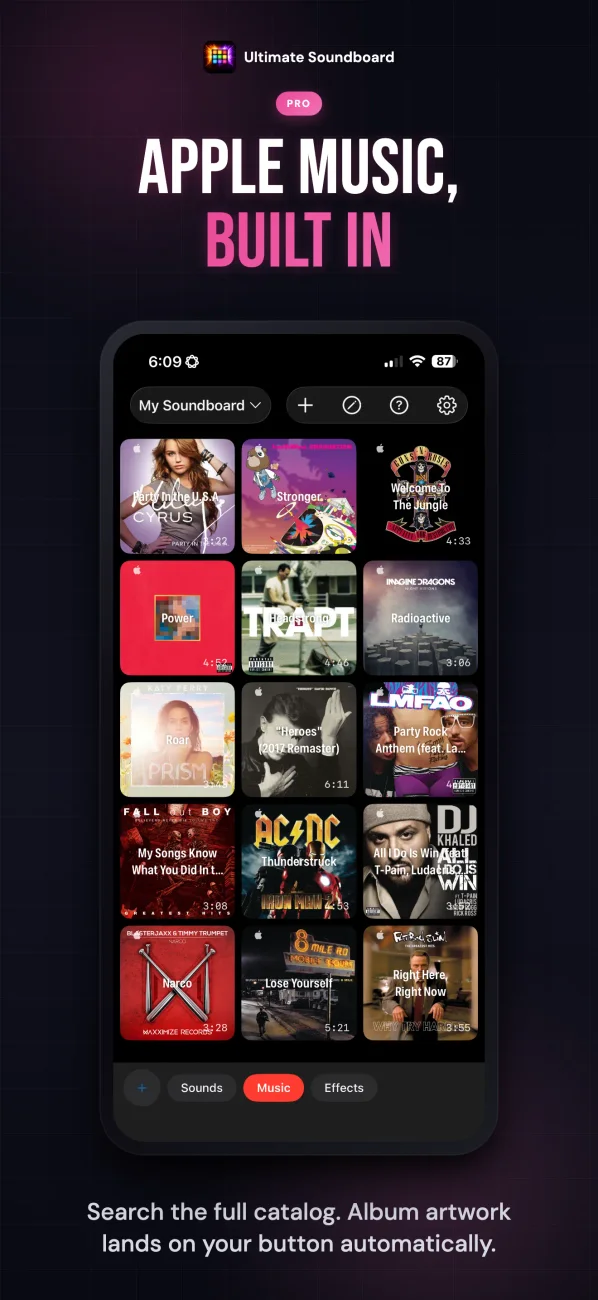
• Search and play songs from Apple Music with automatic album artwork
PROFESSIONAL CLIP EDITOR
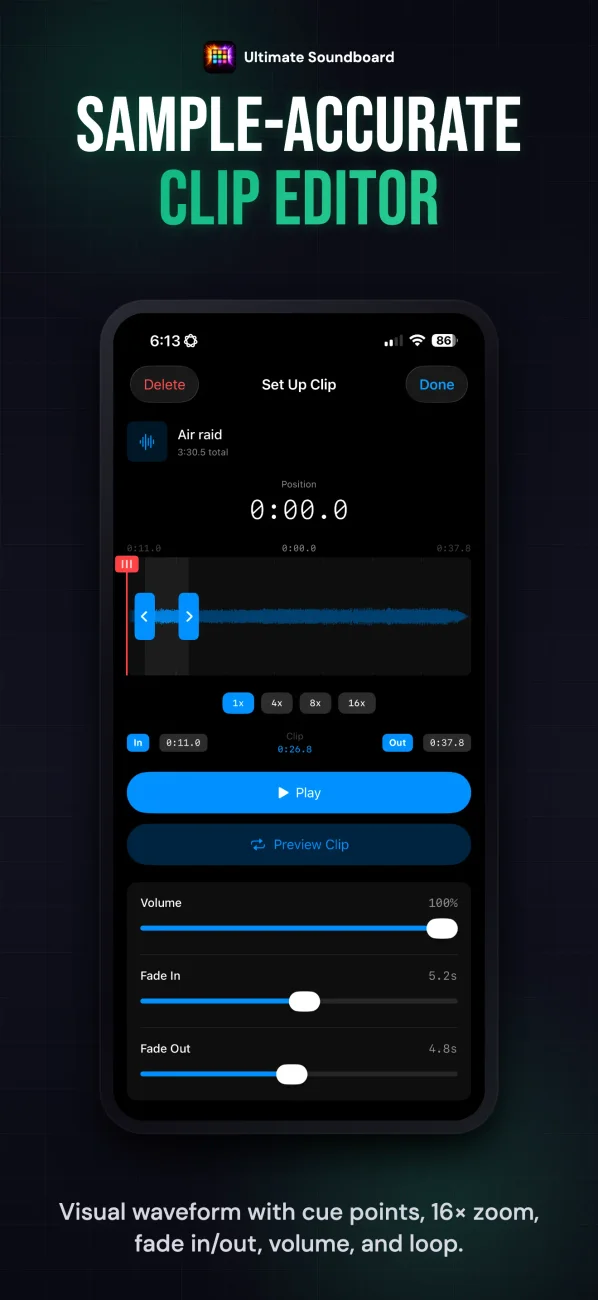
Fine-tune every sound with a visual waveform editor. Set precise cue in/out points, adjust volume, add fade in and fade out, enable looping, and zoom up to 16x for sample-accurate editing. Preview your clip before going live.
MULTI-TRACK COMPOSITIONS
Layer multiple audio clips on a visual timeline with independent start times, volumes, and fades. Build complex sequences, layered drops, or precisely-timed audio cues — all triggered from a single button.
SMART PLAYBACK CONTROLS
Configure how each button behaves:
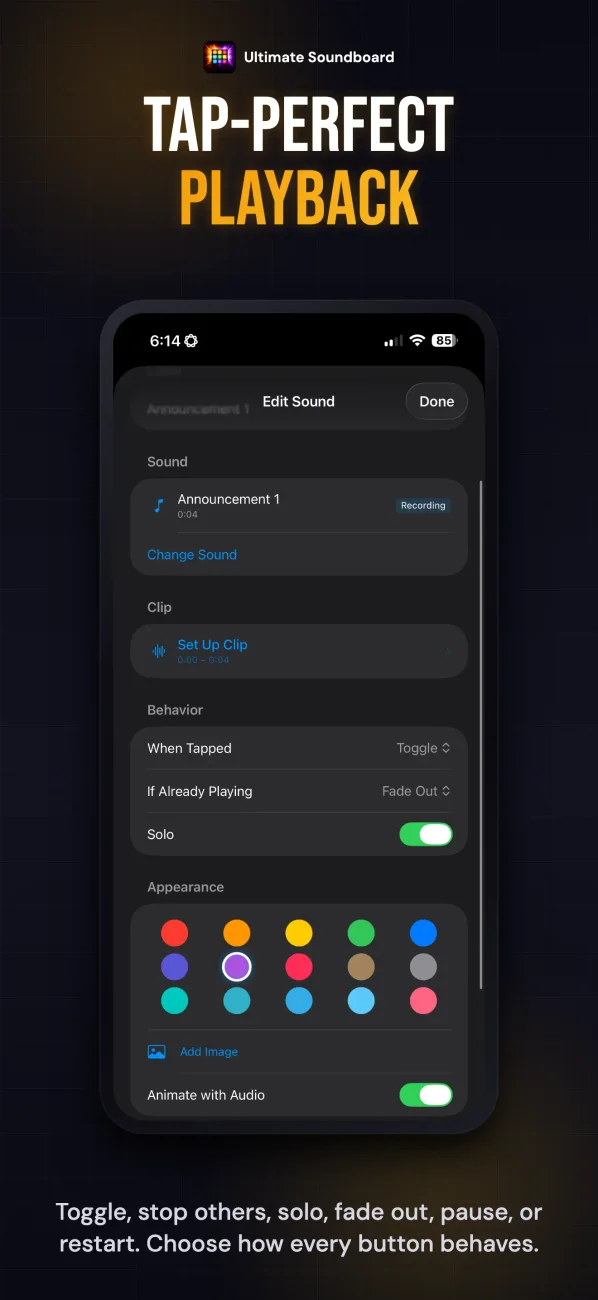
• Toggle, Stop Others, or Play Simultaneously
• Retrigger with Stop, Fade Out, Pause, or Restart
• Solo mode to mute everything else while one sound plays
• Loop any clip continuously
BOARDS & GROUPS
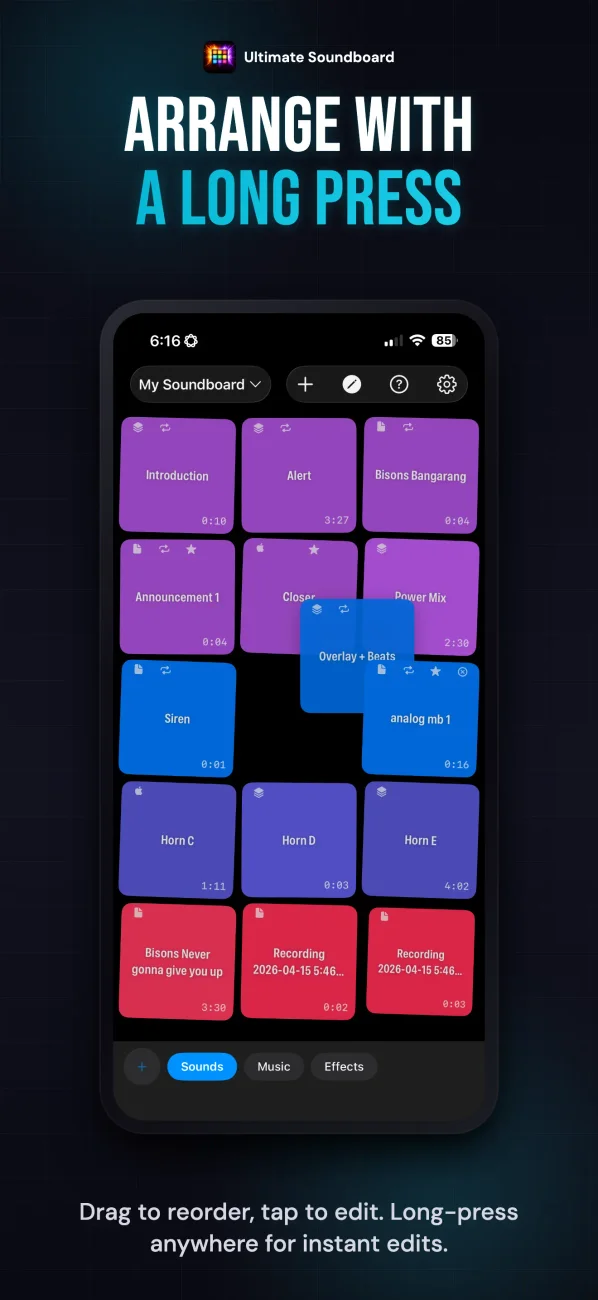
Create separate boards for different shows, sets, or events. Organize sounds into color-coded groups with tabs for instant switching. Duplicate entire boards to build variations fast.
PLAYBACK BAR
A live playback bar shows what's playing with progress, artwork, and transport controls. Pause all, stop all, or fade out everything at once.
DESIGNED TO LOOK GOOD
Assign colors or custom images to every button. Album artwork loads automatically for Apple Music tracks. Buttons pulse and glow in sync with audio amplitude while playing.
KEYBOARD & FOOT PEDAL CONTROL
Connect a USB or Bluetooth keyboard, foot pedal, or macro pad and assign any key or key combo to any button — plus Pause, Stop All, and Fade Out. Fire sounds without touching the screen — ideal for live performance, podcasting, and theater cues.
DRAG, DROP, REARRANGE
Enter edit mode to drag buttons into any order. Long-press any button to jump straight to its editor — no edit mode required.
EXPORT & SHARE
Export boards as .soundboard files to share setups with bandmates, co-hosts, or clients. Import boards from anyone else using Ultimate Soundboard.
SYNC ACROSS DEVICES
iCloud sync keeps your boards, groups, and button configurations in sync across iPhone and iPad. Turn on sound sync to bring your recordings, imported audio, and artwork along too.
FREE TO START
Get started free with 1 board and 8 buttons. Upgrade to Pro for unlimited boards, unlimited buttons, compositions, recording, Apple Music, board export, iCloud sync, and keyboard & foot pedal shortcuts.
PRO PLANS
Choose an annual subscription or a one-time lifetime purchase. Current pricing for your region is shown in the app.
Apple end-user license agreement (EULA): https://www.apple.com/legal/internet-services/itunes/dev/stdeula/
What’s new
Version 1.3 · Nov 22, 2026
A cleaner, easier Ultimate Soundboard
• Redesigned top bar: your board, Add Sound and Reorder are always one tap away, neatly lined up on every iPhone
• Manage Boards, rebuilt: tap any board to rename it, pick a color, duplicate, export or delete it
• Name boards as you create them, and rename them anytime from the board menu
• Board colors now show on each board's icon and next to its name, so you can tell boards apart at a glance
• New Manage Groups: add, reorder, rename, recolor and delete groups all in one place
• Duplicate Board now copies everything: sounds, cue points, fades, shortcuts and compositions
• Simpler Settings, with boards and button size grouped together
• A fresh, consistent look throughout, with clearer buttons in light and dark mode
• Updated Help that matches the new design
• Fixes: groups no longer appear empty after switching boards, and Animate with Audio now works as expected
App privacy
What Adam Randazzo declares on the App Store about how this app handles data.
-
Data not linked to you
May be collected but is not linked to your identity.
- Usage data
- Diagnostics
Privacy practices may vary, for example with the features you use or your age.
Information
- Seller
- Adam Randazzo
- Category
- Music
- Version
- 1.3
- Updated
- Nov 22, 2026
- Released
- Apr 19, 2026
- Size
- 16.4 MB
- Requires
- iOS 17.0 or later
- Age rating
- 4+
- Price
- Free
- In-app purchases
- Yes
- Languages
- English
- Copyright
- © 2026 Adam Randazzo
You might also like
-
 SoundBoard Pro StudioSoundboard for Live Shows
-
 Sono - Soundboard & SFX PadCustom Sound Effects Board
-
 SportsDJ: SoundboardYour Game Day Soundboard
-
 LitPads — Custom SoundboardMusic, Effects, DJ, Streaming
-
 GusPad SoundboardDrum pad & sound effects
-
 SoundBoard+: Sound Effect PadsJingles & Cues for Live Shows
-
 Sound Board Pro - Audio PadsSoundboard for live show, SFX
-
 Custom Soundboard Maker AppFunny sound effects
-
 Go ButtonProfessional audio playback
-
 Sports Audio DJGame day music & sound board