University Notes: Study Notes
New Handwritten Notes App
Designed for iPhone, iPad, Mac, iPod touch
Free · In-app purchases
- Age rating17+
- CategoryEducation
- DeveloperFoodmenu.world Inc.
- LanguagesEnglish+ 42 more
- Size190.0 MB
Links to the official App Store page
Download.org hosts no file of University Notes: Study Notes. The button opens its official App Store page, published by Foodmenu.world Inc. Listing last checked on Nov 17, 2026.
Screenshots



About
Handwritten notes for studying, active recall, and exam prep
Turn the notes you already take into study material you can actually use.
Write by hand or type, organize class and lecture notes, annotate PDFs, build study guides, hide key information, and test yourself before quizzes, midterms, finals, entrance exams, and professional certification exams.
Use your own notes for active recall, review, and exam preparation instead of simply storing information.
□ 4 ways to study with your own notes
1. Memorize key information with colors
Write important words, definitions, formulas, dates, or vocabulary in orange, blue, or other colors using handwriting or keyboard text.
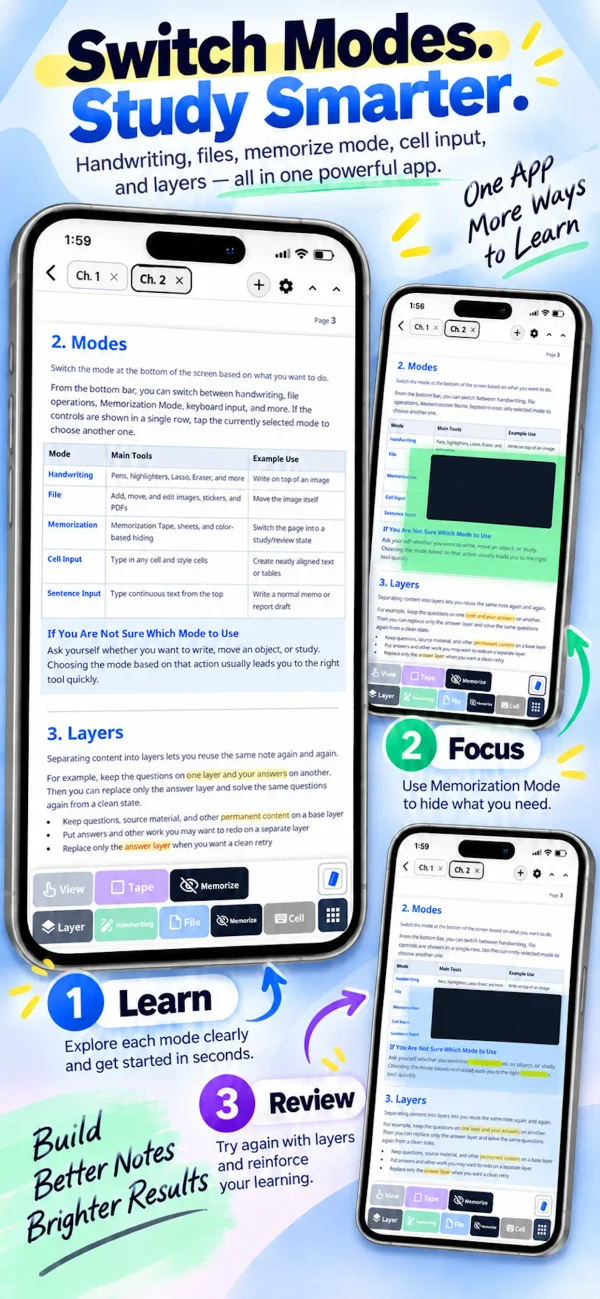
Place the Memorization Sheet over your notes to hide the answers. Try to recall the information first, then reveal it to check yourself.
Long-press the icon to change the sheet color.
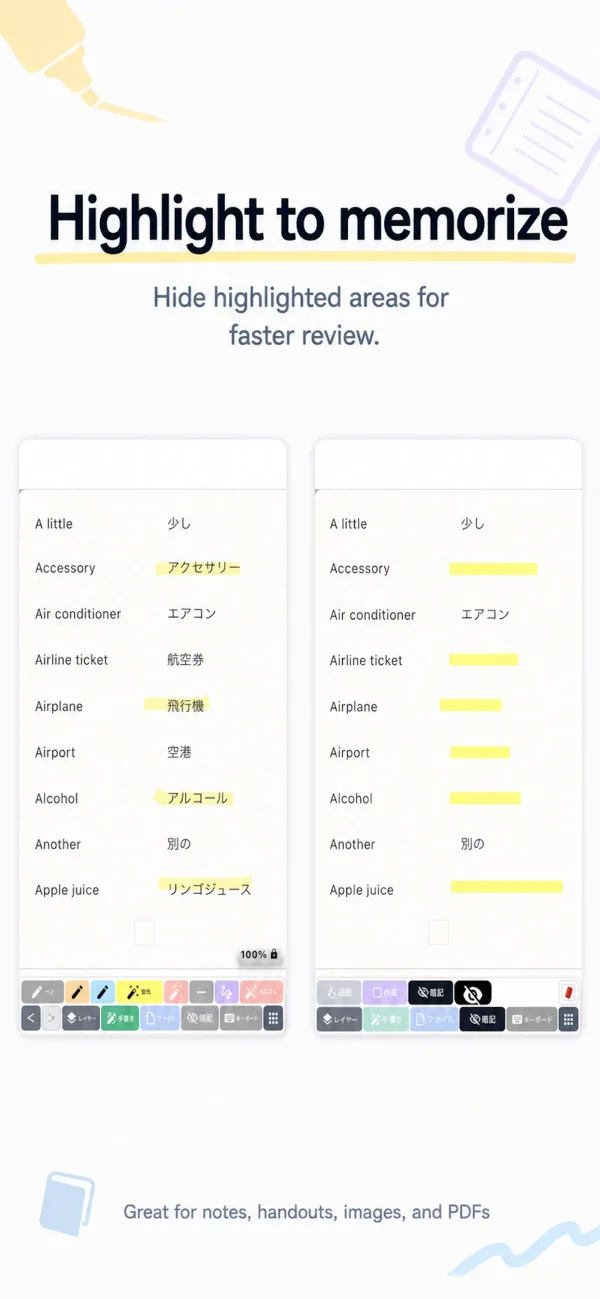
2. Hide highlighted sections for active recall
Highlight important sentences, diagrams, anatomy charts, or sections of PDF textbooks and lecture materials.
In Memorization Mode, choose which highlighter colors are hidden. For example, use yellow for regular emphasis and red for material you want to memorize.
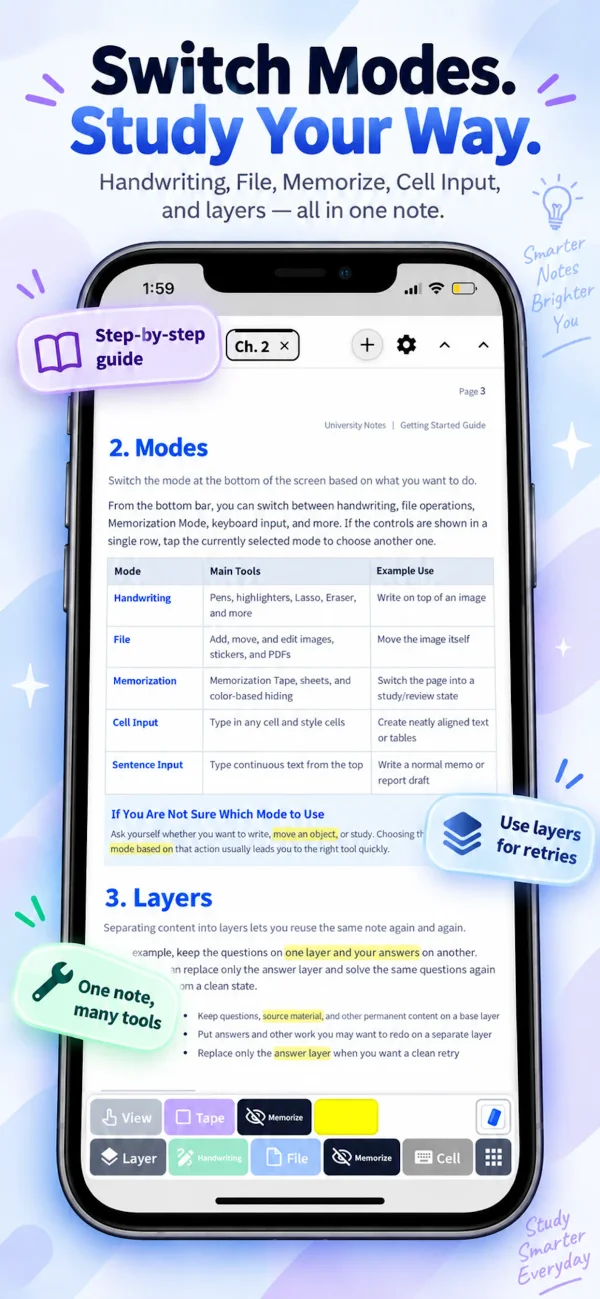
3. Keep questions and answers on separate layers
Write questions, answers, and explanations on different layers.
Hide the answer layer, test yourself, rewrite your response, and practice the same digital worksheet again.
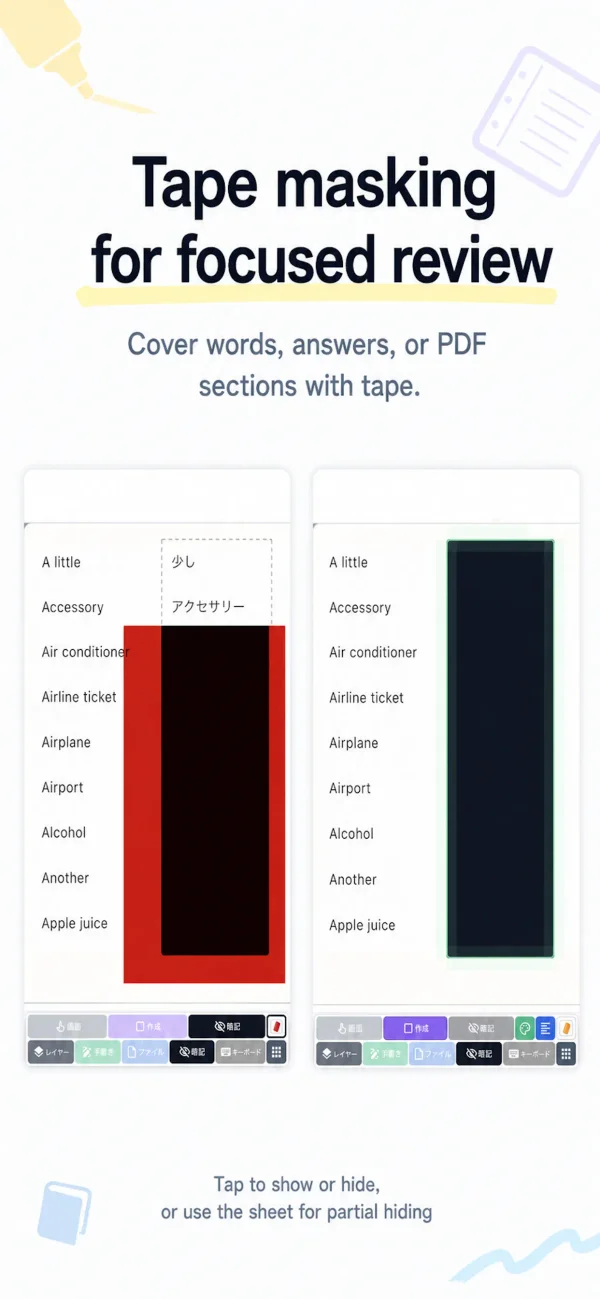
4. Cover answers with digital tape
Use the Tape tool in Memorization Mode to cover definitions, formulas, vocabulary, answers, or sections of PDFs without changing your original note colors.
Tap a tape strip to reveal just that answer, or use the Memorization Sheet to cover several areas at once.
□ Review faster with the floating Memorization Sheet
Instead of revealing highlighted areas one by one, drag the floating Memorization Sheet over your notes.
Only the area beneath the sheet is hidden, making it useful for tables, lecture PDFs, study guides, vocabulary lists, diagrams, and exam materials.
□ Practical note-taking tools
・Handwriting and keyboard input
・Multiple pens and highlighters
・Tabs for switching between notebooks
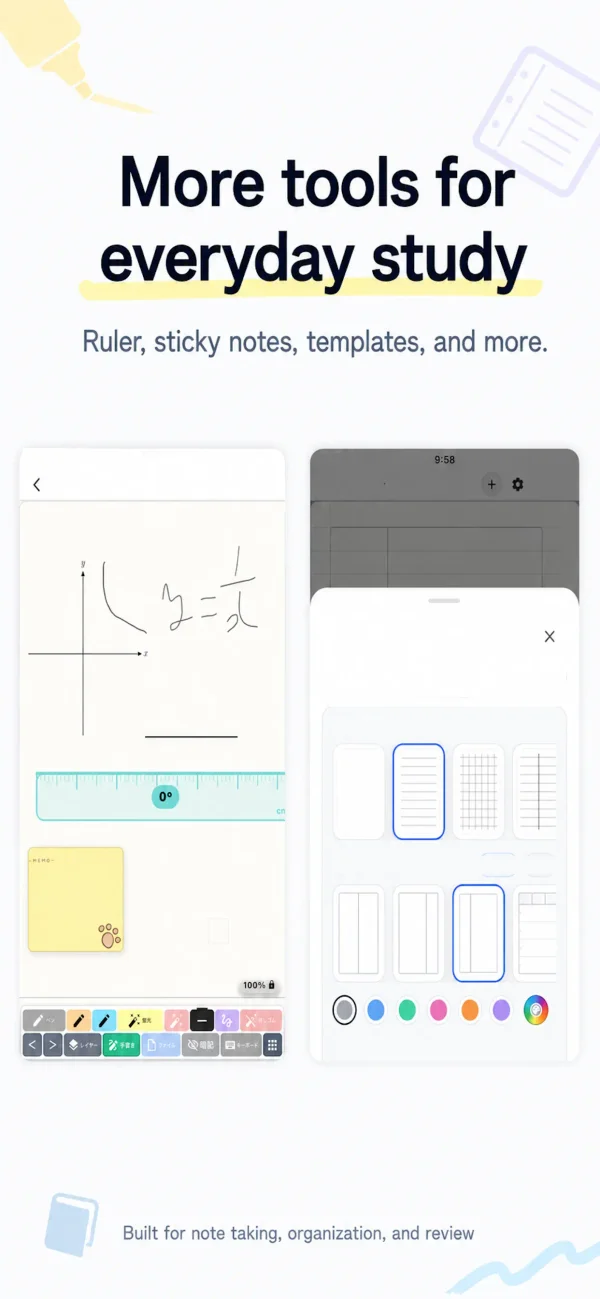
・Ruler, compass, and shapes
・Stickers, sticky notes, and comments
・Detailed eraser settings, including deleting only highlighter marks
・Categories, folders, and subfolders
・Chapters for separating lessons or topics
□ Write directly on PDFs
Annotate PDFs with handwriting or keyboard text.
If a PDF does not leave enough room for notes, extend the right side of the page to create extra space for annotations, solutions, explanations, or review notes.
□ Use handwriting and typing together
Write by hand or select where you want to type and enter text directly without creating a text box first.
□ Keep your notes organized
Sort notes with categories, folders, and subfolders, and add chapters inside a notebook to separate lessons, topics, or units.
□ Notebook templates
Choose from built-in templates including blank paper, ruled paper, grid paper, and handwritten To-Do pages.
You can also reuse layouts you create for study sheets, daily reports, professional logs, or exam review pages.
□ Recommended for
・High school students taking notes and preparing for tests
・College students organizing class notes, lecture materials, and study guides
・Students working with PDF textbooks and course materials
・Medical, nursing, and pharmacy students
・Students preparing for entrance exams or professional certification exams
・Anyone who wants handwriting, typing, PDF annotation, and memorization tools in one digital notebook
Write it down, hide what you want to remember, recall it from memory, and check your answer.
Use the notes you already created for active recall, review, and exam preparation.
--
Terms of Use:
https://foodmenu.world/studynotes/tos
What’s new
Version 1.7.3 · Nov 12, 2026
We've improved handwriting and keyboard input to make taking study notes on your iPhone and iPad even easier! We hope this note-taking app is even more helpful with your studies.
App privacy
What Foodmenu.world Inc. declares on the App Store about how this app handles data.
-
Data used to track you
May be used to track you across apps and websites owned by other companies.
- Location
- Identifiers
- Usage data
- Diagnostics
-
Data linked to you
May be collected and linked to your identity.
- Location
- Identifiers
- Usage data
- Diagnostics
-
Data not linked to you
May be collected but is not linked to your identity.
- Diagnostics
Privacy practices may vary, for example with the features you use or your age.
Information
- Seller
- Foodmenu.world Inc.
- Category
- Education
- Version
- 1.7.3
- Updated
- Nov 12, 2026
- Released
- Jul 8, 2026
- Size
- 190.0 MB
- Requires
- iOS 15.6 or later
- Age rating
- 17+
- Price
- Free
- In-app purchases
- Yes
- Languages
- English, Arabic, Bengali, Catalan, Croatian, Czech, Danish, Dutch, Finnish, French, German, Greek + 31 more
- Copyright
- ©︎2026 Foodmenu.world Inc.
You might also like
-
 RecallNoteRepeat, Review, Remember
-
 Linga AI Conversation PracticeAI Language Tutor & Speaking
-
 Speech AI CoachPublic Speaking & Filler Words
-
 Business Speak AI: Job EnglishInterview Coach & Work English
-
 English Listening Master ProLearn Vocabulary & Speaking
-
 Lang Offline: Travel Phrases49 languages, ready offline
-
 Preposition Builder Master ProEnglish Vocabulary Word Game
-
 AdaptiveHikingAccessible walks
-
 LearnBack: Active RecallFlashcards & Spaced Repetition
-
 Sentence Builder Master ProLearn English Vocabulary Game