- Age rating4+
- CategoryFinance
- DeveloperSatomi Chiba
- LanguagesGerman+ 12 more
- Size2.8 MB
Links to the official App Store page
Download.org hosts no file of Until Payday: Budget Tracker. The button opens its official App Store page, published by Satomi Chiba. Listing last checked on Nov 21, 2026.
Screenshots
About
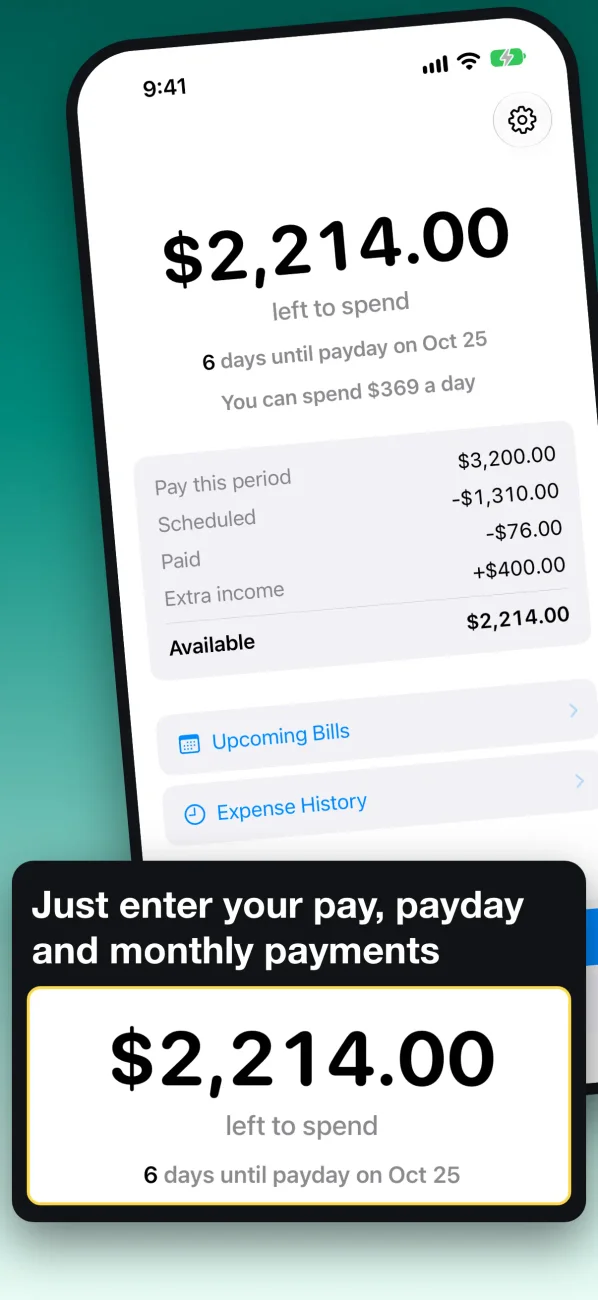
Just enter your pay, payday and monthly payments. See what's left to spend.
This planner shows at a glance how much you can still spend until payday. Fixed monthly bills such as rent, subscriptions and card payments only need to be entered once under “Upcoming Bills”. Set them to repeat and they're deducted automatically, with no need to enter them again every month. The money remaining after bills and expenses are taken out of your take-home wages, a countdown of days until payday, and your daily spending amount are shown in large type at the top of the app's main screen. It's made for people who don't need the detailed tracking of a spending log or household budget app.
GREAT FOR
• When you want to know how much you can still spend until payday
• When you want to set aside rent and subscription payments first
• When you want to avoid running short of cash or overspending at the end of the month, and manage your money or build savings
• When you want to divide what's left by the remaining days to see how much you can spend each day
HOW TO USE
1. On the first screen, enter your “Pay amount”, choose a “Pay cycle” (Monthly / Not monthly) and your “Next payday”, then tap “Start”.
2. For bills you know are coming, such as rent or subscriptions, tap “Upcoming Bills” on the main screen, tap “+” at the top right, and enter the amount and due date. Set “Repeat” to “Monthly” and it's added automatically from the next month on (a weekly option, “Every” plus the weekday, is also available).
3. When you spend money, enter the amount with the “Add Expense” button at the bottom of the main screen.
4. If you receive extra income, add it with the “Add Extra Income” button.
5. To delete an item in the “Upcoming Bills” or “Expense History” list, swipe it to the left.
FEATURES
• Upcoming bills such as rent and subscriptions are deducted automatically every month once you set them to repeat.
• Your pay minus upcoming bills and money spent is shown largest, as “Available”.
• You can also see how many days are left until payday and how much you can spend per day.
• When payday arrives, the app automatically switches to the next period. You can look back at earlier periods in “Expense History”.
• If you overspend, the amount you're over is shown.
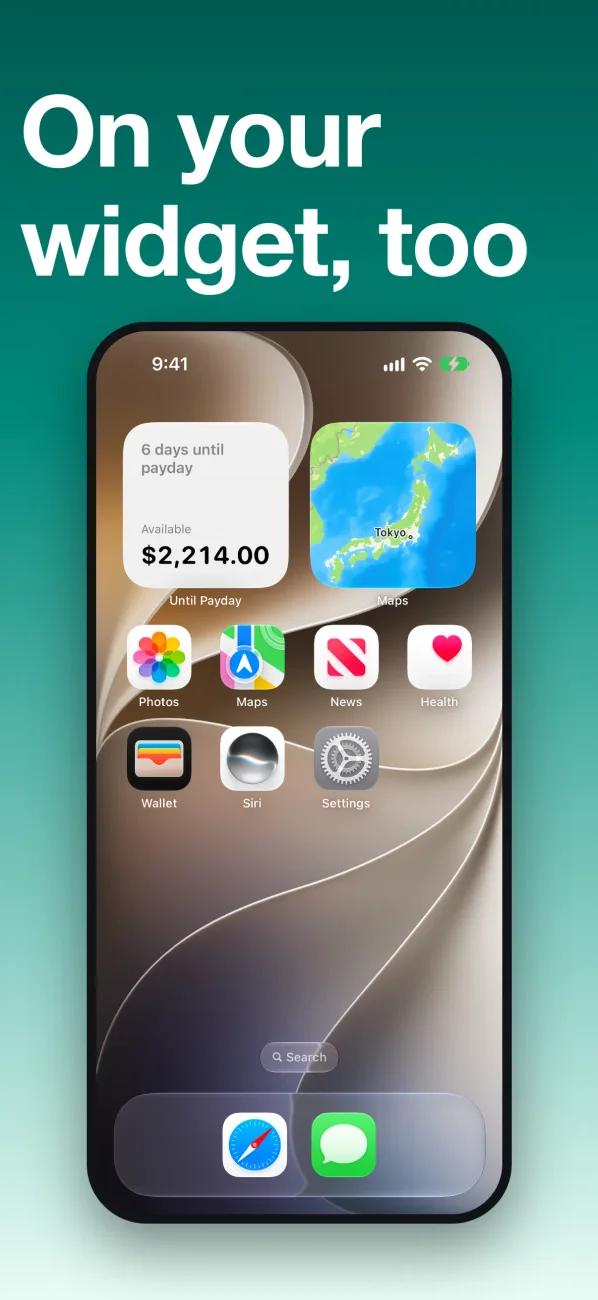
• Check the amount you can spend and the days until payday with Home Screen and Lock Screen widgets.
• Supports currencies from around the world.
• Your data is stored only on this iPhone. No account is needed, and there are no ads.
• Lightweight: the app is only about 3 MB, so it barely uses any space on your iPhone.
What’s new
Version 1.0.16 · Nov 20, 2026
Thank you for checking out the Dake Apps series. We’ve refreshed the illustration on the start screen.
App privacy
What Satomi Chiba declares on the App Store about how this app handles data.
-
Data not collected
The developer does not collect any data from this app.
Privacy practices may vary, for example with the features you use or your age.
Information
- Seller
- Satomi Chiba
- Category
- Finance
- Version
- 1.0.16
- Updated
- Nov 20, 2026
- Released
- Oct 8, 2026
- Size
- 2.8 MB
- Requires
- iOS 17.6 or later
- Age rating
- 4+
- Languages
- German, English, French, Italian, Japanese, Korean, Dutch, Polish, Portuguese, Swedish, Spanish, Traditional Chinese + 1 more
- Copyright
- © 2026 Satomi Chiba