
- Age rating17+
- CategoryBusiness
- DeveloperUpdate Promise
- LanguagesEnglish
- Size107.0 MB
Links to the official App Store page
Download.org hosts no file of UpdatePromise Scan. The button opens its official App Store page, published by Update Promise. Listing last checked on Nov 14, 2026.
Screenshots

About
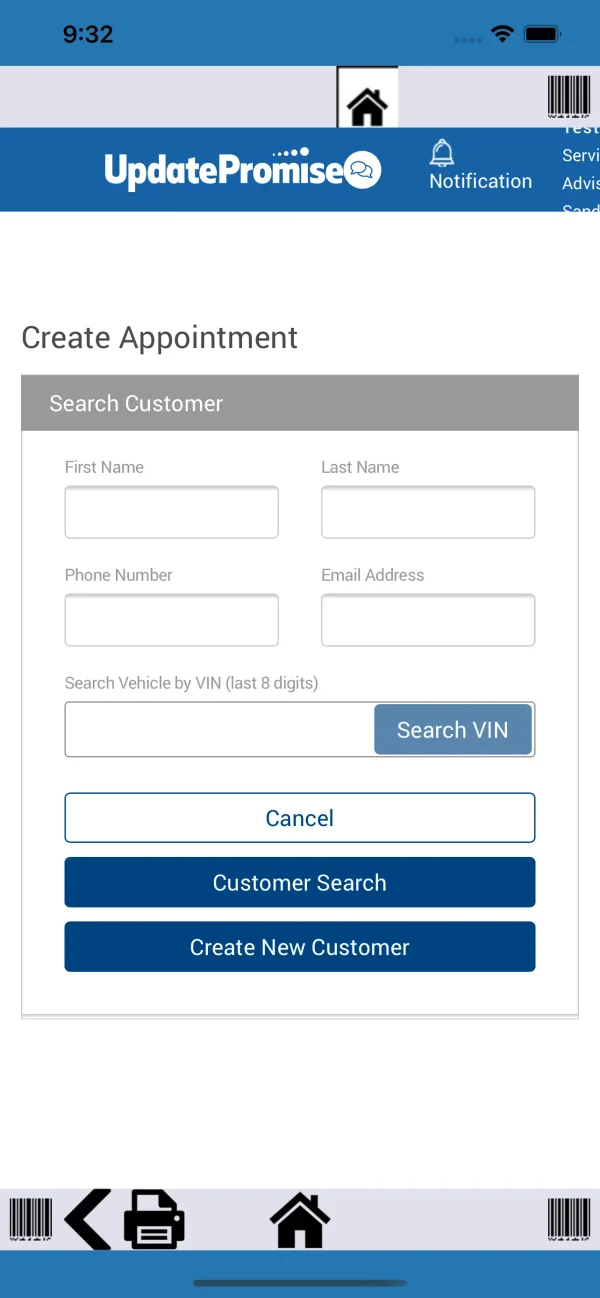
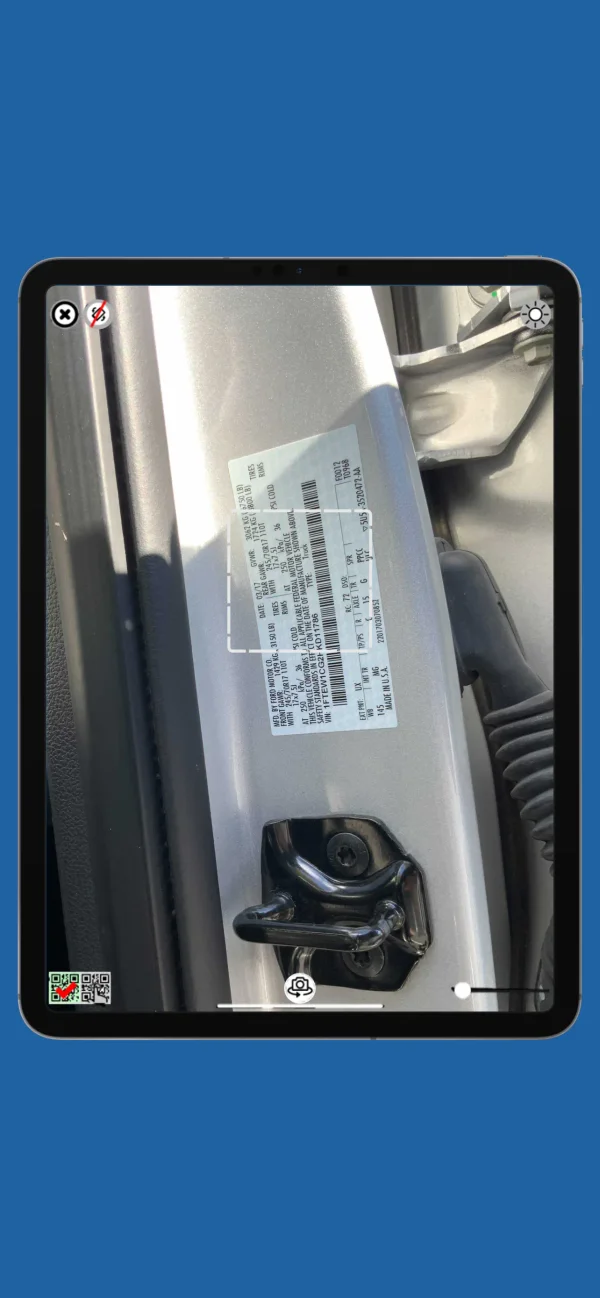
UpdatePromise Scan is a Consumer Experience Management System (CEMS) Solution with integrated VIN scanner to accelerate customer searches, pulling up vehicle history and vehicle-specific parts during the Appointment, Vehicle Check-In and Multi-Point Inspection phases.
Manage your RO’s from the customer’s Appointment to Payment Process all in one tablet. Better yet, without having to leave the service drive!
FEATURES:
- Scan a Vehicle’s VIN to search for a customer during the Vehicle Check-In stage for quick and accurate results.
- Scan a Vehicle’s VIN to pull up customers’ vehicle history on a Vehicle Check-In.
- If you are creating an appointment, you can also utilize the VIN scanner to search for customers
- For technicians, scan the VIN when completing a found issue estimate to pull Vehicle-Specific Parts.
- Continue your complete Consumer Experience workflow without having to leave the service drive:
o Create an appointment or manage appointments
o Conduct a Vehicle Check-In Safety Inspection with the customer
o View appointment details during the Vehicle Check-In process
o Complete or open the Multi-Point Inspection form
HOW DOES IT WORK?
- Login with your UpdatePromise credentials.
- When completing an Appointment, Vehicle Check-In or Multi-Point Inspection, pull up your scanner at the top right corner or bottom left corner of your tablet.
- Scan the customer’s vehicle for an accelerated Customer Search experience.
- Continue with your workflow as usual, cutting down page loading times.
This release introduces an optional integration with Meta AI Glasses, allowing automotive service technicians to capture inspection photos and video hands-free while performing vehicle walkarounds and multi-point inspections (MPI). Instead of holding a phone or tablet, a technician can wear the glasses and stream/record directly into UP Scan, where media uploads to the customer's repair order exactly as it would from the built-in device camera.
How it works: With the Meta AI app installed and glasses paired, the user taps the glasses icon in UP Scan, registers the connection through the Meta AI app, grants connection permission, and connects their glasses. A toggle ("Use Glasses Instead of Camera") routes capture through the glasses, and a Preview screen displays a live stream to confirm the connection. Video is captured at 720x1280, 30 FPS. If no glasses are present, the app clearly displays "No active devices" and all standard camera functionality remains fully available — the glasses are an optional accessory, not a requirement.
What’s new
Version 1.32 · Oct 20, 2026
Improved video upload.
App privacy
What Update Promise declares on the App Store about how this app handles data.
-
Data not linked to you
May be collected but is not linked to your identity.
- Location
- Contact info
- Usage data
- Diagnostics
Privacy practices may vary, for example with the features you use or your age.
Information
- Seller
- Flash of Genius, Incorporated
- Category
- Business
- Version
- 1.32
- Updated
- Oct 20, 2026
- Released
- Mar 19, 2021
- Size
- 107.0 MB
- Requires
- iOS 17.6 or later
- Age rating
- 17+
- Price
- Free
- Languages
- English
- Copyright
- © Flash of Genius Inc