Uplid: Remote Desktop
Keyboard & trackpad for Mac
Designed for iPhone, iPad
Free · In-app purchases
- Age rating4+
- CategoryProductivity
- DeveloperNavid Gooranourimi
- LanguagesEnglish+ 1 more
- Size9.8 MB
Links to the official App Store page
Download.org hosts no file of Uplid: Remote Desktop. The button opens its official App Store page, published by Navid Gooranourimi. Listing last checked on Nov 23, 2026.
Screenshots
About
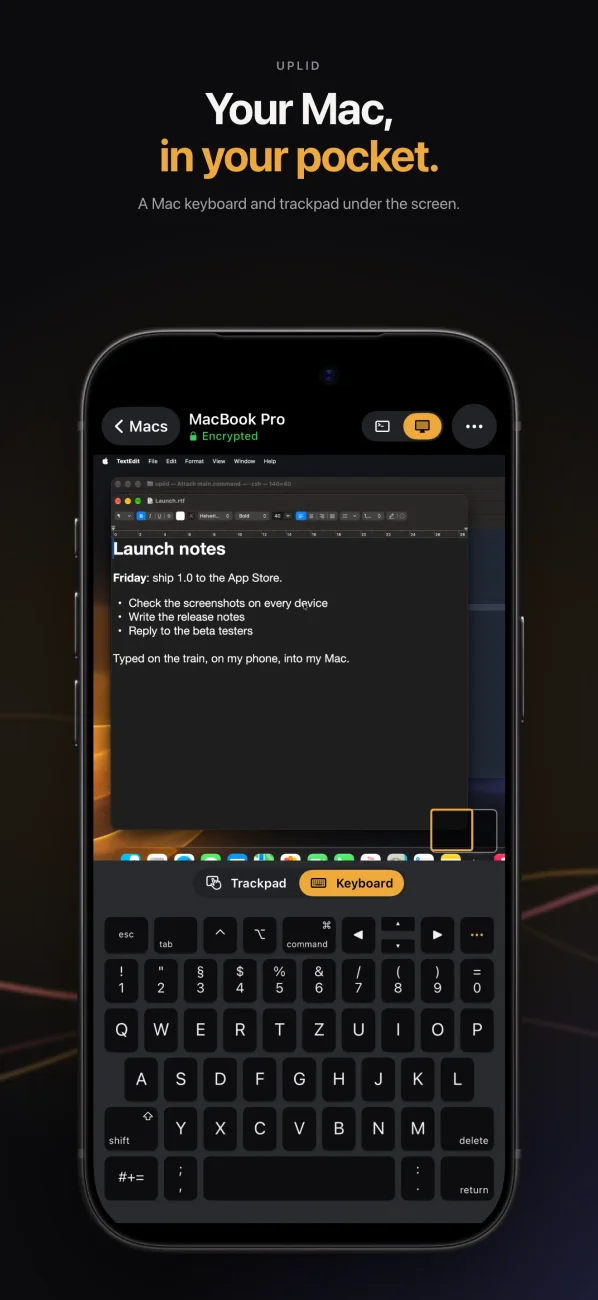
Your Mac, in your pocket: its screen with a real Mac keyboard and trackpad, and its terminal for coding agents such as Claude Code and Codex.
NEW: AGENTS
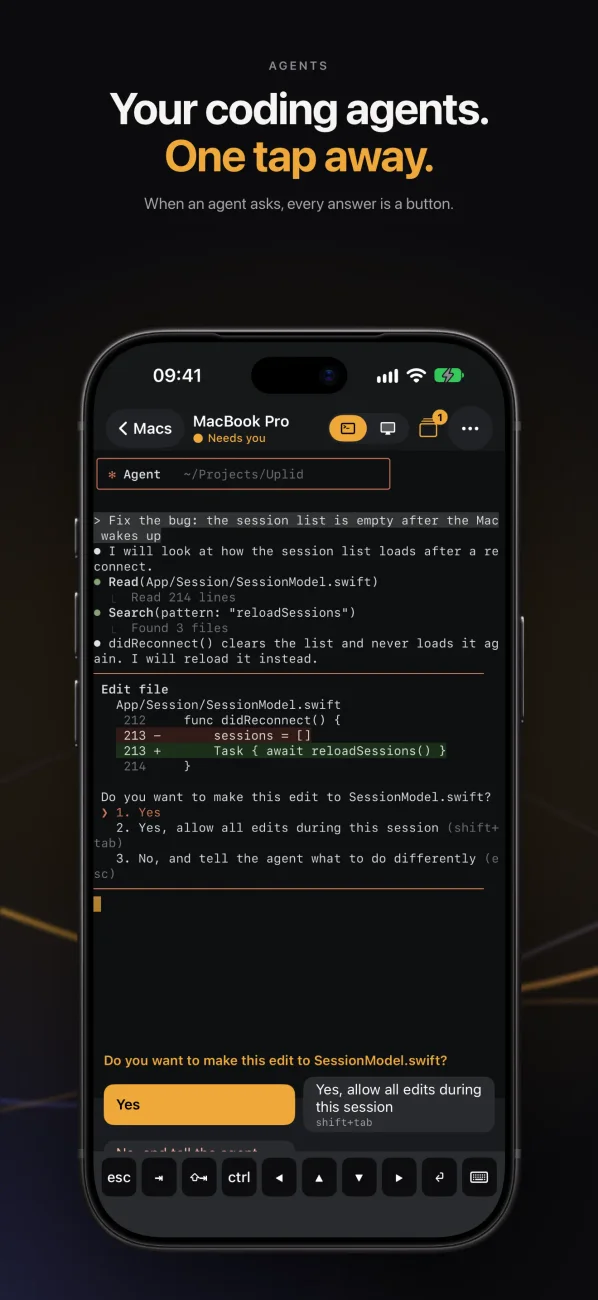
Run your coding agents on your Mac and follow them from anywhere. Uplid opens a full terminal on your Mac over SSH (Remote Login, built into macOS). When an agent asks for a permission or a decision, every answer is a button: one tap, no typing. The terminal stays the real terminal, so every command and every agent works.
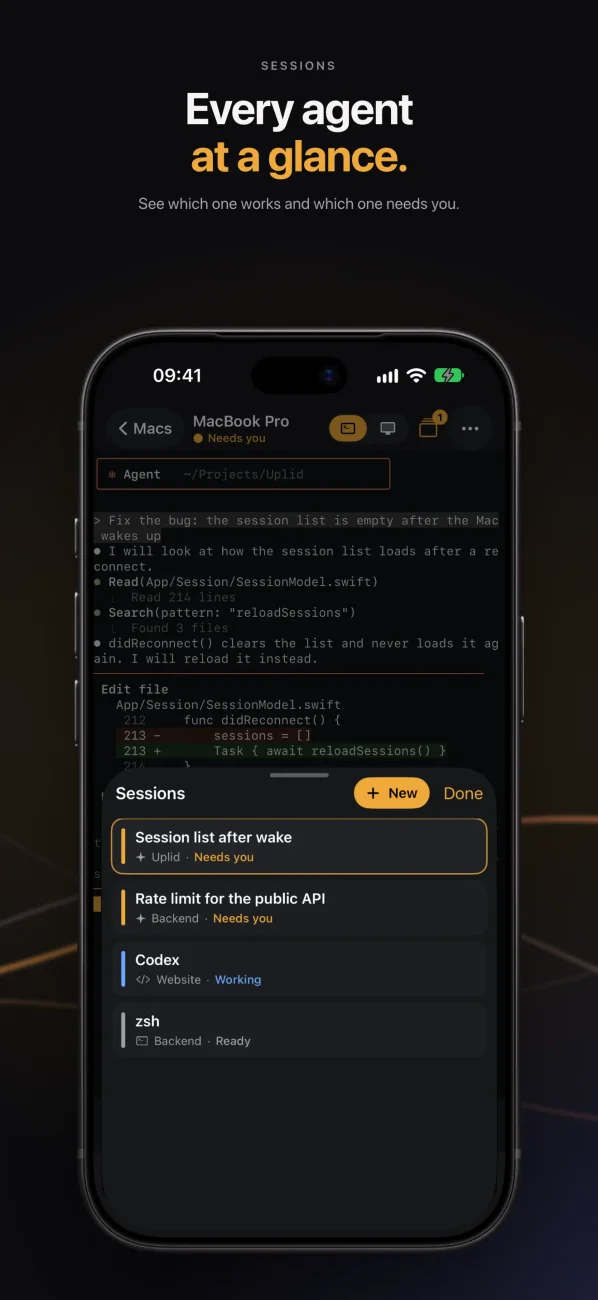
• Sessions: see every agent at a glance, with its name and its state (working, needs you, ready). Start a new one in one tap.
• Nothing is lost: with tmux, your agents keep working when the phone sleeps or the network drops, and Uplid reconnects by itself.
• Write long prompts in a real text editor, dictate them, and send images to the agent.
• One tap switches between the terminal and the screen of the same Mac.
LAPTOP POSE ON IPHONE DUO
Fold iPhone Duo like a small laptop. The top half shows your Mac's screen or terminal. The bottom half is a Mac keyboard, and for the screen a Mac trackpad.
A TRACKPAD THAT FEELS LIKE A MAC
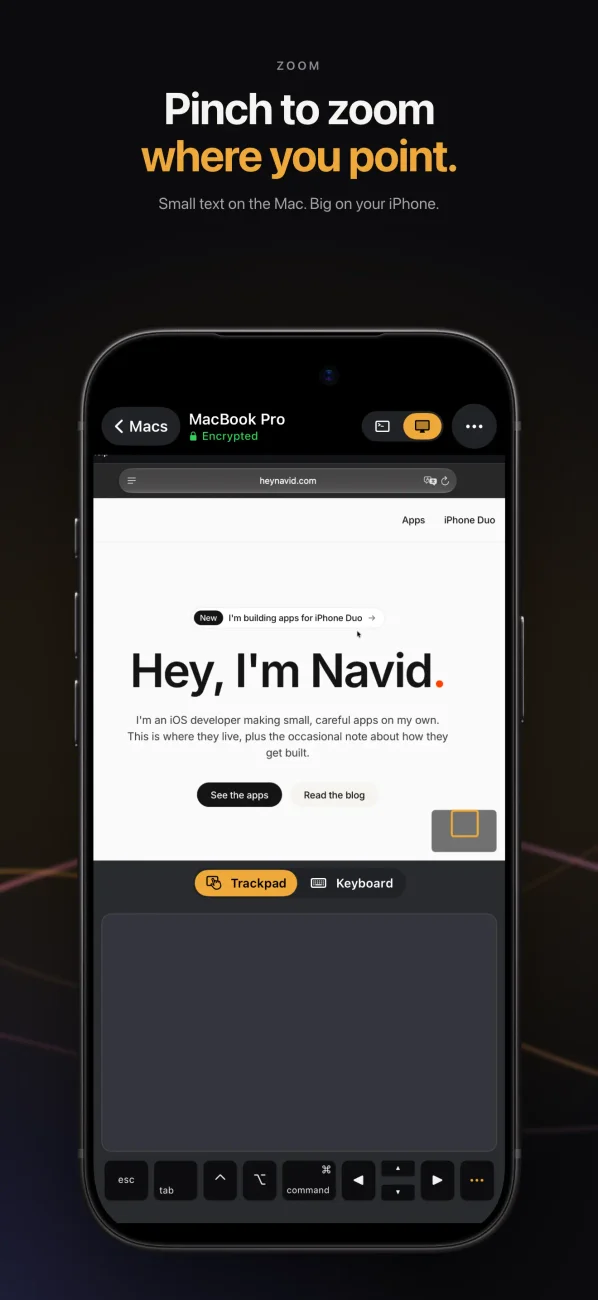
The pointer uses the same acceleration as a Mac trackpad, and the cursor moves the moment your finger does. Tap to click, click with two fingers, double-tap and drag, or turn on three-finger drag.
REAL MAC GESTURES
Scroll with two fingers and momentum. Pinch to zoom into the screen at the pointer. Swipe up with three fingers for Mission Control, and left or right for Spaces.
A MAC KEYBOARD
Command, Option, Control and fn, as on a MacBook. Hold a modifier with one finger and type with another, or tap it once for the next key. US and German layouts.
ON EVERY IPHONE AND IPAD
Flat or folded, and on other iPhones and iPads, the layouts follow the screen. A hardware keyboard works too, and on iPad a trackpad or mouse points straight at your Mac.
NO MAC APP TO INSTALL
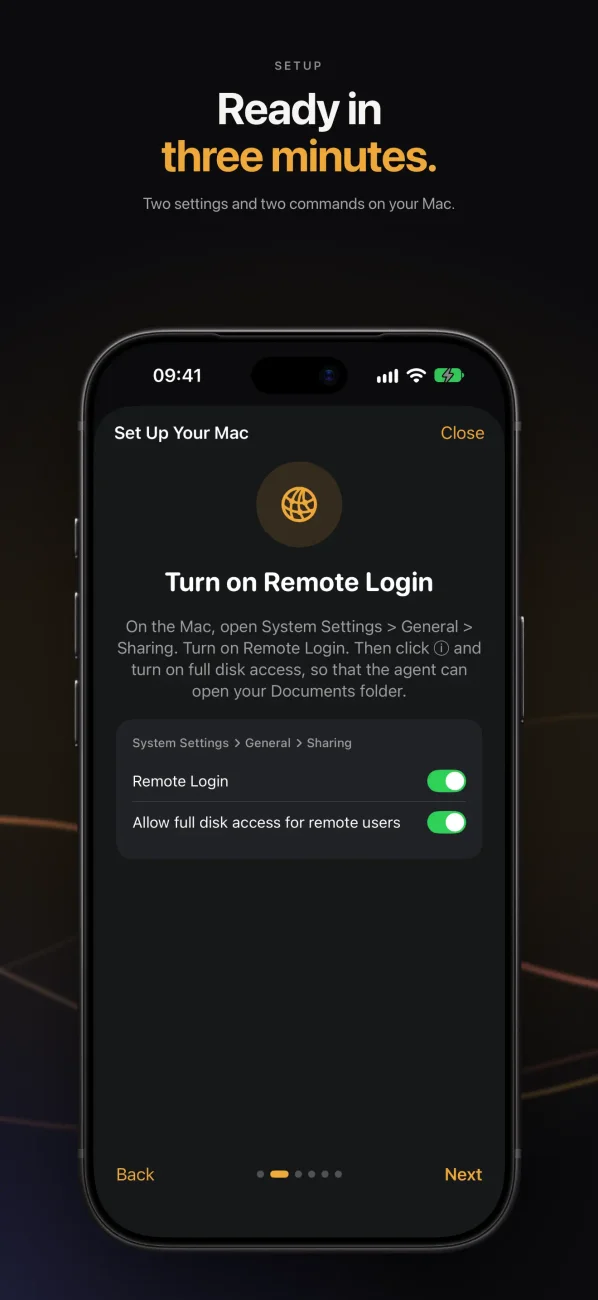
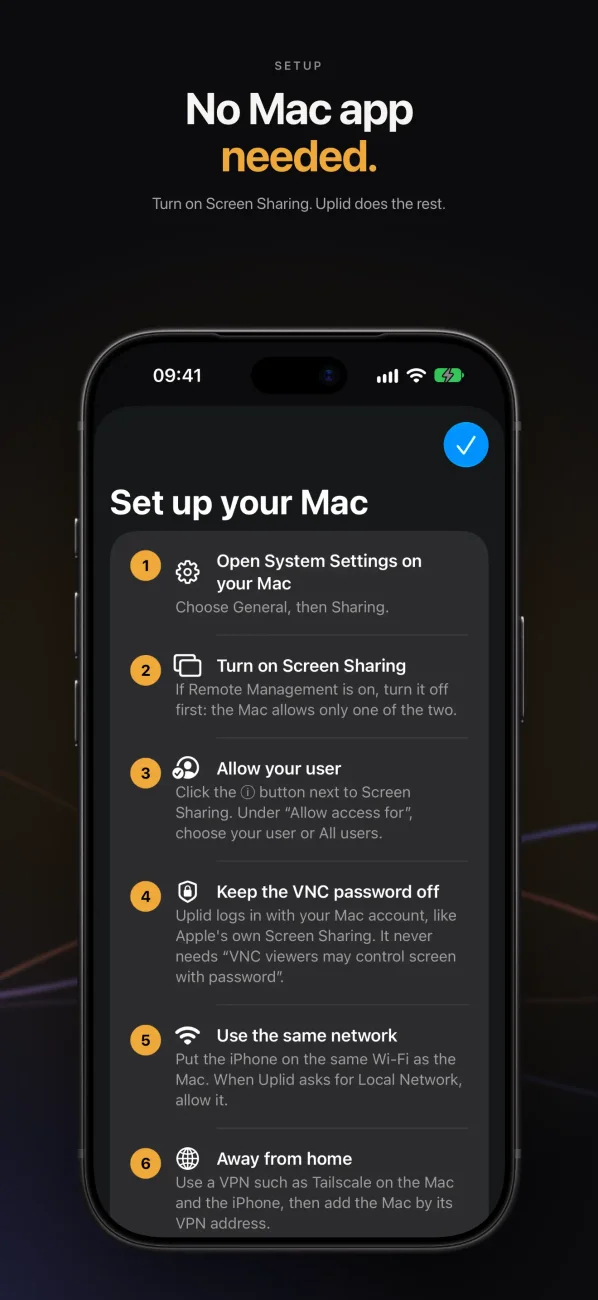
The screen uses the Screen Sharing that is built into macOS, the terminal uses Remote Login. The in-app guide shows the few settings on the Mac.
SAFE BY DESIGN
You log in with your Mac account. The password stays in the Keychain of your device and can be unlocked with Touch ID or Face ID. At the Mac lock screen, Uplid types the password for you after Face ID or Touch ID. Screen sessions are encrypted by the Mac, terminal sessions by SSH, and Uplid checks the key of your Mac. No account, no cloud, no ads, no data collected.
TRY IT WITHOUT A MAC
The built-in demo Mac and demo agent let you learn everything first.
UPLID PRO
The free app has every feature, in sessions of 15 minutes. Uplid Pro gives unlimited sessions. It is one purchase, with no subscription, and Family Sharing is on.
Uplid is not made or endorsed by Apple, Anthropic or OpenAI. Claude Code and Codex are trademarks of their owners.
What’s new
Version 1.1 · Nov 15, 2026
NEW: AGENTS
A full terminal on your Mac for coding agents such as Claude Code and Codex.
• Answer an agent's questions with one tap.
• See every session with its name and state, and start new ones.
• Agents keep working in tmux. Uplid reconnects by itself.
• Laptop pose on iPhone Duo: the terminal above, a Mac keyboard below.
• Switch between the terminal and the screen of the same Mac in one tap. The screen stays connected, and your agent session opens in Terminal on the Mac.
NEW FOR THE MAC SCREEN
• Unlock your Mac with Face ID or Touch ID: Uplid types your Mac password at the lock screen for you.
• A clearer bar: ‹ Macs to go back, the name and state of the Mac, and one ⋯ menu for all actions.
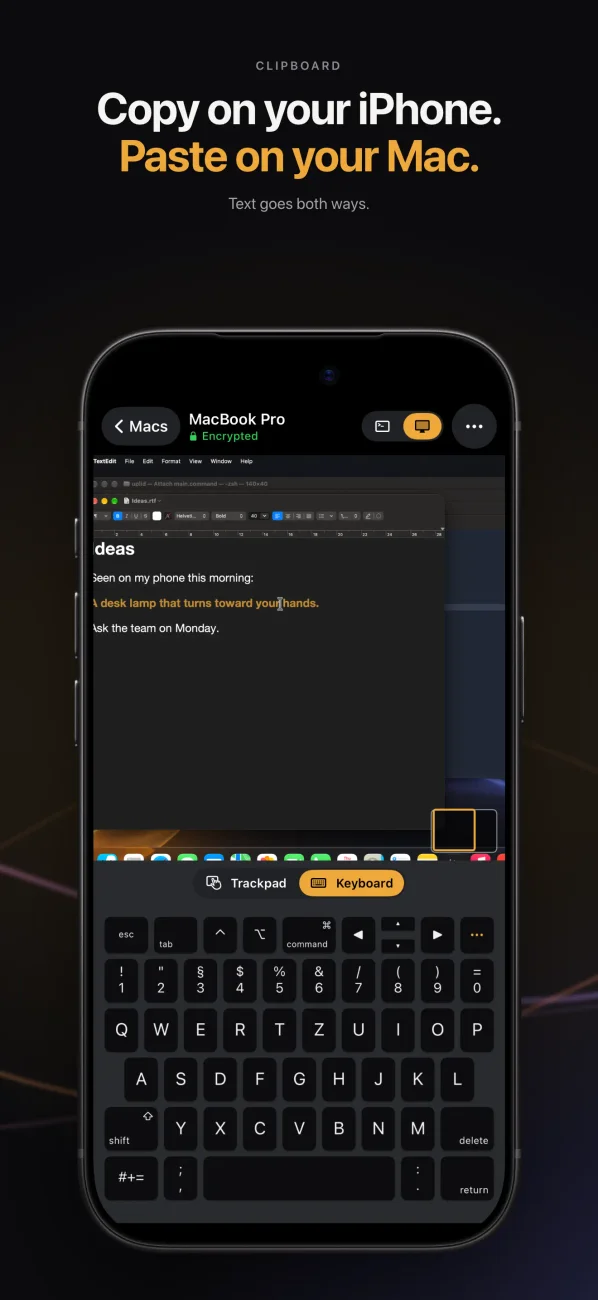
• iPhone in portrait: the Mac zoomed at the pointer, a trackpad, and a Mac keyboard with iOS-size keys.
• Landscape and iPad: the Mac picture stays large when the keyboard opens.
• A setup card on the home screen until your first connection.
Also: a clearer Uplid Pro screen, and a fix for the key preview.
App privacy
What Navid Gooranourimi declares on the App Store about how this app handles data.
-
Data not collected
The developer does not collect any data from this app.
Privacy practices may vary, for example with the features you use or your age.
Information
- Seller
- Navid Gooranourimi
- Category
- Productivity
- Version
- 1.1
- Updated
- Nov 15, 2026
- Released
- Nov 4, 2026
- Size
- 9.8 MB
- Requires
- iOS 27.0 or later
- Age rating
- 4+
- Price
- Free
- In-app purchases
- Yes
- Languages
- English, German
- Copyright
- © 2026 Navid Gooran