
Uplifty Voice
Catch thoughts, speech to text
Designed for iPhone
Free · In-app purchases
- Age rating4+
- CategoryProductivity
- DeveloperUplifty
- LanguagesEnglish
- Size3.5 MB
Links to the official App Store page
Download.org hosts no file of Uplifty Voice. The button opens its official App Store page, published by Uplifty. Listing last checked on Nov 21, 2026.
Screenshots



About
You have the thought while you are walking, driving, or halfway through something else. By the time you unlock your phone, find the app and wait for it, the thought is gone.
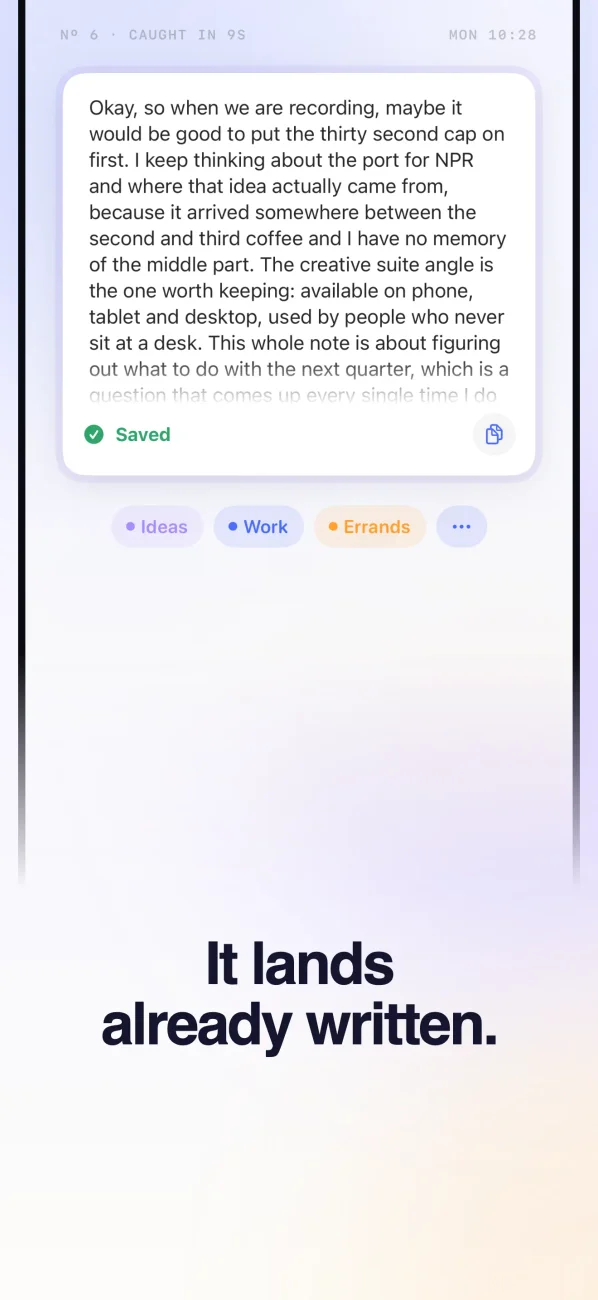
Uplifty Voice is for that moment. Press once and speak. Your voice note is transcribed, titled and kept.
ONE PRESS, FROM WHERE YOU ARE
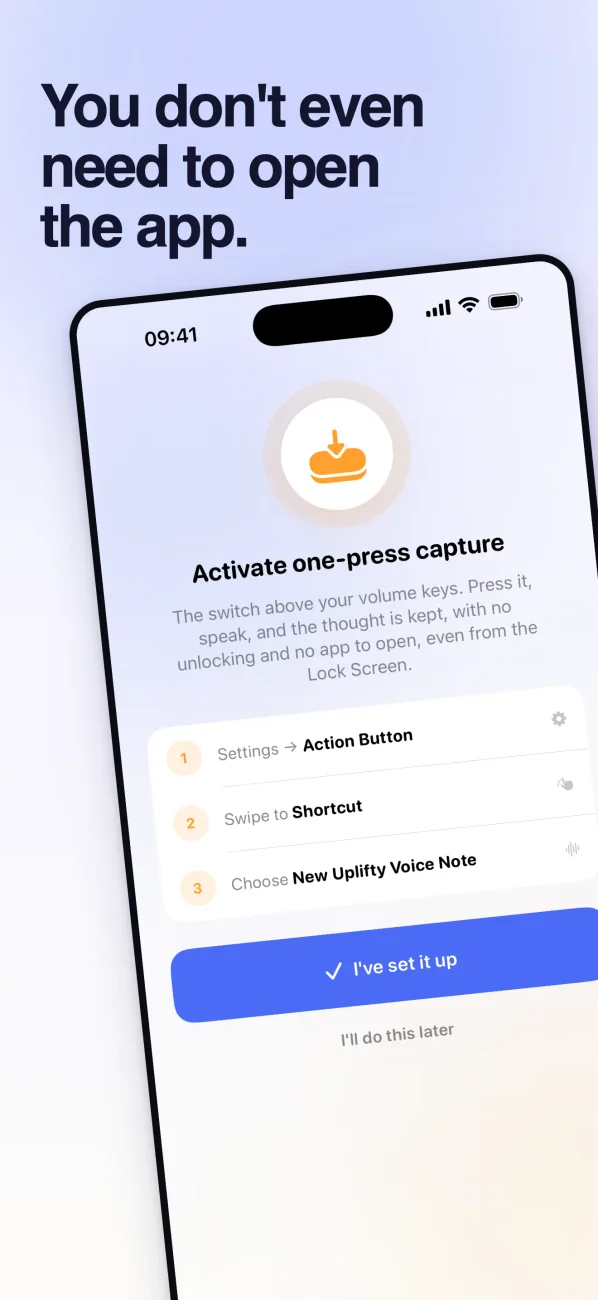
Set it up once, then start a note from any of these:
- Action Button, on iPhone 15 Pro and later
- Back Tap, a double tap on the back of your iPhone
- Control Center, or a corner of your Lock Screen
- Lock Screen widget
- Home Screen widget
There is nothing to open first. The app comes up already recording, and you can start talking. From the Lock Screen widget, your iPhone may ask for Face ID first.
YOUR WORDS, KEPT AS YOU SAID THEM
Uplifty transcription turns your speech to text. With no connection, your phone transcribes the note instead, and tells you so when it saves.
MADE TO BE FOUND AGAIN
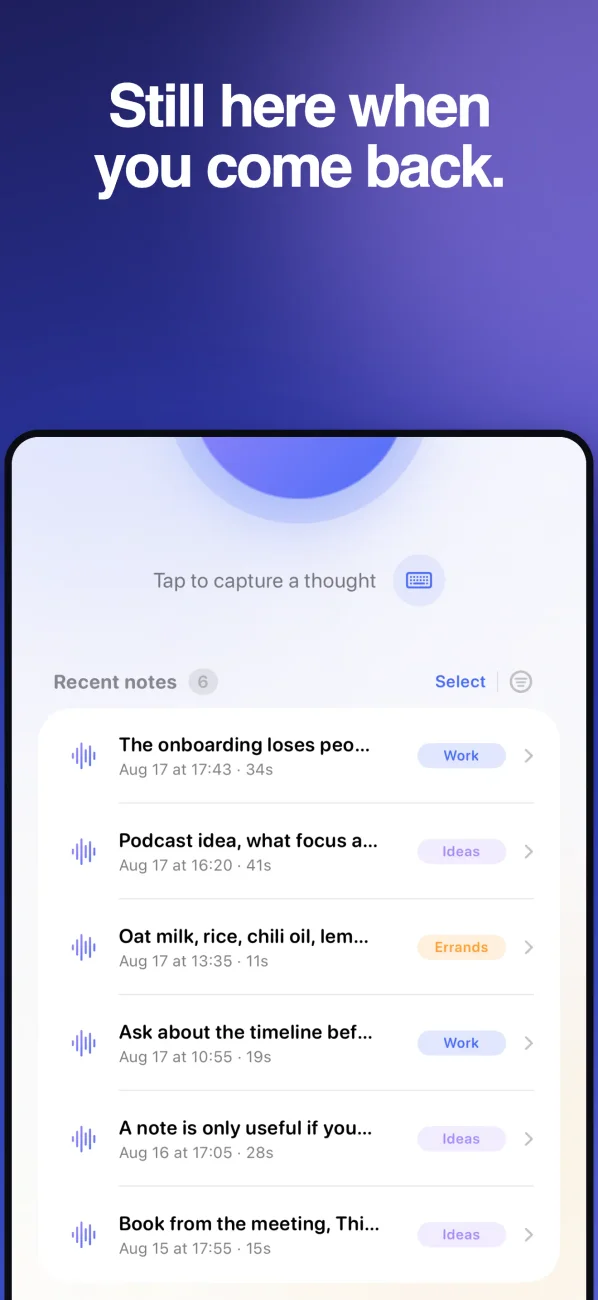
Search every note, archived ones too, or hide the archive from your results. Label a note the moment you save it, and archive the ones you have dealt with. Export it all as text, CSV or JSON whenever you want it.
EVERYTHING ON THIS PHONE, IF YOU PREFER
Turn on Keep everything on this phone and your notes stay on it. Transcription runs on the phone and nothing is backed up, so if you lose the phone the notes go with it.
YOUR NOTES IN YOUR AI ASSISTANT
Add an AI assistant you already use, once, on a computer, and ask it about what you said. You approve each one on your phone, and you can remove it any time. Connections are free. They read the notes in your account, so they do not work with Keep everything on this phone.
YOURS
Your notes live in your own private account. There is nothing to sign in to before your first note. Sign in only if you want your notes on another phone, and delete your account and everything in it from the app whenever you like.
UPLIFTY VOICE PLUS
Capture, backup, labels, search and export are free, with 15 Uplifty minutes once. After those, your phone transcribes your notes, with no limit. A recording runs up to 10 minutes. Plus adds 300 Uplifty minutes a month and recordings up to 20 minutes.
What’s new
Version 1.1.2 · Nov 16, 2026
Every way to start a note, in one place. Settings, Capture now shows the Action Button or Back Tap, Control Center, the Lock Screen widget and the Home Screen widget, with how to add each. Set one up and there is nothing to open first: the app comes up already recording.
Also new:
- Hide archived notes from search results with one tap, and show them again the same way.
- Clearer words when your free Uplifty minutes are used up.
App privacy
What Uplifty declares on the App Store about how this app handles data.
-
Data linked to you
May be collected and linked to your identity.
- Purchases
- Contact info
- User content
- Identifiers
- Usage data
- Diagnostics
Privacy practices may vary, for example with the features you use or your age.
Information
- Seller
- Uplifty
- Category
- Productivity
- Version
- 1.1.2
- Updated
- Nov 16, 2026
- Released
- Sep 13, 2026
- Size
- 3.5 MB
- Requires
- iOS 26.0 or later
- Age rating
- 4+
- Price
- Free
- In-app purchases
- Yes
- Languages
- English
- Copyright
- © 2026 Uplifty
You might also like
-
 Tasklet AIAI agents for your business
-
 Personal AIYour Knowledge, Amplified
-
 BluLinesText Notes, Folders, Recording
-
 Habit Tracker - HabitBotTrack Habits & Streaks
-
 Easy CalendarProductivity
-
 Pinning – Days Until CountdownCount down to what matters
-
 iAnnotate 4 — PDFs & moreA better way to markup
-
 ClipyBoard AutoPaste ClipboardClipboard & AutoPaste Keyboard
-
 MausBot: Private AI AgentsRun bots on your own computer
-
 Croissant CoworkingCoworking for teams and nomads