
Upload Manager: Video Planner
Content Calendar for Creators
Designed for iPhone
Free · In-app purchases
- Age rating4+
- CategoryProductivity
- DeveloperAyami Chin
- LanguagesEnglish
- Size35.8 MB
Links to the official App Store page
Download.org hosts no file of Upload Manager: Video Planner. The button opens its official App Store page, published by Ayami Chin. Listing last checked on Nov 23, 2026.
Screenshots

About
Upload Manager helps creators keep every YouTube, TikTok, Instagram, Threads and X channel stocked with scheduled videos.
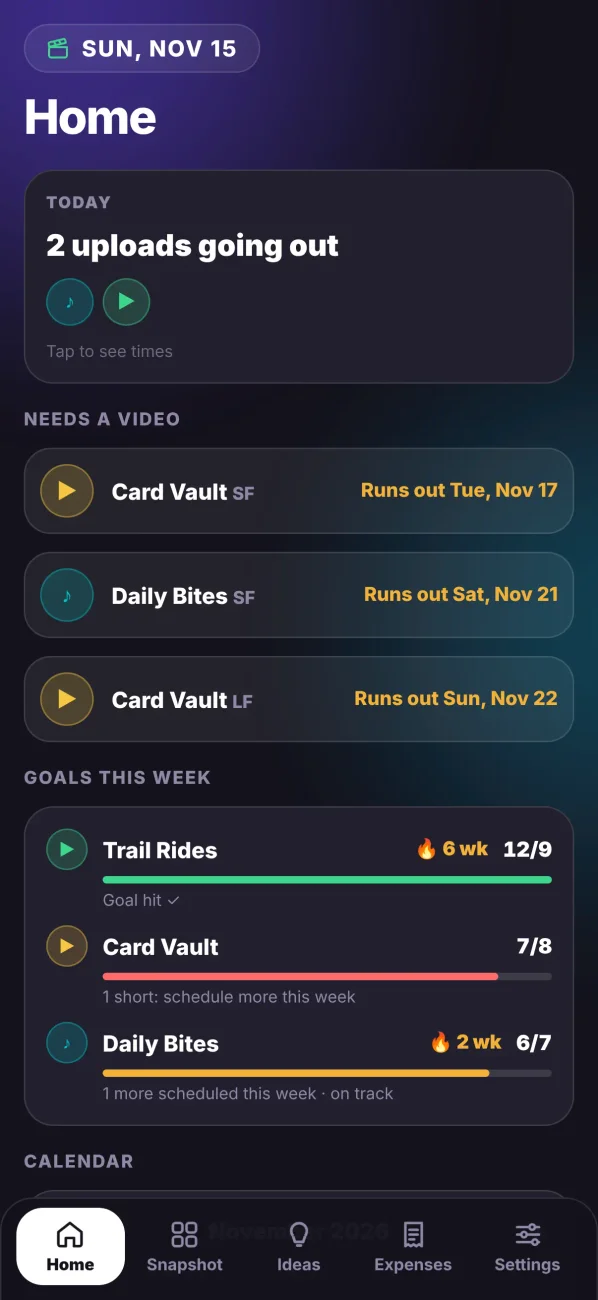
Set the days and times you post. Each time you schedule a video, tap +. The app puts it in your next open upload slot, counts down as each upload goes out, and shows at a glance how far ahead every channel is.
FOLLOWS YOUR SCHEDULE
• Pick the days you post (Mon, Wed, Fri…), every day, or dates of the month
• Several uploads a day, each with its own time
• Each video leaves the count at its upload time, so the numbers stay accurate
SEE YOUR RUNWAY
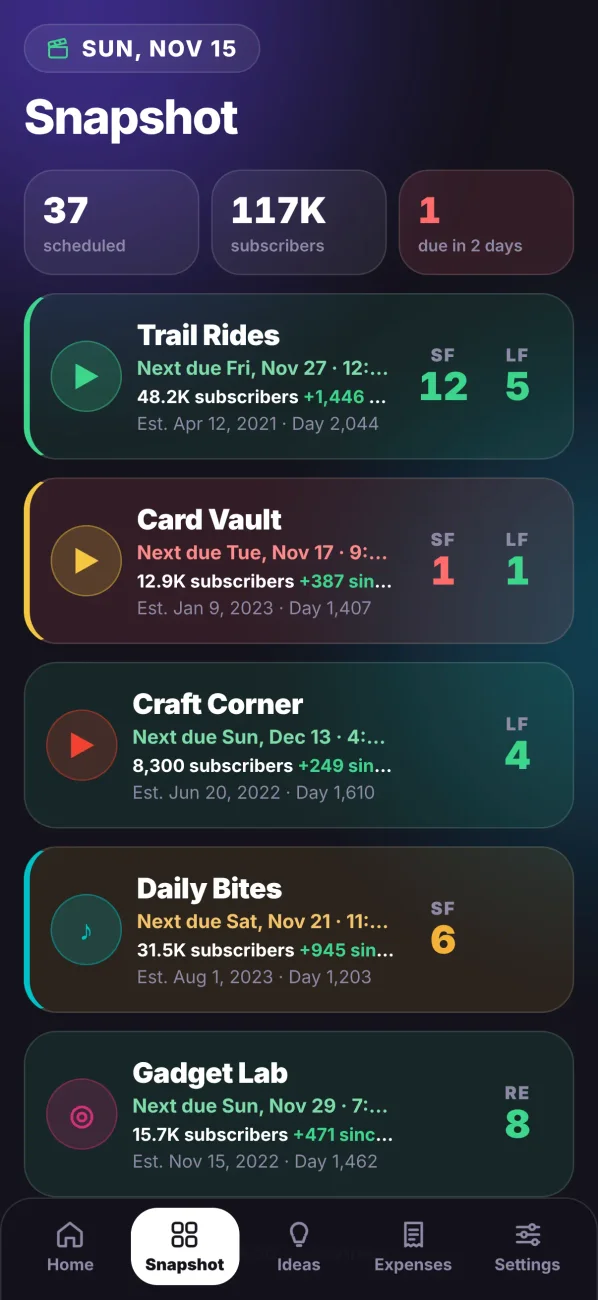
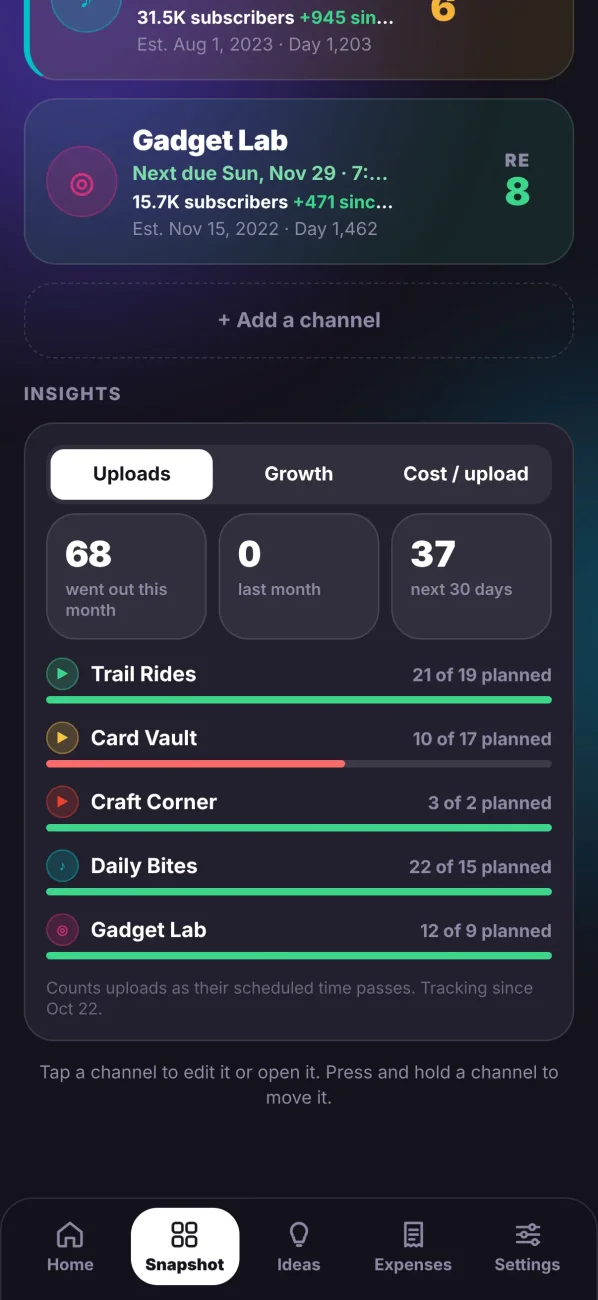
• Every channel with its scheduled count, next due date and the day it runs out
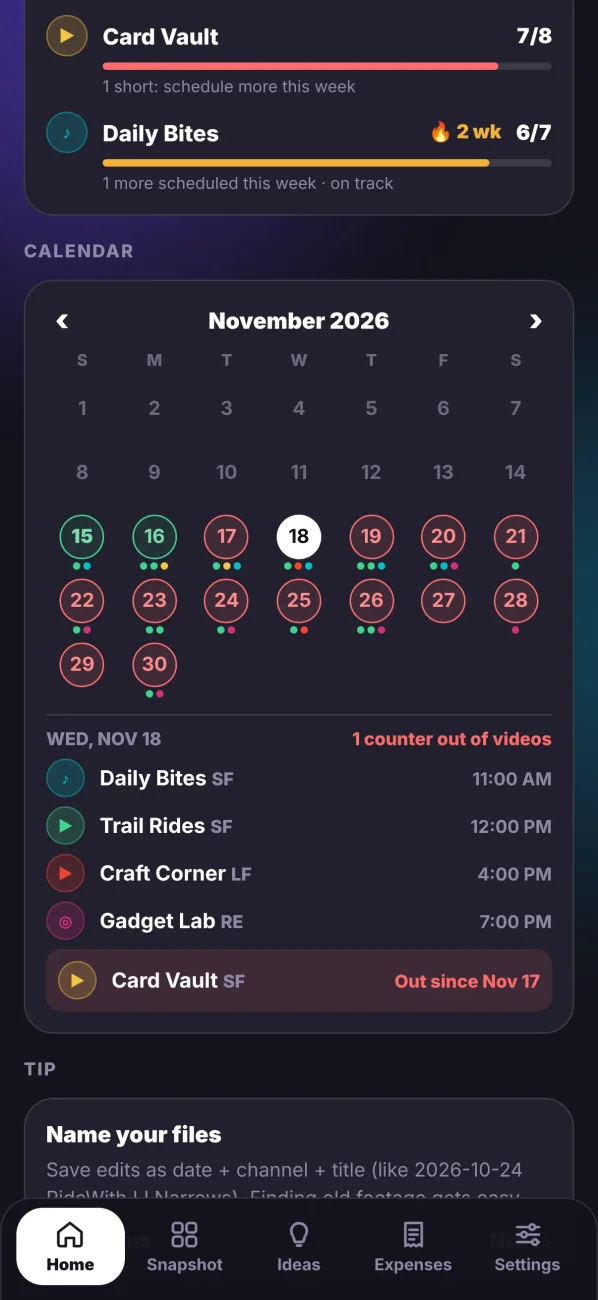
• Green, yellow and red so you know what needs attention first
• Calendar with green days (covered) and red days (a channel has run out). Tap a red day to see which one
• Short form (SF) and Long form (LF) side by side on every channel
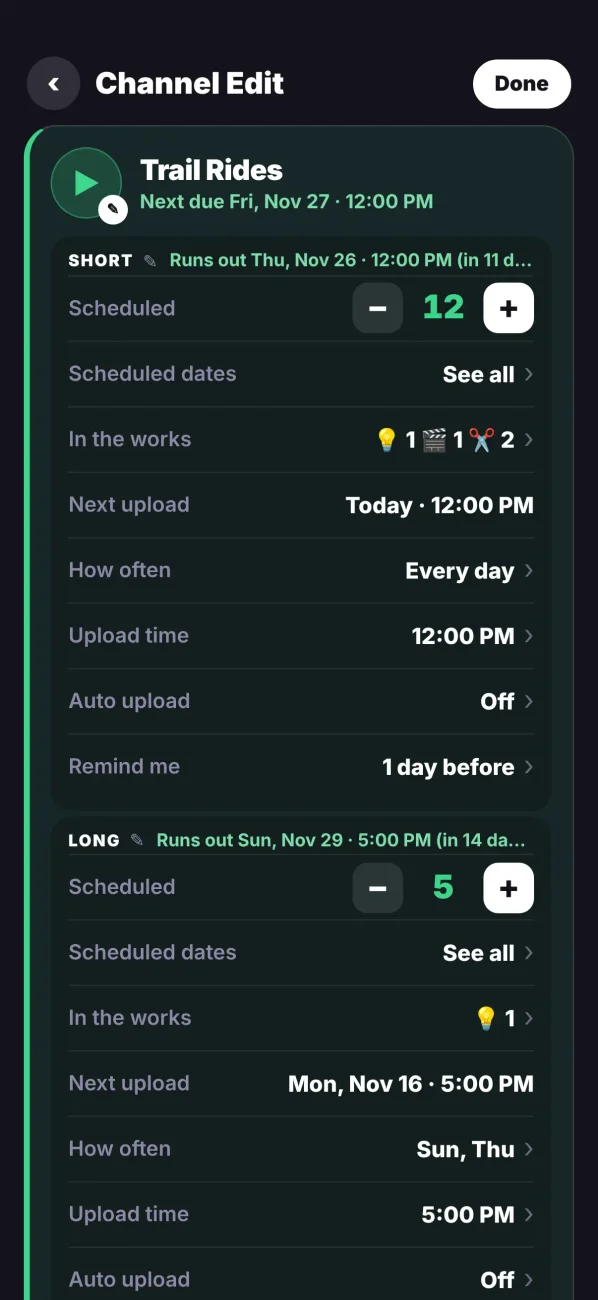
• Tap a channel on Snapshot to edit it or open it in YouTube, TikTok, Instagram, Threads or X
PLAN WHAT TO FILM
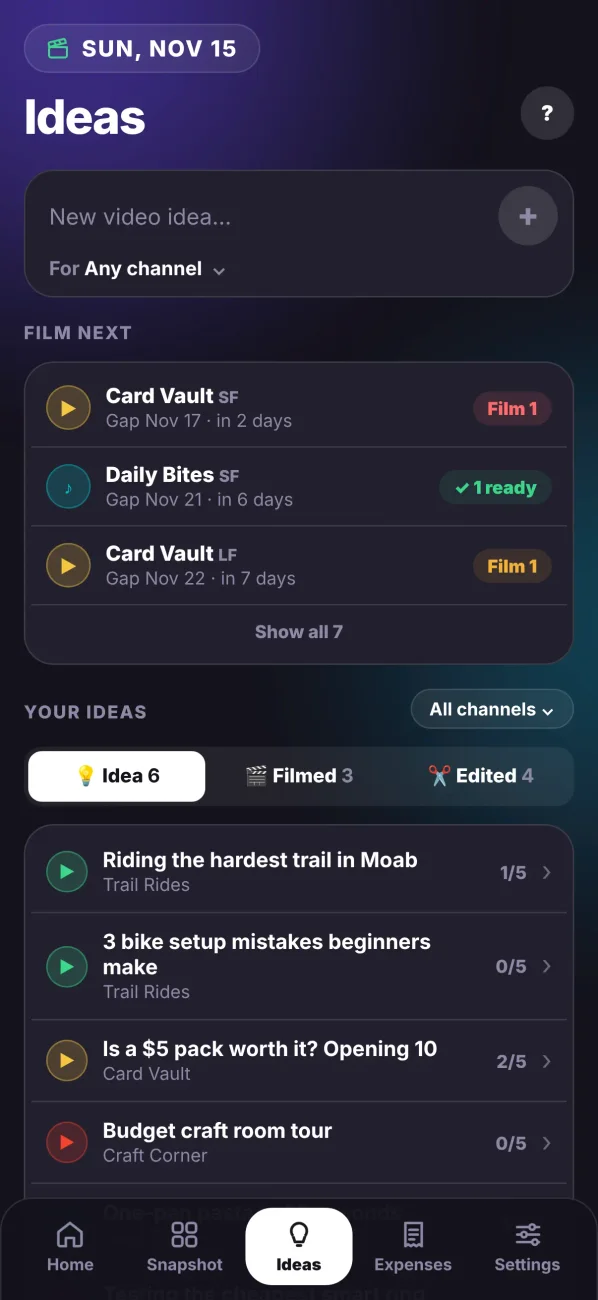
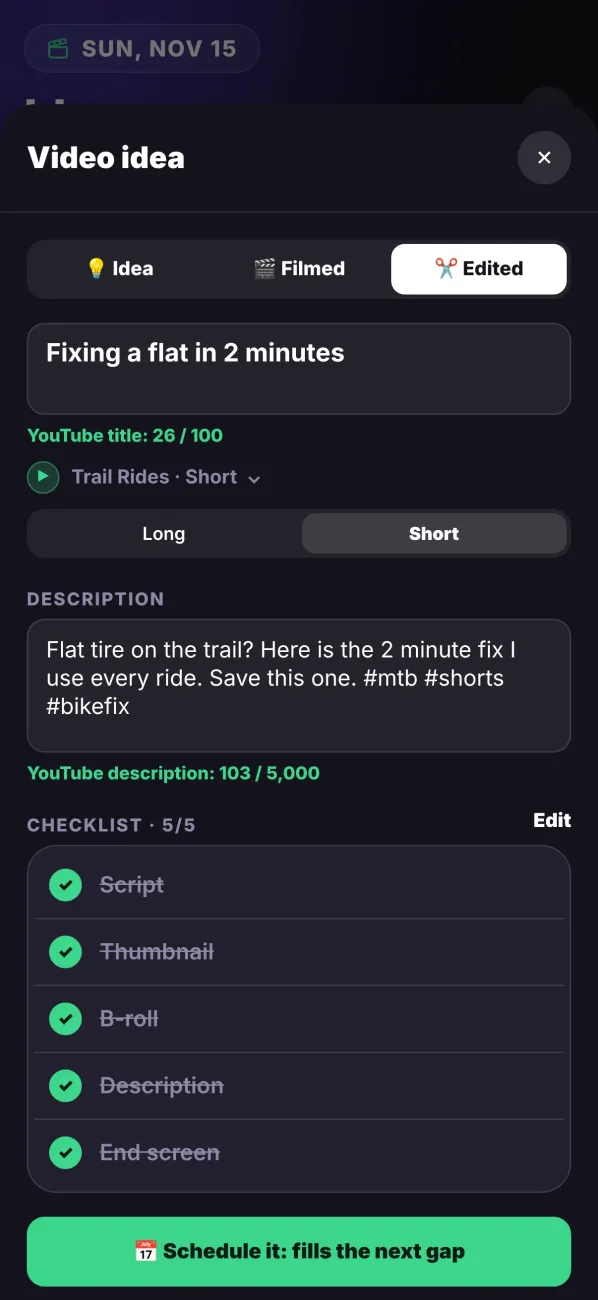
• Ideas tab: jot a video idea in one line and move it from Idea to Filmed to Edited
• Film next shows which channel runs out first and how many edited videos are ready for it
• Title and caption checker counts characters against each platform's limit and warns where the feed cuts it off
• Your own checklist on every idea: script, thumbnail, b-roll, or whatever steps you use
• Schedule it: an edited idea fills the channel's next open upload in one tap
• Hashtag sets you can copy in one tap
STAY AHEAD
• Reminders 1, 3 or 7 days before a channel runs out
• "Auto upload" label for channels that post on their own
• Home shows today's uploads and which channels need a video next
• A quick tour for new users and step-by-step tutorials in Settings
TRACK WHAT YOU SPEND
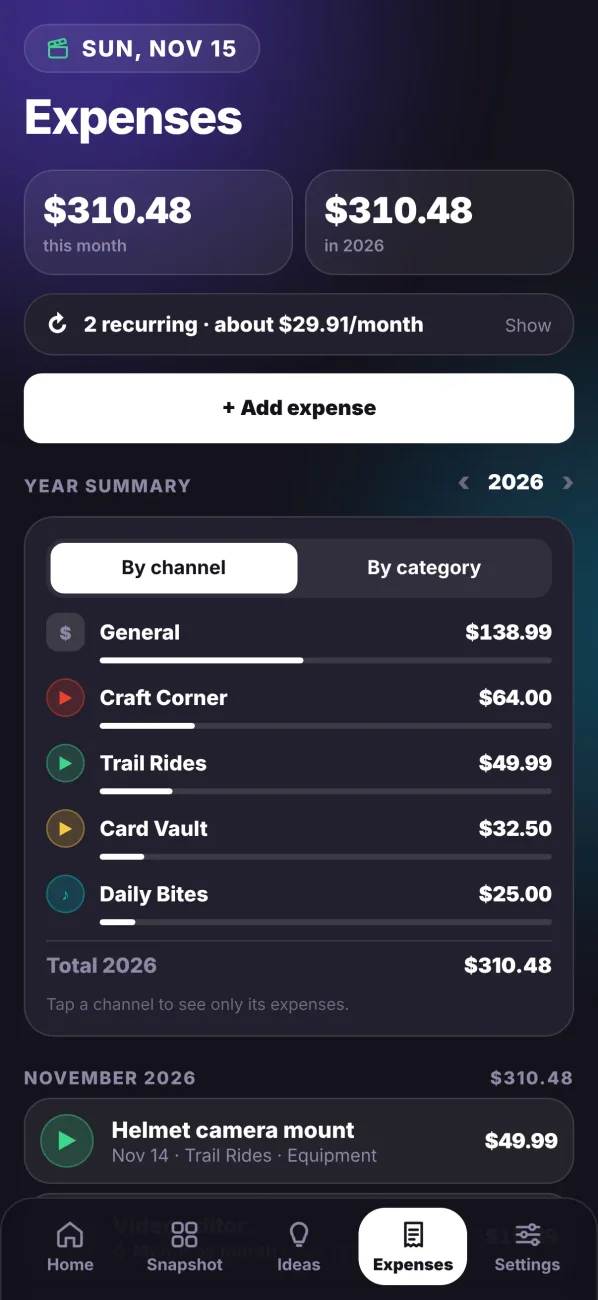
• Log gear, software, editors and ads by channel and category
• Snap receipt photos and keep them with each expense
• Year summary and spreadsheet (CSV) export for tax time
PRIVATE BY DESIGN
• No account and no sign-up
• Your channels, schedules, expenses and receipts stay on your iPhone
• App lock with Face ID or your passcode, and backup files you control
UPLOAD MANAGER PRO
• Unlimited channels
• Unlimited counters on every channel: Long, Short, Live, a series…
• Insights: uploads vs plan, subscriber growth, cost per upload
• Ideas for every channel (free covers 1 channel)
• Weekly goals and streaks
• Monday runway alert
• Channel colors and 6 extra themes
• Unlimited expenses and no ads
The free version tracks 2 channels with 1 counter each and up to 5 expenses, with ads.
Pro is $4.99/month or $49.99/year, with a 7-day free trial for new subscribers, or $99.99 once for Pro Lifetime (no subscription). Payment is charged to your Apple ID when you confirm the purchase (after the trial, if one applies). Lifetime is a one-time purchase. Subscriptions renew automatically unless cancelled at least 24 hours before the end of the current period. Manage or cancel any time in your Apple ID's Subscriptions settings.
Terms of Use: https://www.apple.com/legal/internet-services/itunes/dev/stdeula/
Privacy Policy: https://www.pnwmakingthings.com/upload-manager/
What’s new
Version 1.6.5 · Nov 18, 2026
• New Ideas tab: plan videos from idea to edited, see which channel to film for next, and schedule an edited video in one tap
• Title and caption checker for YouTube, TikTok, Instagram, Threads and X
• Your own checklist on every idea, and hashtag sets you can copy
• Tap a channel on Snapshot to edit it or open its page
• Channel Edit now opens for just the channel you picked
• New Pro Lifetime: pay once, no subscription
• Gap-aware counting that matches your schedule on YouTube
• Small fixes and improvements
App privacy
What Ayami Chin declares on the App Store about how this app handles data.
-
Data not linked to you
May be collected but is not linked to your identity.
- Location
- Identifiers
- Usage data
- Diagnostics
Privacy practices may vary, for example with the features you use or your age.
Information
- Seller
- Ayami Chin
- Category
- Productivity
- Version
- 1.6.5
- Updated
- Nov 18, 2026
- Released
- Nov 5, 2026
- Size
- 35.8 MB
- Requires
- iOS 16.4 or later
- Age rating
- 4+
- Price
- Free
- In-app purchases
- Yes
- Languages
- English
- Copyright
- © 2026 Makingthings
You might also like
-
 RenewPlanRenewal & Payment Planner
-
 Shotsort ProProductivity
-
 Screenshot to TextImage to text with accuracy
-
 Screenshot Cleaner +Find & delete screenshots fast
-
 Stilllog – Did I Do It? LogA simple record you can trust
-
 Meron Mail: Email & RSSUnified Inbox & Kanban Boards
-
 Get TranscriptAny video to text in seconds
-
 TrustStewardYour trust spans decades.
-
 Narration RoomTranscribe & Text to Speech
-
 Survey Area Calculator ToolMeasure land distance GPS map