
upScale Guitar
Scales, fretboard & jam tracks
Designed for iPhone, iPad, iPod touch
In-app purchases
- Age rating4+
- CategoryMusic
- DeveloperChristophe Novalet
- LanguagesEnglish
- Size70.6 MB
Links to the official App Store page
Download.org hosts no file of upScale Guitar. The button opens its official App Store page, published by Christophe Novalet. Listing last checked on Nov 23, 2026.
Screenshots

About
upScale is for guitarists who practice scales without knowing what to do with them.
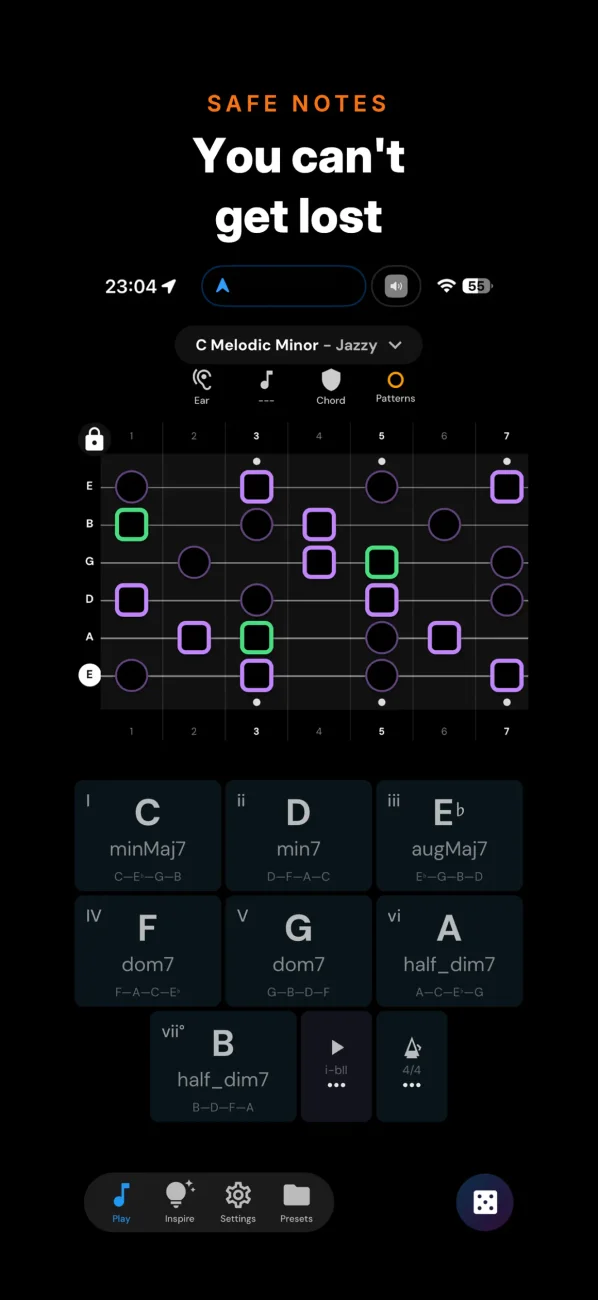
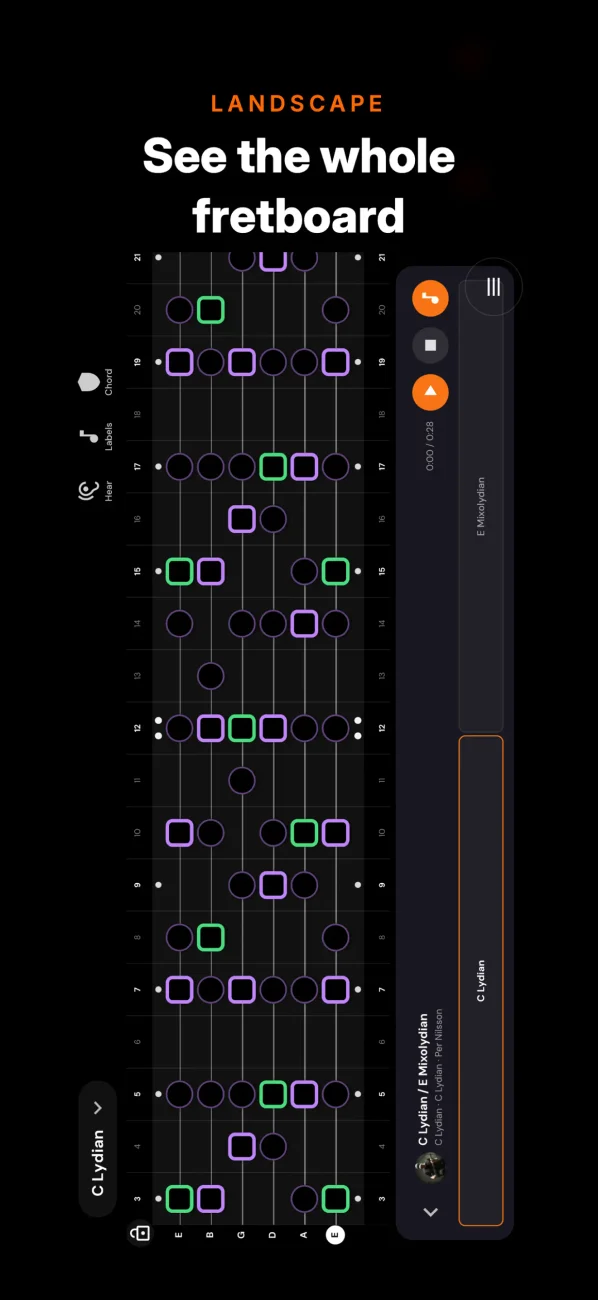
You pick a scale and a chord progression, and the fretboard lights up while the chords play. The notes of the current chord show as squares, so you always know where to land. You improvise on your guitar and hear how each scale sounds.
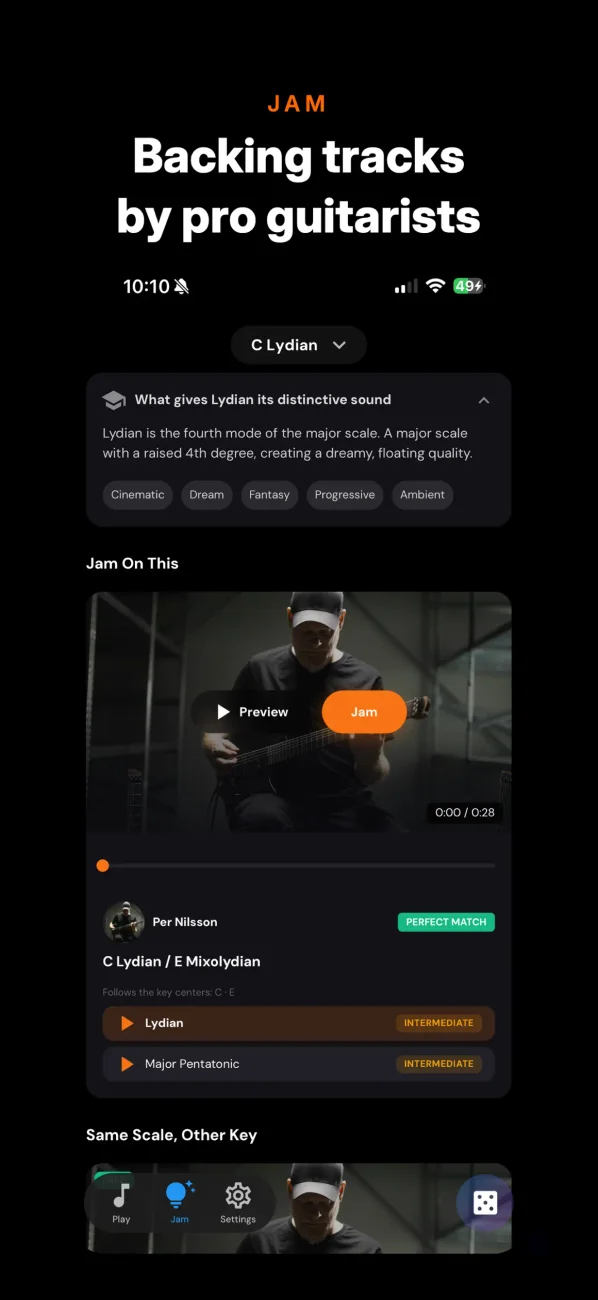
In Jam, you improvise over guitar backing tracks by Per Nilsson (Scar Symmetry) and other artists. The fretboard follows the scale of each section of the track.
In Learn, guitar lessons by Per Nilsson and Raphael De Stefano play on the fretboard step by step. Most of them come with the artist's video. You can slow a lesson down to a tenth of its speed and loop a single bar. Some lessons are free, and some artist packs are sold separately.
In the progression editor, you write your own chord progressions, including sus, 6 and add9 chords.
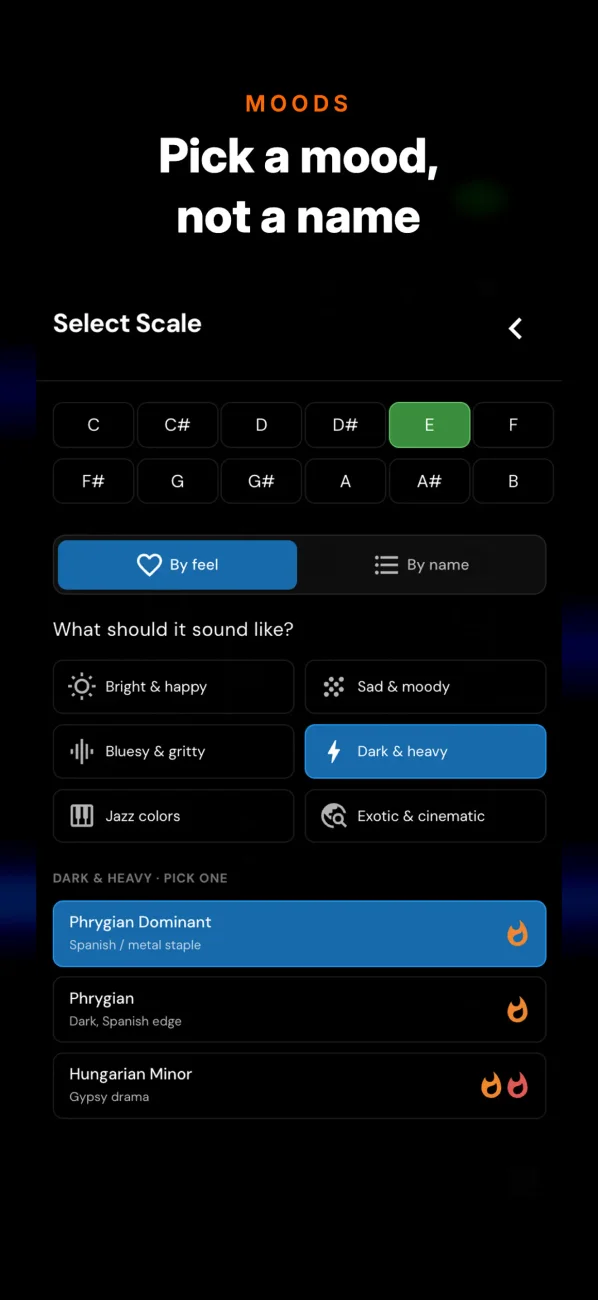
- More than 50 scales and modes in 12 families (major modes, melodic minor, harmonic minor, pentatonics, blues, Japanese, Middle Eastern...)
- Scales you can find by feel (bright and happy, dark and heavy, jazz colors...)
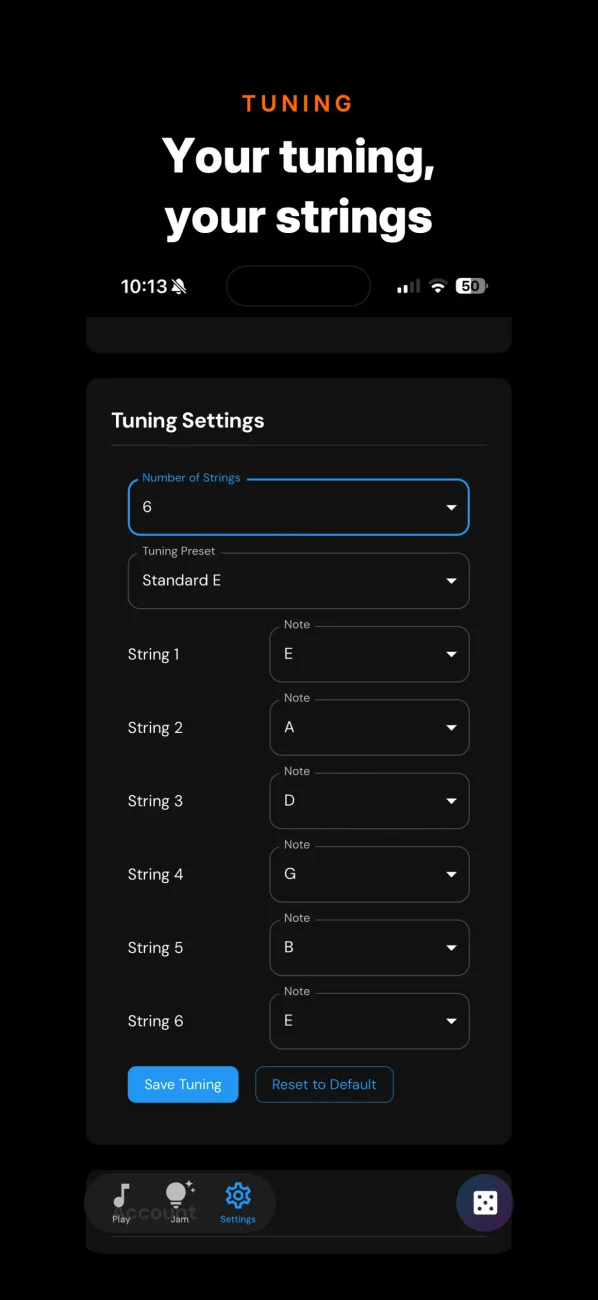
- Instruments from 4 to 9 strings, with 35 tunings (Standard, Drop D, DADGAD, Open G...)
- A metronome or a drum groove under your progressions
- Several chord sounds (pad, piano, guitar) and a left-handed mode
The free version includes a selection of scales and keys. A one-time purchase unlocks all scales and keys, plus the backing tracks included with the app. There is no subscription. Sign in and your purchase follows you to your other devices.
What’s new
Version 1.1 · Nov 20, 2026
Thanks to everyone who sent feedback.
- You can write and save your own chord progressions in the new editor.
- Beat can play a drum groove instead of the click.
- Lessons have their own tab, Learn.
- Most lessons now come with the artist's video.
- You can loop a single bar of a lesson and save your own loops.
- A heart adds a lesson or a backing track to Favourites.
- The fretboard has new color palettes.
- Tapping an empty fret plays its note.
App privacy
What Christophe Novalet declares on the App Store about how this app handles data.
-
Data linked to you
May be collected and linked to your identity.
- Contact info
- Identifiers
-
Data not linked to you
May be collected but is not linked to your identity.
- Purchases
- Usage data
Privacy practices may vary, for example with the features you use or your age.
Information
- Seller
- Christophe Novalet
- Category
- Music
- Version
- 1.1
- Updated
- Nov 20, 2026
- Released
- Aug 31, 2026
- Size
- 70.6 MB
- Requires
- iOS 15.0 or later
- Age rating
- 4+
- In-app purchases
- Yes
- Languages
- English
- Copyright
- © 2026 Christophe Novalet
You might also like
-
 Scales & ImprovExplore the scales
-
 Fretto - Chords & ScalesInteractive guitar fretboard
-
 JazzBricksBuild your jazz solos
-
 Resolve: Reactive Ear TrainingConnect what you hear & play
-
 Fat Blob - #1 Best Guitar AmpGuitar Amps & FX
-
 Cadran MetronomeTap tempo & BPM by listening
-
 Scale-Up!Create, Learn and Share
-
 Furio GuitarScales, chords, tuner, tempo.
-
 JaMateFind Your Jam Partners
-
 Guitar Modal Pentatonic ScalesGuitar trainer by Fonexsis