- Age rating4+
- CategoryProductivity
- DeveloperPaul Hall
- LanguagesEnglish
- Size4.9 MB
Links to the official App Store page
Download.org hosts no file of Use Your Days. The button opens its official App Store page, published by Paul Hall. Listing last checked on Nov 17, 2026.
Screenshots
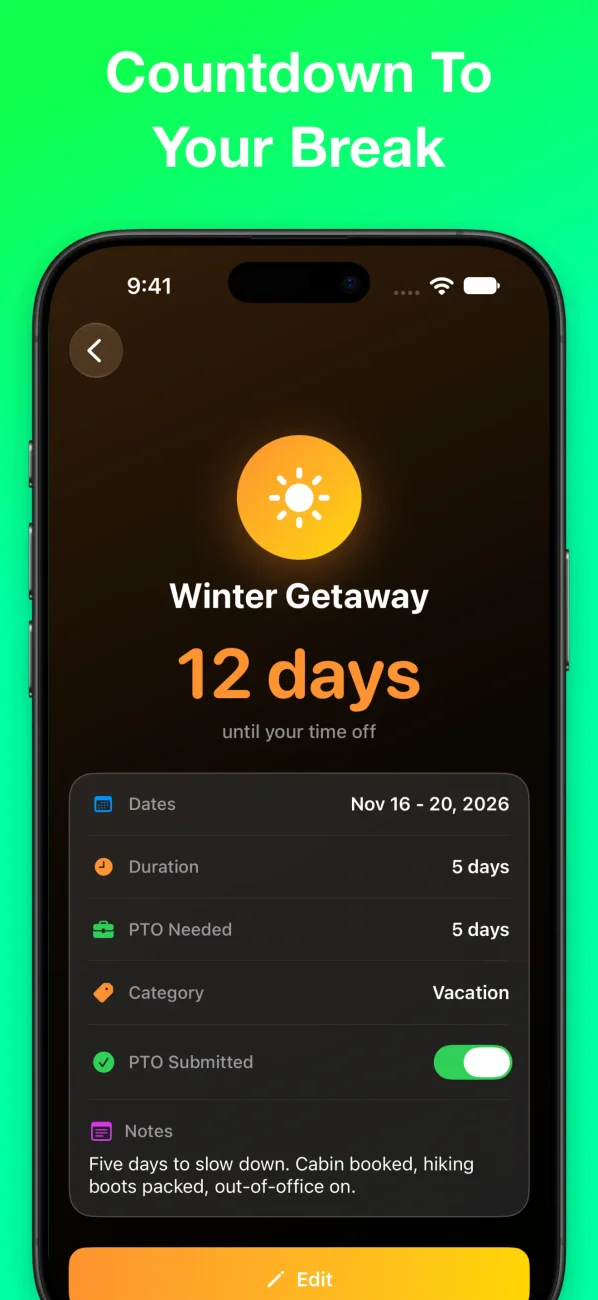
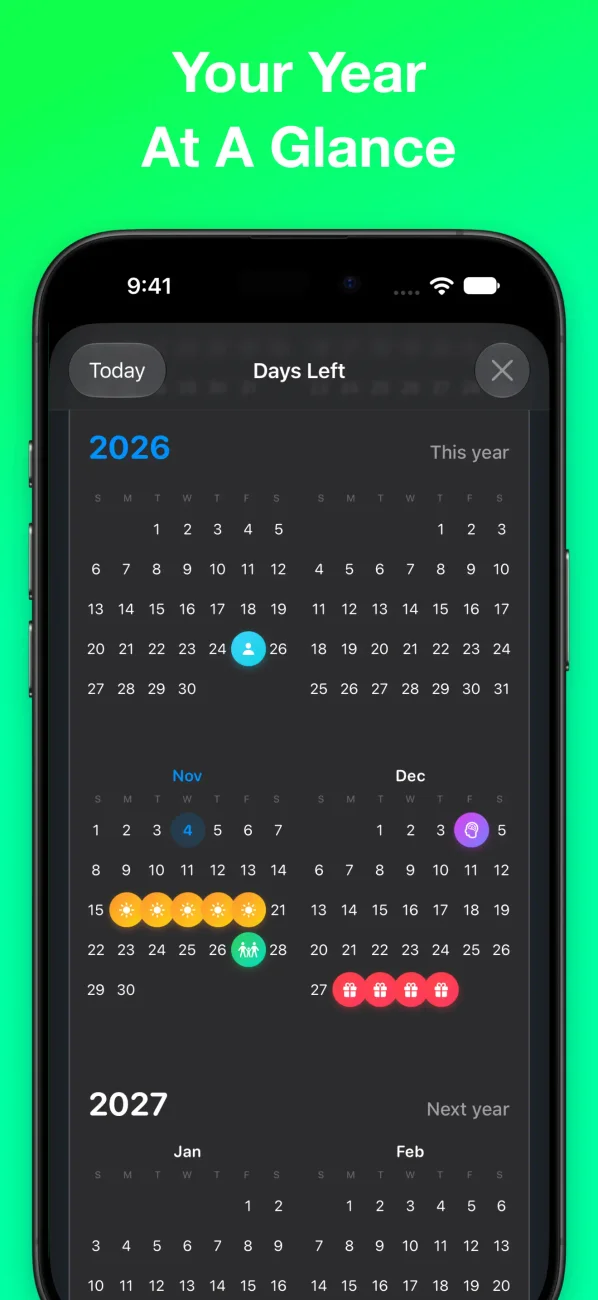

About
Your PTO is earned. Make sure you use it.
Use Your Days helps you track your vacation days, personal time, and all the breaks you deserve, whether your time off is granted upfront or earned gradually, with beautiful countdowns that build excitement for every moment away from work.
See exactly where you stand
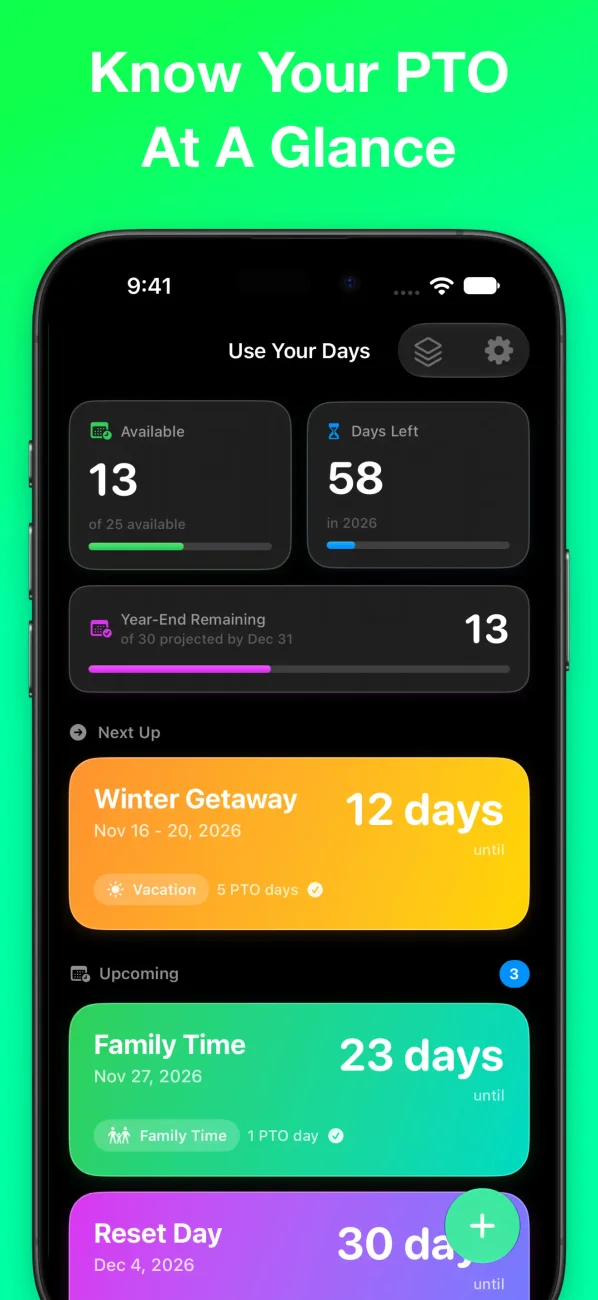
-Track remaining PTO at a glance
-Watch the countdown to your next break
-Know how many days are left in the year to plan ahead
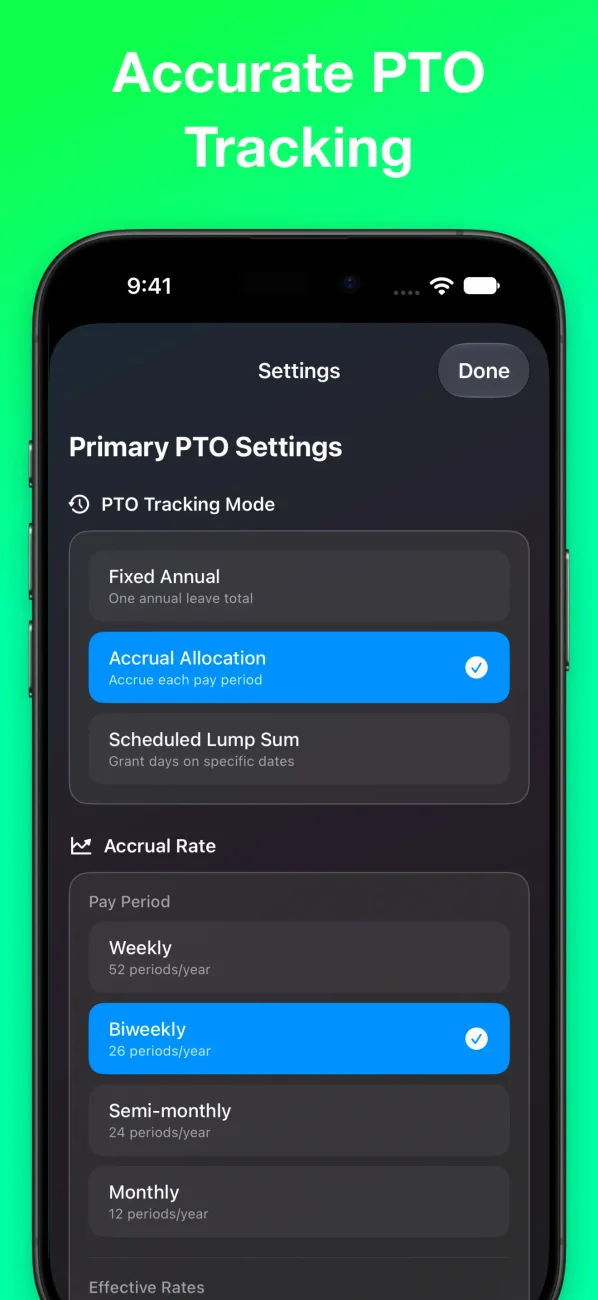
-Track PTO as it accrues each pay period, as a simple annual total, or scheduled lump sum
-Support for weekly, biweekly, semi-monthly, and monthly accrual schedules
-Configure accrual rate, lump sum days, rollover amounts, and banking caps
-Toggle between days and hours when adding time off
-Set your workday hours for calculations that match your schedule
-Smart weekday-only counting (skip weekends automatically)
-Option to exclude federal holidays from your totals
-View a full history of how your available balance was calculated, including accruals, PTO used, rollovers, and lump sums
Track more than vacation
-Track separate balances for Sick Leave, Caregiver Leave, Family Leave, and more
-Create custom leave balances for the time off you receive
-Set independent allocations, accrual rules, rollover amounts, and caps for each balance
-View each balance’s history, current leave, and upcoming time off
Organize your time off your way
-Categorize entries: Vacation, Travel, Mental Health, Family Time, Medical, Personal & more
-Create and customize categories with your own names, colors, and icons
-Reorder categories to keep your favorites within reach
-Add custom emoji icons to personalize each entry
-Add notes to remember trip details, reservations, or plans
Stay in control of your balance
-Set a maximum banking cap for total PTO days
-Allow negative balances (borrow against future PTO) with a configurable limit
-Automatically roll over unused PTO into the new year
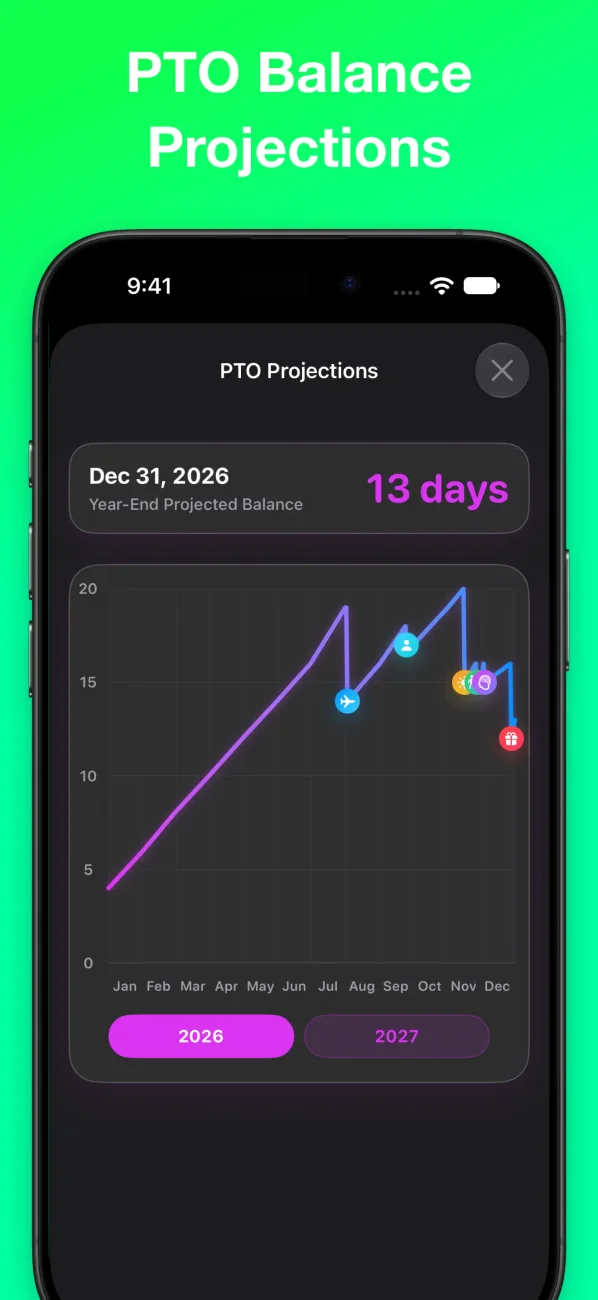
-Year-end PTO projections so you know what you’ll have left
-See warnings when you try to book more PTO than you have available
Track PTO submissions to your employer
-Mark each PTO entry as submitted or not submitted
-With PTO submission tracking enabled, your available balance reflects only submitted PTO
-Perfect for workplaces that require PTO to be submitted as it accrues
Never forget to submit PTO
-Get reminders when it’s time to submit a PTO request
-Choose how far in advance you’re notified
-See visual indicators on PTO entries that still need submission
-App badge shows how many requests need attention
-Tap a notification to jump straight to that PTO entry
See your entire year at a glance
-Interactive Days Left calendar showing all 12 months
-Scroll into future years to plan further ahead
-Quickly jump back to Today
-See every PTO day on the exact dates it occurs
-Tap any day to preview what’s happening
Home screen widgets that inspire
-Full dashboard widget showing available PTO based on current accrual
-Focused widgets: PTO countdown only, days remaining only, or next event countdown
-Small, medium, and large sizes to fit your home screen
Sync everywhere with iCloud
-Your PTO data and settings sync seamlessly across all your Apple devices
-Add time off on your iPhone, see it on your iPad & Mac
Designed to delight
-Haptic feedback throughout
-Beautiful category gradients and modern glass-style UI
-Refined layouts and improved accessibility
-Dark mode support
Time off is part of your compensation. Use it wisely. Use it fully.
What’s new
Version 2.0 · Nov 7, 2026
V2.0
-NEW: iPhone Duo Support
-NEW: Track separate balances for Sick Leave, Caregiver Leave, and more!
-NEW: Create and customize PTO categories with your own names, colors, and icons.
-NEW: Set your workday hours for calculations that match your schedule.
-IMPROVED: Browse future years in the Days Left calendar and quickly jump back to Today.
-Refreshed layouts, improved accessibility, and added haptic feedback.
App privacy
What Paul Hall declares on the App Store about how this app handles data.
-
Data not collected
The developer does not collect any data from this app.
Privacy practices may vary, for example with the features you use or your age.
Information
- Seller
- Paul Hall
- Category
- Productivity
- Version
- 2.0
- Updated
- Nov 7, 2026
- Released
- Dec 31, 2025
- Size
- 4.9 MB
- Requires
- iOS 18.0 or later
- Age rating
- 4+
- Price
- Free
- Languages
- English
- Copyright
- © 2026 Paul Hall
You might also like
-
 dfCalProductivity
-
 MyPTO: Track & Plan Time OffMake sure you use your PTO
-
 PlayTime: PTO TrackerTrack your PTO effortlessly
-
 CalmetricCalendar year metrics
-
 Paid Time OffProductivity
-
 Focus: ADHD To Do, App BlockerLock apps. Finish what matters
-
 Wortlaut AI100% local transcriptions
-
 Hourish: Routine TimerWorkouts, Routines & Tasks
-
 WhereBox – Home InventoryKnow where everything is
-
 SfocusPulsePomodoro + ambient sounds