UseFirst - Food Expiry Tracker
AI Fridge & Pantry Inventory
Designed for iPhone
Free · In-app purchases
- Age rating4+
- CategoryFood & Drink
- DeveloperHaiming Peng
- Size24.0 MB
Links to the official App Store page
Download.org hosts no file of UseFirst - Food Expiry Tracker. The button opens its official App Store page, published by Haiming Peng. Listing last checked on Nov 25, 2026.
Screenshots
About
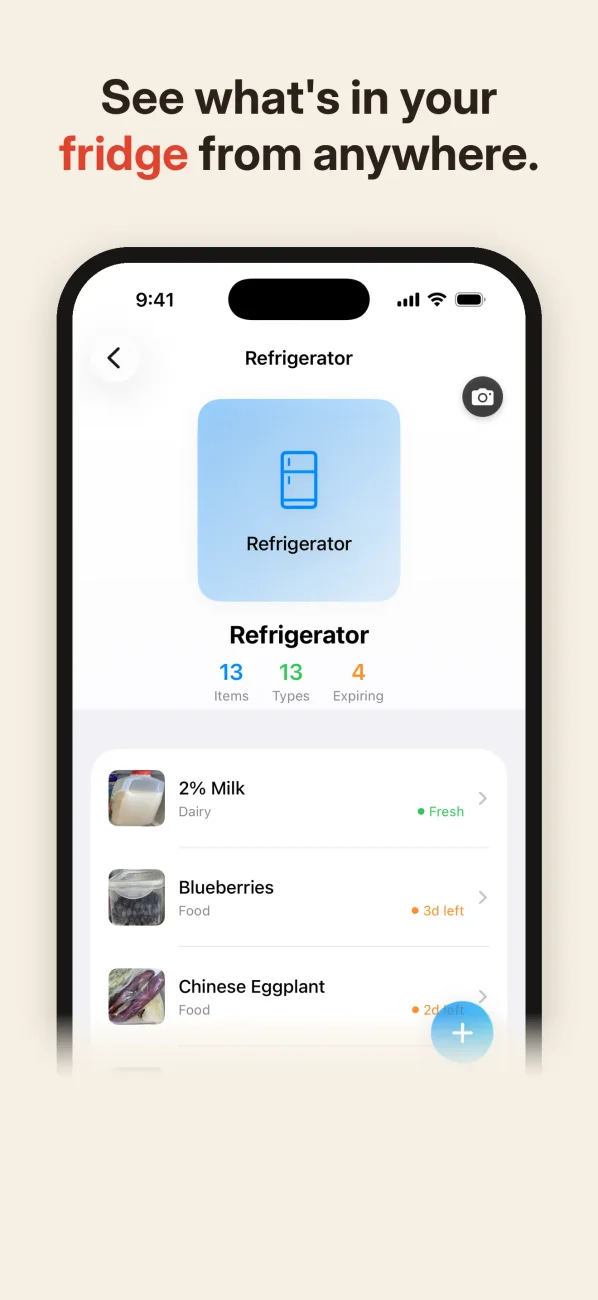
Forgot what's in the fridge again? UseFirst helps you know what you have and use it before it expires.
SNAP IT, DONE
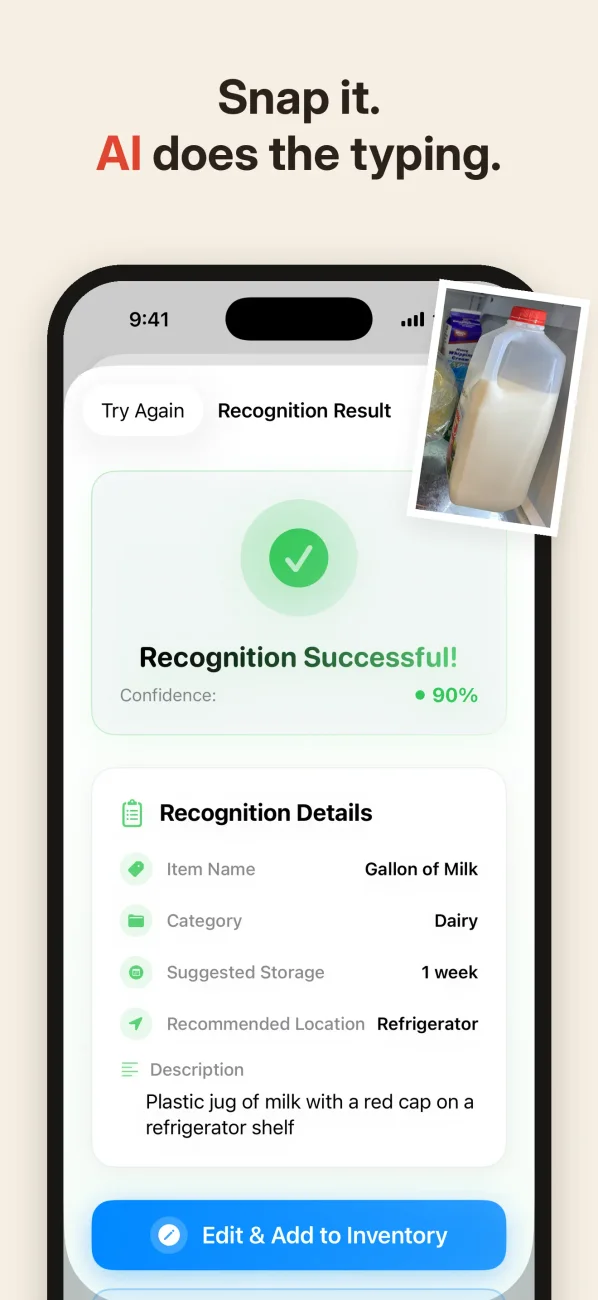
• Take one photo of your fridge, pantry, or groceries. AI recognizes the items and fills in names, categories, and suggested storage.
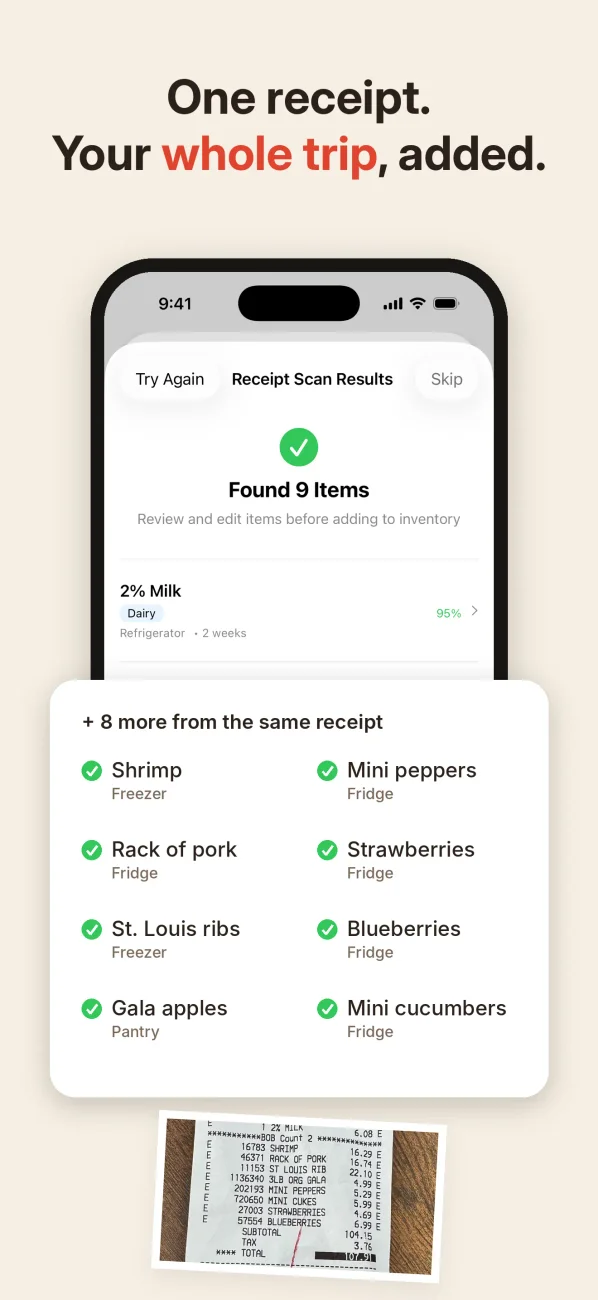
• Scan a grocery receipt to add a whole shopping trip at once.
• Scan barcodes or add items by hand.
• Review everything before saving. Check dates against the package label.
NEVER MISS AN EXPIRATION
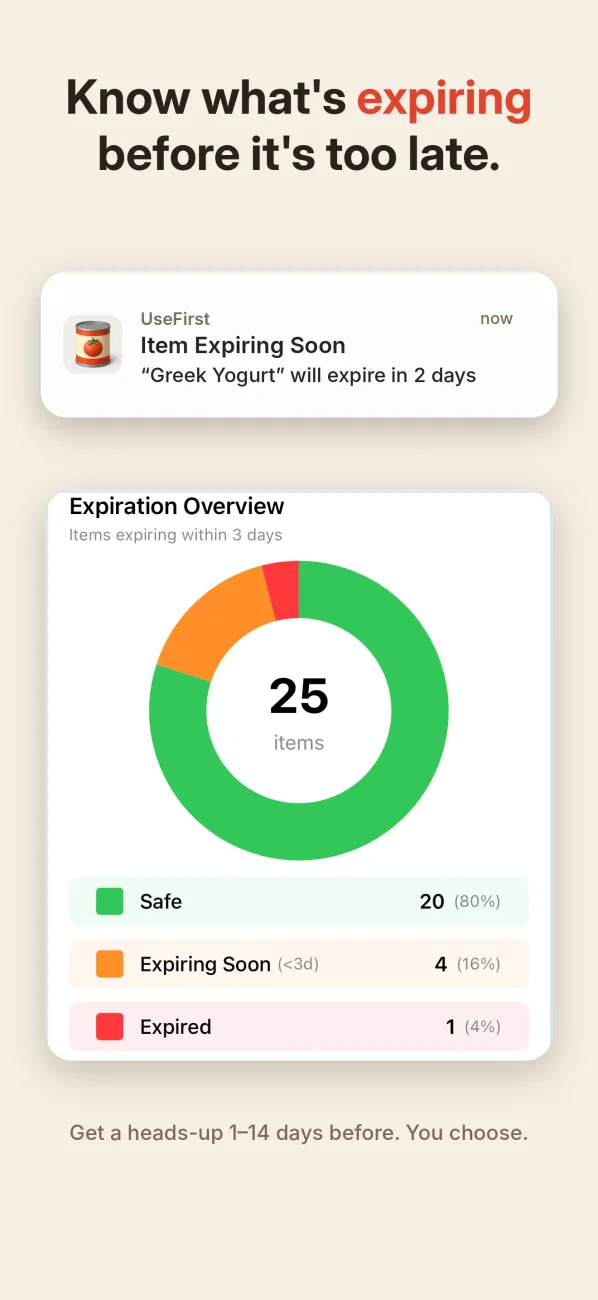
• One morning reminder with what to use first. You choose how many days ahead.
• A "Use soon" list at the top of your home screen, soonest first.
• Tap Used or Tossed and see how much food you actually used each month.
KNOW WHERE EVERYTHING IS
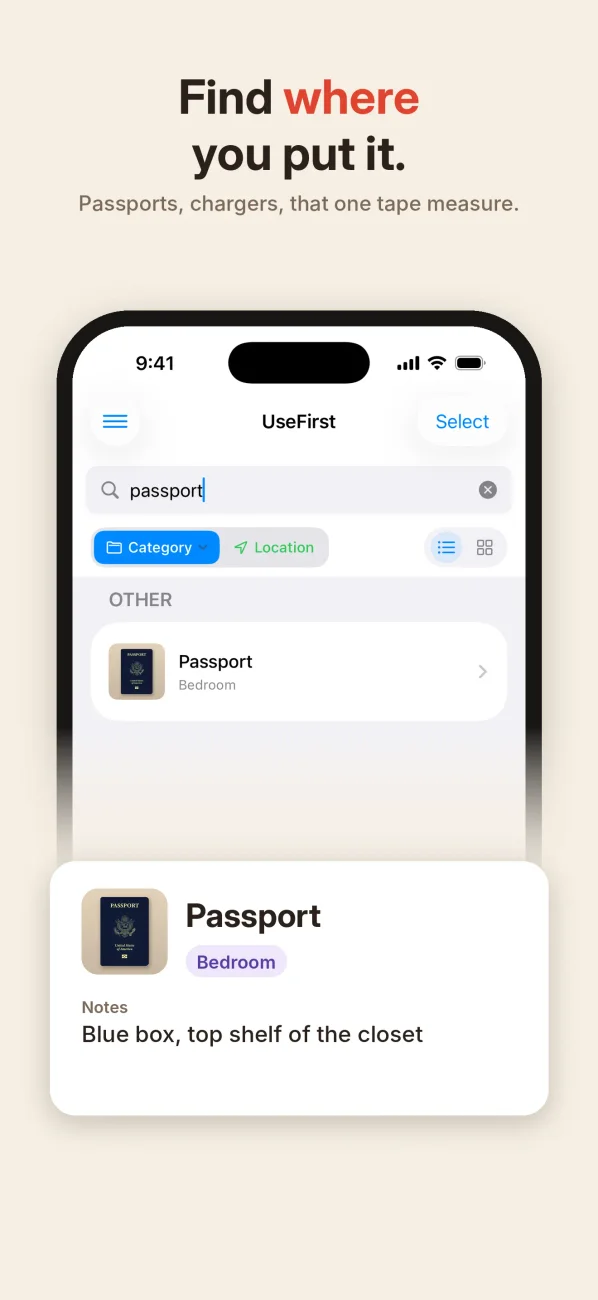
• Organize by location: fridge, freezer, pantry, garage, or your own spots.
• Custom categories for food, personal care, cleaning supplies, and more.
• Search your whole home in seconds before you buy a duplicate.
SHOP SMARTER
• Multiple shopping lists. Add items straight from your inventory.
• Track prices and see the value of what you keep.
PRIVATE BY DEFAULT
• No account needed. Your inventory is stored on your iPhone.
• Export and import backups anytime.
MEMBERSHIP
• Free: 50 AI scans total, up to 100 items
• Premium: 100 AI scans per billing cycle, up to 500 items, no ads
• Pro: 300 AI scans per billing cycle, unlimited items, no ads
Subscriptions renew automatically unless canceled. Prices are shown in the app and may vary by region. Manage or cancel in your App Store account settings.
Privacy Policy: https://usefirst.app/privacy
Terms of Use: https://usefirst.app/terms
Support: contact@usefirst.app
What’s new
Version 1.4.2 · Nov 24, 2026
- New home screen and Lock Screen widget: see what to use first without opening the app.
- Editing items from a scanned receipt is much easier. Each item shows where it goes and when it expires; tap to change it.
- Deleting or finishing an item no longer jumps the list back to the top.
- Item details now have Used it and Tossed it buttons and show where the item is stored.
- Your list shows how many days are left, plus other fixes and polish.
App privacy
What Haiming Peng declares on the App Store about how this app handles data.
-
Data used to track you
May be used to track you across apps and websites owned by other companies.
- Usage data
-
Data not linked to you
May be collected but is not linked to your identity.
- Location
- Usage data
- Diagnostics
- Other data
Privacy practices may vary, for example with the features you use or your age.
Information
- Seller
- Haiming Peng
- Category
- Food & Drink
- Version
- 1.4.2
- Updated
- Nov 24, 2026
- Released
- Sep 26, 2025
- Size
- 24.0 MB
- Requires
- iOS 17.0 or later
- Age rating
- 4+
- Price
- Free
- In-app purchases
- Yes
- Copyright
- © 2026 UseFirst
You might also like
-
 aspect.cardYour fully custom profile
-
 SubsPad - Subscription ManagerTrack Expense & Remind Budget
-
 Manie – Mobile Money Made EasyFast MoMo & Airtel transfers
-
 Stud Finder: Magnetic DetectorMetal Tracker & Spirit Level
-
 Wall Planner2026 Year Planner - Calendar
-
 additem.to: AI Home InventoryWhat's in every box and room
-
 Task List Widget, Sticky NotesPhotos Handwritten Notes Tasks
-
 Lend & Loan Tracker - ReminderTrack your Lend, Borrow, EMI
-
 MarkMark - Read it laterBuild Your Internet Archive
-
 Planbook - Plans, Tasks, NotesCalendar, Focus, Tags & Habits