Useful QR Code Reader
Convenient QR Code Reader App!
Designed for iPhone, iPad, iPod touch
Free
- Age rating4+
- CategoryUtilities
- Developerkatapu.net
- LanguagesEnglish+ 46 more
- Size97.9 MB
Links to the official App Store page
Download.org hosts no file of Useful QR Code Reader. The button opens its official App Store page, published by katapu.net. Listing last checked on Nov 12, 2026.
Screenshots


About
A convenient QR Code Reader app has been released!
This app is an easy, simple, and fast QR code reading application.
Additionally, it is a handy QR code reader app that records your scan history.
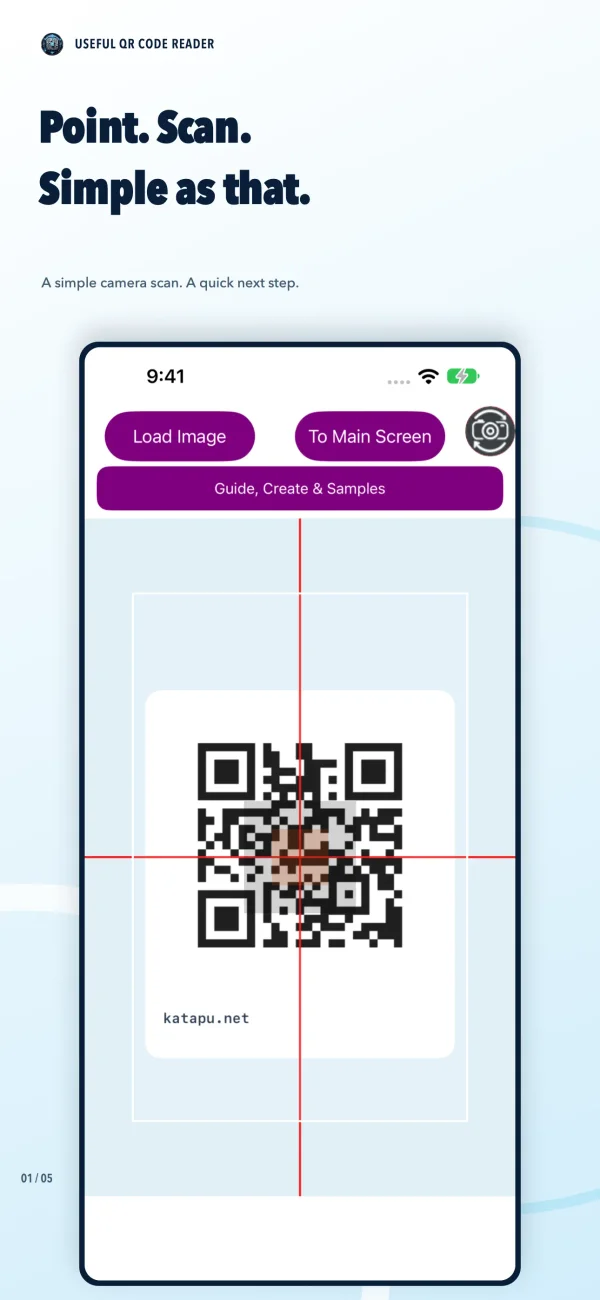
After launching the app, grant camera access, hold your device over a QR code, and scan it.
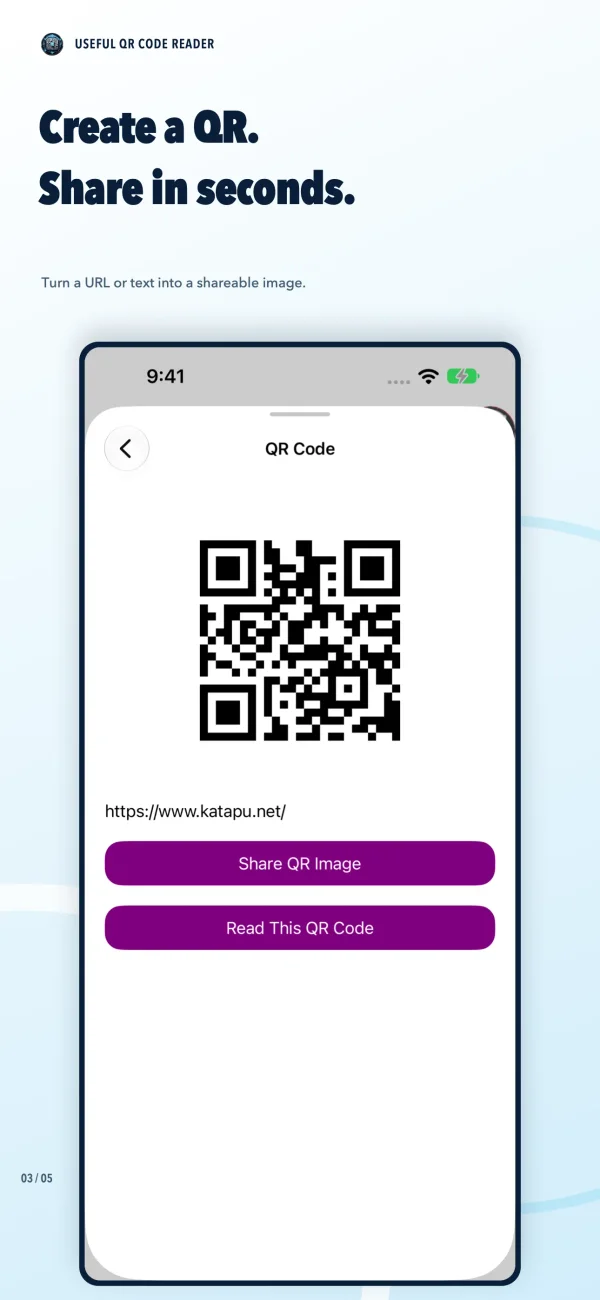
The scanned QR code will be displayed at the top of the main screen. Tap it to open the browser and view the URL, or long-press to copy it to the clipboard and use the text as needed.
After launching, tap the "Load Image" button and grant access to your photo library. Then, load an image containing a QR code, such as a screenshot, and the app will scan the QR code within the image. (In some cases, it may fail to read due to errors.)
It's free, so feel free to use it!
A paid version without ads (PRO version) is also available!
[How to Use]
- Point the camera at a QR code on the initial screen to scan it.
- The top right button on the screen transitions to the main screen but skips QR code scanning.
- The top left button on the screen scans a QR code from an image in the photo library.
- The scanned content is displayed at the top of the main screen.
- Tap to open the browser.
- Long-press to copy to the clipboard.
- QR code scan history is displayed at the bottom of the screen.
- Delete all history with "Delete All History."
- You can delete history individually.
- Tapping on history entries also opens the browser.
- Long-pressing history entries copies them to the clipboard.
- Tap the "I" in the top right to view information about the app.
- Use the back arrow in the top left to return to the initial QR code scanning screen.
That's how to use the app.
It is a simple, convenient, and fast QR code reading app!
Download and try it today!
What’s new
Version 1.2.3 · Oct 26, 2026
- Addressed an issue that could prevent ads shown at launch from being dismissed on iPhone Duo.
App privacy
What katapu.net declares on the App Store about how this app handles data.
-
Data used to track you
May be used to track you across apps and websites owned by other companies.
- Location
- Identifiers
- Usage data
- Diagnostics
-
Data linked to you
May be collected and linked to your identity.
- Location
- Identifiers
- Usage data
- Diagnostics
-
Data not linked to you
May be collected but is not linked to your identity.
- Diagnostics
Privacy practices may vary, for example with the features you use or your age.
Information
- Seller
- Katagiri Kikaku Corporation
- Category
- Utilities
- Version
- 1.2.3
- Updated
- Oct 26, 2026
- Released
- Dec 3, 2024
- Size
- 97.9 MB
- Requires
- iOS 15.6 or later
- Age rating
- 4+
- Price
- Free
- Languages
- English, Arabic, Bengali, Bulgarian, Catalan, Croatian, Czech, Danish, Dutch, Finnish, French, German + 35 more
- Copyright
- © Katagiri Kikaku Corp.
You might also like
-
 Smart SolarUtilities
-
 QR Reader-Unlimited scanUtilities
-
 Easy QR Reader - ScannerQR scanner for iphone
-
 Custom QR - Scan and createDesign customized QR Codes
-
 Universal QR-Scan&CreateUtilities
-
 計る!シンプル電卓Utilities
-
 I Work At Site CalculatorField calculators and timer
-
 QR Craft: Scanner & GeneratorPrivate, offline and ad-free
-
 Tagino : Stockage et NFCUtilities
-
 Dual-view MapUtilities