- Age rating4+
- CategoryProductivity
- DeveloperMIN CHI YANG
- LanguagesEnglish+ 2 more
- Size118.5 MB
Links to the official App Store page
Download.org hosts no file of UTUVO Type. The button opens its official App Store page, published by MIN CHI YANG. Listing last checked on Nov 12, 2026.
Screenshots


About
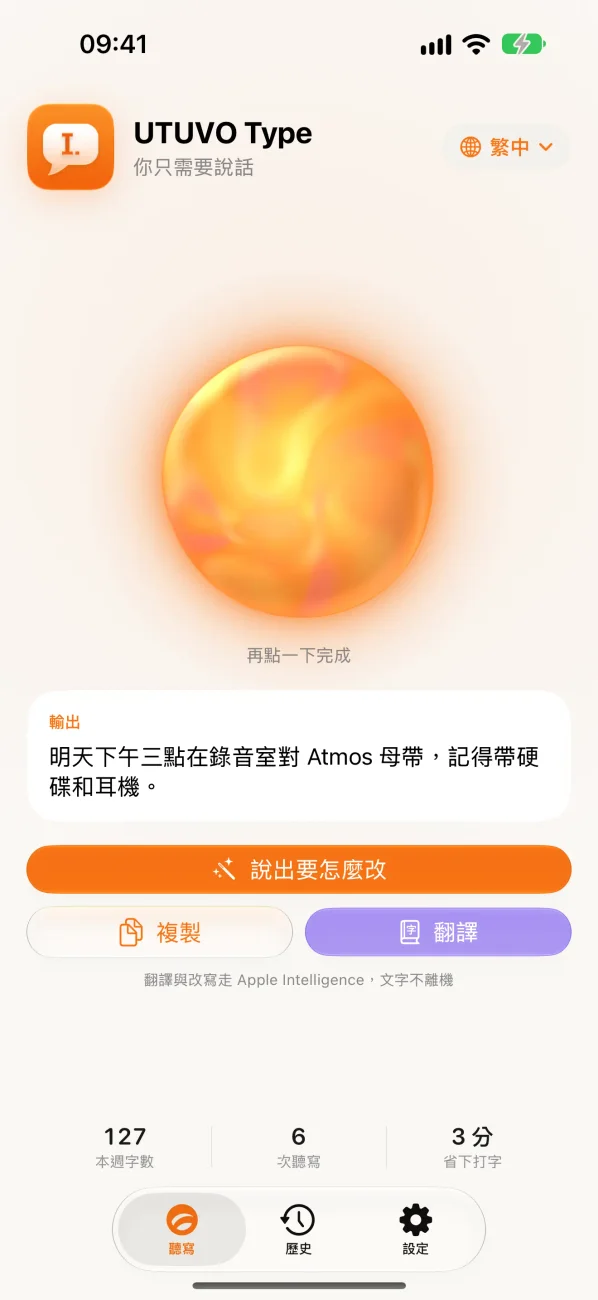
UTUVO Type lets you type by speaking — in any app.
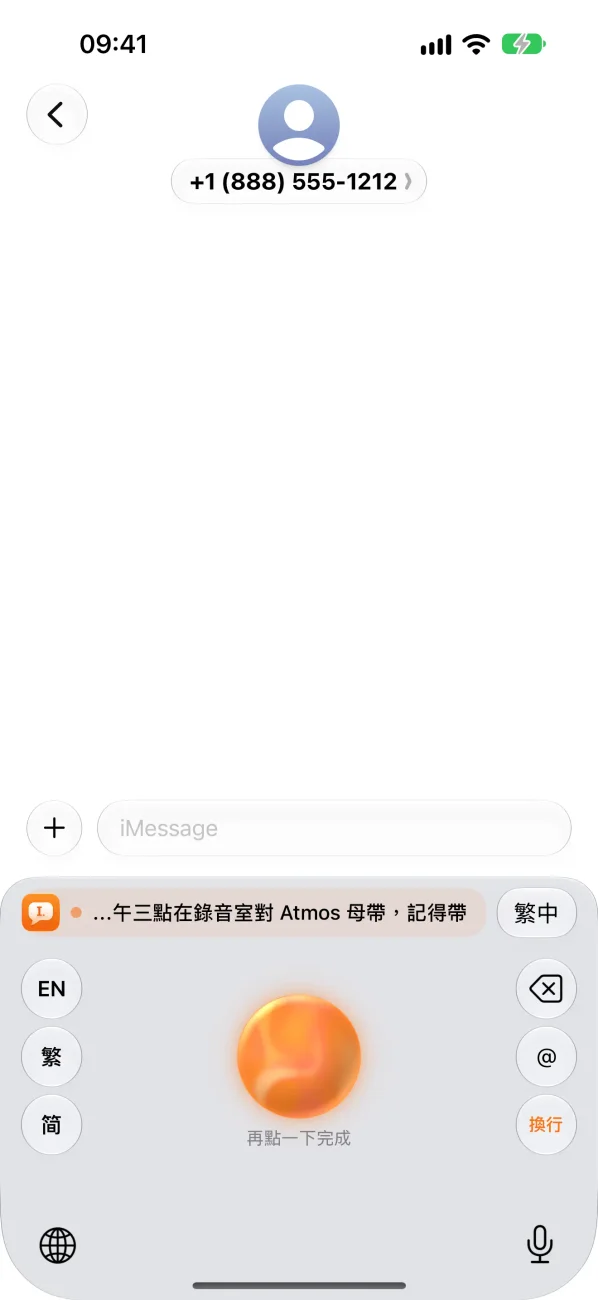
Tap the orb on the keyboard and start talking; the orb moves with your voice. Tap again and clean, finished text lands at your cursor. When a voice session is not open, iOS opens UTUVO Type to start the microphone; tap the iOS back button in the upper-left corner to return to the app you were using. Further dictation does not switch apps while the session stays open.
• Works almost everywhere: Messages, LINE, Mail, Notes, Safari… just switch to the UTUVO Type keyboard (except fields iOS reserves, like passwords).
• Cleans up as you go: removes filler words, adds commas and full stops from your pauses, and applies your personal dictionary.
• Say how to change it: select some text, tap the orb and say "make it more formal" — it's rewritten in place.
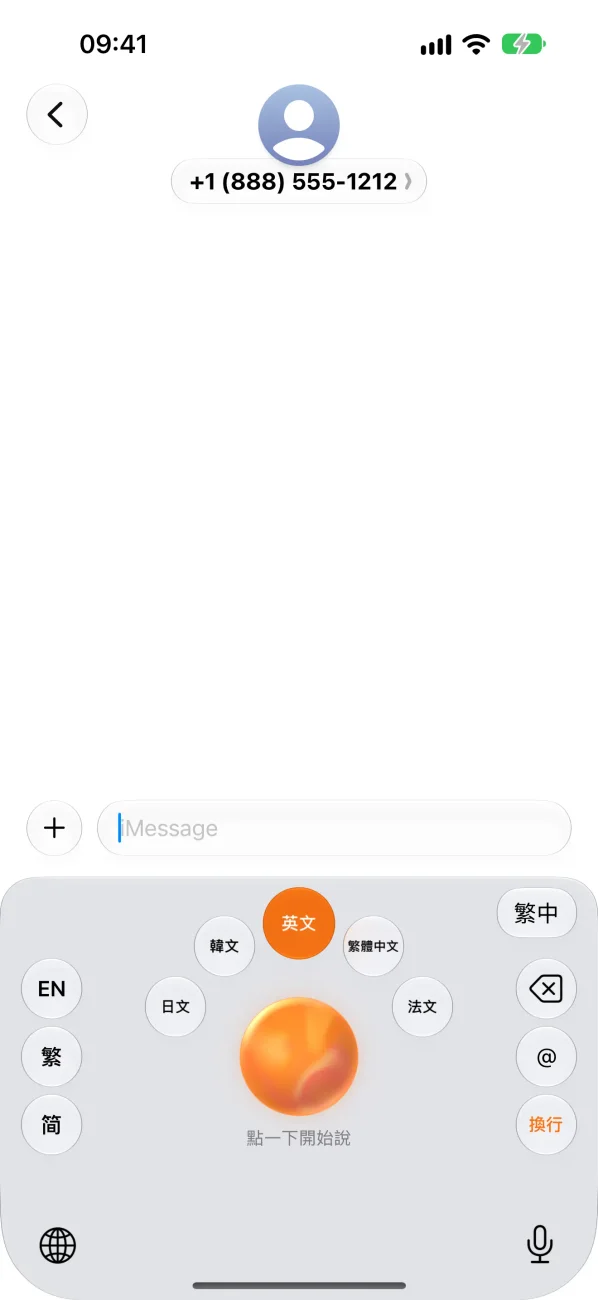
• Hold the orb to translate: slide to a language and let go. Pick up to five languages.
• Fix it on the spot: tap EN, 繁 (Zhuyin or Pinyin) or 简 (Pinyin) beside the orb to type a correction — no need to change keyboards.
• History: every dictation stays on your iPhone — searchable, starrable, one tap to copy.
Private by default
• On-device recognition first; turn on "Only use on-device recognition" and your audio never leaves the phone.
• No UTUVO account, analytics, ads, or tracking.
• Without a cloud key, editing and translation use available on-device features. If you enable an optional cloud service with your own key, recognized or selected text and relevant personal dictionary entries may be sent to that provider. If you also turn on field context, a bounded excerpt before the cursor is included. Audio is not sent to that service.
• Open source — every privacy claim can be checked.
About "Allow Full Access"
iOS doesn't let keyboards use the microphone, so the keyboard asks the UTUVO Type app to record for it. After tapping the orb, use the iOS back button in the upper-left corner to return to the app you were using. Allow Full Access so the keyboard can use its shared app-group data and any network features you choose to enable. The keyboard never records what you type with other keys; optional cloud features send text, not audio, to the provider you select.
What’s new
Version 0.3.3 · Nov 5, 2026
• Smart Cleanup and cloud recognition now support OpenAI with your own OpenAI API key.
• Pauses in long sentences now get commas, and spoken lists ("the first is… the second is…") become numbered lists.
• The purple orb rewrite now replaces the selected text.
• Continuing dictation after stopping no longer adds a period at the start.
App privacy
What MIN CHI YANG declares on the App Store about how this app handles data.
-
Data linked to you
May be collected and linked to your identity.
- User content
-
Data not linked to you
May be collected but is not linked to your identity.
- User content
Privacy practices may vary, for example with the features you use or your age.
Information
- Seller
- MIN CHI YANG
- Category
- Productivity
- Version
- 0.3.3
- Updated
- Nov 5, 2026
- Released
- Sep 22, 2026
- Size
- 118.5 MB
- Requires
- iOS 18.0 or later
- Age rating
- 4+
- In-app purchases
- Yes
- Languages
- English, Simplified Chinese, Traditional Chinese
- Copyright
- © 2026 UTUVO
You might also like
-
 DeckPromptTurn ideas into great prompts
-
 OysterunAI for everyone, even my mom.
-
 KOKIBOARDProductivity
-
 Post With AIYour voice. Your AI. Anywhere.
-
 一刻手帳Productivity
-
 OSGKeyboard - Agentic KeyboardAgent of Speech to writing
-
 KIAO Voice - 語音輸入、逐字稿、會議記錄、字幕Productivity
-
 Sam Webpage SummarizerSummarize or translate pages
-
 DeepSRT MobileAI captions for YouTube
-
 Podcast中文逐字稿與摘要-聽摘Productivity