- Age rating4+
- CategoryTravel
- DeveloperValentine Research, Inc.
- LanguagesEnglish
- Size40.8 MB
Links to the official App Store page
Download.org hosts no file of V1connection, the app. The button opens its official App Store page, published by Valentine Research, Inc. Listing last checked on Nov 14, 2026.
Screenshots
About
V1connection, the app. Links the new Valentine One Generation 2 detector directly to your iOS device. It also links the now-superseded Valentine One w/ESP detector through an optional Bluetooth module called V1connection LE. See the Threat Picture, a breakthrough in analyzing radar threats. Screen out false alarms with our game-changing Arrow-in-the-Box concept. Every signal on every band gets its own directional arrow and frequency readout. Flashing arrow points to the Priority Alert. The app brings Dark Mode, Muting, and new programming options. Lets you relocate V1’s front-panel warning to an eyes-only location. New: eSAVVY lets you set a speed below which all new warnings will be muted. Downloads and upgrades are free.
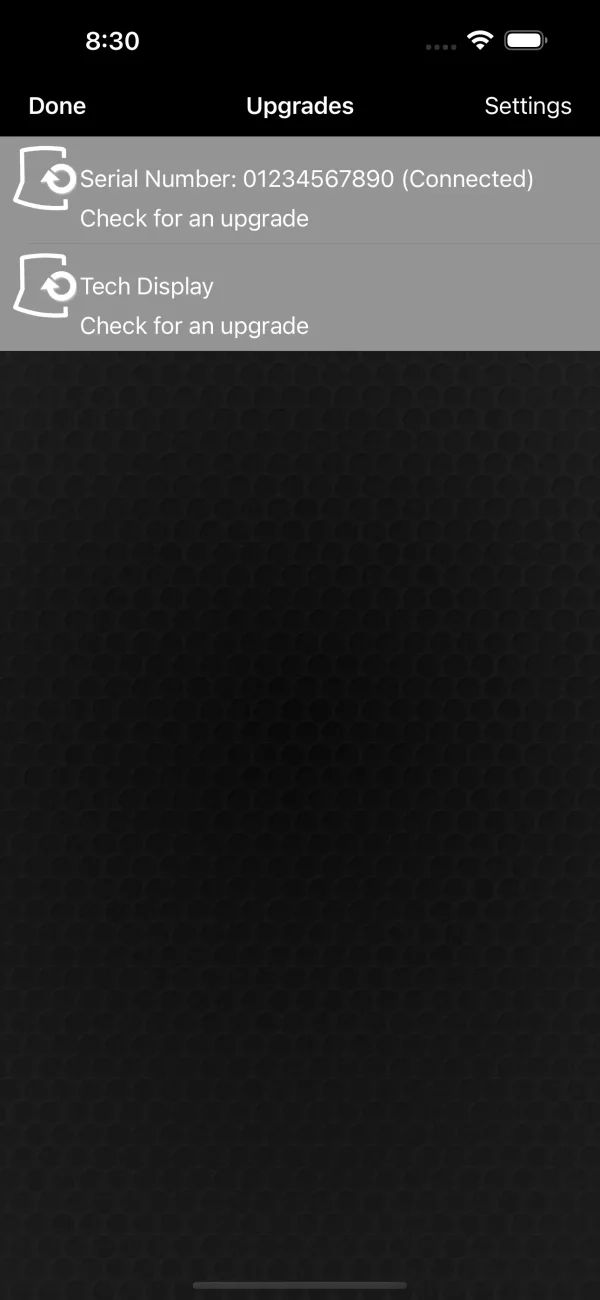
NEW FEATURE—DOWNLOADABLE PERFORMANCE UPGRADES FOR V1 GEN2
V1 Gen2 firmware upgrades are downloadable only through this app; downloadable upgrades are incompatible with V1 Gen1 models.
YOU’LL SEE THE THREAT PICTURE
See our exclusive Radar Locator with its illuminated arrows pointing toward each threat as the Bogey Counter tracks multiple threats. Also shows you a revolutionary new way of analyzing radar threats.
ARROW IN THE BOX
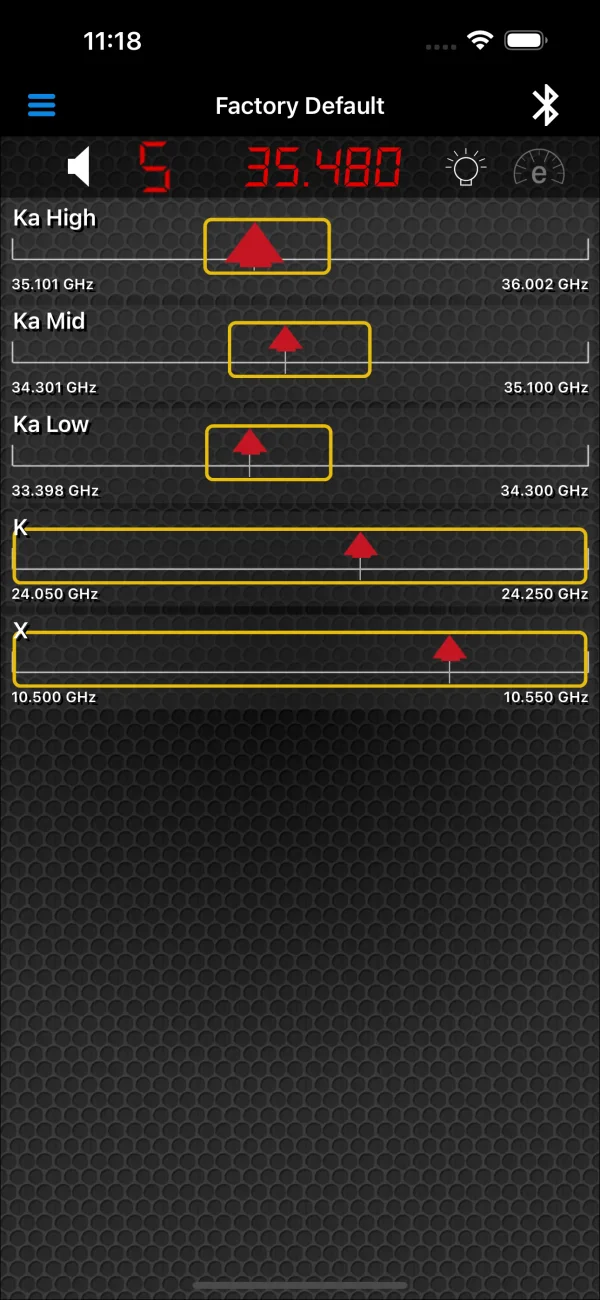
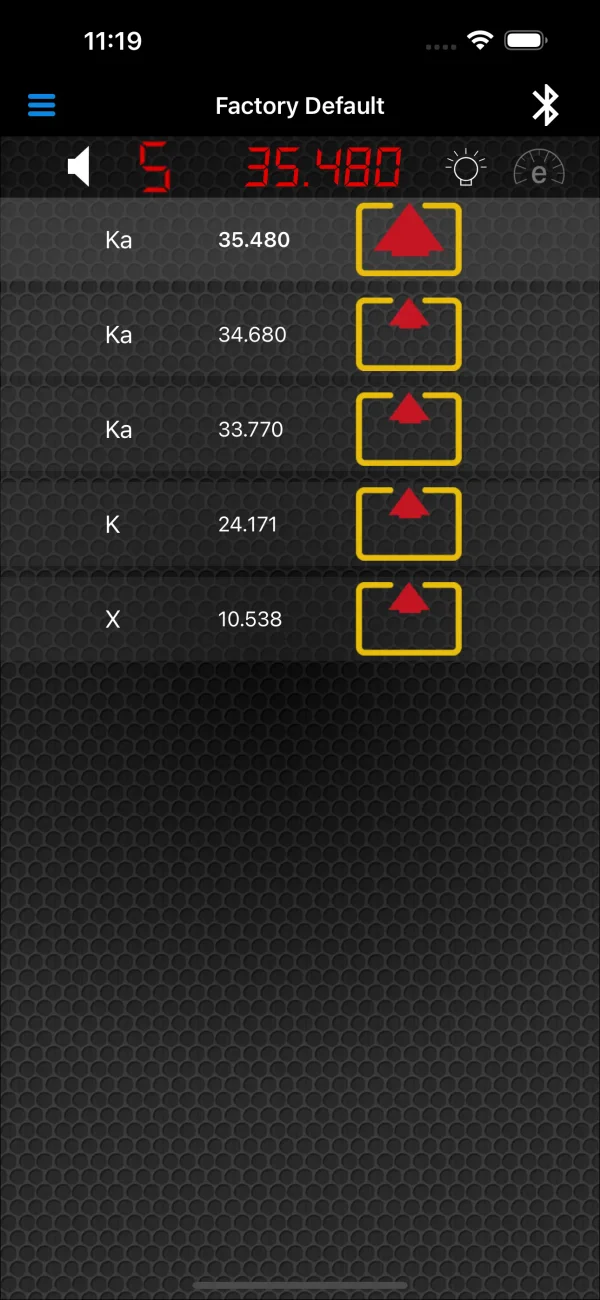
Radar makers, under penalty of law, must certify to the FCC the frequencies used by the equipment they sell. We constantly monitor those certifications so we know exactly where real radar operates on each band. V1 scans the entire width of all radar bands but to draw your attention to the Active Radar Zones, we outline them with a yellow Box. To be in compliance with federal regulations, all radars (except photo) must operate “in the Box.” When you see an arrow outside the Box, that’s probably a false alarm; when it’s in the Box, take it seriously.
ADVANCED SITUATION AWARENESS
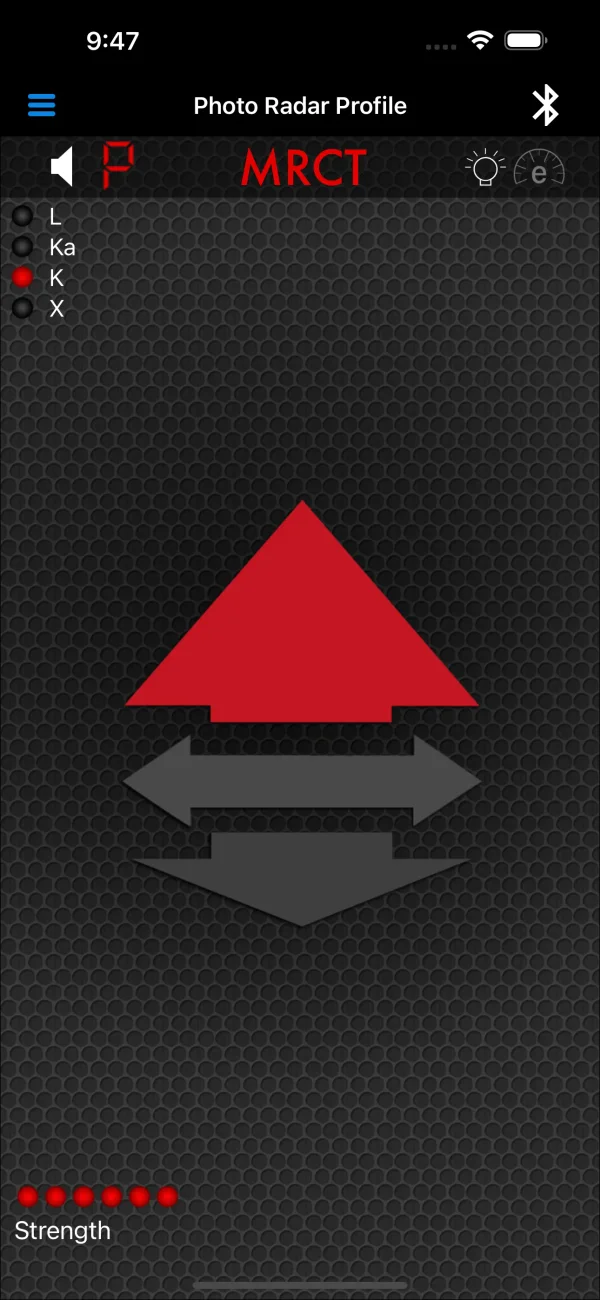
The Threat Picture (aka Picture Screen) displays a separate arrow for every threat within range, pointing ahead, beside or behind, according to its direction from your car. The arrows grow larger as the signal strength increases. Your visual scan of the Threat Picture lets you see which arrows are in the Box, and spot critical trends—which alerts are maturing into threats and which are fading in concern.
SITUATION AWARENESS FOUR WAYS
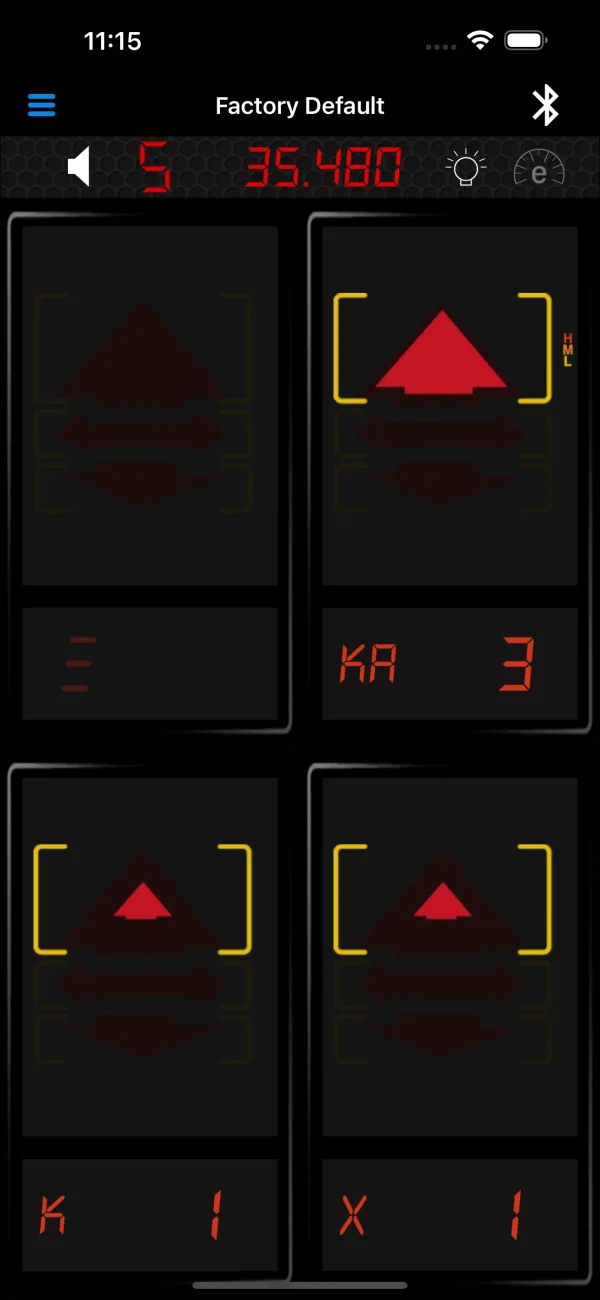
Choose among four information screens at any time. The Quad Screen emphasizes location with up to four separate arrow sets, one for each enabled radar band, or for laser if fewer bands are active. The V1 Screen reproduces V1’s front-panel warnings including signal strength, Bogey Counter and Radar Locator plus frequency of the Priority Alert. Or you can choose the (Threat) Picture Screen or the Threat List, which shows a list of all signals within range, each with an accompanying arrow to show direction.
BEYOND SITUATION AWARENESS
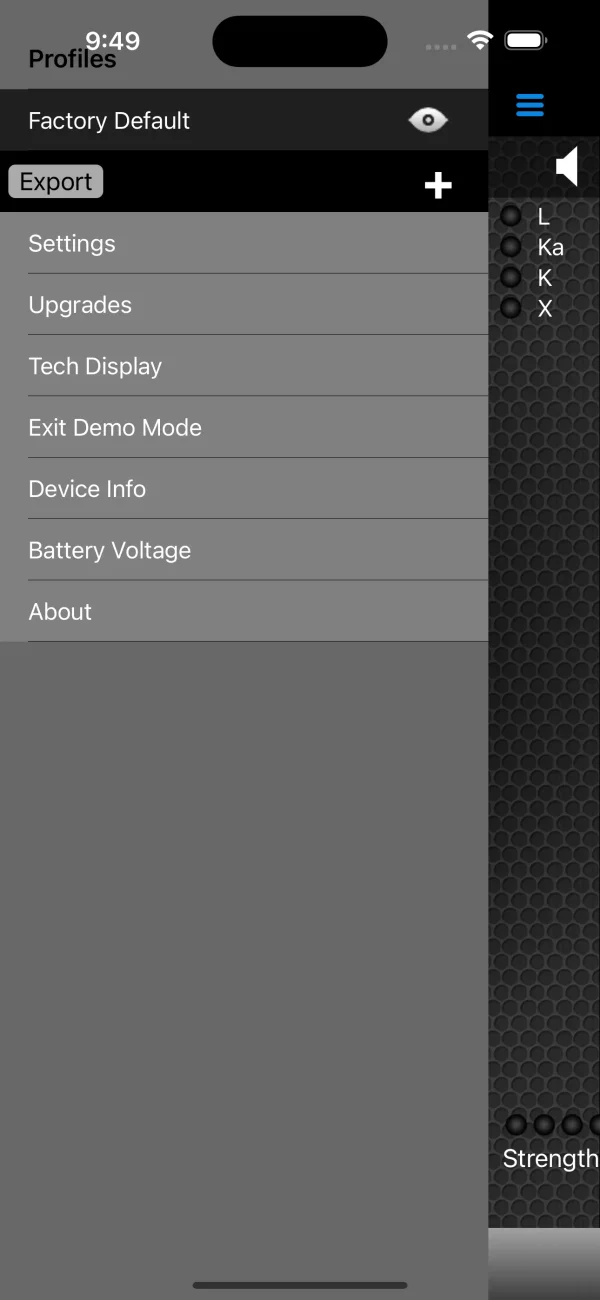
Think of the app as the Master Controller for your V1 system. You can revise programming, adjust SAVVY settings, change muting, activate dark mode, save custom programming profiles for different trips, and more, all from your handheld. DEMO MODE IS AUTOMATIC.
The audible warnings of your V1 Gen2 and V1 can now be transmitted through your phone to your car's sound system, or to speakers in your helmet if you are a motorcyclist. Any other hook-up that allows you to hear your phone can also bring V1's warnings directly to your ear.
NEW PROGRAMMING OPTIONS
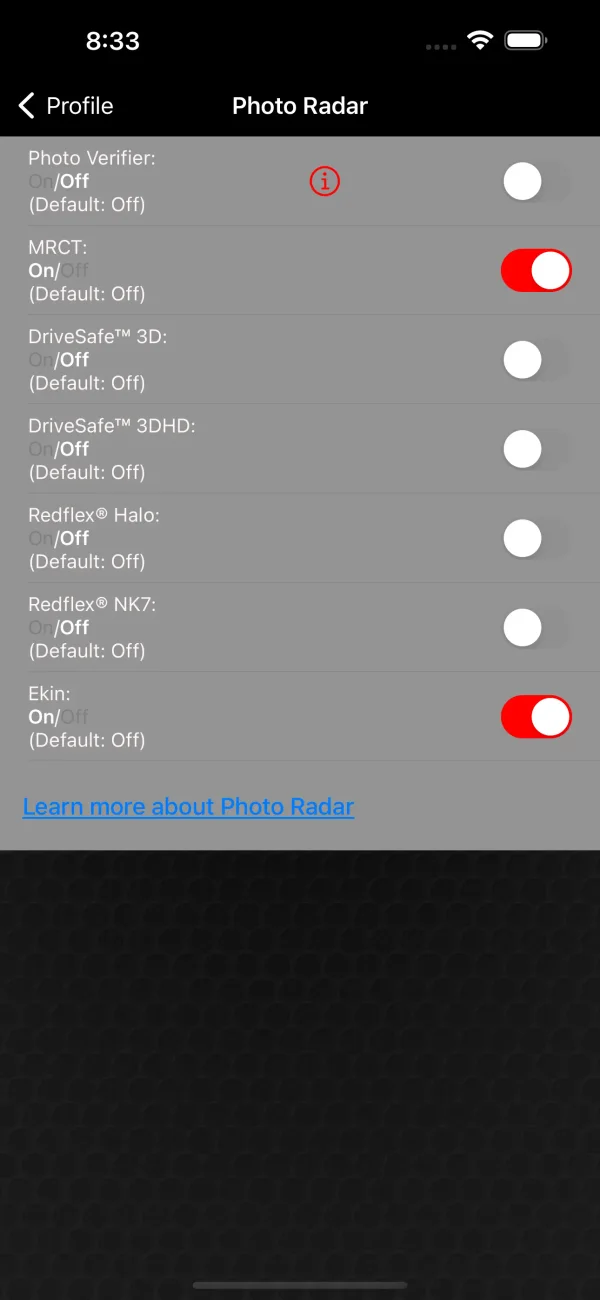
Radar coverage can now be specially tailored to the unique radar bands used outside the U.S. Advanced users may want to modify the sweeps covering frequencies used here in the U.S. according to unique local conditions. The Profiles screen shows a menu of the variables you can modify. For example, you can select "Background Notifications" so that you can run other apps but receive instant notification from V1 whenever a new threat appears.
THE APP IS FREE
Just download this free app. The Demo Mode plays automatically, giving you a look at all four warning screens playing through preloaded on-road scenarios. For further functions with V1 Gen1 w/ESP you’ll need to purchase V1connection LE.
What’s new
Version 1.87 · Aug 10, 2026
- Added support for Gatso RT4 Photo Radar
- Added support for the Photo Radar Intersection Management Filter
- Improved profile writing and recognition speed
App privacy
What Valentine Research, Inc. declares on the App Store about how this app handles data.
-
Data linked to you
May be collected and linked to your identity.
- Identifiers
- Usage data
- Diagnostics
Privacy practices may vary, for example with the features you use or your age.
Information
- Seller
- Valentine Research, Inc.
- Category
- Travel
- Version
- 1.87
- Updated
- Aug 10, 2026
- Released
- Jul 10, 2013
- Size
- 40.8 MB
- Requires
- iOS 15.6 or later
- Age rating
- 4+
- Price
- Free
- Languages
- English
- Copyright
- © Valentine Research, Inc.
You might also like
-
 Uniden R/TACHNavigation
-
 ROADS by Porsche Route PlannerRoad Trip & GPS Navigation
-
 joinrjoinr - are you a leader?
-
 BMW Motorrad ConnectedNavigation
-
 OBDLinkTravel
-
 E85 Stations USAE85 Flex Fuel Station Finder
-
 OBD FusionOBD2 scan tool & diagnostics
-
 TOP TIER™ Station FinderTravel
-
 Velox: Drive, Convoy, ExploreSocial driving & convoys
-
 Tread®Navigation