
- Age rating4+
- CategorySports
- DeveloperJeremy Littlewood
- LanguagesEnglish+ 10 more
- Size23.0 MB
Links to the official App Store page
Download.org hosts no file of VacantSeat. The button opens its official App Store page, published by Jeremy Littlewood. Listing last checked on Nov 17, 2026.
Screenshots


About
VacantSeat keeps track of who is sitting in your seats, so no ticket goes to waste and you remember who was with you when it happened.
It replaces the marked-up screenshot of the schedule, the note on your phone, and the scattered text threads.
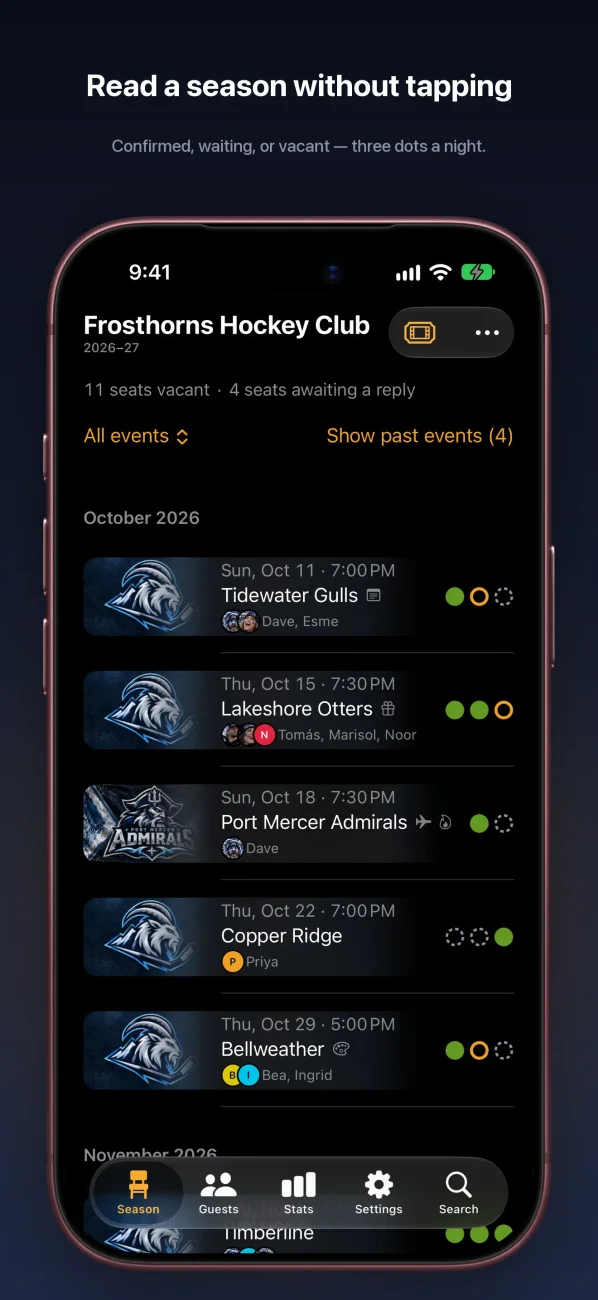
See a whole season at a glance
One row per night, with a dot for every seat. A spare seat shows as a dashed outline, so absence looks like absence. You never have to tap to know where things stand.
Get the schedule in without typing it
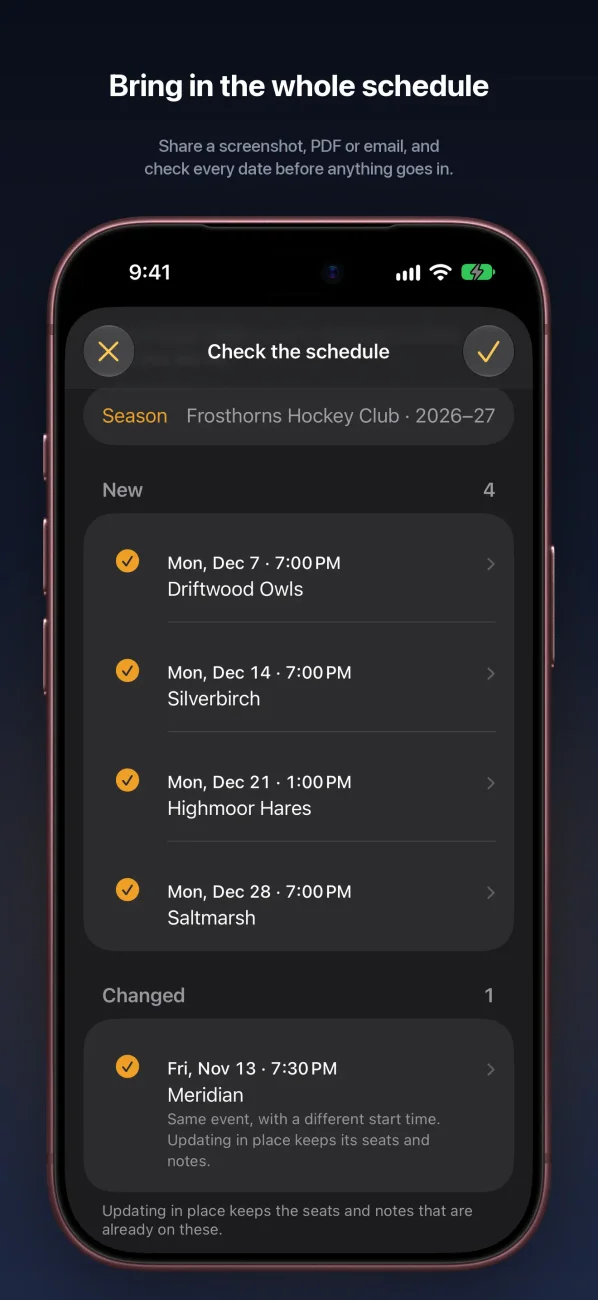
Hand it a screenshot, a photo of a printed page, a PDF, or a block of pasted text, and VacantSeat reads the dates off it — then shows you everything it found before a single night is added. A series that repeats every week can be described once. All of it happens on your device.
Fill a seat in a tap, and say it in words
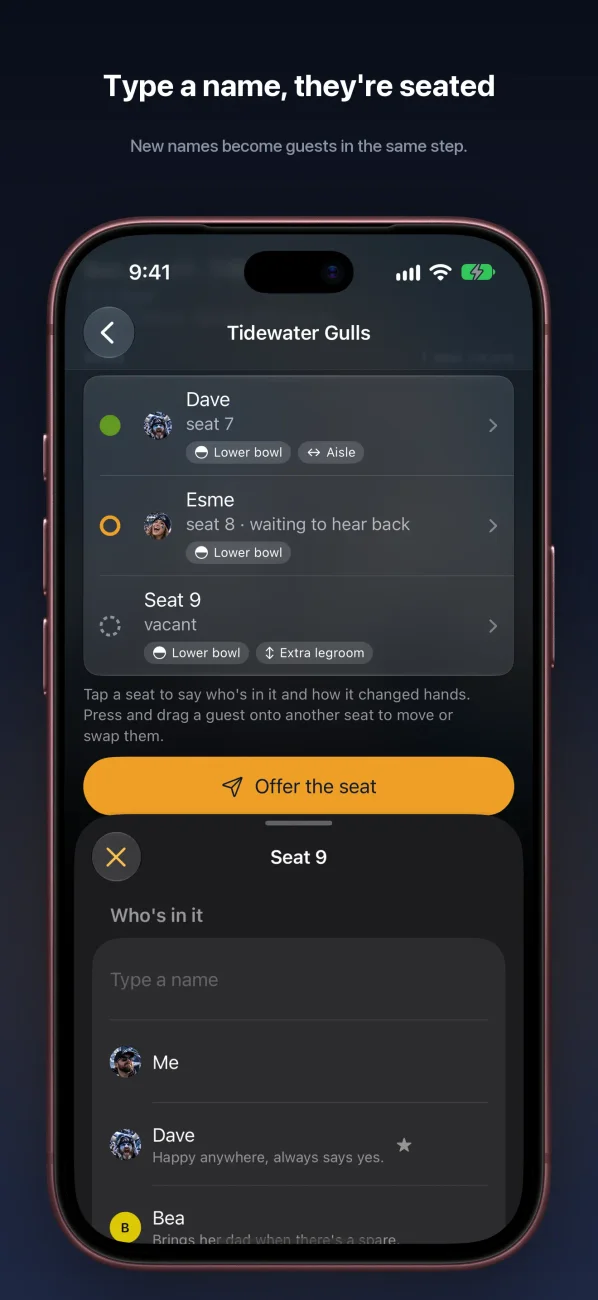
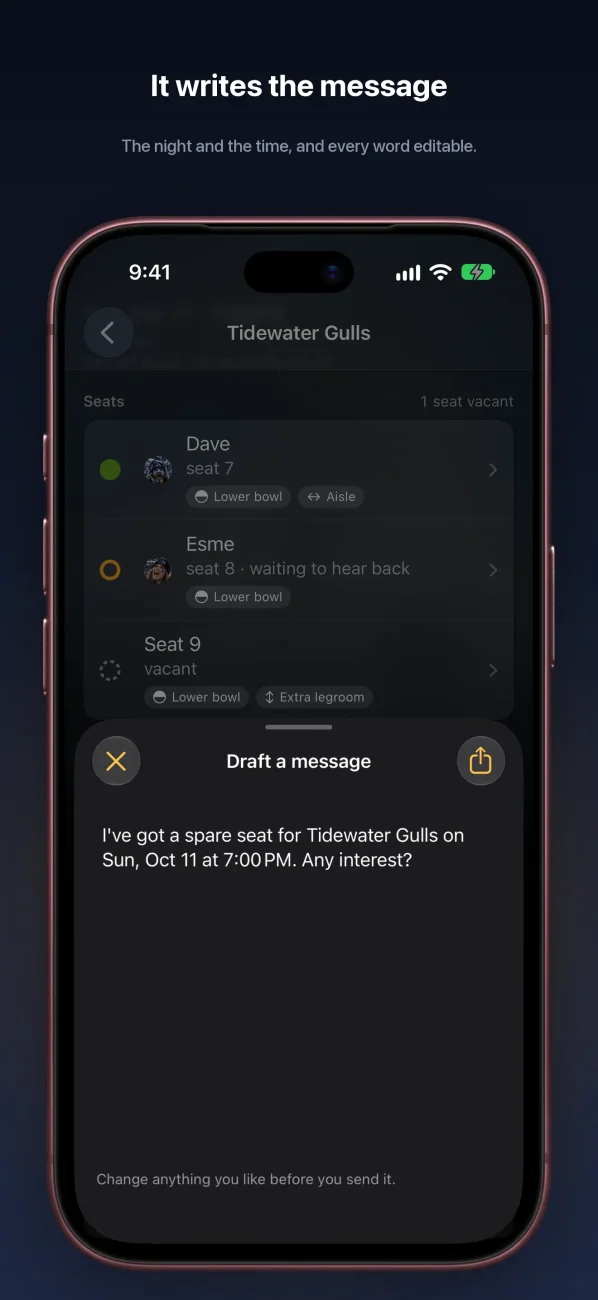
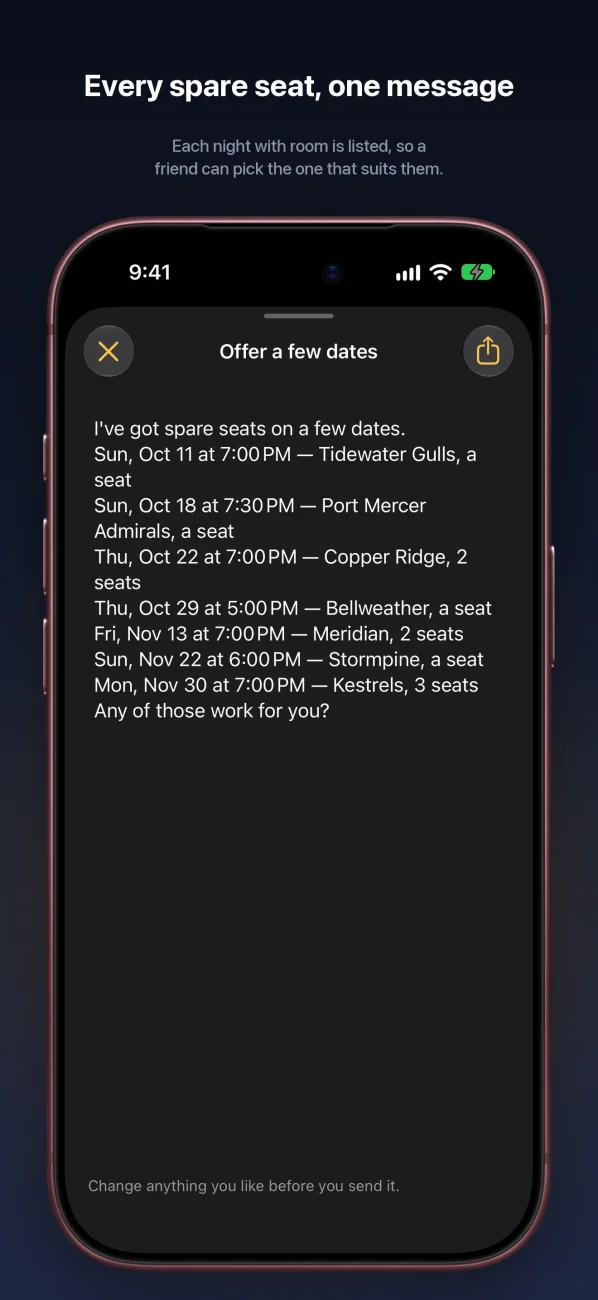
Tap a seat to put someone in it, mark that you're waiting on a reply, or empty it again. Offering a seat drafts the message for you — the night and the time — and hands it to Messages or Mail for you to send. Telling somebody who's already coming where to go adds the venue, the section, the row and their seat. Or type what you mean: "put Jake and Sarah in seats 3 and 4 on Tuesday", and see exactly what will happen before it does.
Ask Siri
"Who's in my seats?" "What's still open?" "Who am I waiting on?" "Offer Jake a seat." VacantSeat is built to be used by voice, with Shortcuts for all of it. On iOS 27, Siri can add a night straight from a ticket in another app, add nights that repeat every week, or move a night — and it always asks before it changes anything.
Reminders that sound like a friend
Before a night, VacantSeat tells you who's going and what's still spare: "You're going with Mike and Sarah. There's still a spare seat." Offer it or send a nudge from the reminder itself, with the message already drafted.
Find it from anywhere
Spotlight finds your nights and guests, and that index never leaves your device. A widget shows the nights ahead and who's in them, and tapping one opens that night.
Know what each seat is actually like
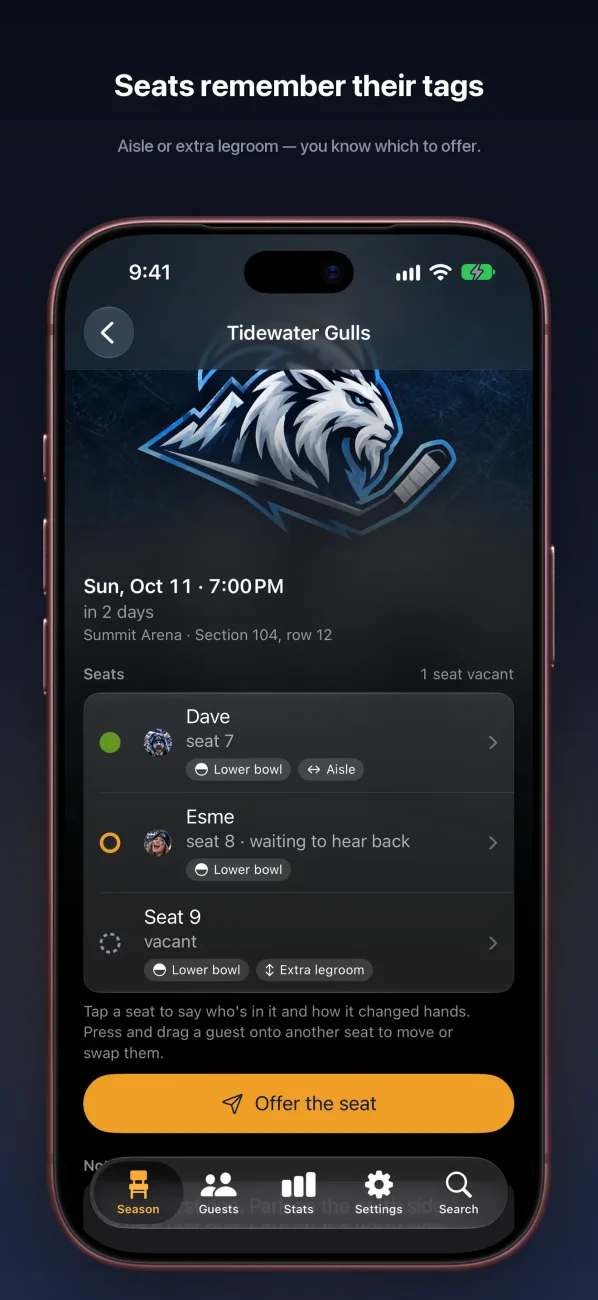
Aisle, club, suite, front row, upper bowl, balcony, covered, accessible, obstructed view. Tag a seat once and it stays tagged, so you know which one to offer to whom.
Mark the nights that aren't like the others
The preseason, the playoffs, opening night, a rivalry, a giveaway at the door. Tag a night and you'll still know a season later which Tuesday was which.
A guest list of people, not names
Give anyone a picture and a colour, so you find them by face rather than by reading. Link the two who always come together and VacantSeat mentions the second when you seat the first.
In your calendar, if you want it there
Mirror your nights into a calendar of its own. Dates that move are kept right, and cancelled nights disappear. It never touches any other calendar you own.
Keep the memory, not only the logistics
Every night, seat and guest takes a note. The score, who caught a puck, a child's first game. Notes are never prompted for and never thrown away.
Years, not only seasons
Roll a season over and the plan keeps its identity, its guest list and its history. Nothing from a past season is deleted, ever. Your third year with VacantSeat is more useful than your first.
Built for everyone who uses it
VoiceOver, Dynamic Type all the way up, Reduce Motion, Increase Contrast. Seat status is never colour alone — every seat says what it is in words.
Yours alone
No account, no sign-in, no servers, no analytics, no ads, no in-app purchases. VacantSeat makes no network requests at all: your data lives on your device and syncs through your own iCloud, and the developer never sees any of it.
Works for hockey season tickets, theatre subscriptions, symphony series, and any other set of seats you hold more than once.
What’s new
Version 1.1 · Oct 10, 2026
VacantSeat 1.1 speaks ten more languages, puts the night that's next up front, and turns up in more places — your reminders, Siri, Spotlight and your widgets.
• VacantSeat is now available in English, French, German, Italian, Japanese, Korean, Portuguese, Russian, Simplified Chinese, Spanish and Traditional Chinese.
• Nights that have already happened fold away, so the next night leads the season. Tap Show past events, beside the filter, to look back.
• One-off nights now sit in your plan's list, each marked One-off. Choose One-off events in the filter to see only those.
• On iPhone, a night opens on its own page.
• Drag a guest onto another seat to move them, or onto a taken seat to swap the two.
• Reminders speak to you as you: "You're going with Mike and Sarah. There's still a spare seat." Offer a spare seat or send a nudge right from the reminder, with the message already drafted.
• Reminders are quieter: one per night about a spare seat, and never more than one in a morning.
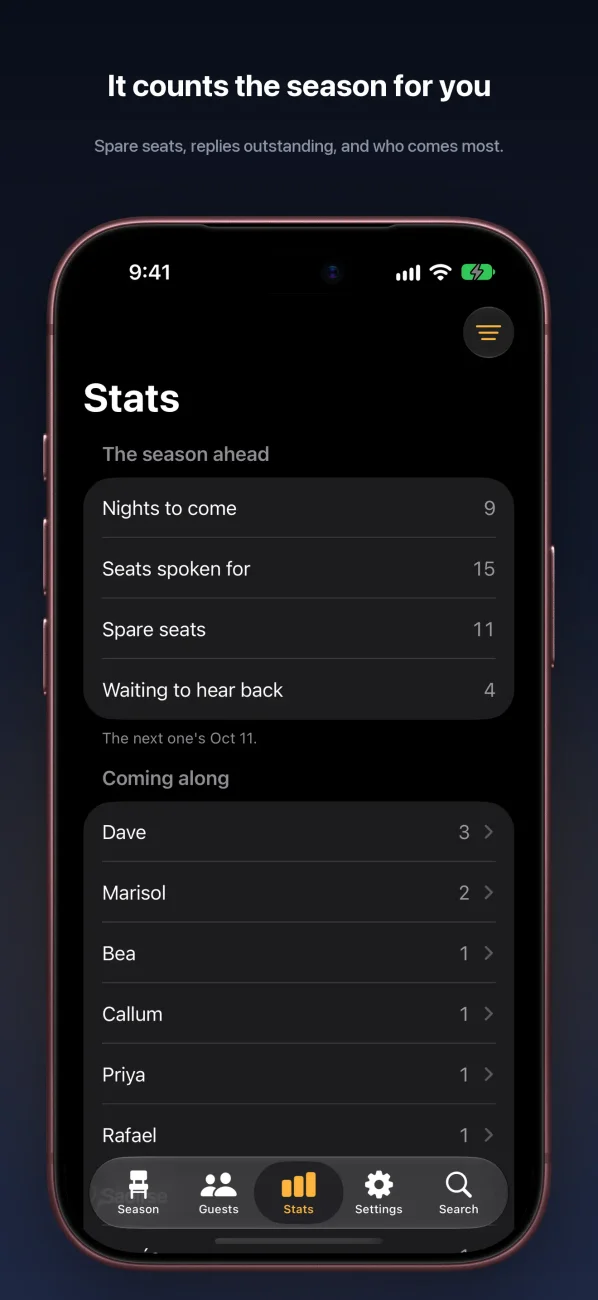
• Stats counts you as you, never as one of your guests, and tapping a guest opens their page.
• On iOS 27, ask Siri to add nights that repeat every week, move or rename a night, or delete one. Before it changes anything, it reads the change back and asks.
• Spotlight finds your nights and guests, and that index stays on your device.
• Tap any night in a widget to open that night. On iPad the widget now comes in extra large, and the extra-large widgets show six nights.
• On iPad, two VacantSeat windows side by side each keep their own tab and plan.
• With a keyboard on iPad, ⌘1 to ⌘4 switch tabs, ⌘F opens Search and ⌘N adds a night.
• Ready for iPhone Duo: open it up and the night sits beside the season, and closing it mid-edit keeps what you'd typed.
• A drafted message is ready the moment you ask, and reads the same on every device.
• VacantSeat never fills in a night that's already happened — only nights still to come get your usual guests.
• Clearer at the largest text sizes, with stronger contrast wherever a seat's status is written out.
App privacy
What Jeremy Littlewood declares on the App Store about how this app handles data.
-
Data not collected
The developer does not collect any data from this app.
Privacy practices may vary, for example with the features you use or your age.
Information
- Seller
- Jeremy Littlewood
- Category
- Sports
- Version
- 1.1
- Updated
- Oct 10, 2026
- Released
- Sep 21, 2026
- Size
- 23.0 MB
- Requires
- iOS 26.0 or later
- Age rating
- 4+
- Price
- Free
- Languages
- English, French, German, Italian, Japanese, Korean, Portuguese, Russian, Simplified Chinese, Spanish, Traditional Chinese
- Copyright
- © 2026 Jeremy Littlewood
You might also like
-
 Pickle PointsPickleball scoring made simple
-
 Pickleball Scorecard AppPickleball Score Keeper
-
 SmackTokConnect. Compete. Win.
-
 Utah MammothSports
-
 San Jose Sharks + SAP CenterSharks Sports & Entertainment
-
 Bankroll: Wallet & CardThe wallet for winning
-
 BFVSports
-
 Juice Reel: Sports Bet TrackerVerified Picks & Auto-Tailing
-
 BettingPros: Picks & OddsBetting Picks, Odds & Tracker
-
 HOF: Sports Stats & DataResearch Every Player & Game