
Vault Reader: Markdown Notes
Offline GitHub notes reader
Designed for iPhone
In-app purchases
- Age rating4+
- CategoryUtilities
- DeveloperMinner Labs LLC
- LanguagesEnglish
- Size13.8 MB
Links to the official App Store page
Download.org hosts no file of Vault Reader: Markdown Notes. The button opens its official App Store page, published by Minner Labs LLC. Listing last checked on Nov 13, 2026.
Screenshots

About
A calm place to read the GitHub notes you already have.
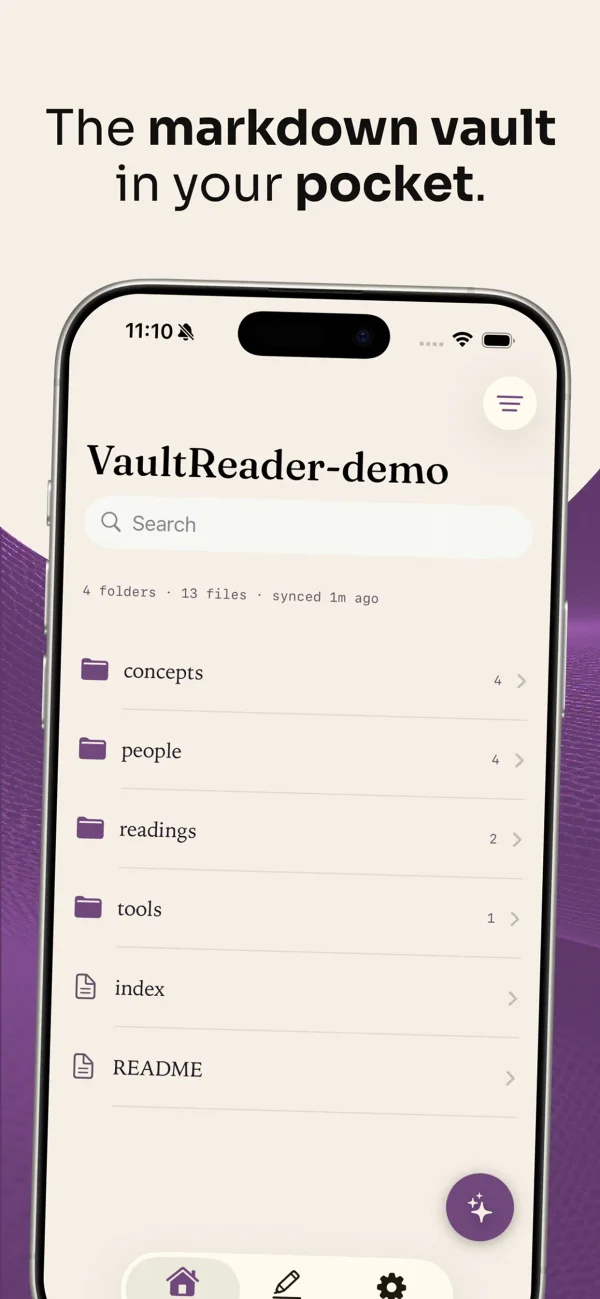
Vault Reader connects to any GitHub repository of markdown files, public or private, and renders it on iPhone as a focused, offline-ready reader. Built for the Obsidian vaults, dev notes, and journals that already live in GitHub.
THE READER
• Sign in with GitHub. Connect one repository on the free tier; every public or private repo you have access to with Vault Reader Pro.
• Sync once, read offline. Every page caches on your iPhone and opens without a signal.
• Smart incremental sync. SHA-based diffing only re-downloads files that actually changed, keeping API usage low.
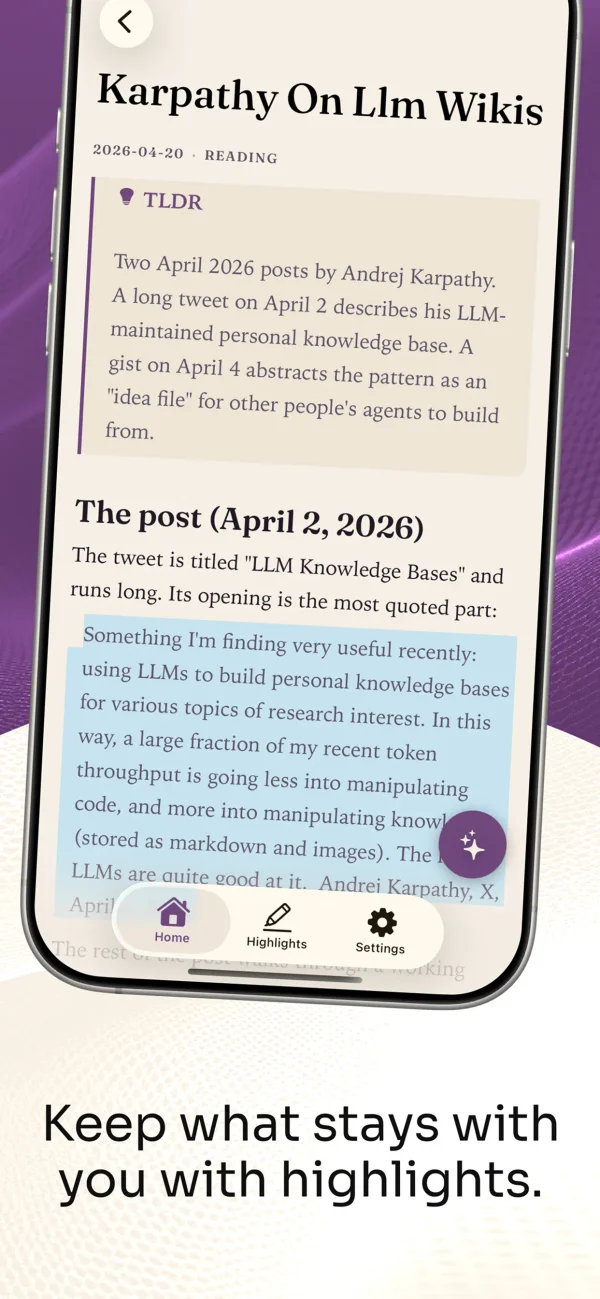
• Native SwiftUI rendering for headings, lists, tables, code blocks with syntax highlighting, task lists, blockquotes, and images.
• Book-quiet typography: Iowan Old Style for body, Fraunces for display headings.
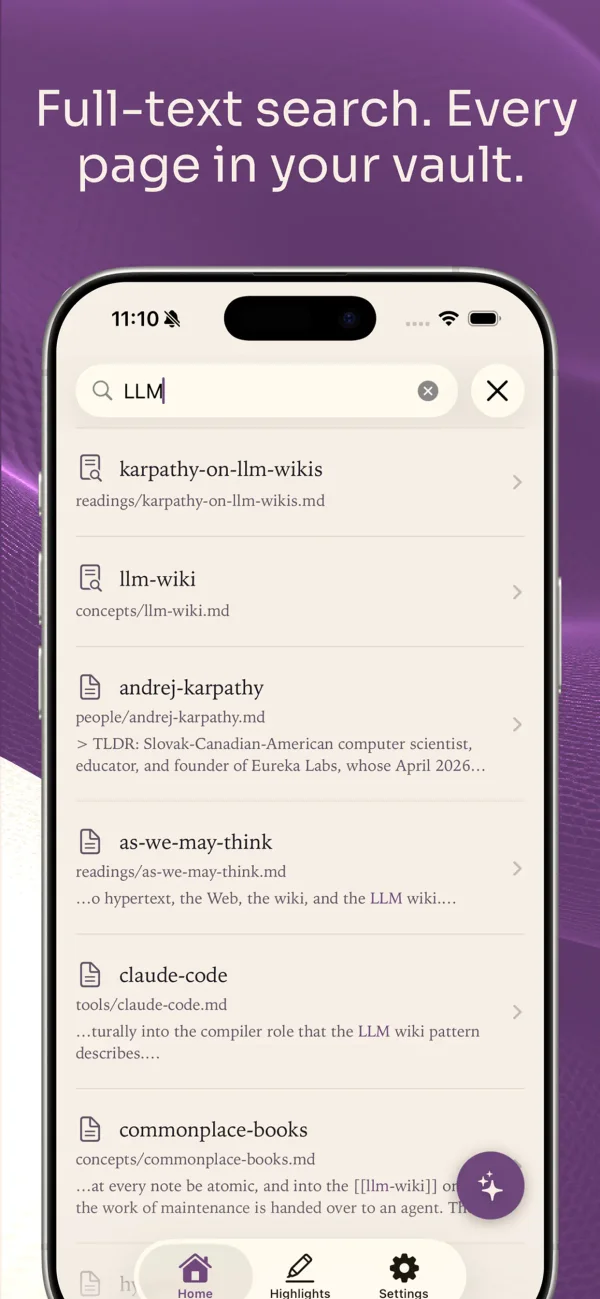
• Full-text search across every cached file in your vault.
FOR OBSIDIAN USERS
Pairs with the Obsidian Git plugin. Point Vault Reader at the same repository and it picks up:
• [[Wikilinks]], resolved locally. Tap to follow; unresolved links stay visible but disabled so nothing is silently broken.
• YAML frontmatter, hidden from the rendered page. Tags surface as small chips above the title.
• > TLDR: callouts, highlighted as cards so the gist of a note stands out.
ON-DEVICE AI (VAULT READER PRO)
A floating action button on every page opens a chat powered by Apple Foundation Models, running entirely on your iPhone. No API keys. No cloud inference. Nothing leaves the device.
• Summarize the page you're on.
• Ask it to explain a passage in simpler terms.
• Ask free-form questions across your whole vault. Answers link back to source pages.
READING, YOUR WAY
• Two themes on the free tier: Plum Codex (light) and Midnight Vault (dark).
• Six themes total with Pro: Plum Codex, Sepia Library, Forest Journal, Terracotta Press, Midnight Vault, and Obsidian Codex.
• Four body-text sizes and three line-spacing presets with Pro. Dynamic Type respected throughout.
PRIVACY BY CONSTRUCTION
• Your GitHub token lives in the iOS Keychain. Minner Labs runs no backend and never sees it.
• AI runs on-device via Apple Foundation Models. Prompts and answers never leave your iPhone.
• Read-only. Vault Reader cannot create, edit, or delete anything in your repositories.
• Your Pro subscription restores automatically across devices and reinstalls.
PRICING
• Free to download and read. One connected repository, two themes, and the core reader are always free.
• Vault Reader Pro unlocks on-device AI, unlimited repositories, and the complete theme and typography library. Available as a monthly or annual subscription (with a 7-day free trial on the annual plan), or as a one-time lifetime purchase.
Terms of Use (EULA): https://www.apple.com/legal/internet-services/itunes/dev/stdeula
Privacy Policy: https://vaultreader.minnerlabs.com/privacy
What’s new
Version v0.0.5 · May 14, 2026
Bug fixes and UI improvements
App privacy
What Minner Labs LLC declares on the App Store about how this app handles data.
-
Data not collected
The developer does not collect any data from this app.
Privacy practices may vary, for example with the features you use or your age.
Information
- Seller
- Minner Labs LLC
- Category
- Utilities
- Version
- v0.0.5
- Updated
- May 14, 2026
- Released
- Apr 21, 2026
- Size
- 13.8 MB
- Requires
- iOS 26.0 or later
- Age rating
- 4+
- In-app purchases
- Yes
- Languages
- English
- Copyright
- © Minner Labs LLC 2026
You might also like
-
 Folder Tree ExporterExport folder structure fast
-
 Tab Manager for SafariSave and restore tabs
-
 InkMark - Markdown AI NotesMarkdown AI Note & OCR & LLM
-
 Tab Finder for SafariQuickly Find Tabs
-
 Link Gopher - extract URLPage scraper & scanner
-
 Price Translater TravellingRealtime Exchange Rates&Widget
-
 edEdit – Markdown & NotesMarkdown, Code, and Notes
-
 ArrkRadarr and Sonarr for iPhone
-
 My Prompt TesterTest prompts and instructions
-
 SnipKeys - Type Less, Do MoreYour Personal Snippet Keyboard