
- Age rating12+
- CategoryPhoto & Video
- DeveloperKC Apps
- LanguagesEnglish+ 1 more
- Size15.1 MB
Links to the official App Store page
Download.org hosts no file of vClipper. The button opens its official App Store page, published by KC Apps. Listing last checked on Nov 15, 2026.
Screenshots


About
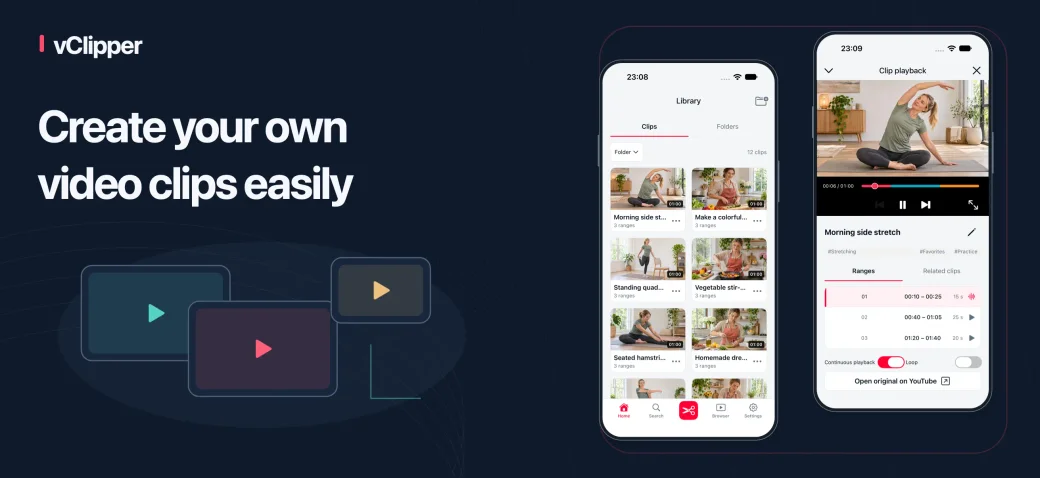
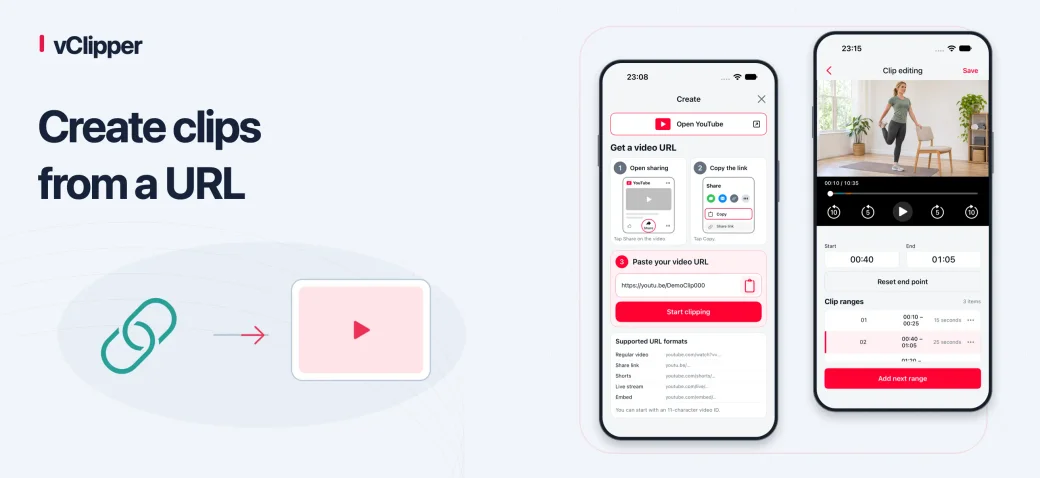
vClipper is an application that create YouTube video clips with simple operations.
You can quickly create a video clip just a few taps.
■Main Functions
- Clipping creation
Clippings can be created with simple operations.
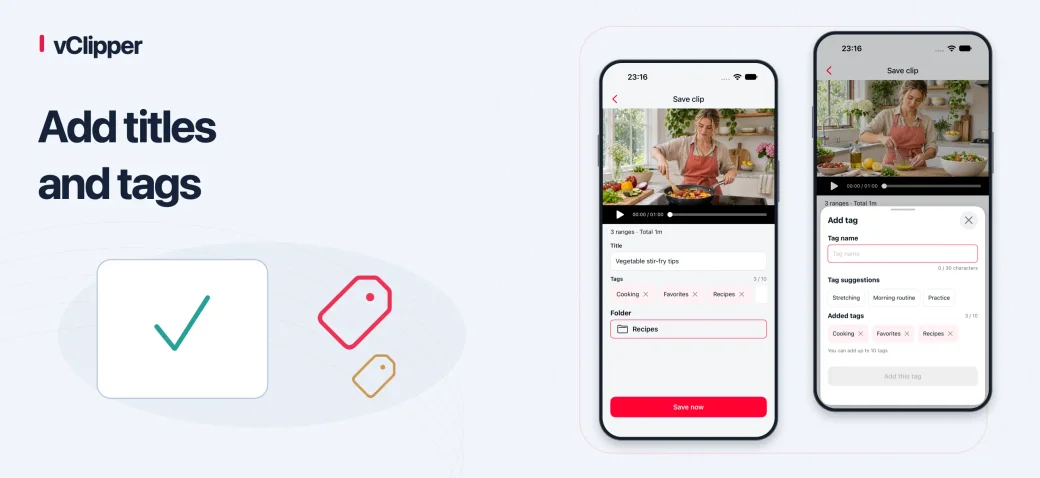
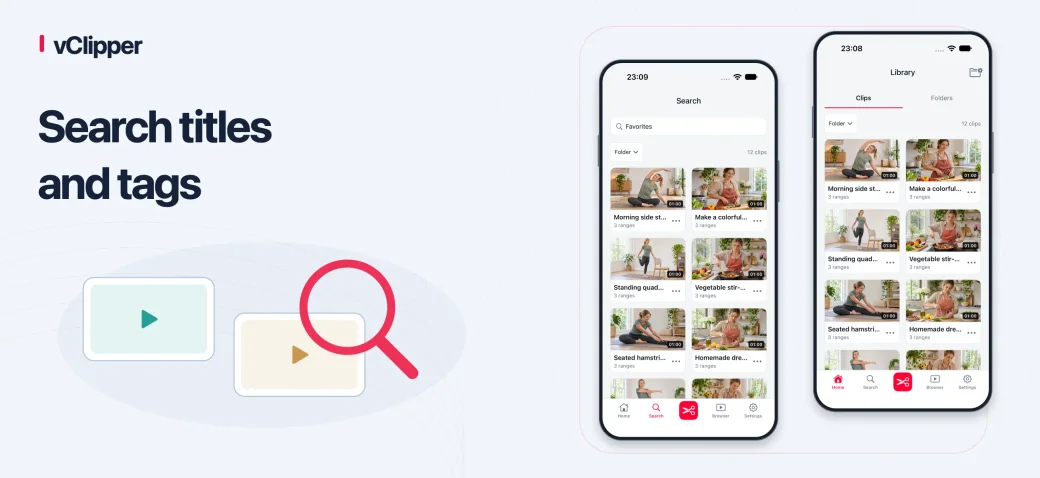
You can also tag your clippings for later retrieval.
- Sharing clippings
Clipped videos can be shared with other users.
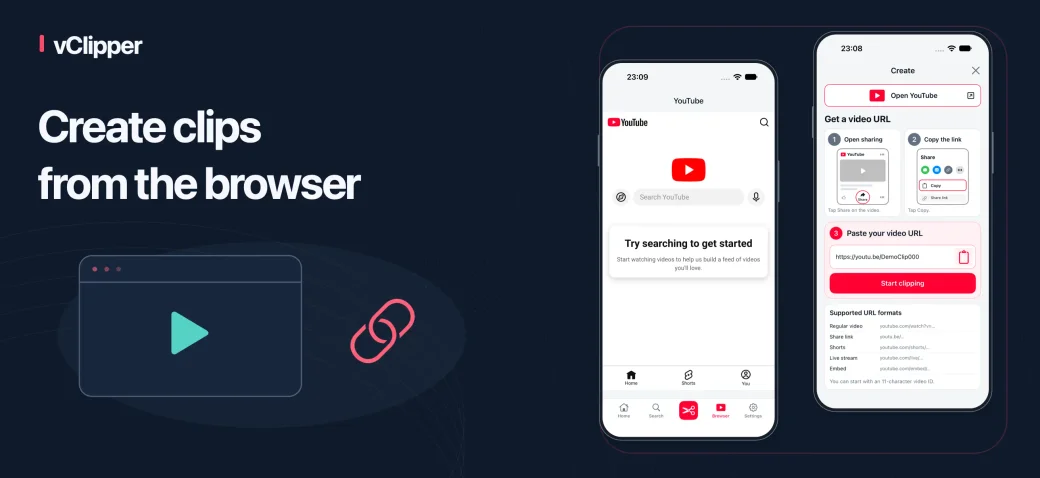
- In-app Browser
Users can start creating clipped videos immediately by opening YouTube from the in-app browser.
■About the monthly membership function
After installing the application, up to 10 video clips can be created unconditionally.
After that, you can create an additional 10 video clips by viewing advertisements.
If you pay a monthly fee, the above restrictions are removed and you can create unlimited video clips
■Copyrights
The Easy Clipping Video application uses the official video embedding function to play videos.
There is no need to download the video at all, and since it is a specification that specifies the playback time of the original video, there is no need to worry about copyright infringement.
Please note that if the original video is deleted or becomes private, the video clip you created will not be able to be played.
Terms of Service
https://vclipper.kc-apps.tech/terms
Privacy Policy
https://vclipper.kc-apps.tech/privacy
What’s new
Version 1.2 · Nov 14, 2026
You can now enjoy unlimited use with no monthly subscription.
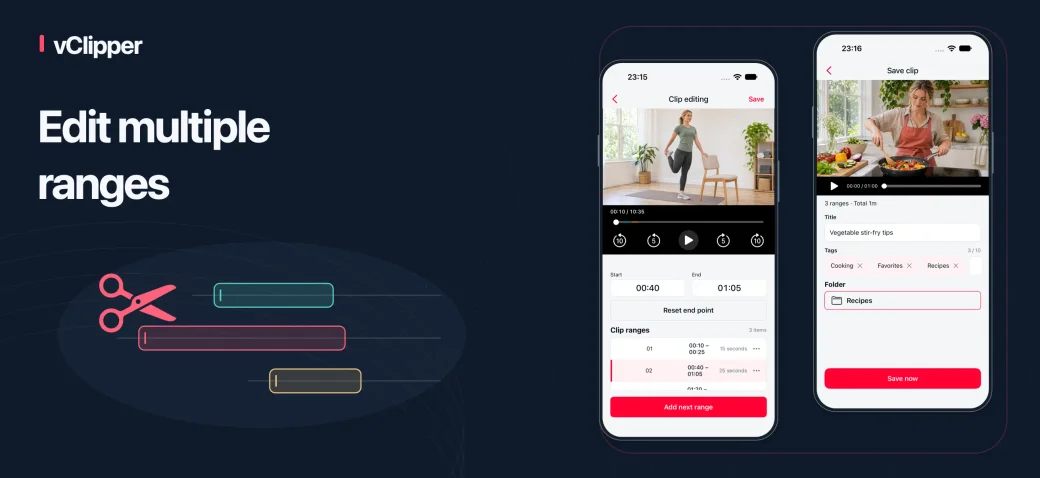
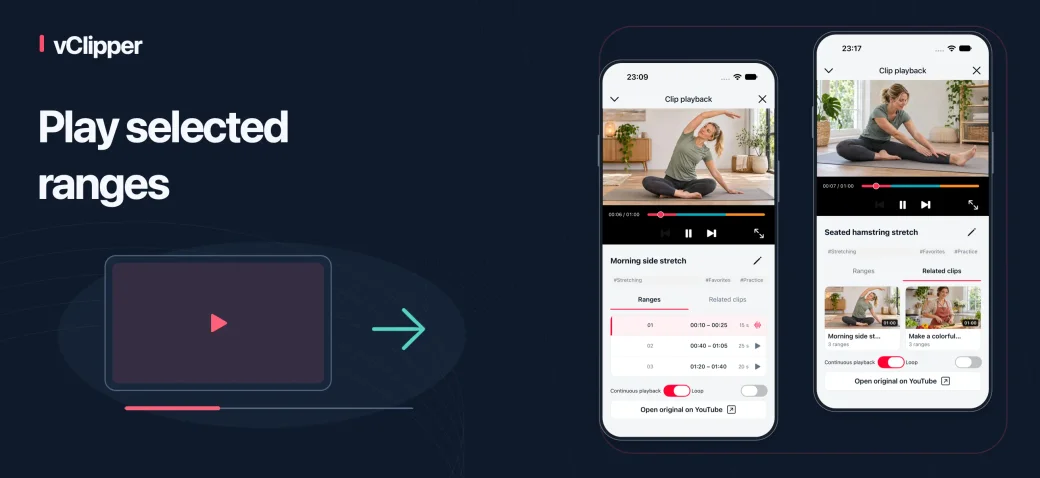
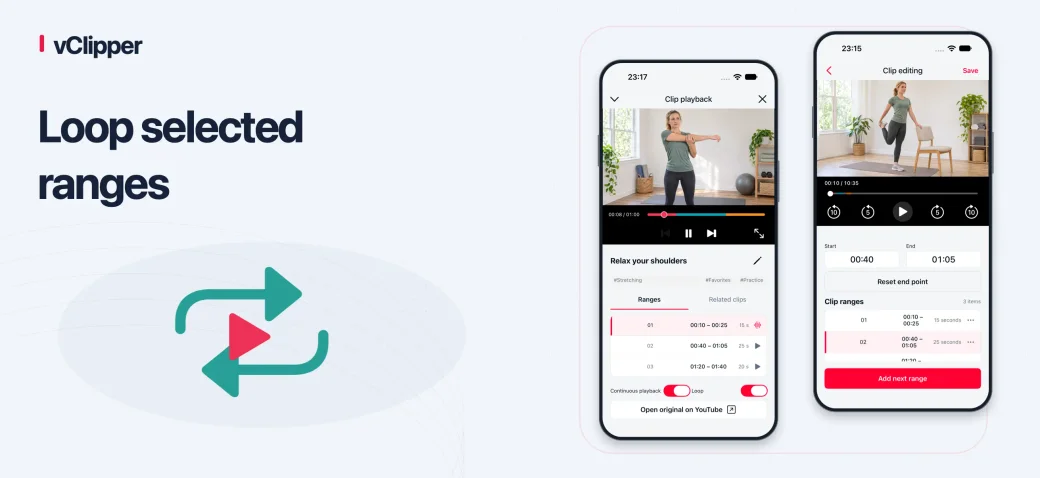
You can now create clips from multiple segments of a video.
You can now organize your clips into folders.
All ads have been removed except those shown in YouTube videos.
App privacy
What KC Apps declares on the App Store about how this app handles data.
-
Data used to track you
May be used to track you across apps and websites owned by other companies.
- Identifiers
- Usage data
-
Data linked to you
May be collected and linked to your identity.
- Identifiers
- Usage data
-
Data not linked to you
May be collected but is not linked to your identity.
- Location
- User content
- Usage data
- Diagnostics
Privacy practices may vary, for example with the features you use or your age.
Information
- Seller
- KC Apps
- Category
- Photo & Video
- Version
- 1.2
- Updated
- Nov 14, 2026
- Released
- Jun 21, 2023
- Size
- 15.1 MB
- Requires
- iOS 15.0 or later
- Age rating
- 12+
- Price
- Free
- Languages
- English, Japanese
- Copyright
- © KC Apps
You might also like
-
 TubeRocket - AI Video UploaderUpload videos to YouTube
-
 YT Collection for YoutubeCollect Youtube videos
-
 VideoClip: Save Video OfflinePhoto & Video
-
 MagicClip: AI video clippingLong videos to shorts, reel
-
 Video Saver & Player / iCapOffline player with ad blocker
-
 YT Keyboard Boost for YouTubeVideo Sub Count Tracker Studio
-
 Cross Clip: Edit, Post, GrowCross post live stream clips
-
 Trim & Cut Videos video editorClip Trimmer cutter Speed Crop
-
 Thumbnail Maker For YouTube -Video Editor & Banner Maker
-
 Vizard - AI Video Clip MakerAI Shorts Video Editor