
- Age rating4+
- CategoryEntertainment
- DeveloperYoshihiro Ito
- LanguagesEnglish+ 1 more
- Size182.4 MB
Links to the official App Store page
Download.org hosts no file of VDateNow. The button opens its official App Store page, published by Yoshihiro Ito. Listing last checked on Nov 14, 2026.
Screenshots

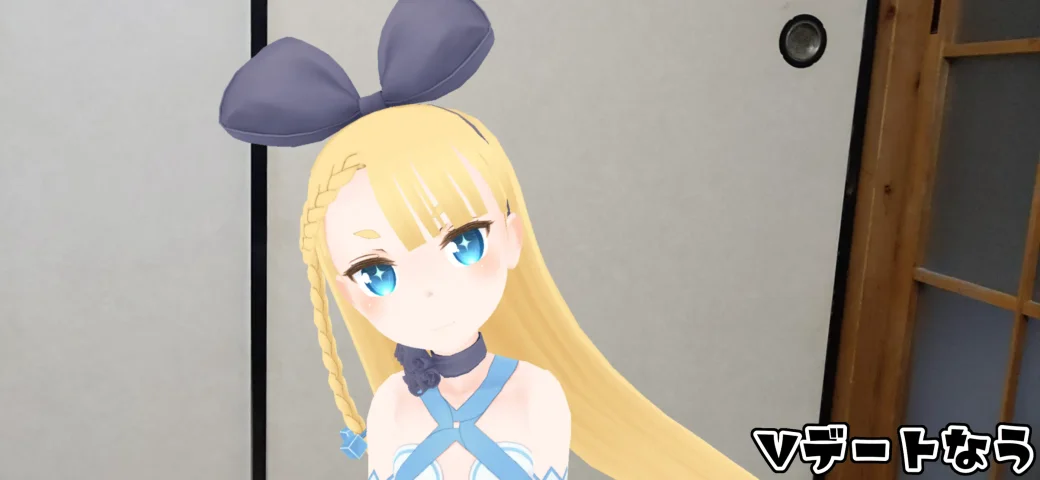
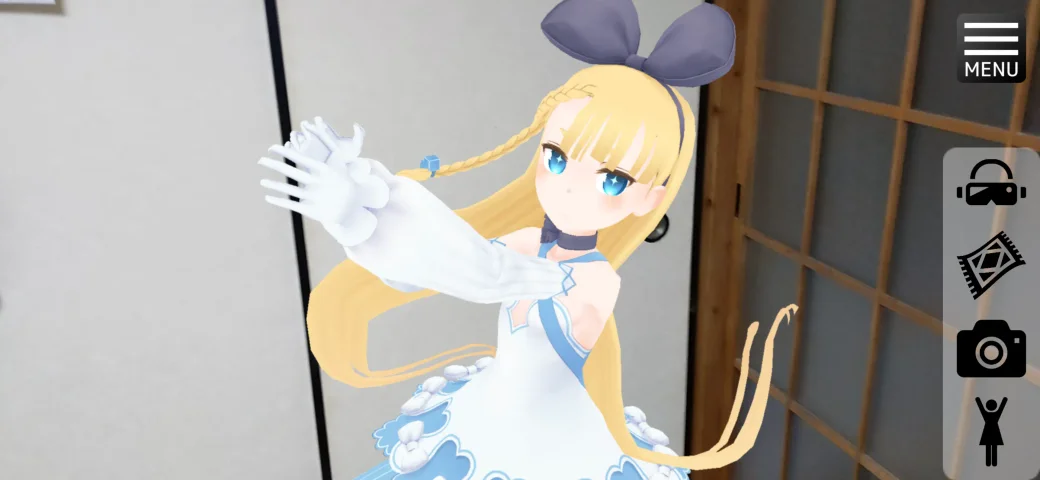
About
[Application overview]
*When you see the marker on the table with the terminal camera, the character sits on the other side of the table.
*You can take pictures from any angle you like.
*You can change the characters by loading another VRM model you prepared. (You can import VRM model from VRoid Hub)
*You can also use VR goggles for smartphones (The camera is not blocked.) to see 3D images.
*You can also import and play external motions.
[how to use]
*Pre-work
1. Print the images shown below in A3 size (210 * 297mm).
https://drive.google.com/open?id=1aso6gAUGB4HI2F_N13i5yd0A4FteaKOB
2. Place the printed image on the table where you want the character to appear.
* How to operate this application
** How to make a character appear
1. When you start the application, the character list will be displayed, so please select the model you want to display.
*Initially, Alicia Solid is the only character. You will learn how to add other models later.
2. Press the Menu icon to delete the Character List window. (Press again to redisplay)
3. Please look at the pictures you prepared in advance through phone camera.
4. When the "character selection" and "Fit image to camera" conditions are met, the characters automatically appear and sit at the table. We're all set.
** After the character appeared
- Press the camera icon to take a picture. Take a picture from any position you like. The shot images are saved in the Gallery.
- Press cloth icon to hide (or show) marker image. Hide mode is helpful when you want to put objects on the real maker and take pictures.
- Press character icon, and she/he appears again.
- You can load the other model to change to her/him.
*How to Add VRM Models
* Cautions *
Read and use VRM files in accordance with the terms of use of each VRM file.
Click the “Import VRM Files” button and select the model files you want to import. Such files must have the .vrm extension.
The previous method used in versions 2.9.0 and earlier — manually placing files directly under the “VDateNow” folder (subfolders allowed) — is still supported.
[Privacy Policy]
*This application uses the camera of the terminal for AR display.
*This app accesses your photo library to save photos
[About Default Models]
*This application uses the following VRM files as default characters.
DWANGO Co., Ltd. "ニコニ立体ちゃん"
http://3d.nicovideo.jp/alicia/
What’s new
Version 2.10.1 · Dec 30, 2025
The item 3D model calling feature now supports using files stored on the device (3D models and marker images).
App privacy
What Yoshihiro Ito declares on the App Store about how this app handles data.
-
Data not collected
The developer does not collect any data from this app.
Privacy practices may vary, for example with the features you use or your age.
Information
- Seller
- Yoshihiro Ito
- Category
- Entertainment
- Version
- 2.10.1
- Updated
- Dec 30, 2025
- Released
- Aug 12, 2019
- Size
- 182.4 MB
- Requires
- iOS 13.0 or later
- Age rating
- 4+
- Price
- Free
- Languages
- English, Japanese
- Copyright
- © 2019, Yoshihiro Ito
You might also like
-
 FumiFumivirtual photos app
-
 ACUAH Classic3D character assistant
-
 OshaberiAIChat with character you make
-
 AVATAVI -Play with your avatarSnap avatar in real world!
-
 AnimeXRVRM VMD in XR, Motion capture
-
 3teneBTEntertainment
-
 Chara Mirror GoEntertainment
-
 Aria SnapshotLet me be by your side.
-
 DanceXRAnimate any model, anywhere