
- Age rating4+
- CategoryUtilities
- Developer永晓 邵
- LanguagesEnglish+ 12 more
- Size66.7 MB
Links to the official App Store page
Download.org hosts no file of VelaPlay. The button opens its official App Store page, published by 永晓 邵. Listing last checked on Nov 15, 2026.
Screenshots

About
VelaPlay is a clean, elegant, ad-free local media player built for your personal files. It supports common video formats, subtitles, and audio tracks, with flexible import options, simple file management, and a private encrypted vault.
Key Features
【Supported Formats】
Video: MP4, M4V, MOV, MKV, AVI, WebM, FLV, TS, M2TS, MTS, MPG, MPEG, VOB, WMV, ASF, 3GP, and 3G2.
Audio: MP3, M4A, AAC, FLAC, ALAC, WAV, AIFF, OGG, Opus, and WMA.
Subtitles: SRT, ASS, SSA, VTT, SUB, and IDX.
Playlists: M3U and M3U8.
Actual playback compatibility may vary by codec, profile, file integrity, and device capabilities.
【Clean Interface, No Ads】
A clear, intuitive interface keeps the focus on your videos. There are no banner ads, pre-roll ads, pop-ups, or other advertising interruptions.
【Convenient Playback Gestures】
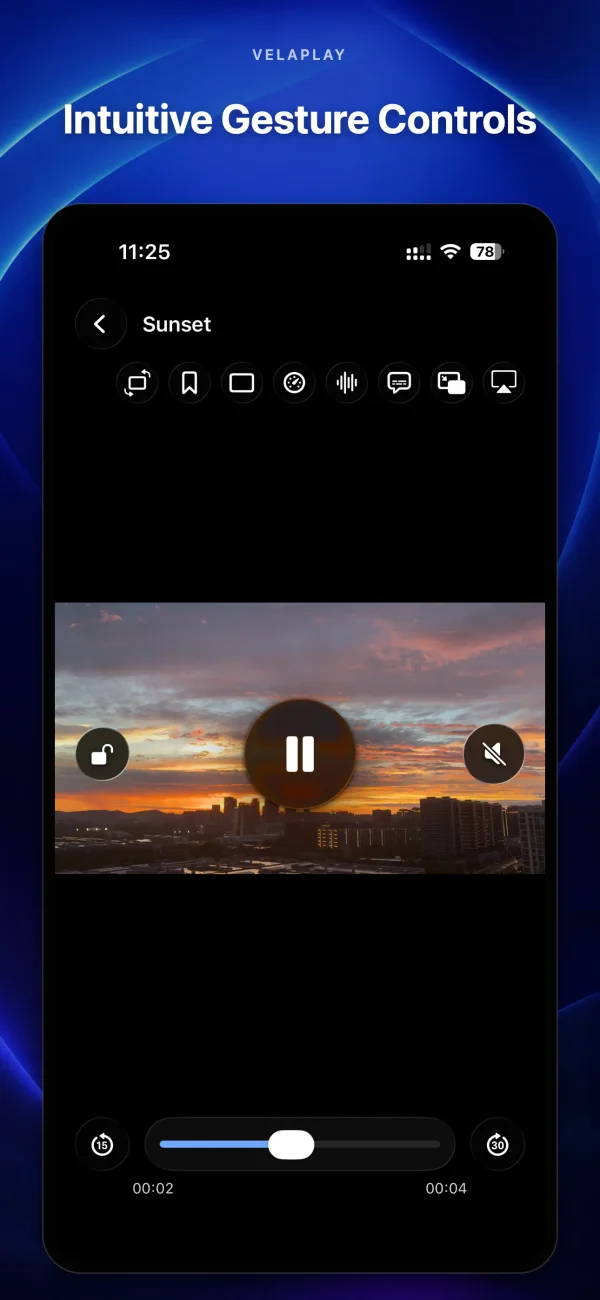
Use swipes, taps, and double taps to quickly access common playback controls and make seeking or adjusting playback feel natural.
【Flexible File Import】
• Import from the Files app
• Copy with Finder, Apple Devices, or iTunes File Sharing
• Open files through AirDrop or the system share sheet
• Upload from a browser on the same Wi-Fi network
【Simple File Management】
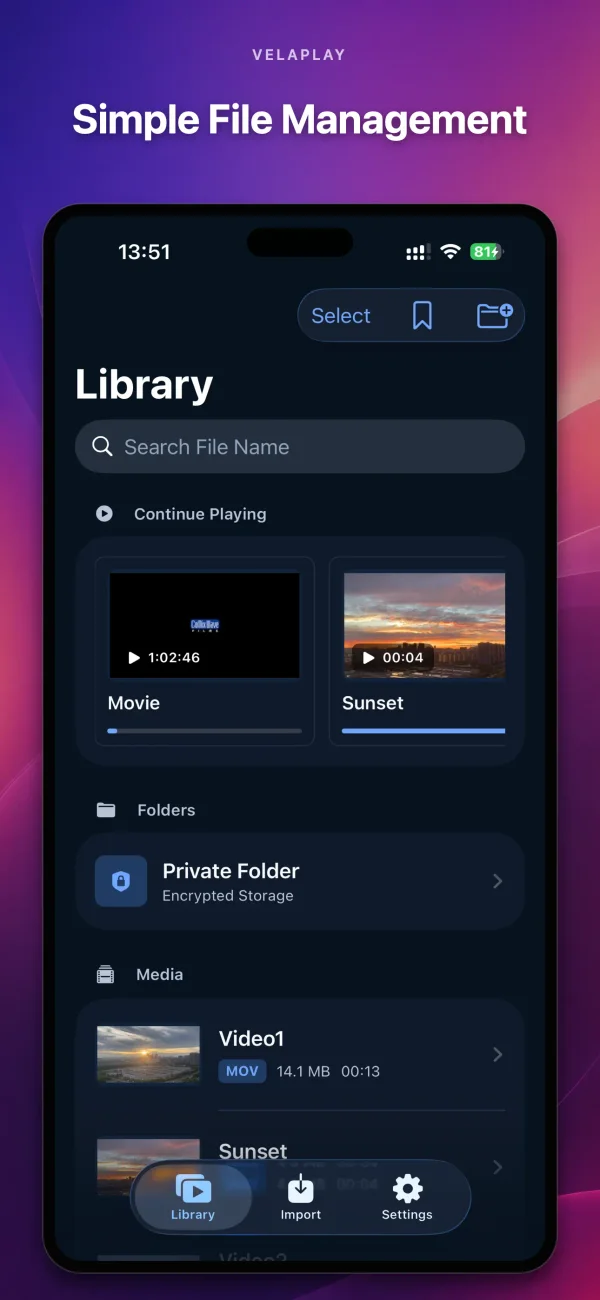
Organize your personal media library with folders, search, and sorting. Rename, move, or delete files, and easily continue watching with recent items and saved playback positions.
【Private Encrypted Vault】
Move sensitive videos into an encrypted vault. Protected content can be viewed only after unlocking it with a password or Face ID.
【Subtitles and Audio Tracks】
Import and manage subtitle files, and switch between available subtitles or audio tracks for foreign-language videos, courses, and multi-track media.
VelaPlay focuses on local playback, personal file management, and private viewing. It does not provide an online video catalog or unauthorized media downloads. Only import content that you own or have permission to use.
Privacy Statement:
https://yongxiaoshao-sudo.github.io/velaplay/privacy/
License Agreement:
https://www.apple.com/legal/internet-services/itunes/dev/stdeula/
What’s new
Version 1.0.3 · Nov 11, 2026
• Access imported media in Files, while keeping the original files when importing from other locations.
• Move multiple media files and folders at once without losing playback progress or bookmarks.
• Capture video frames and export selected clips to Photos or Files. Clip export is available for supported video formats.
• Added guidance for ASS/VTT subtitles and finding your media files.
App privacy
What 永晓 邵 declares on the App Store about how this app handles data.
-
Data not collected
The developer does not collect any data from this app.
Privacy practices may vary, for example with the features you use or your age.
Information
- Seller
- 永晓 邵
- Category
- Utilities
- Version
- 1.0.3
- Updated
- Nov 11, 2026
- Released
- Jul 17, 2026
- Size
- 66.7 MB
- Requires
- iOS 17.0 or later
- Age rating
- 4+
- Price
- Free
- Languages
- English, Arabic, French, German, Italian, Japanese, Korean, Portuguese, Russian, Simplified Chinese, Spanish, Traditional Chinese + 1 more
- Copyright
- © 2026 Ron Shao
You might also like
-
 4K UniPlayLocal Playback · Private Vault
-
 FX本地视频播放器Utilities
-
 iSub PlayerDual Subtitles, Subtitle Panel
-
 NidoPlayLocal Family Player
-
 喵播放器Utilities
-
 简影音信-纯净本地视频音频播放器Utilities
-
 学习帮影音-万能视频播放器,本地离线看电影听音乐,倍速解码器Utilities
-
 ReelPort: Video PlayerFormats, Subtitles & Wi-Fi
-
 XPlayer - IPTV PlayerPlay your own M3U / IPTV
-
 私人播放器-私人高清万能影音视频播放器 私密无码高清播放Utilities