Verbaloom – Meeting Notes
Record, understand, offline
Designed for iPhone, iPad, Mac
In-app purchases
- Age rating4+
- CategoryProductivity
- DeveloperUdo Popp
- LanguagesGerman+ 10 more
- Size32.0 MB
Links to the official App Store page
Download.org hosts no file of Verbaloom – Meeting Notes. The button opens its official App Store page, published by Udo Popp. Listing last checked on Nov 12, 2026.
Screenshots




About
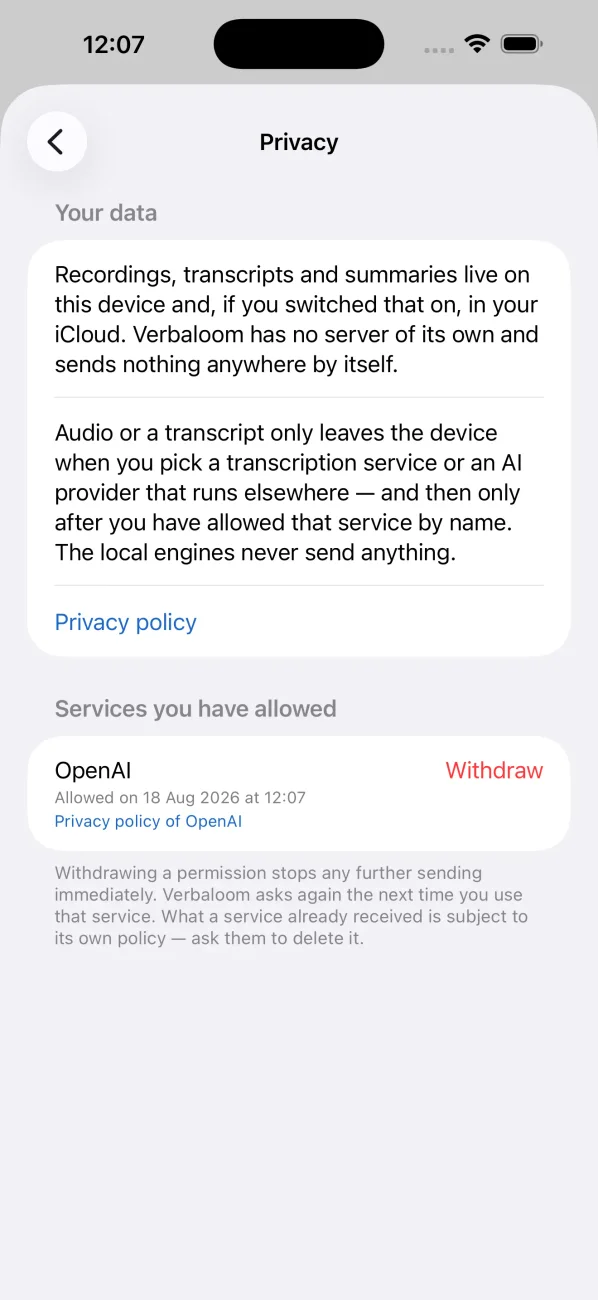
Nothing leaves your iPhone.
Most transcription apps send your recording to a service. This one does not have
to: speech recognition, speaker separation and the language model run on the
iPhone itself. No
account, no server, no analytics — and if you do want to use a service, the app
tells you beforehand what would be sent and to whom, and asks.
RECORDING
• Conversations, lectures, thoughts on the move — with the iPhone's microphone
• Share voice messages and audio files straight here from other apps
• Import audio and video files you already have
TRANSCRIPTION
• On the device: whisper.cpp or Apple's own recognizer, both without a network
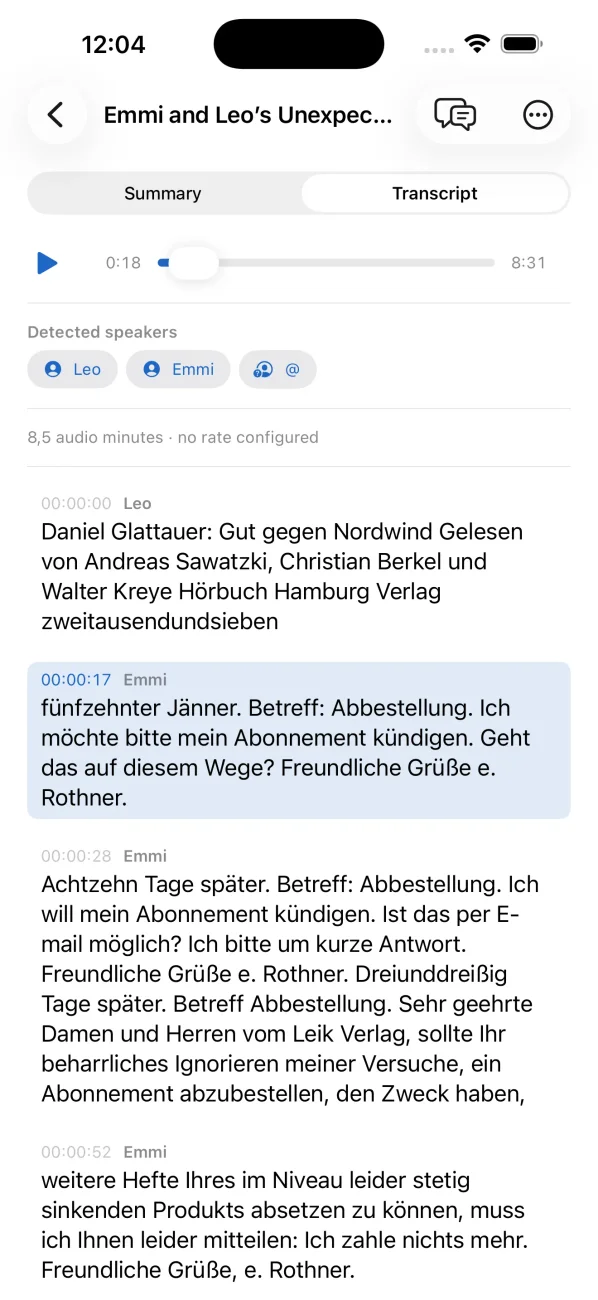
• Speaker separation, on the iPhone as well: who in the room said what, up to
eight people
• Name a speaker once and the voice is recognised in later recordings — on the
Mac too
• Or through a service of your choice
• Transcript with timecodes; tap a line to jump there in the audio
UNDERSTANDING
• Summaries from templates you write — minutes, action items, whatever you need
• Long recordings are summarised in parts and the parts summarised together at
the end
• Chat with a recording: questions answered from that transcript and nothing else
• The language model can run on the iPhone — llama.cpp or Apple Intelligence
KEEPING
• Export as PDF or Markdown, summary and transcript together or apart
• Library in your own iCloud, if you want it there
AND THE MAC APP
One purchase covers both. On the Mac the app additionally records the far side of
a call as its own track — which is why the transcript there knows exactly who
said what. Recordings, transcripts and templates travel between your devices
through your own iCloud.
VERBALOOM PRO
Recording and local transcription stay free. Pro adds speaker separation,
summaries and chat, services of your choice, PDF export and the library in
iCloud. For the first seven days after downloading, Pro is unlocked — no
purchase, nothing to cancel.
• Monthly – $1.99 per month
• Yearly – $17.99 per year
• One-time – $44.99, yours for good, does not renew
The two subscriptions renew automatically until cancelled in your App Store
settings. Payment is charged to your Apple Account on confirmation; renewal is
charged within 24 hours before the end of the current period. Prices shown are
for the US store; elsewhere the price shown in the App Store applies.
Terms of Use (EULA):
https://www.apple.com/legal/internet-services/itunes/dev/stdeula/
Privacy Policy: https://verbaloom.app/privacy.html
What’s new
Version 1.3 · Sep 29, 2026
Who said what — now on iPhone too
When your iPhone records a conversation with several people in the room,
Verbaloom now splits the transcript into individual speakers. Right on the
device: no audio goes to a service. When you switch it on, the app downloads
the model it needs (about 210 MB, over Wi-Fi only if you prefer), with the
progress shown in Settings. Up to eight speakers are
told apart.
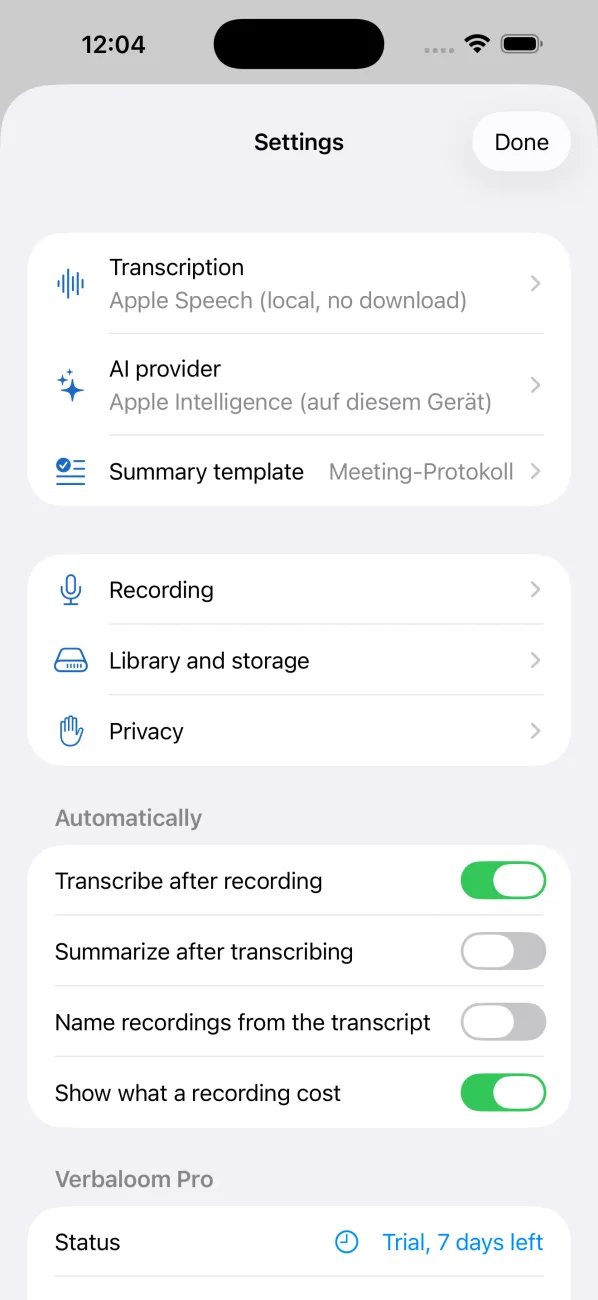
Turn it on under Settings › Transcription › Tell individual speakers apart
(part of Verbaloom Pro).
NAMES STICK
• Put a name on a speaker, and Verbaloom recognises that voice in later
recordings.
• With the same iCloud library, iPhone and Mac know the same names — someone
named on the Mac is recognised on the iPhone, and the other way round.
• Known voices can be viewed, renamed and deleted under Settings ›
Transcription.
ALSO
• If transcription ran in the background, the speakers are added as soon as
you open the app again. The summary waits until then, so the names are in it.
• On iPad and on large foldable screens, the list and the recording sit side by
side. The record button always stays in view.
• How long audio is kept now applies to every device on the same library. If
iPhone and Mac were set differently, the longer period wins.
• Fixed: when a recording first had to come down from iCloud, the app stayed
on "Downloading audio from iCloud …" long after the file had arrived — until
a restart.
App privacy
What Udo Popp declares on the App Store about how this app handles data.
-
Data not linked to you
May be collected but is not linked to your identity.
- User content
Privacy practices may vary, for example with the features you use or your age.
Information
- Seller
- Udo Popp
- Category
- Productivity
- Version
- 1.3
- Updated
- Sep 29, 2026
- Released
- Aug 17, 2026
- Size
- 32.0 MB
- Requires
- iOS 26.0 or later
- Age rating
- 4+
- In-app purchases
- Yes
- Languages
- German, English, French, Italian, Japanese, Korean, Dutch, Portuguese, Russian, Spanish, Simplified Chinese
- Copyright
- ©AIaggregate2026
You might also like
-
 Pink Quorum: Meeting RecorderWho said what, private
-
 Listen To Me - Real Time AIAI, Transcribe and Note
-
 Lucy: Private Meeting NotesOffline AI Voice Transcription
-
 Sprechly: Voice Recorder & AIPrivate offline transcription
-
 Clearminutes: AI Meeting NotesPrivate offline transcription
-
 METSyS Current LoggerProductivity
-
 virtic MobileProductivity
-
 regisafe-AppProductivity
-
 Nottely: Voice TranscriptionAI Note Taker & Memo Recorder
-
 iPresenter ProProductivity