
VerseAnchor (VerseLock)
Bible Verse Memorization tools
Designed for iPhone, iPad, iPod touch
In-app purchases
- Age rating4+
- CategoryLifestyle
- DeveloperBuzen Technologies Co.Limited
- LanguagesGerman+ 11 more
- Size234.0 MB
Links to the official App Store page
Download.org hosts no file of VerseAnchor (VerseLock). The button opens its official App Store page, published by Buzen Technologies Co.Limited. Listing last checked on Nov 23, 2026.
Screenshots


About
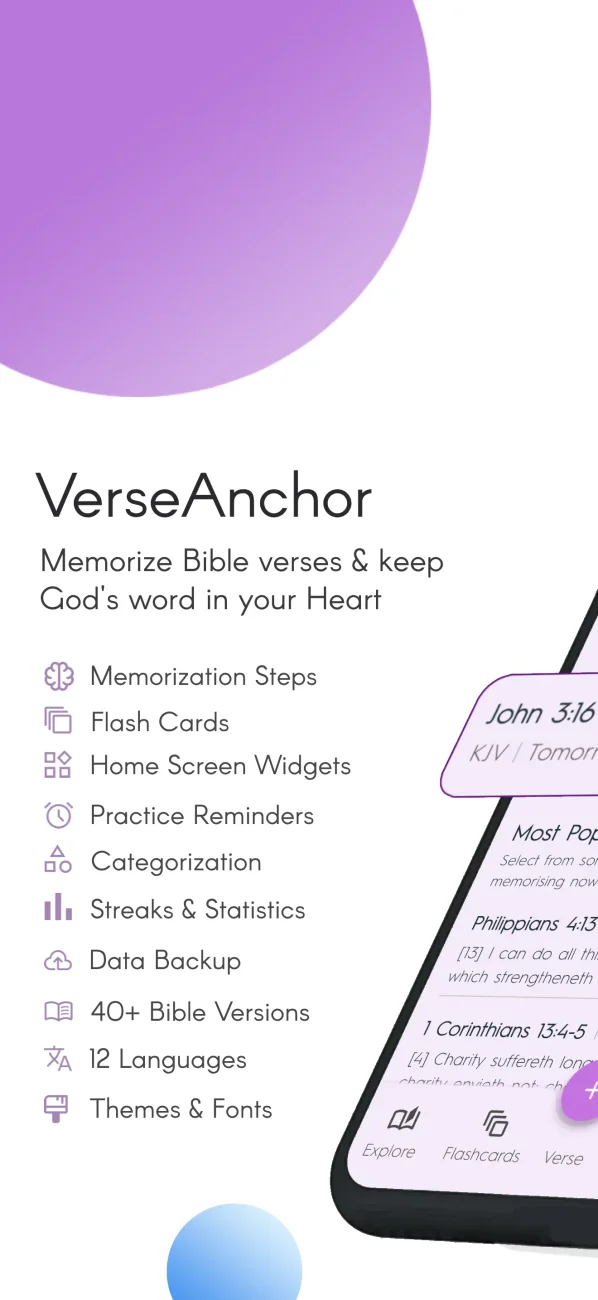
VerseAnchor (VerseLock) is the perfect Bible memorization app for Christians of all ages.
- Easy to use with sleek design.
- Free: Reading, Recording, Listening, Reveal challenge, Type challenge & flashcards are not locked.
- No Ads, No Distractions and we are committed to keeping it that way.
"I have hidden your word in my heart that I might not sin against you. Praise be to you, LORD; teach me your decrees."
— Psalms 119:11-12
Whether a new believer or deepening your faith, VerseAnchor offers an engaging and effective way to remember Scripture. With interactive features, personalized tools and a sleek interface, you can easily keep God's Word in your heart.
⎈ Features: ⎈
◕ Adding a Verse (3 Options)
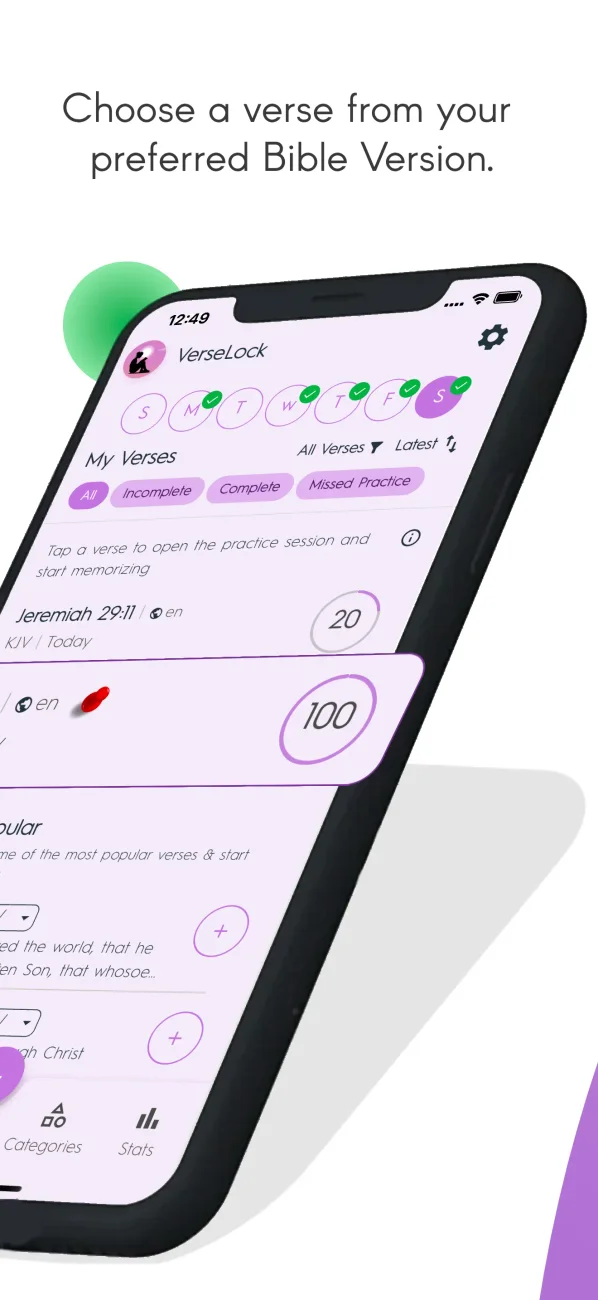
1. Pick from a Bible translation: Choose a verse from your preferred Bible version.
2. Or copy & paste text from any external source.
3. Or browse suggested verse packs like Most Popular, Spiritual Warfare, Mood Verses & more
◕ Practicing a Verse ⌛
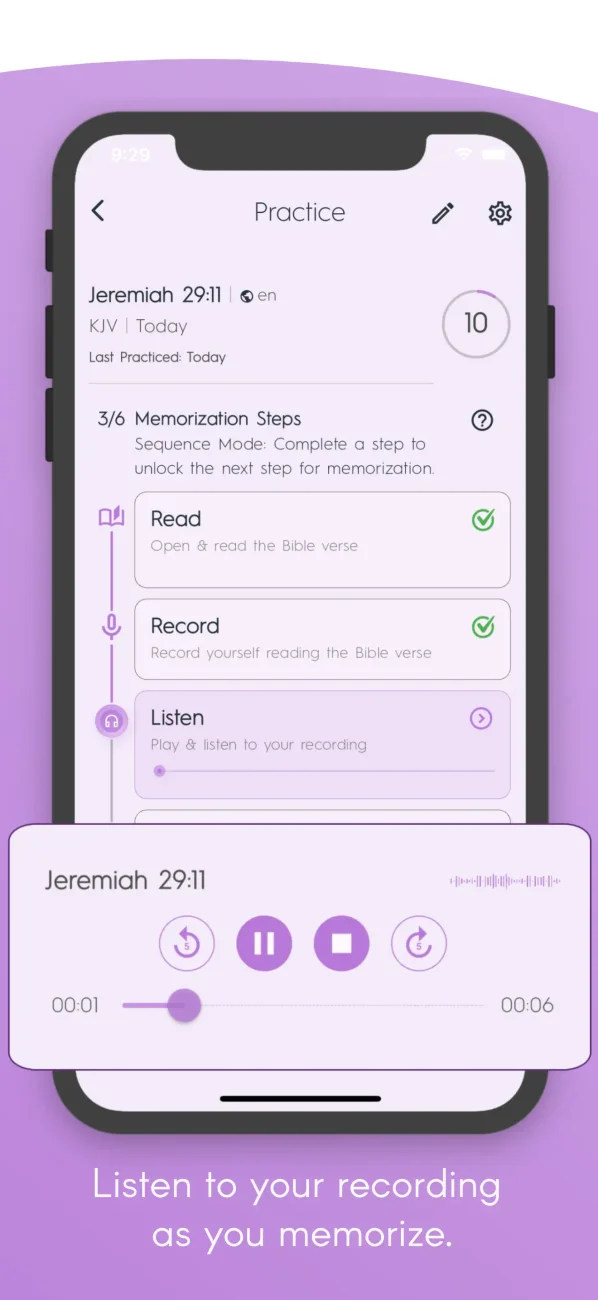
This can either be done in "Sequence Mode" which follows are guided flow to unlock steps upon completion of the previous or "Random Mode" which allows the user to choose the step to practice.
Practice Steps for Effective Memorization:
1. Reading: Either use Writer mode (reading the verse as the app simulates typing each word) or Tapping (Tap to reveal each part of the verse as it’s highlighted).
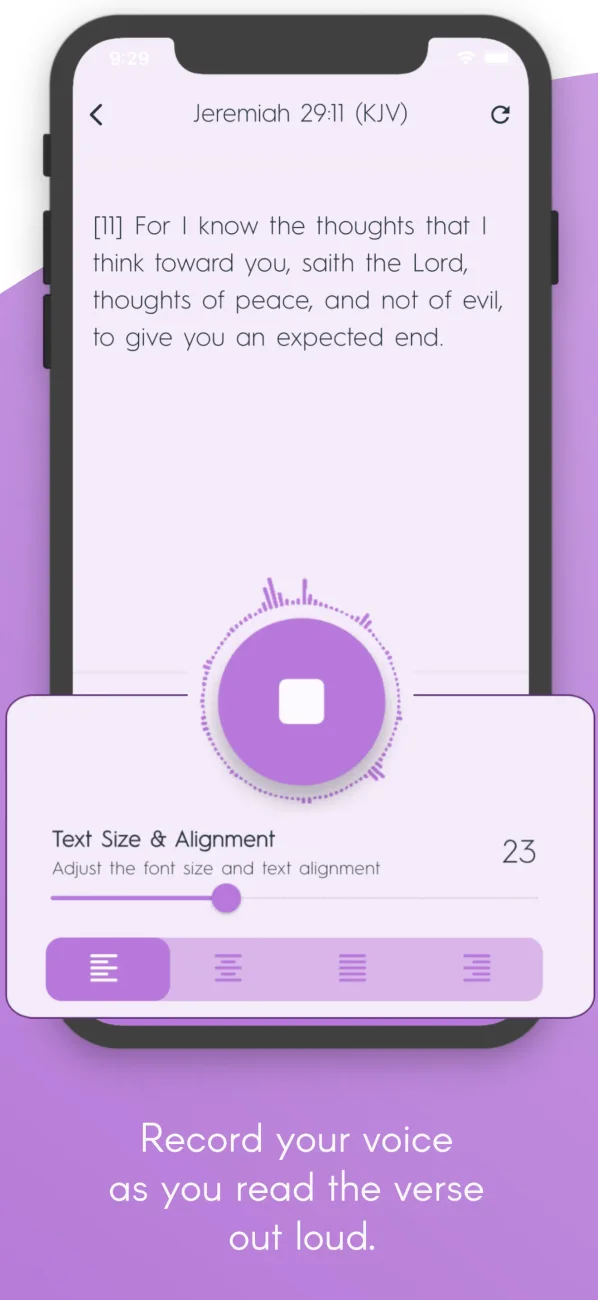
2. Recording: Record yourself reading the verse aloud.
3. Listening: Listen to your recording to reinforce memorization through hearing and speaking.
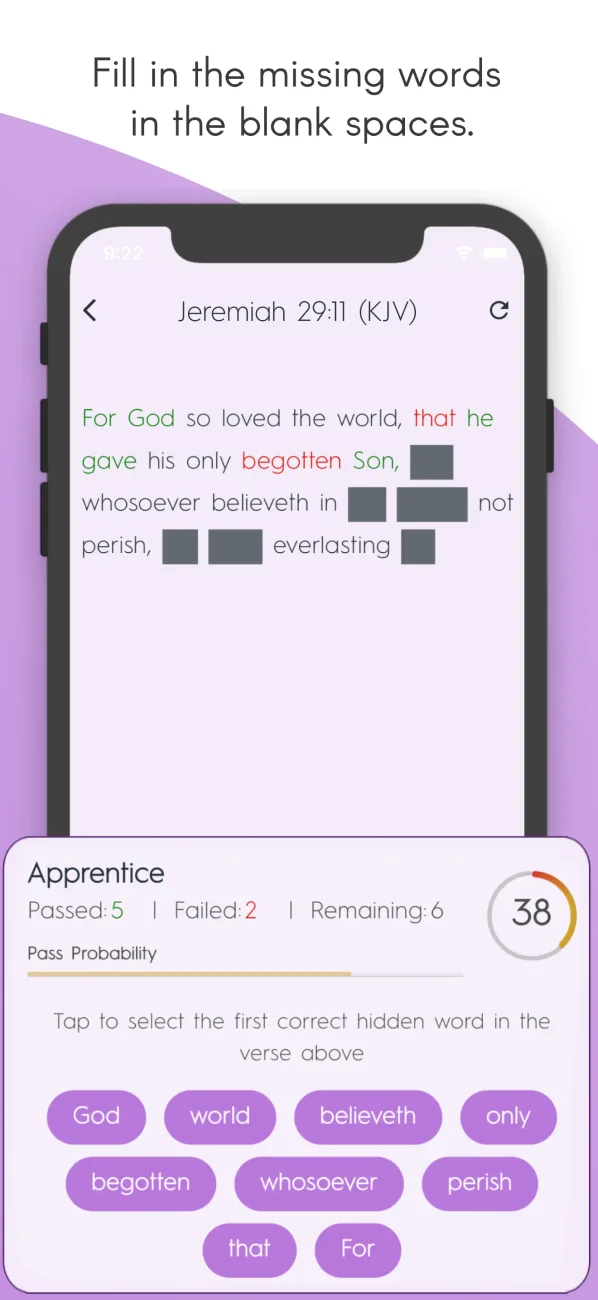
4. Reveal Challenge: Test your memory with this unique tool where part of the verse is hidden, and you must tap the correct word from a list of possible answers. Choose from 3 difficulty levels.
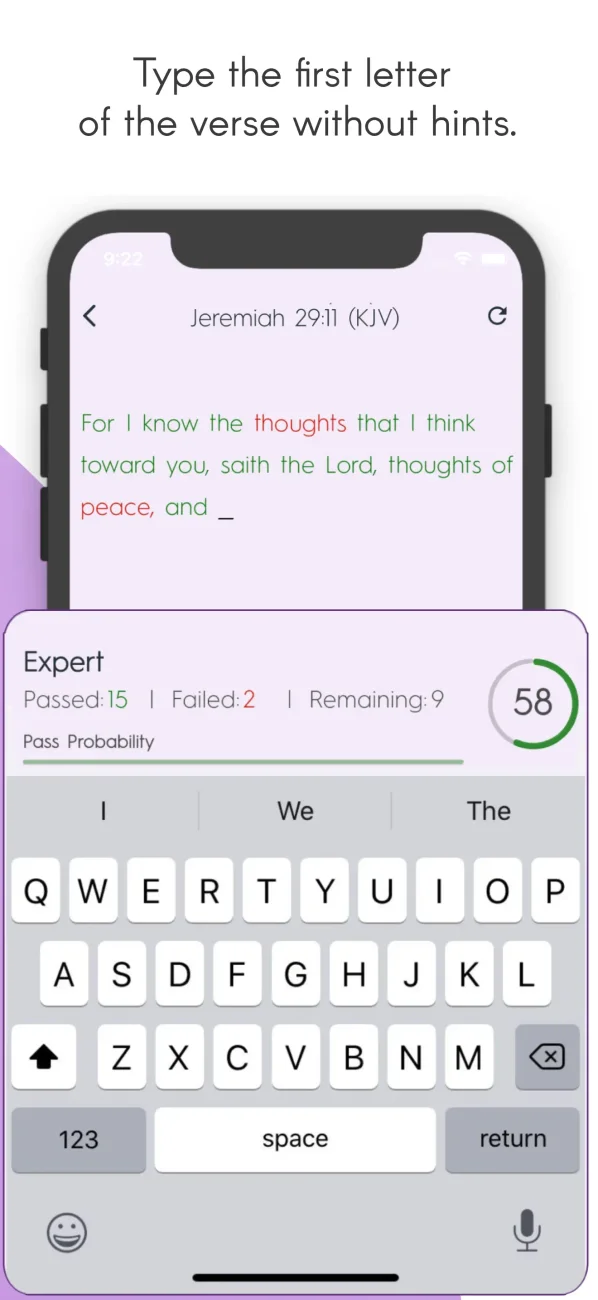
5. Typing Challenge: Challenge yourself by typing the first character of each word in the verse when all words are hidden.
6. Widgets: Keep your memorized verse on your home screen with customizable widgets, ensuring constant engagement, even when the app is closed.
◕ Other Interactive Learning Tools
1. Flashcards: Quickly review verses for fast recall and repetition, helping reinforce your memorization
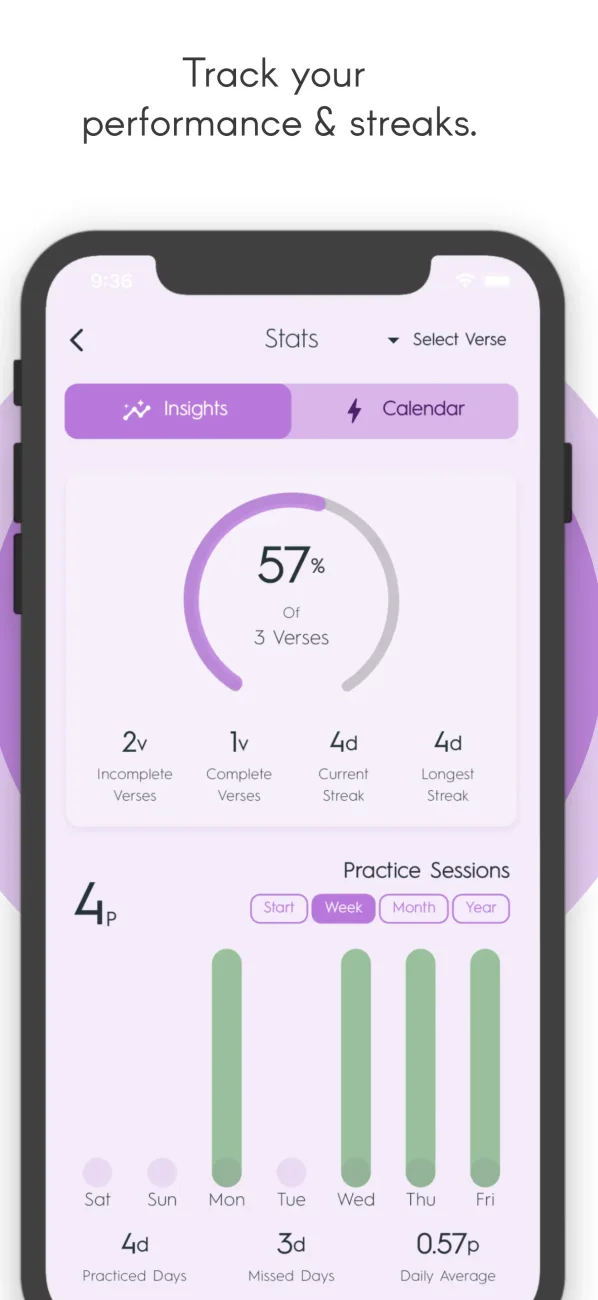
2. Statistics Tracking: Monitor your performance with detailed progress reports, including streaks, practice frequency, and milestones, keeping you motivated
3. Practice Reminders ⏰: Stay on track with custom notifications that remind you to practice your selected verses consistently
◕ Customizable Features;
1. Verse Categorization: Organize and group your memorized verses into categories for quick and easy access
2. Explore Packs: Discover themed verse packs covering everything from Popular Verses to Spiritual Warfare and Verses for Different Moods
3. Multiple Bible Versions: Select from a wide range of Bible translations such as KJV, NKJV, NIV, ESV, RVR, LSG, NRI, KEH, and more, allowing you to memorize verses in the version that speaks to you most
4. Multi-Language Support: VerseAnchor supports 12 languages, including English, Arabic, German, Spanish, French, Hindi, Italian, Japanese, Korean, Portuguese, Russian, and Chinese, making Scripture memorization accessible to users worldwide
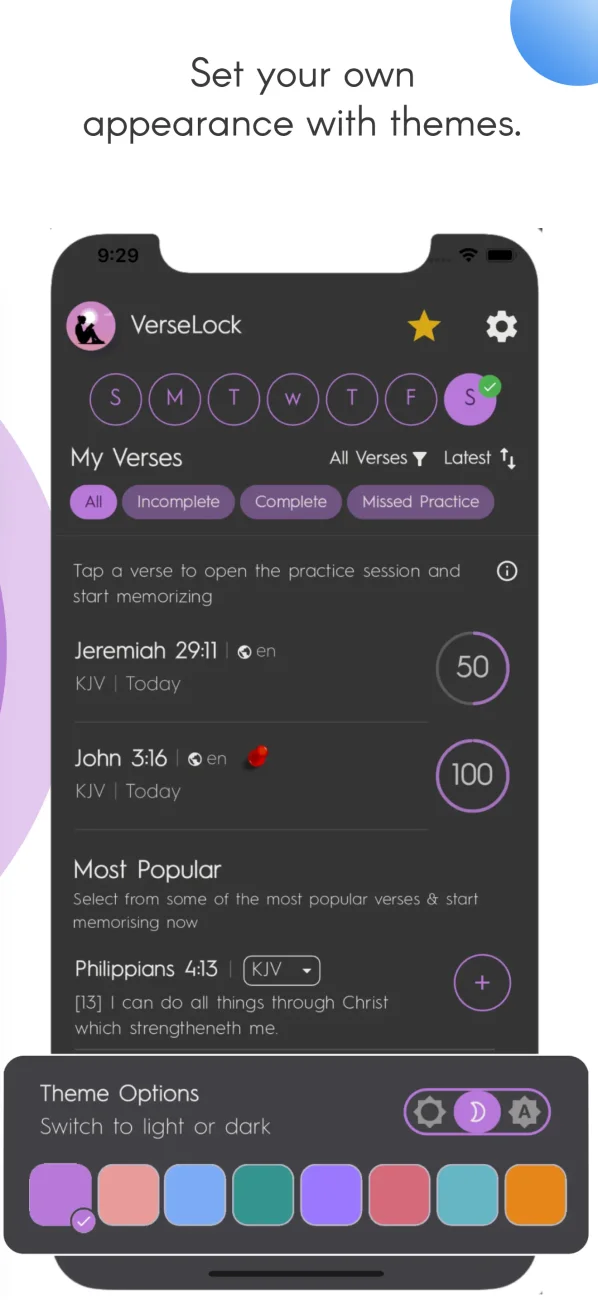
5. Themes & Fonts: Choose from a variety of themes and font styles to create a personalized and comfortable memorization environment
◕ Data Backup & Security:
1. Backup Option: Keep your memorized verses and progress safe with a reliable backup feature, ensuring you can transfer your data to a new device or store it securely.
2. No Sign-ups Required: Enjoy a seamless experience with no need to create an account or register - simply download and start memorizing right away
Subscriptions;
- Monthly & Yearly subscriptions or onetime purchase - Lifetime
• Payment is charged to iTunes Account
• Renewal within 24-hours prior to the end of the current period, and identify the cost of the renewal
• User managed subscriptions in account Settings
• Unused free trial time is forfeited upon subscription purchase
Terms: https://buzentechnologies.com/verselock-terms.php
What’s new
Version 1.0.15 · Nov 19, 2026
- Introduced multiple verses on home widgets
- Other minor bug fixes.
App privacy
What Buzen Technologies Co.Limited declares on the App Store about how this app handles data.
-
Data not collected
The developer does not collect any data from this app.
Privacy practices may vary, for example with the features you use or your age.
Information
- Seller
- Buzen Technologies Co.Limited
- Category
- Lifestyle
- Version
- 1.0.15
- Updated
- Nov 19, 2026
- Released
- Apr 7, 2025
- Size
- 234.0 MB
- Requires
- iOS 15.0 or later
- Age rating
- 4+
- In-app purchases
- Yes
- Languages
- German, Arabic, English, French, Hindi, Italian, Japanese, Korean, Portuguese, Russian, Spanish, Simplified Chinese
- Copyright
- © 2026
You might also like
-
 Dayly: Memorize Bible VersesLearn Scripture by heart daily
-
 记得咩Lifestyle
-
 Dear Jesus: Talk to God DailyBible Verses, Prayer & Psalms
-
 قواعد الكتاب المقدسLifestyle
-
 ReadBible: Audio Bible StudyDaily Prayer & Scripture
-
 FaithLogLifestyle
-
 Prayse - Prayer JournalYour daily prayer companion.
-
 最后使命 | 末时信仰装备站Lifestyle
-
 اساسيات الايماناساسيات الايمان
-
 Prayer Request NotesIndividual and group prayers