
Video & Audio Editor WaveSnip
Music, Silence Cut & Trim
Designed for iPhone
Free · In-app purchases
- Age rating4+
- CategoryPhoto & Video
- DeveloperAlptekin Gok
- LanguagesEnglish+ 4 more
- Size3.8 MB
Links to the official App Store page
Download.org hosts no file of Video & Audio Editor WaveSnip. The button opens its official App Store page, published by Alptekin Gok. Listing last checked on Nov 12, 2026.
Screenshots



About
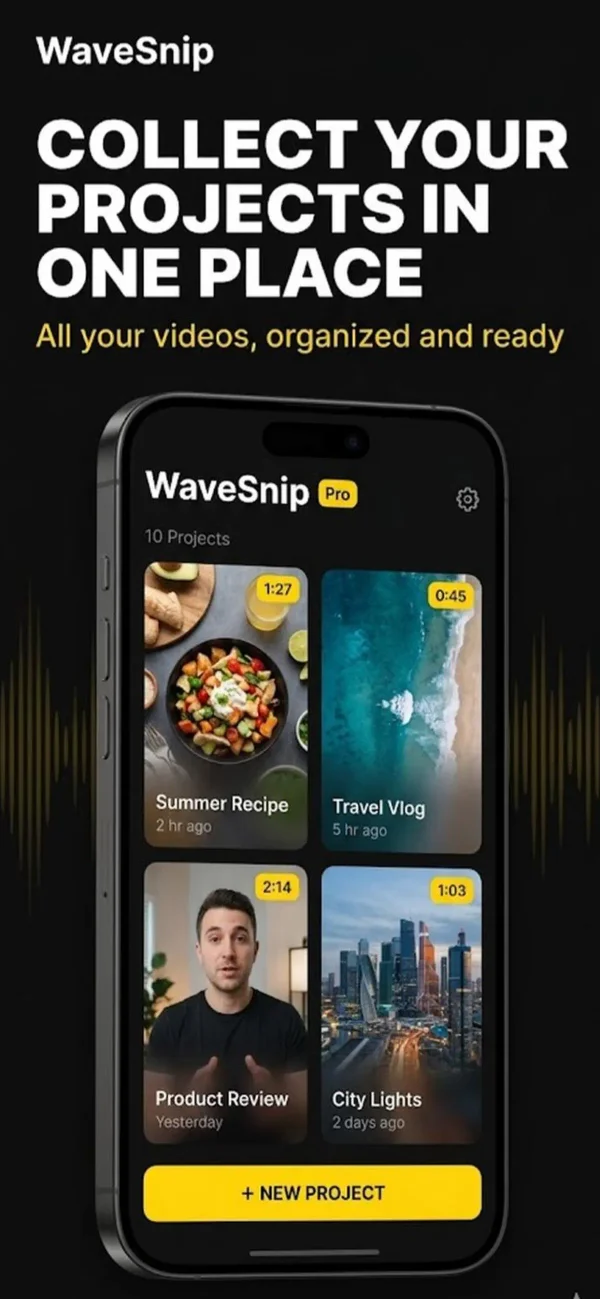
Your raw footage has too many silent gaps, awkward music levels, and audio you wish you could pull from another clip. WaveSnip fixes all of that on your phone.
Built for creators who care about sound. Drop a video in, add music from your library or extract it from another clip, duck the volume under your voice with keyframes, snap cuts to the beat, and remove dead air with one tap. Everything runs on your device. No cloud, no watermarks, no ads.
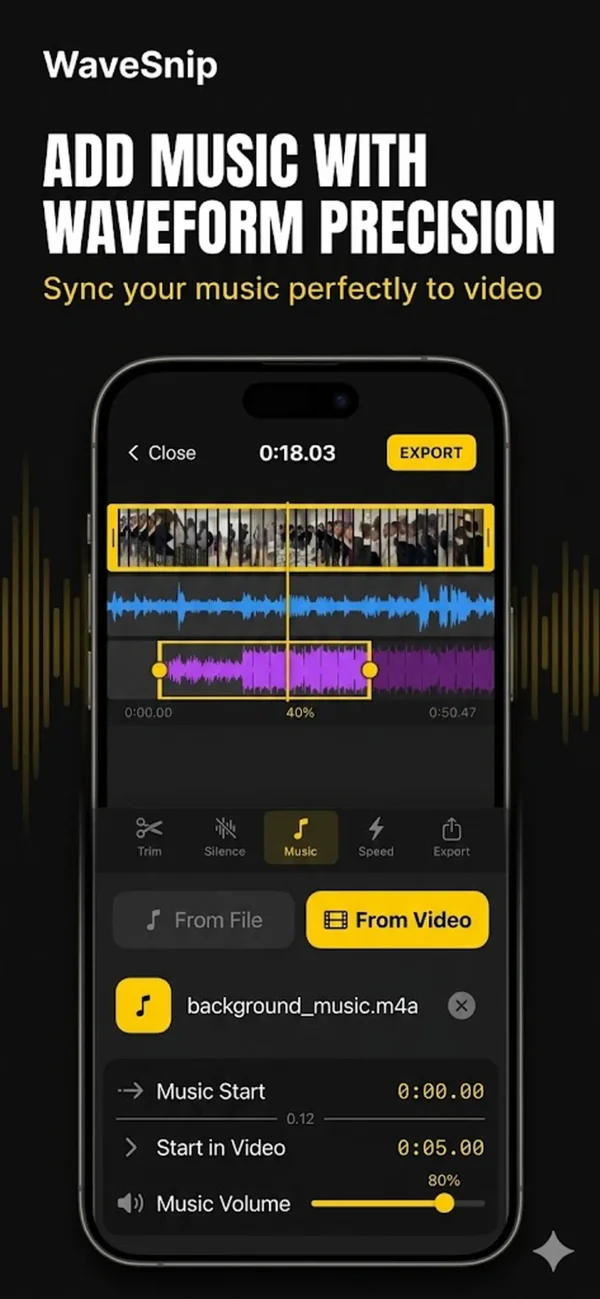
ADD MUSIC TO ANY VIDEO
Import your own track or pull the audio from any video in your library. Place it on the timeline, trim it, loop it, fade it in and out. Your music, your video, your timing. Works with every format iOS supports.
EXTRACT AUDIO FROM VIDEO
Turn any video into an MP3 in seconds. Grab the music from a clip you love and reuse it somewhere else. No extra app, no upload to a converter site. Export and share.
KEYFRAME VOLUME CONTROL
This is what pros pay for on desktop editors. Drop keyframes on the music track, pull the volume down where you speak, push it up during transitions. Automatic fades, manual ducking, whatever your scene needs.
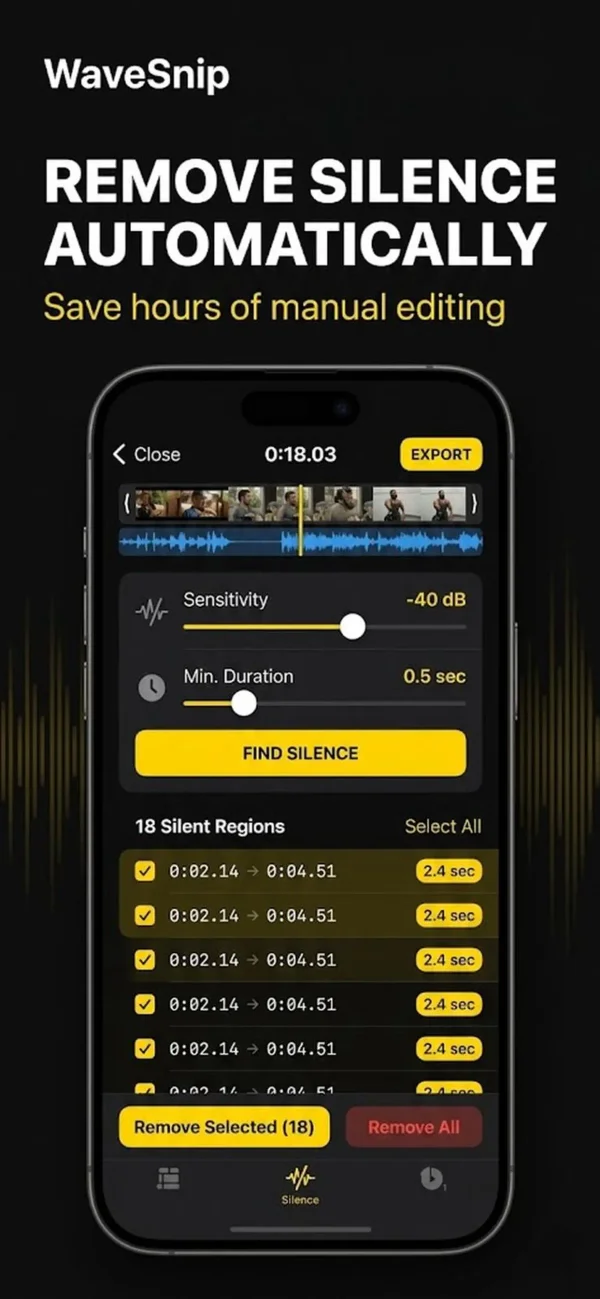
AUTOMATIC SILENCE REMOVAL
Kill dead air with one tap. Adjust sensitivity and minimum silence length so the cuts feel natural. Perfect for podcasts, interviews, tutorials, talking head content. A fifteen minute recording becomes a tight ten minute edit without touching the timeline.
WAVEFORM TIMELINE, FRAME ACCURATE
Pinch to zoom on a real audio waveform. See every beat, every breath, every pause. The dual track view shows voice and music side by side so you can line up the beat drop with your punchline.
BEAT DETECTION
WaveSnip analyzes your track and finds the beats automatically. Snap your cuts to the rhythm for content that actually moves with the music.
SPEED CONTROL FROM 0.5X TO 2X
Slow down the key moment. Speed up the slow part. Quality stays intact. No pixelated slow motion, no choppy fast forward.
PRIVATE BY DESIGN
Every operation runs on your device. Your interviews, client work, family videos, none of it touches a server. This is not a checkbox feature, it is the whole architecture.
NO ADS, NO WATERMARKS, EVER
We will never put a logo on your exports. We will never show you an ad mid edit. That is the agreement.
WHO USES WAVESNIP
- Podcasters and podcast editors
- YouTubers and vloggers
- Short form creators on social platforms
- Course creators and tutorial makers
- Musicians and DJs making visualizers
- Anyone who cares about how their video sounds
WHAT IS NEW IN 1.1.0
- Automatic beat detection so cuts snap to the music
- 5 new visual themes
- Smoother fade in and fade out transitions
- Instant project autosave
- Cleaner onboarding for new users
UNDER THE HOOD
- Native iOS performance, no lag on videos up to 15 minutes
- Passthrough export with zero quality loss on trim only cuts
- iPhone and iPad, iOS 16 and later
- Interface in English, Turkish, German, French, Spanish
- Autosave so you never lose work
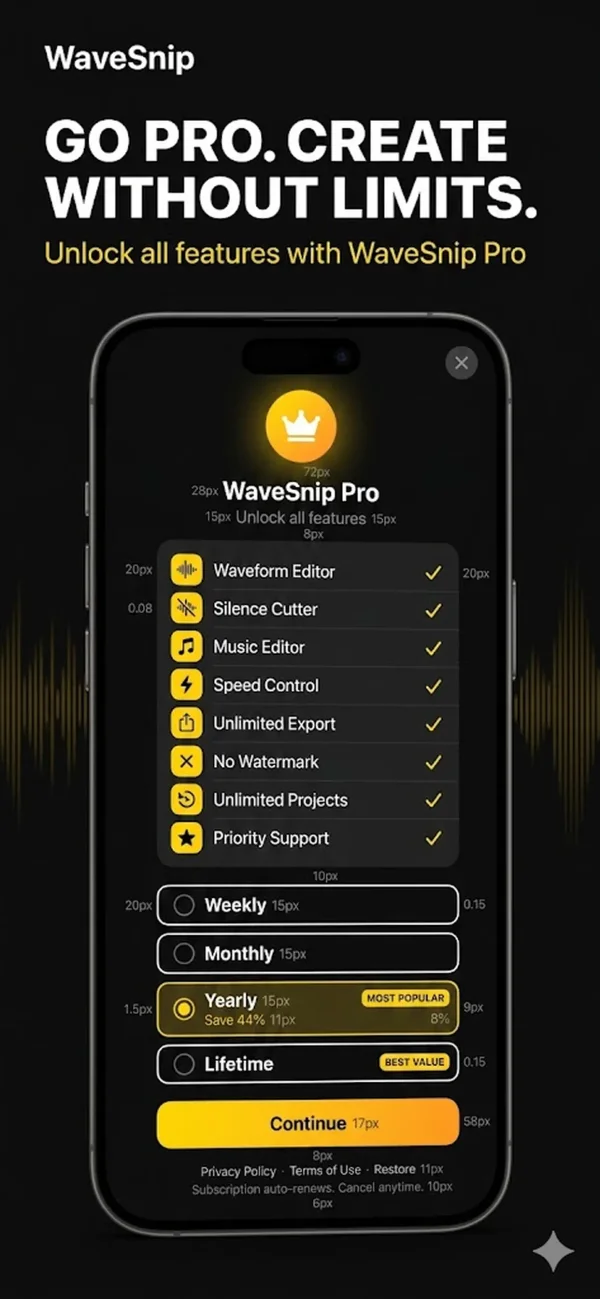
WAVESNIP PRO
Upgrade anytime for unlimited exports, every premium feature, and priority support. Weekly, monthly, yearly, or lifetime plans. Subscriptions auto renew unless cancelled at least 24 hours before the current period ends. Manage anytime in your Apple ID subscription settings.
Built by an indie team. Every rating and review shapes the next version.
Privacy Policy: https://alpdigital.io/wavesnip/privacy/
Terms of Use: https://www.apple.com/legal/internet-services/itunes/dev/stdeula/
Support: alpdigitalio@gmail.com
What’s new
Version 1.1.0 · Apr 17, 2026
What's new in 1.1.0:
- Brand new onboarding: a smooth 4 step intro walks you through every feature on first launch
- Light and dark themes, fully synced across every screen, switchable from Settings
- Beat detection that marks every beat on the waveform in red so your cuts land on the rhythm
- Smoother fade in and fade out transitions on silence cuts
- Animated launch screen with moving wave bars
- Undo support for trim edits
- Cleaner language picker, opens as a sheet instead of a long list
- Export button now stays visible as you scroll
- Silence detection results open in a clean modal
- Better default silence settings: -30 dB threshold, 1.0s minimum
- Polish pass on light theme colors
- Review prompt now appears at the right time, after your second export
- Several smaller fixes based on your feedback
Keep the feedback coming.
App privacy
What Alptekin Gok declares on the App Store about how this app handles data.
-
Data not linked to you
May be collected but is not linked to your identity.
- Purchases
- Identifiers
- Usage data
- Diagnostics
Privacy practices may vary, for example with the features you use or your age.
Information
- Seller
- Alptekin Gok
- Category
- Photo & Video
- Version
- 1.1.0
- Updated
- Apr 17, 2026
- Released
- Apr 16, 2026
- Size
- 3.8 MB
- Requires
- iOS 16.0 or later
- Age rating
- 4+
- Price
- Free
- In-app purchases
- Yes
- Languages
- English, French, German, Spanish, Turkish
- Copyright
- © 2026 Alptekin. All rights reserved.
You might also like
-
 Video Audio Stem SplitterSeparate Instruments & Vocals
-
 Video Audio Editor VideoMasterSound Enhancer, Volume Booster
-
 Audio Cleaner: Video Sound FixAI Noise Remover & Voice Boost
-
 KLIN: AI Video Sound CleanerBoost Volume of Your Videos
-
 MicSwap Video: Audio FX EditorEdit Sound, Add Reverb & Delay
-
 AudioFix: Video Volume BoosterRemove Noise & Boost Audio
-
 ByeNoise - Video Audio EditorNoise Reducer, Audio Recorder
-
 Noise EraserAI audio denoiser
-
 KwaiCut - Video EditorKwai Official Video Edit Tool
-
 Filmmaker Pro - Video EditorVideo & Photo Editor Super App