
Video Captions: CreatorCaps
Caption editor, SRT export
Designed for iPhone, iPad
Free · In-app purchases
- Age rating4+
- CategoryPhoto & Video
- DeveloperSEOU B HOUNKANRIN
- LanguagesEnglish+ 10 more
- Size47.0 MB
Links to the official App Store page
Download.org hosts no file of Video Captions: CreatorCaps. The button opens its official App Store page, published by SEOU B HOUNKANRIN. Listing last checked on Nov 15, 2026.
Screenshots


About
Accurate captions and subtitles in seconds - 100% OFFLINE, no cloud, no uploads, no accounts, no ads.
CreatorCaps runs entirely on your device. Transcription, translation, editing, and export all happen locally, so your video never leaves your phone.
Import a video, generate captions in seconds, make quick edits, translate if needed, and export as SRT or a captioned video. It's a fast, private workflow designed to help you finish without extra steps.
Why people choose CreatorCaps
→ Private by default: Your video stays on your device. No cloud processing, no uploads, no account required.
→ Export only the parts you need: Save multiple clips from your video and export them all at once with captions baked in. Perfect for pulling viral moments out of longer footage.
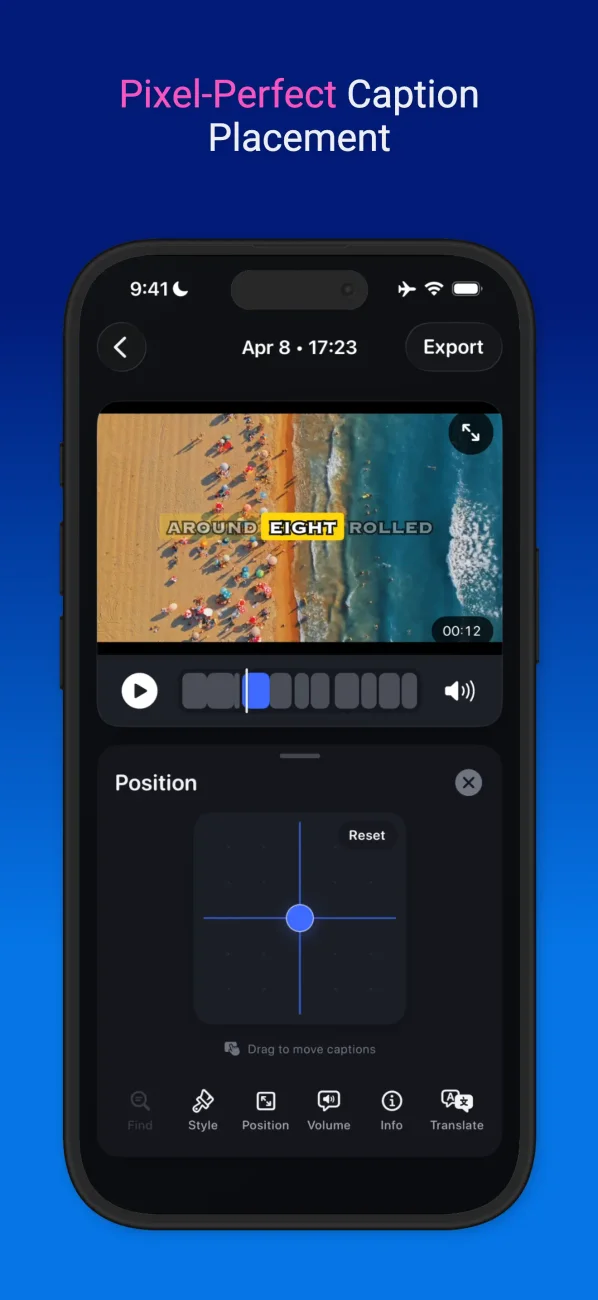
→ Fast from import to export: Generate captions, fix the text, adjust timing, and export in one streamlined flow.
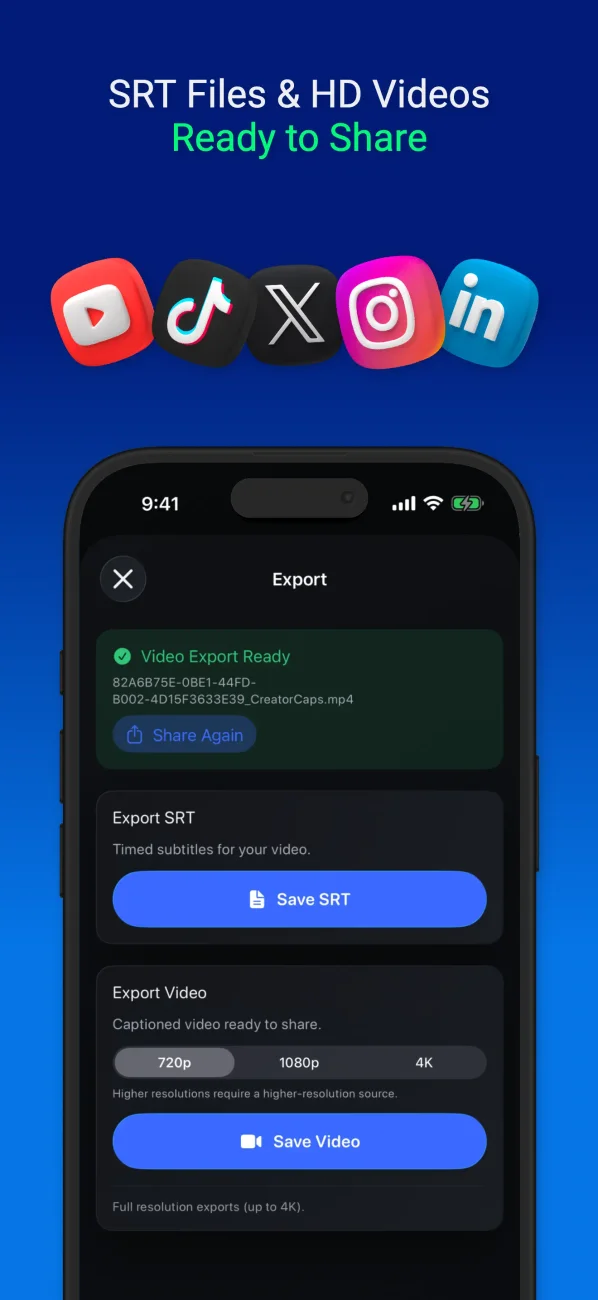
→ Built for real creator work: Export SRT files or high-quality captioned videos for TikTok, Reels, Shorts, YouTube, and more.
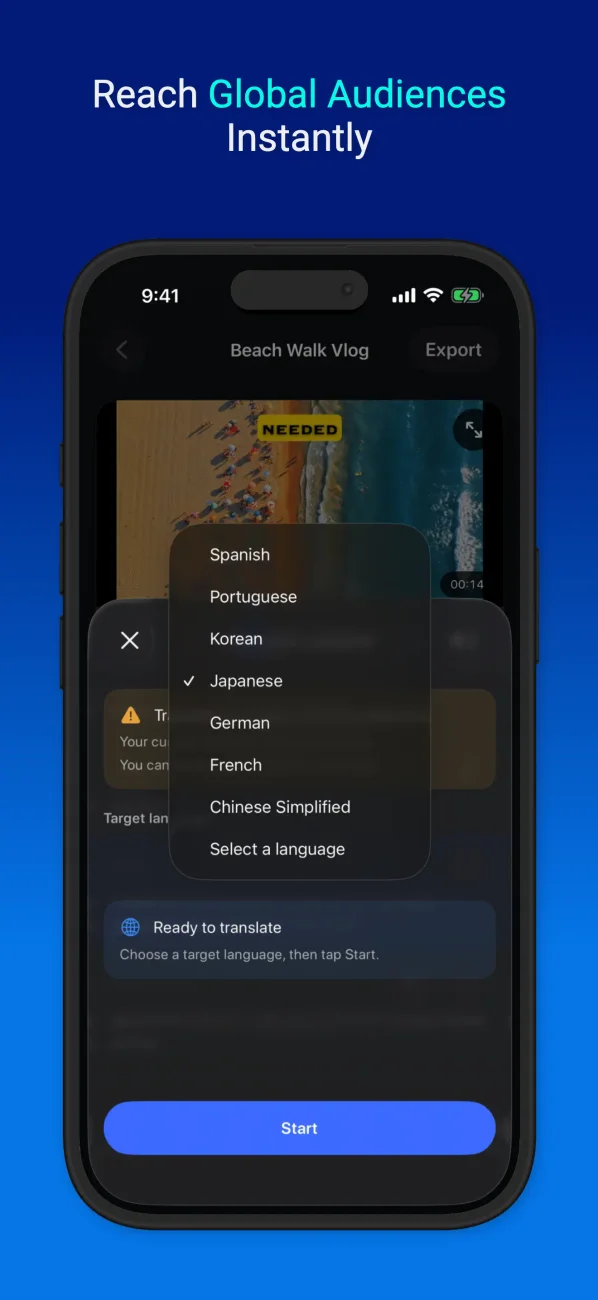
→ Translate on device: Translate captions into supported languages without sending your content to a third-party service.
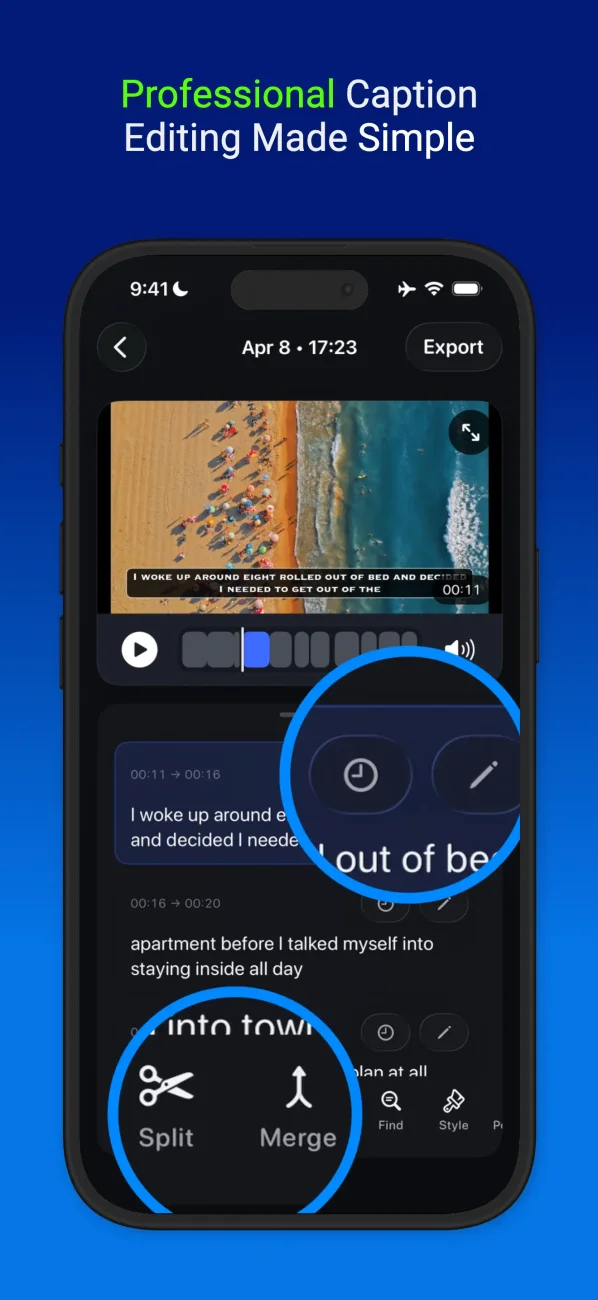
→ Edit with control: Make text corrections, split captions, merge captions, and fine-tune timing without fighting the interface.
→ Clean up your audio: Reduce background hum, hiss, and room noise with on-device audio cleanup. Choose Low, Medium, or High and preview before you export.
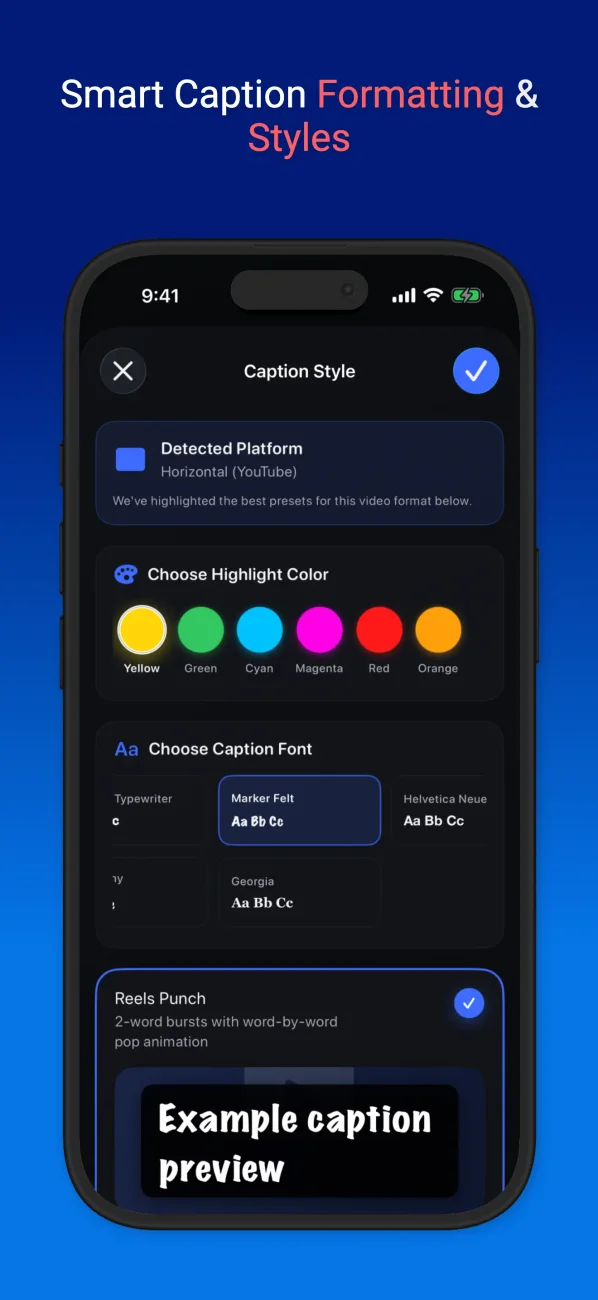
→ Style your captions: Pick from a catalog of fonts and preset styles to match your content. From clean and simple to bold and punchy.
→ Works offline: No Wi-Fi needed once the app is installed.
→ Native on iPhone and iPad: Get the same fast, private captioning workflow on both, whether you're editing on the go or working from a larger screen.
Great for
→ TikTok, Reels, and Shorts creators
→ YouTube videos and tutorials
→ Social media managers and editors
→ Anyone who needs accurate captions or SRT files without the cloud
Translate to reach more people
Create captions once, then translate them to reach more people. CreatorCaps supports English, Simplified Chinese, Traditional Chinese, German, Japanese, Korean, Portuguese, Spanish, and Ukrainian. Everything runs on your device, with no third-party service involved.
Features
→ Auto-generate captions on your device
→ Edit with corrections, splits, merges, and precision timing
→ Save clips and batch export with captions burned in
→ Audio cleanup with preview
→ Custom caption fonts and style presets
→ Translate captions into supported languages
→ Export SRT files for any platform
→ Export high-quality captioned video
→ Works offline
→ No sign-in, no account, no uploads
-----
CreatorCaps Free
Try the complete captioning workflow with short exports.
→ Export captioned videos up to 30 seconds
→ Export SRT files up to 30 seconds
Export Credits
Need a full-quality export without upgrading to Pro? Use one Export Credit to unlock a full-length video or SRT export. Credits never expire.
→ Starter: 5 Export Credits
→ Standard: 20 Export Credits
→ Pro: 50 Export Credits
CreatorCaps Pro Lifetime
Unlock the full experience without using Credits.
→ Full-length video exports
→ Full SRT exports
→ No watermark
→ High-resolution captioned video export
→ Unlimited projects
→ Premium caption fonts, audio cleanup, and Word Replacements
-----
Need support or have feedback?
http://tiny.cc/mblv001
Privacy Policy
https://tally.so/r/Y5j52q
Terms of Use
https://www.apple.com/legal/internet-services/itunes/dev/stdeula/
What’s new
Version 2.1.1 · Oct 30, 2026
CreatorCaps 2.1.1 adds Export Credits, so you can unlock a full-quality export whenever you need one, without upgrading to Pro.
Also in this release:
→ Credit packs of 5, 20 or 50. One Credit covers one export with no watermark, full length, high resolution, premium fonts and a full SRT file. Credits never expire.
→ Your Credit balance is always in view on the export screen, and a tap shows exactly where you stand.
→ Split a caption at a selected word. While editing, choose the word where the break belongs and tap Split, and one caption becomes two. The timing divides between them automatically, so no other caption moves. Carry on splitting as much as you like, undo or redo any split, and nothing is written to your project until you tap Done.
→ Stability improvements across CreatorCaps.
As always, let us know if something feels off.
Thank you for creating with us.
If you enjoy using CreatorCaps, a rating or review would mean a lot.
App privacy
What SEOU B HOUNKANRIN declares on the App Store about how this app handles data.
-
Data not linked to you
May be collected but is not linked to your identity.
- Purchases
- Identifiers
- Usage data
Privacy practices may vary, for example with the features you use or your age.
Information
- Seller
- SEOU B HOUNKANRIN
- Category
- Photo & Video
- Version
- 2.1.1
- Updated
- Oct 30, 2026
- Released
- Dec 1, 2025
- Size
- 47.0 MB
- Requires
- iOS 18.0 or later
- Age rating
- 4+
- Price
- Free
- In-app purchases
- Yes
- Languages
- English, German, Indonesian, Japanese, Korean, Portuguese, Simplified Chinese, Spanish, Traditional Chinese, Turkish, Ukrainian
- Copyright
- © 2026 Seou Hounkanrin
You might also like
-
 SubEasyAI Captions & Subtitles
-
 Captions AI - Auto SubtitlesAuto Captions for Videos
-
 SubtitlerKit – video subtitlesAdds subtitles to your videos
-
 Video Subtitle GeneratorSubtitles & AI Dubbing
-
 Video Subtitle Translator50+ Languages, Fully Offline
-
 AI Captions for Video: SubberAuto Subtitles Maker & Editor
-
 Captions AI - Subtitles VideosAuto Captions Add & Translator
-
 Video Captions: Auto SubtitlesTranscribe & Translate Reels
-
 AI Video Caption GeneratoAuto Captions for Videos
-
 AutoSub - Video TranslatorAI Video Subtitles & Captions