
Video Compressor - Trimora
Cut, Merge, Extract Audio
Designed for iPhone, iPad, iPod touch
Free · In-app purchases
- Age rating4+
- CategoryPhoto & Video
- DeveloperManh Nguyen Ngoc
- LanguagesEnglish+ 14 more
- Size68.1 MB
Links to the official App Store page
Download.org hosts no file of Video Compressor - Trimora. The button opens its official App Store page, published by Manh Nguyen Ngoc. Listing last checked on Nov 18, 2026.
Screenshots


About
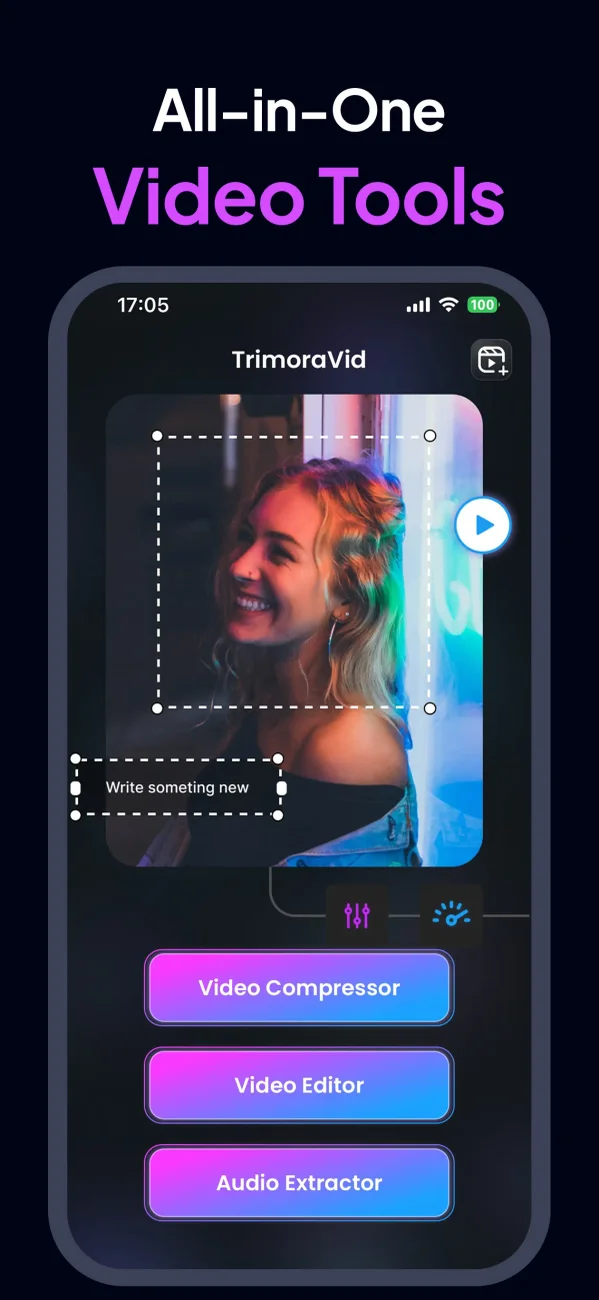
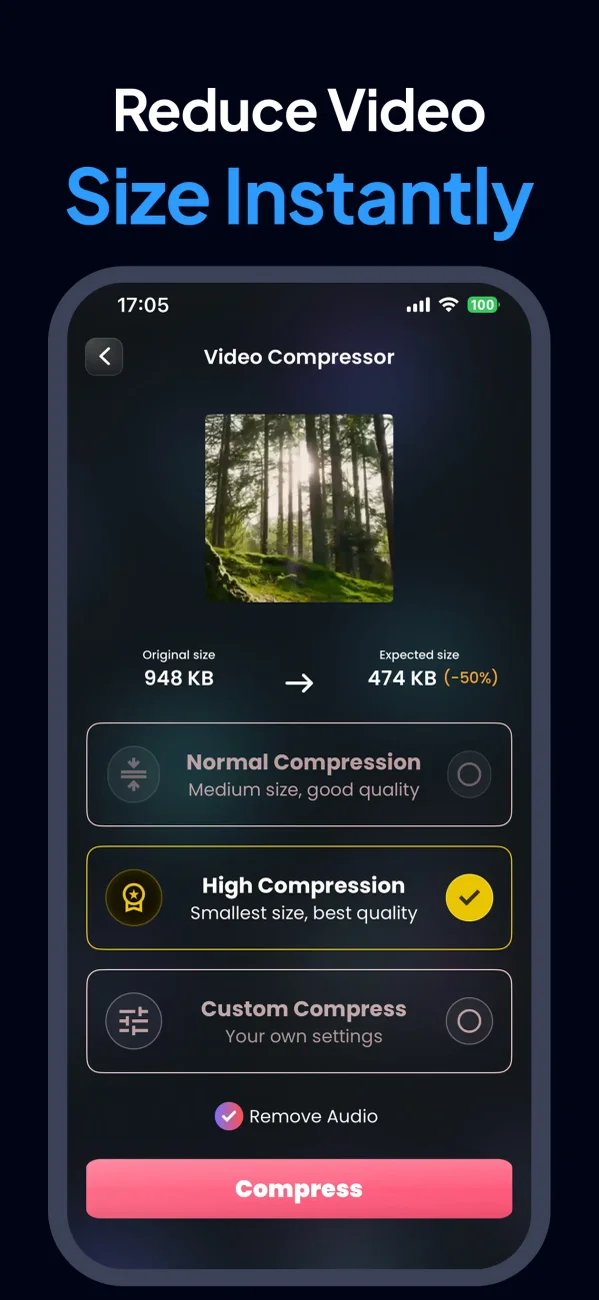
Video Compressor - Trimora helps you reduce video size, make quick edits, and extract audio from videos on iPhone and iPad.
Create clean video edits without complicated editing software. Whether you want to save storage space, prepare clips for sharing, combine videos, add music, or turn video sound into an audio file, Trimora gives you practical tools in one simple app.
Key Features:
• Compress Videos
Reduce large video files and make them easier to store, send, or share while keeping a clear preview of your result.
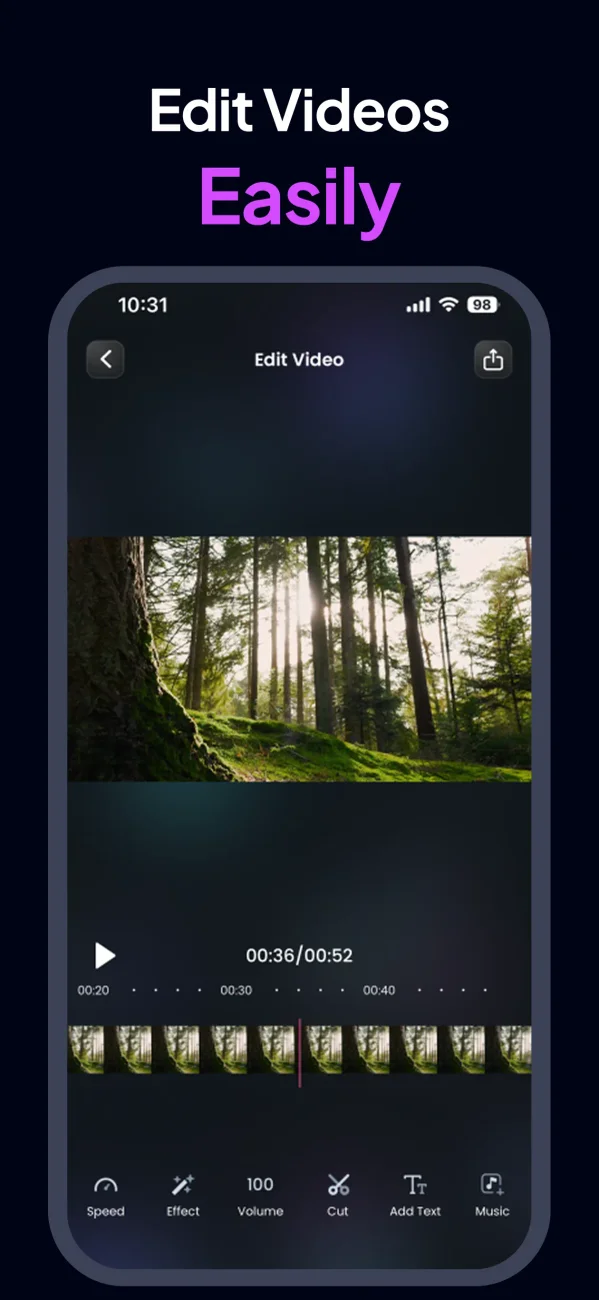
• Edit Video Clips
Trim, cut, merge, adjust speed, control volume, add text, add music, apply filters, and create quick edits in just a few steps.
• Resize and Manage Video Files
Prepare videos for everyday use, storage cleanup, school projects, work files, or social sharing.
• Extract Audio from Video
Choose a custom start and end time, then extract audio from your video and export it as M4A or WAV.
• Add Music and Text
Make clips more expressive with background music, captions, titles, or simple text overlays.
• Filters, Effects, and Templates
Use built-in creative tools to make your videos more polished and engaging.
• Works on iPhone and iPad
Edit, preview, compress, and export videos smoothly across iPhone and iPad.
• Simple Workflow
Choose a video, select a tool, adjust your settings, preview the result, and export your file.
Trimora is useful for content creators, students, small business owners, social media users, and anyone who wants a simple way to compress videos, edit clips, merge files, resize videos, add music, or extract audio.
Premium Subscription:
Premium unlocks access to all Compress, Edit Video, and Extract Audio features.
Available auto-renewable subscriptions:
* Weekly Subscription — $2.99 per week
* Yearly Subscription — $12.99 per year
Privacy Policy:
https://nathantaara.github.io/policy.txt
Terms of Use (EULA):
https://www.apple.com/legal/internet-services/itunes/dev/stdeula/
Payment will be charged to your Apple ID account at confirmation of purchase.
Subscription automatically renews unless it is canceled at least 24 hours before the end of the current period.
What’s new
Version 1.5 · Jun 24, 2026
- Updated subscription pricing for Weekly and Yearly plans.
- This version also includes minor improvements to the subscription display to make pricing information clearer for users.
App privacy
What Manh Nguyen Ngoc declares on the App Store about how this app handles data.
-
Data not collected
The developer does not collect any data from this app.
Privacy practices may vary, for example with the features you use or your age.
Information
- Seller
- Manh Nguyen Ngoc
- Category
- Photo & Video
- Version
- 1.5
- Updated
- Jun 24, 2026
- Released
- May 6, 2026
- Size
- 68.1 MB
- Requires
- iOS 15.0 or later
- Age rating
- 4+
- Price
- Free
- In-app purchases
- Yes
- Languages
- English, Arabic, Croatian, French, German, Indonesian, Italian, Japanese, Korean, Portuguese, Simplified Chinese, Spanish + 3 more
- Copyright
- © Manh Nguyen Ngoc
You might also like
-
 TrimoraPhoto & Video
-
 Video Speed: Slow & FastSee the new length instantly
-
 VideoMuter - Remove SoundDelete Audio Track from Videos
-
 Old Photo Restorer: AI RepairColorize, Enhance & Fix Faces
-
 Video Speed Editor - ChangerSlow Motion & Fast Controller
-
 Title - Auto Video CaptionCaptions for Shorts & Reels
-
 Vivid: HD Video PlayerPlay Any Video · Music · Vault
-
 Video Compressor #1Shrink & Resize Media Files
-
 Leveler: Better Podcast AudioEven audio for your videos
-
 VidEncoBox - Video EditorCompress, Edit & Convert Video