
Video Grid Collage Maker
Reaction & Split Screen Layout
Designed for iPhone
Free · In-app purchases
- Age rating4+
- CategoryPhoto & Video
- DeveloperAliaksandr Andrashuk
- LanguagesEnglish+ 43 more
- Size39.0 MB
Links to the official App Store page
Download.org hosts no file of Video Grid Collage Maker. The button opens its official App Store page, published by Aliaksandr Andrashuk. Listing last checked on Nov 24, 2026.
Screenshots
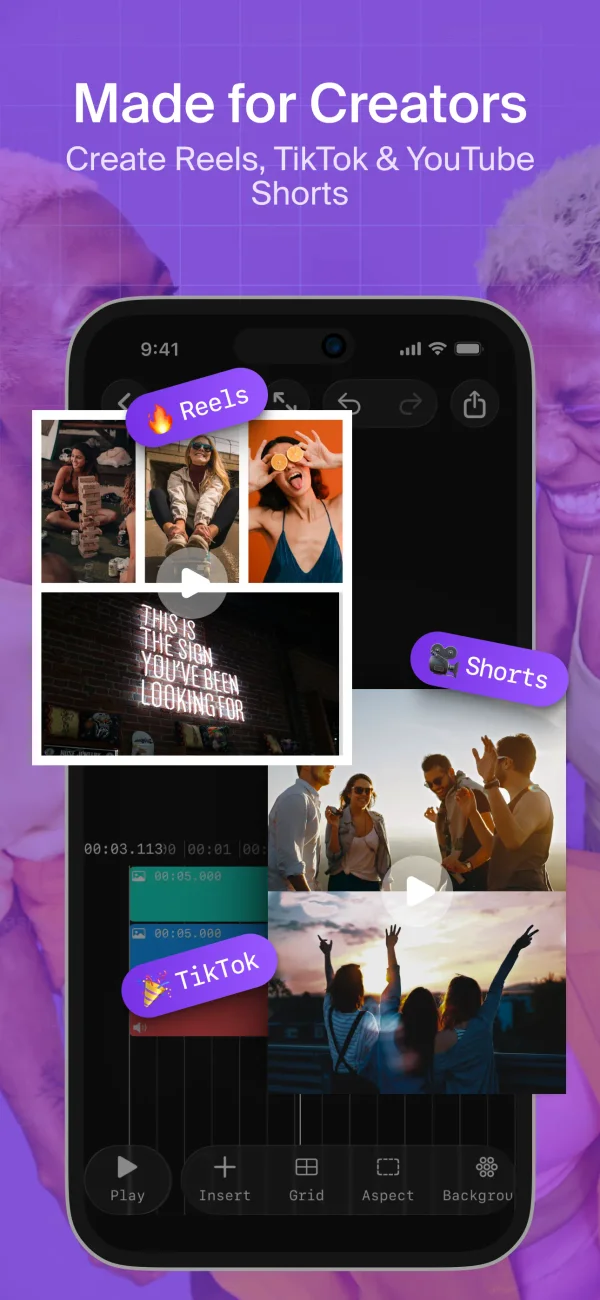
About
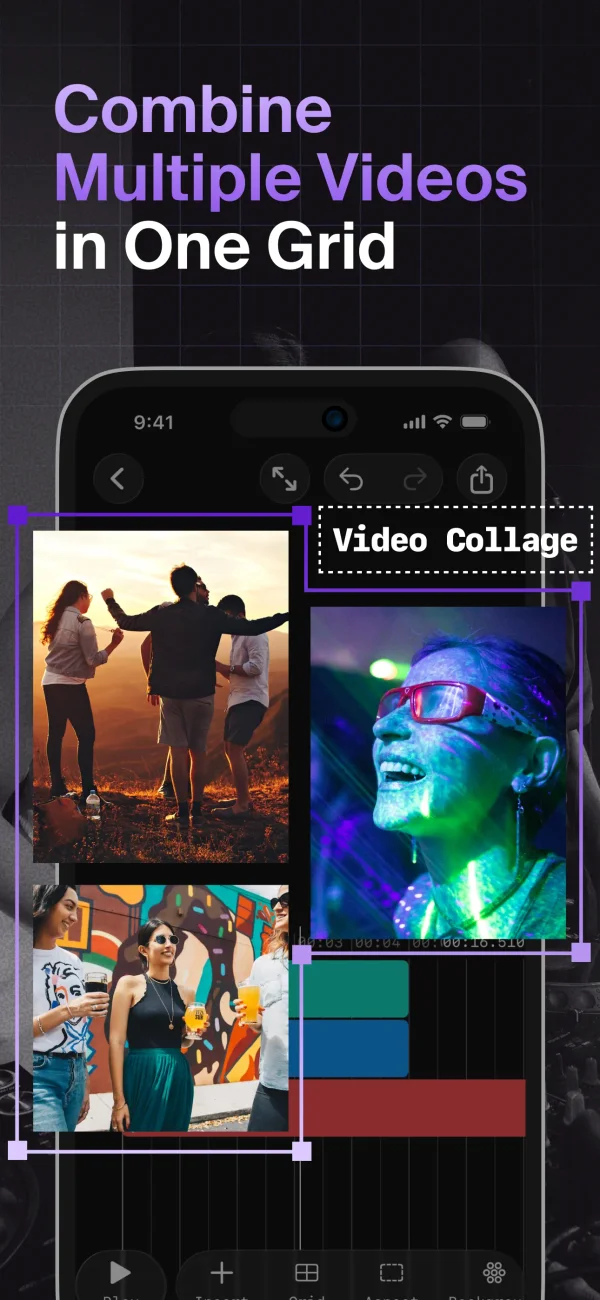
The easiest way to put several videos in one frame. Side by side, in a grid, picture-in-picture or blended as layers: pick a template, drop in your clips, and it's ready to post. No editing skills, no learning curve.
Most video apps today feel like an airplane cockpit. Video Grid Collage keeps it simple: the grid does the work, you just choose the clips.
HOW IT WORKS
1. Pick a template: vertical for Reels, TikTok and Shorts, square, landscape, animated, puzzle, gradient or blend
2. Add videos and photos from your library or Files: the grid fills itself
3. Export and share: sharp up to 4K, with your iPhone's HDR intact
YOUR FIRST PROJECT IS ALWAYS FREE
Every feature, unlimited exports, no watermark. Pro unlocks every project after that.
NEW: REACTIONS
Film your reaction while your video plays: the camera records in sync with it, right in the editor. Pick a Reaction template on the start screen — a circle, a window or the top of the frame — or add Camera to any project with + or Insert. Not happy with a take? Retake it.
PERFECT FOR
– Reactions and commentary
– Before & after
– Comparisons and duets
– Multi-angle moments
– Travel and year-in-review recaps
– Birthdays, weddings and family memories
WHY CREATORS PICK IT
It's all there, and it stays out of your way until you need it:
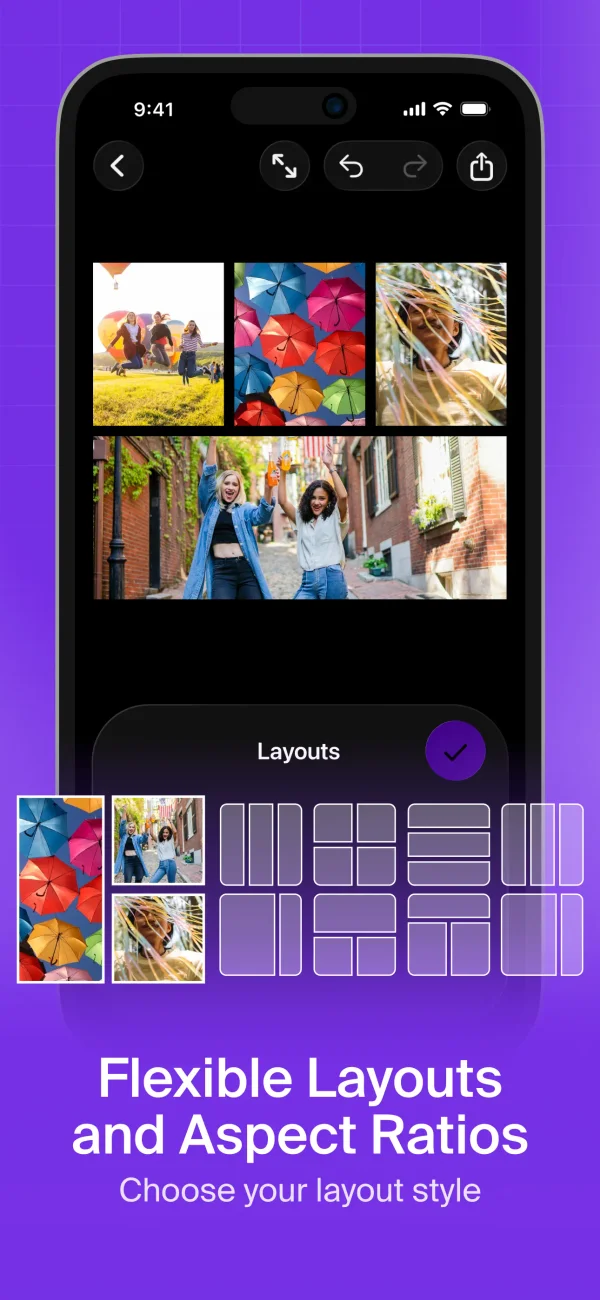
– 100+ layouts with up to 12 cells playing at once
– Templates beyond the grid: Puzzle, Gradient, Blend and Picture in Picture
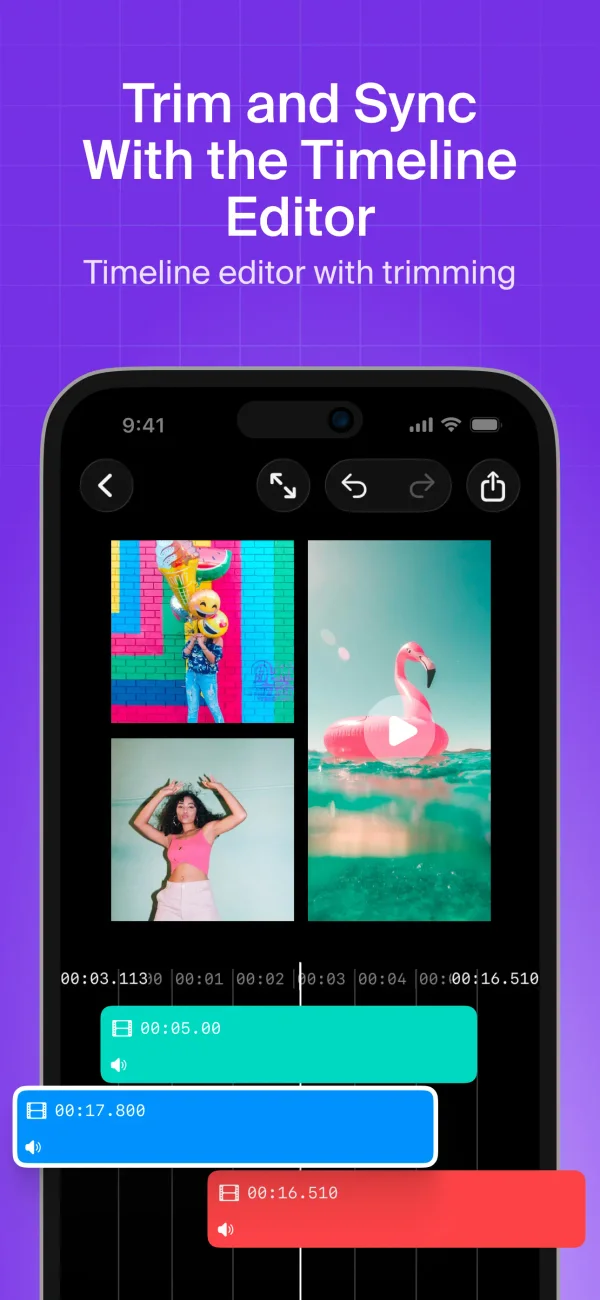
– Multi-track timeline: every cell plays its own sequence of clips, up to 100 in the grid — trim, split, reorder and snap them into place
– Overlays: place photos and videos anywhere on top
– Auto Captions: turn speech into editable subtitles in dozens of languages
– Remove Background: cut out people, pets or objects in photos and videos
– Text in 20 fonts with colors, outlines and HDR glow
– Animations: fade, slide, zoom and pop, with spring and bouncy timing
– Speed from 0.25× to 5×, Reverse, Flip, Mirror and Rotate
– 16 filters plus brightness, contrast, saturation, exposure, temperature and hue
– Music: add songs from your library or Files, set the volume, fade in and out
– Background: a color, transparent, or any photo or video
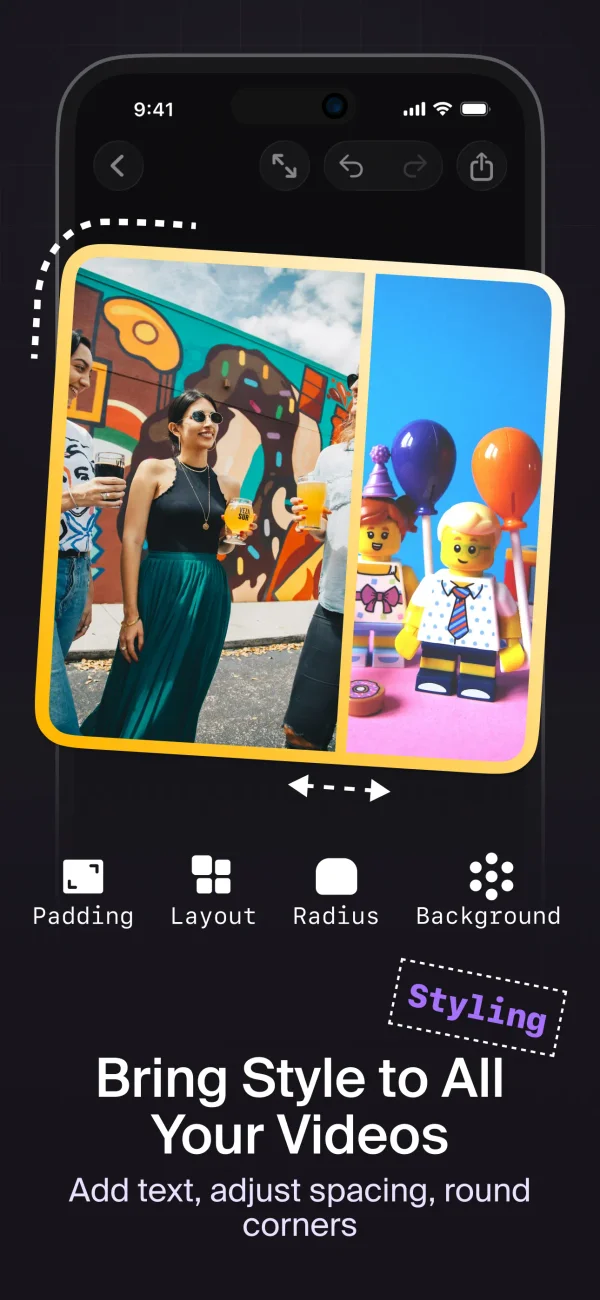
– Spacing, rounded corners and borders
– 9 aspect ratios: 9:16 for Reels, TikTok and Shorts, 1:1 and 4:5 for feed, 16:9 for YouTube
– Undo and redo, saved projects, portrait and landscape editing
Everything renders right on your iPhone. Video Grid Collage is free to download; optional in-app purchases unlock Pro.
We ship updates almost every week — send us your ideas and we will build them.
Terms of use
https://www.apple.com/legal/internet-services/itunes/dev/stdeula/
What’s new
Version 3.41 · Nov 23, 2026
IN THIS UPDATE
– Merge Videos: a new tool on the start screen that joins several videos into one, in the order you pick them
– Layout editor: drag the borders between cells, add a cell to a row or a column, or delete one — open Grid and tap Edit
– Send a whole project to another iPhone: long-press it, tap Share and pick AirDrop, Messages or Files
– Slip: move what a trimmed clip shows without moving the clip itself — handy when clips sit back to back
– Up to 12 cells in a grid, with 34 new layouts for 10, 11 and 12 videos
– Extract Audio: turn a clip's sound into its own audio track, in the editor or with the new tool on the start screen
– Audio only: export just the sound of your project as an M4A file
– Fade In and Fade Out with any length up to 5 seconds
– Play a video right in the media picker before you add it
– Arrows on a selected clip snap it against its neighbor on the timeline
– Plus UX improvements and bug fixes
NEW: REACTIONS
Film your reaction while your video plays: the camera records in sync with it, right in the editor. Pick a Reaction template on the start screen — a circle, a window or the top of the frame — or add Camera to any project with + or Insert. Not happy with a take? Retake it.
ALSO NEW IN VERSION 3
– Five tools at the top of the start screen: Remove Background, Reverse Video, Auto Captions, Speed and Mute Video — pick a video and the tool gets to work
– Delete a project right from the editor
– Picture in Picture your way: drag, resize and rotate the window and frame the video inside, with round-window templates
– Blend: layer videos and photos, each with its own blend mode and opacity
– If the app closes while you edit — after a crash or when iOS closes it in the background — your project is no longer lost: you'll find it in Recent with your latest changes
– Single video on the start screen: clips play one after another, without a grid
– Albums in the media picker: Favorites, your own and shared albums, and media types
– Puzzle: one video or photo split into pieces that slide together into one picture
– Gradient layouts: a soft fade between two cells instead of a hard line
– Remove Background: cut out people, pets or objects in photos and videos
– Reverse any video
– Auto Captions in dozens of languages
– Multi-track timeline: several clips in each cell, with split, reorder and snapping to clip edges and the playhead
– Photo and video overlays
– Music and sound with volume and fades
– Speed from 0.25× to 5×
– 16 filters, color adjustments, Flip, Mirror and Rotate
– Borders, rounded corners and photo or video backgrounds
– Text in 20 fonts with outlines and HDR glow
– Animations with spring and bouncy timing
– Up to 12 cells and 100+ layouts
– Export up to 4K at 60 fps with HDR
– Undo and redo, saved projects and landscape editing
We ship updates almost every week — send us your ideas!
App privacy
What Aliaksandr Andrashuk declares on the App Store about how this app handles data.
-
Data not linked to you
May be collected but is not linked to your identity.
- Usage data
- Diagnostics
Privacy practices may vary, for example with the features you use or your age.
Information
- Seller
- Aliaksandr Andrashuk
- Category
- Photo & Video
- Version
- 3.41
- Updated
- Nov 23, 2026
- Released
- Apr 10, 2025
- Size
- 39.0 MB
- Requires
- iOS 18.0 or later
- Age rating
- 4+
- Price
- Free
- In-app purchases
- Yes
- Languages
- English, Arabic, Bengali, Catalan, Croatian, Czech, Danish, Dutch, Finnish, French, German, Greek + 32 more
- Copyright
- © Aliaksandr Andrashuk
You might also like
-
 VideoGrid: Photo Collage MakerPhoto Video Layout Template
-
 Photo Clearer AIPhoto & Video
-
 Velura StudioPhoto Blend & Templates
-
 ReelGrid: Video Collage MakerSplit Screen Grid & Reels
-
 PureCollagePhoto & Live & Video Collage
-
 Video Collage Maker:Mix VideosAI Collage, Slideshow & Music
-
 Video Editor ®Edit Film & Movie Maker App
-
 Shadow StudioCinematic shadows for photos
-
 AI Clothes changer: Try onTry-On Try Before Buy Saifs AI
-
 Teleprompter App - AutokueScripts, Captions & Recording