
Video Stabilizer Pro
Fix shaky handheld video
Designed for iPhone, iPad, Mac
Free · In-app purchases
- Age rating4+
- CategoryPhoto & Video
- DeveloperDennis Schmidt
- LanguagesEnglish+ 9 more
- Size8.1 MB
Links to the official App Store page
Download.org hosts no file of Video Stabilizer Pro. The button opens its official App Store page, published by Dennis Schmidt. Listing last checked on Nov 24, 2026.
Screenshots


About
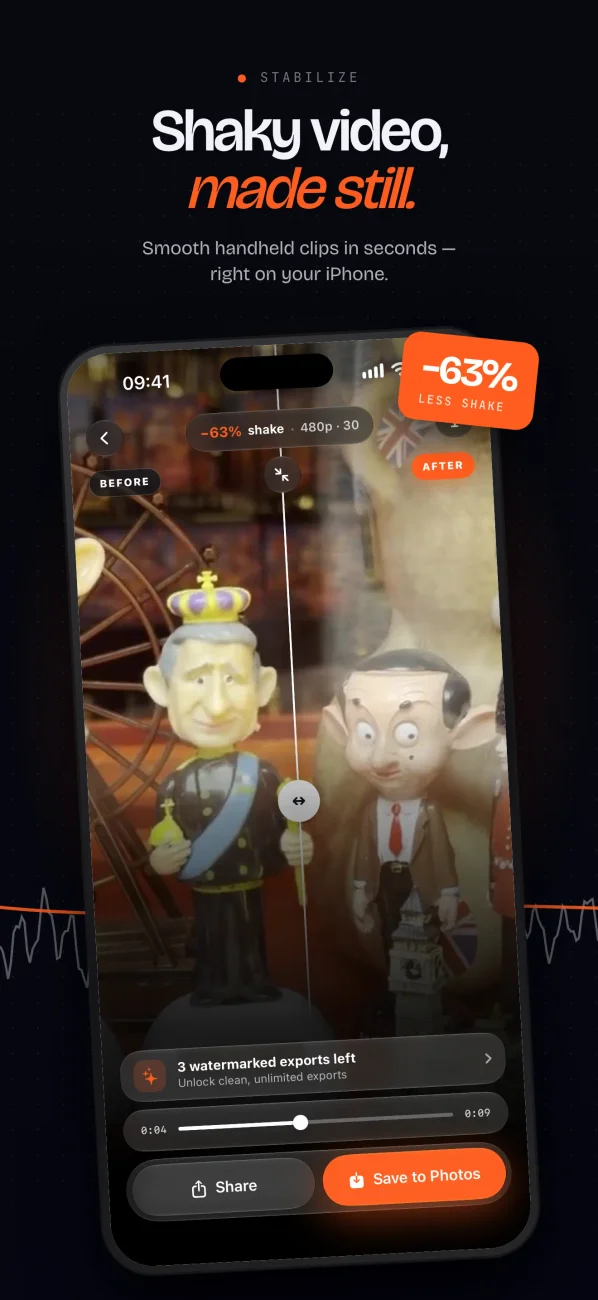
Video Stabilizer Pro takes the bounce out of clips you shot walking, dancing, or just trying to keep up. No upload, no account.
Pick a video, choose how steady you want it, save the smoothed version. Audio and HDR pass through untouched, and the result keeps the shape of the original — just a little tighter.
WHY STABILIZE
• Private by design — everything happens on your device. Works on a plane, on a hike, anywhere.
• Buy once, keep it forever — the lifetime unlock covers every Apple device you own. Prefer a plan? Weekly and yearly are there too.
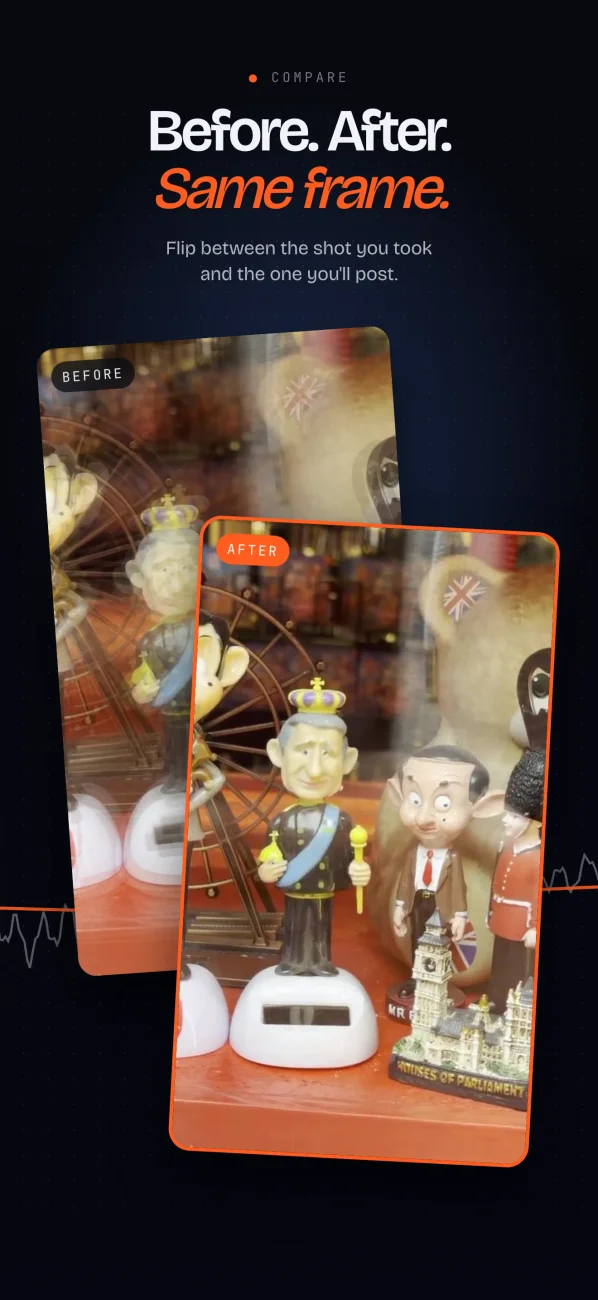
• Real before/after — drag a divider across the frame to wipe between the original and the stabilized version, both playing in sync at the exact same moment.
• Smart enough to leave the right clips alone — screen recordings and animated content won't get mangled.
ON EVERY APPLE DEVICE
Pro covers iPhone, iPad, and Mac, whether you buy it once or subscribe. Stabilize a clip on your phone right after you shoot it, or pull it onto your Mac for a bigger view and faster turnaround. Family Sharing included. On iPhone Duo, open the phone for a bigger preview with the controls beside it, or stand it half-open on a table: clip on top, dial below.
HOW IT WORKS
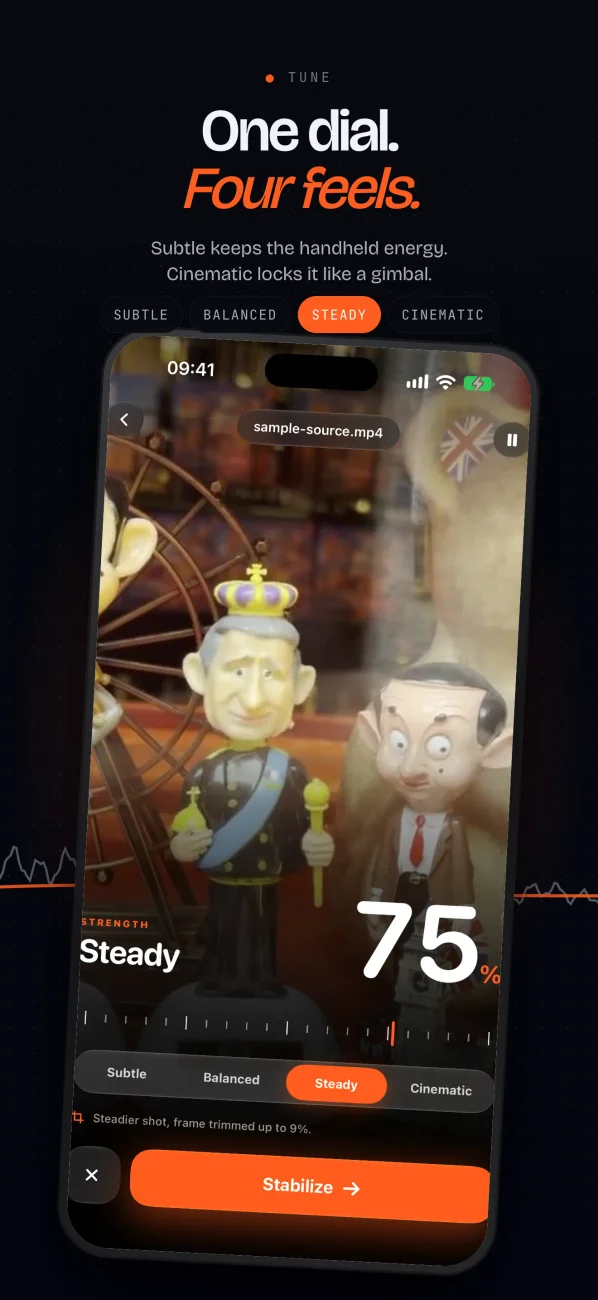
Three taps. Pick a clip, choose a feel — Subtle, Balanced, Steady, or Cinematic — and the app tells you how much of the frame it may trim before you commit. Save. Most handheld clips finish in seconds.
GOOD TO KNOW
• Works with anything your phone or camera shot. HDR clips stay HDR; Dolby Vision clips keep their full range and come out as standard HDR.
• Best for handheld clips up to about 90 seconds — longer ones still work, they just take more time.
• When you save, you choose: a clean export with Pro, or one of three free exports at full quality with a Video Stabilizer Pro watermark. Buy Pro once and keep it forever, or subscribe.
Terms of Use (EULA): https://www.apple.com/legal/internet-services/itunes/dev/stdeula/
Privacy Policy: https://video-stabilizer.dmrschmidt.de/privacy
What’s new
Version 2.3 · Nov 22, 2026
New in 2.3:
• Your strength stays put. The app now starts at the strength you used for your last clip, instead of going back to the default every time.
• Welcome screens that fit on the Mac. The introduction now fits any window size, with no stray scroll bars and no button cut off at the bottom.
• A few first-launch steps are counted, like seeing the introduction or opening the clip picker, so I can see where new people get stuck. As before: anonymous, never your videos, and one switch turns it off.
App privacy
What Dennis Schmidt declares on the App Store about how this app handles data.
-
Data not linked to you
May be collected but is not linked to your identity.
- Identifiers
- Usage data
Privacy practices may vary, for example with the features you use or your age.
Information
- Seller
- Dennis Schmidt
- Category
- Photo & Video
- Version
- 2.3
- Updated
- Nov 22, 2026
- Released
- May 19, 2026
- Size
- 8.1 MB
- Requires
- iOS 17.0 or later
- Age rating
- 4+
- Price
- Free
- In-app purchases
- Yes
- Languages
- English, French, German, Italian, Japanese, Korean, Portuguese, Russian, Simplified Chinese, Spanish
- Copyright
- © Dennis Schmidt
You might also like
-
 Stabilizer - Video StabilizerReduce shake in one video
-
 Video Stabilizer, StabivioStabilize & Fix Shaky Videos
-
 Stablify: Video StabilizerSteady shaky handheld clips
-
 Pxlit: Stabilized Video EditorFrame Once, Export Everywhere
-
 Shaky Video StabilizerPhoto & Video
-
 Video Stabilizer & EnhancerVideo Enhance
-
 StableCam 3: Video StabilizerMake shaky video steady
-
 Motion Track: Video StabilizerSlow Mo, Speed Ramp, FX Editor
-
 stabcam - Stabilize VideosStabilize shaky videos
-
 Emulsio › Video StabilizerStabilize, AI upscale & slomo