
Video Teleprompter – CueSync
Voice Scroll & Script Reader
Designed for iPhone, iPad
Free · In-app purchases
- Age rating4+
- CategoryProductivity
- DeveloperNikolay Spiridonov
- LanguagesEnglish+ 36 more
- Size77.8 MB
Links to the official App Store page
Download.org hosts no file of Video Teleprompter – CueSync. The button opens its official App Store page, published by Nikolay Spiridonov. Listing last checked on Nov 23, 2026.
Screenshots

About
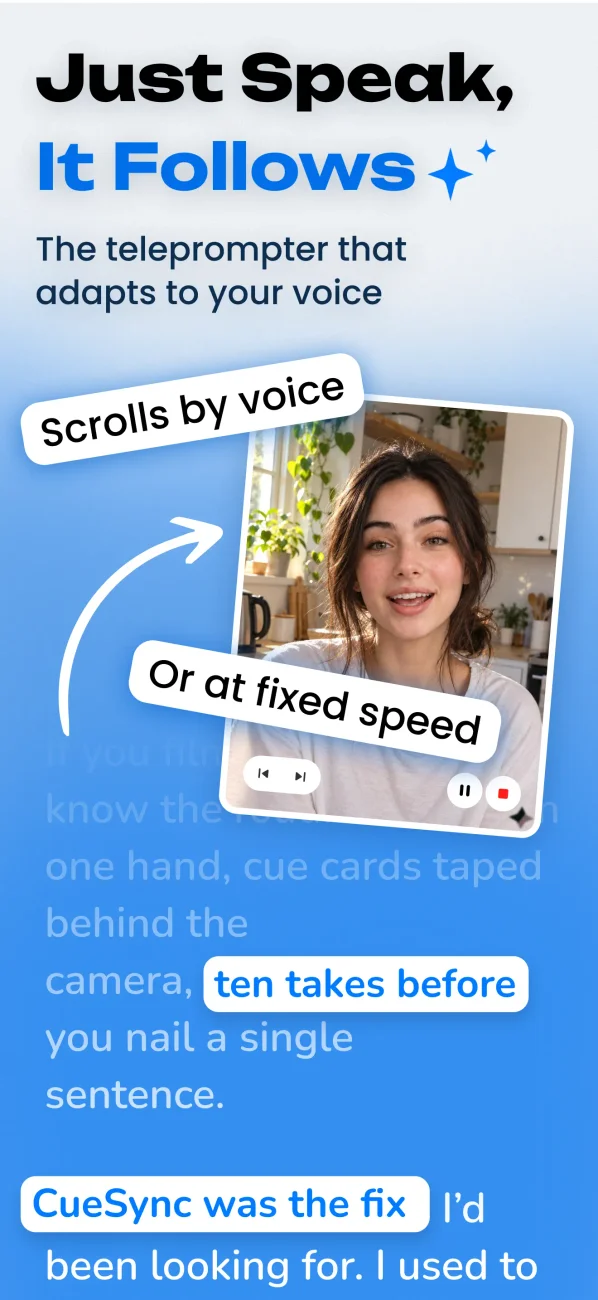
CueSync is a teleprompter app for iPhone and iPad that scrolls your script as you speak and records you on video. When you stop, a built-in editor adds captions and trims the take, and every take stays in one library you can come back to.
Made for YouTube videos, TikTok, Reels and Shorts, presentations, online lessons, sales demos, speeches, interviews and self-tapes.
SPEECH SYNC: A TELEPROMPTER THAT FOLLOWS YOUR VOICE
Just talk. CueSync highlights each word as you say it, so the text moves at your pace. Speed up, slow down, pause, repeat a line or skip a paragraph, and it keeps up. Works in 100+ languages, detected from your script automatically. Speech is processed on your device.
RECORD WHILE YOU READ
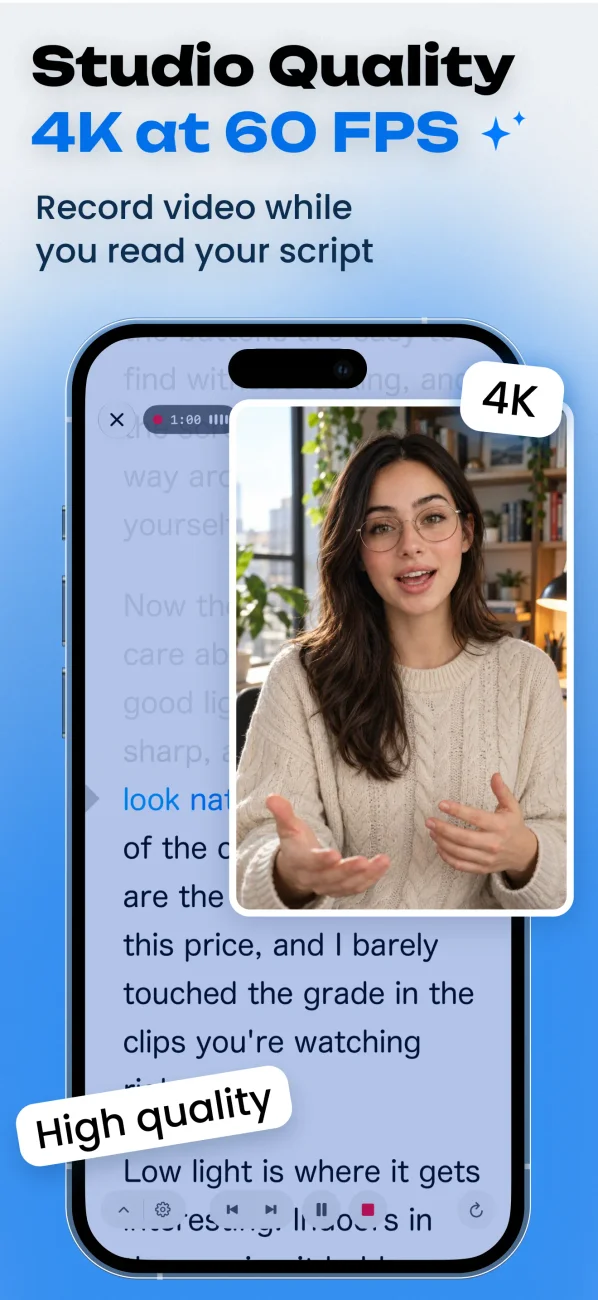
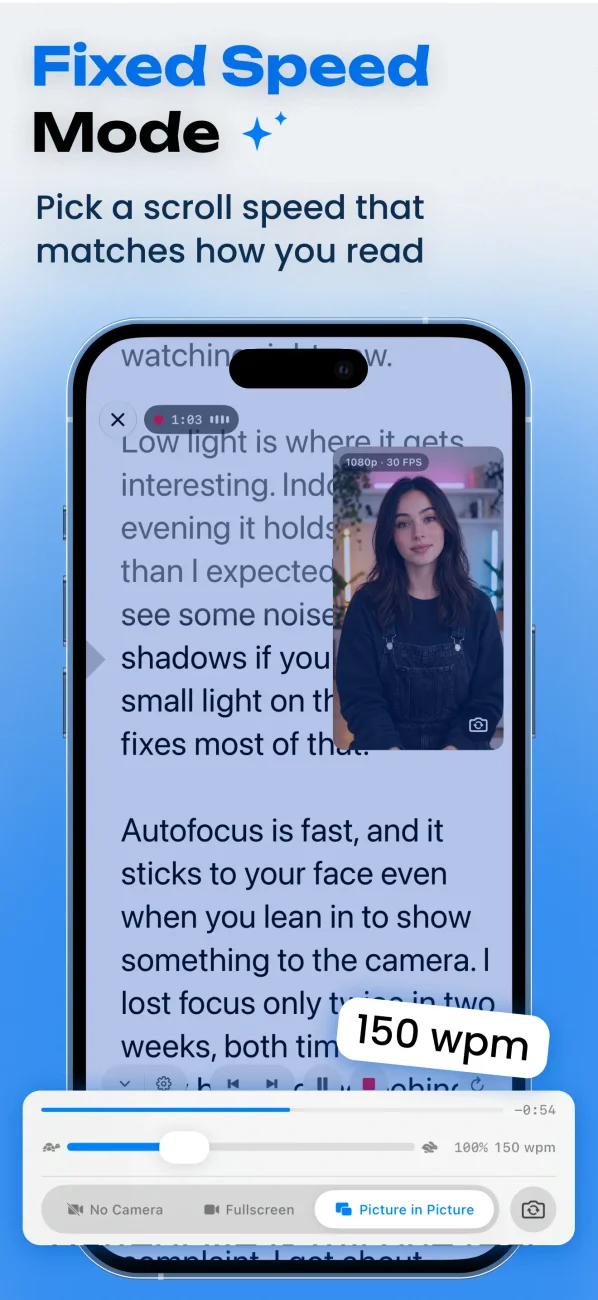
Read over a fullscreen camera, or put the camera in a small window you can drag and pinch to any size. Use the front or back camera and switch even mid-take. Over the fullscreen camera, the text adapts its color to stay readable. Pick your microphone, AirPods or external, right in the prompter. A countdown starts the take, and auto-stop ends it with your last line.
TAKES
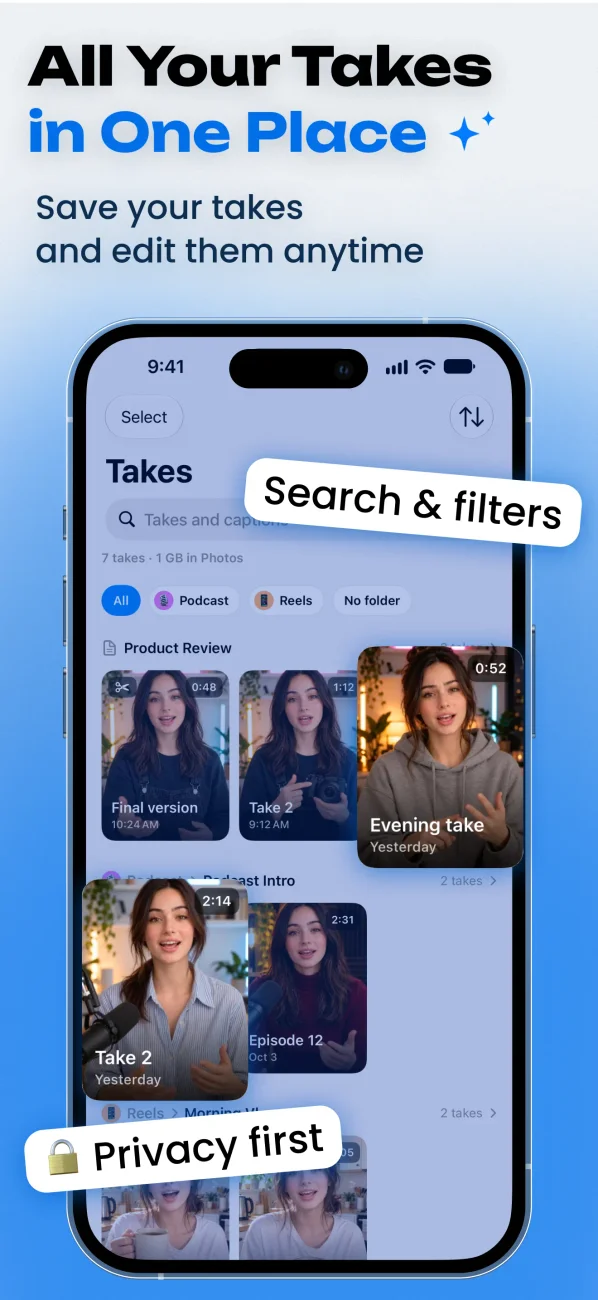
Every recording lands on the Takes tab, grouped by script. Search by what you said, captions included. Reopen any take and keep editing: captions and trim are right where you left them, and the original is kept. Finished a take? New Take waits under the last line of your script. If the app closes before you save, the take waits for you under Not saved.
VIDEO EDITOR WITH AI CAPTIONS
Trim the take and add automatic captions with word-level timing in five styles, including karaoke highlighting. Edit any line, then drag, pinch and rotate captions right on the video. Captions are generated on your device in your script's language, and work offline once the speech model is downloaded. Preview at 1x, 1.5x or 2x, then save or share.
CLEAN AUDIO
One tap removes background noise from your take. Turn it on and off in the editor to hear the difference.
FIXED SPEED AT A REAL READING PACE
Prefer classic scrolling? 100% is a natural presenter pace in your script's language, the same on every screen and font. See words per minute and the time left.
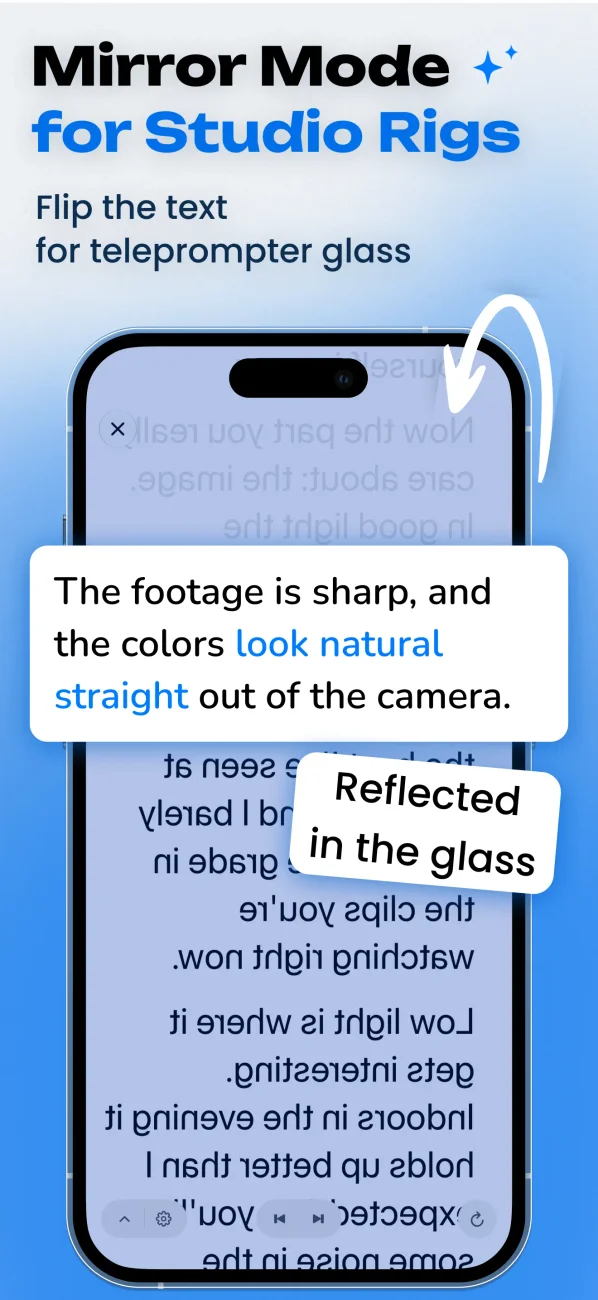
READY FOR TELEPROMPTER RIGS
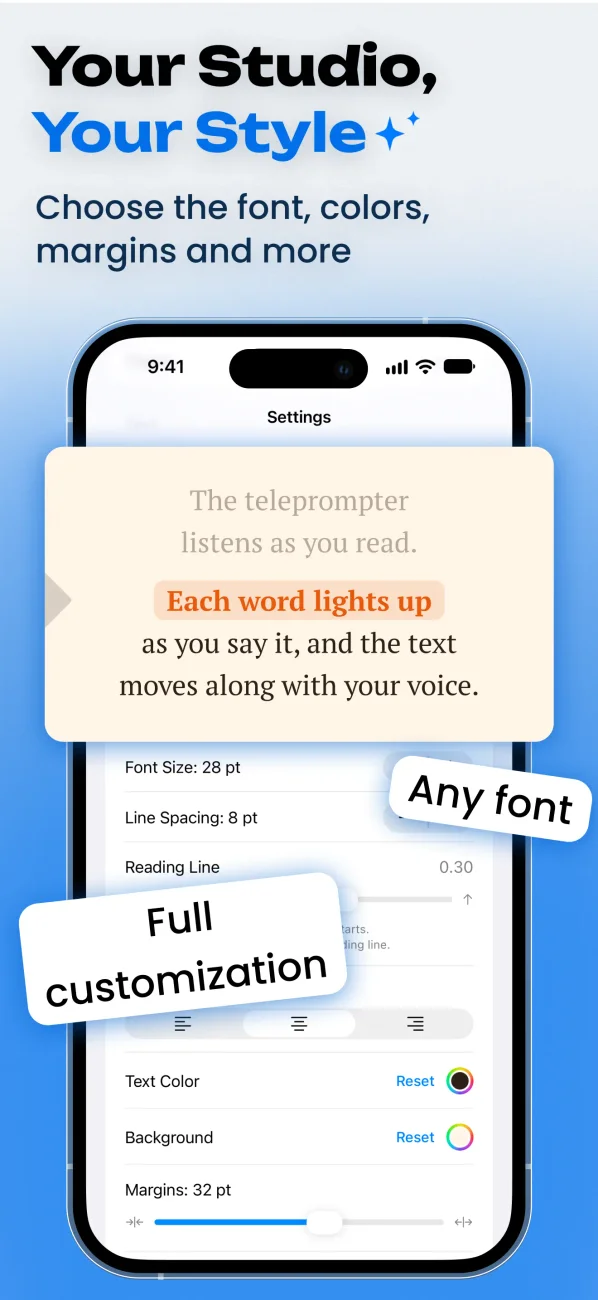
Mirror the text horizontally or vertically for beam-splitter glass. Set the reading line close to the camera for natural eye contact. Choose the font, size, spacing, margins, colors and cue indicator.
IPHONE DUO
Unfold iPhone Duo and pick Side by Side: your script fills one half of the screen and the camera the other. Swap the halves with one tap. The script library shows four columns, Settings opens in two, and every screen fits the folded iPhone Duo too.
SCRIPTS
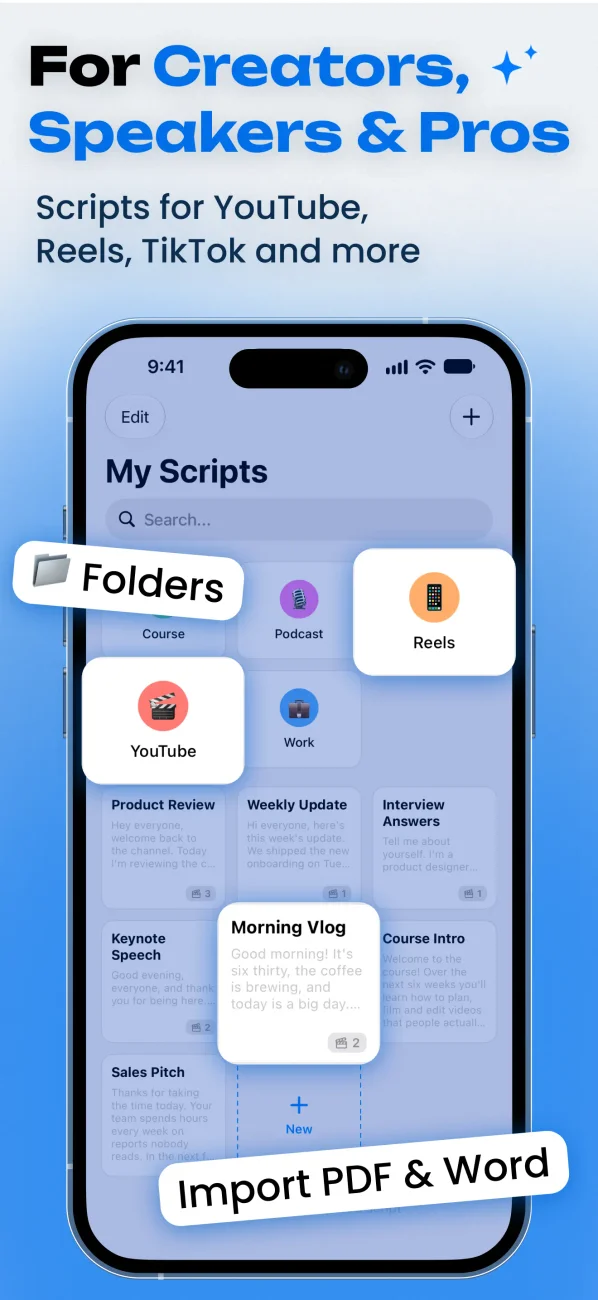
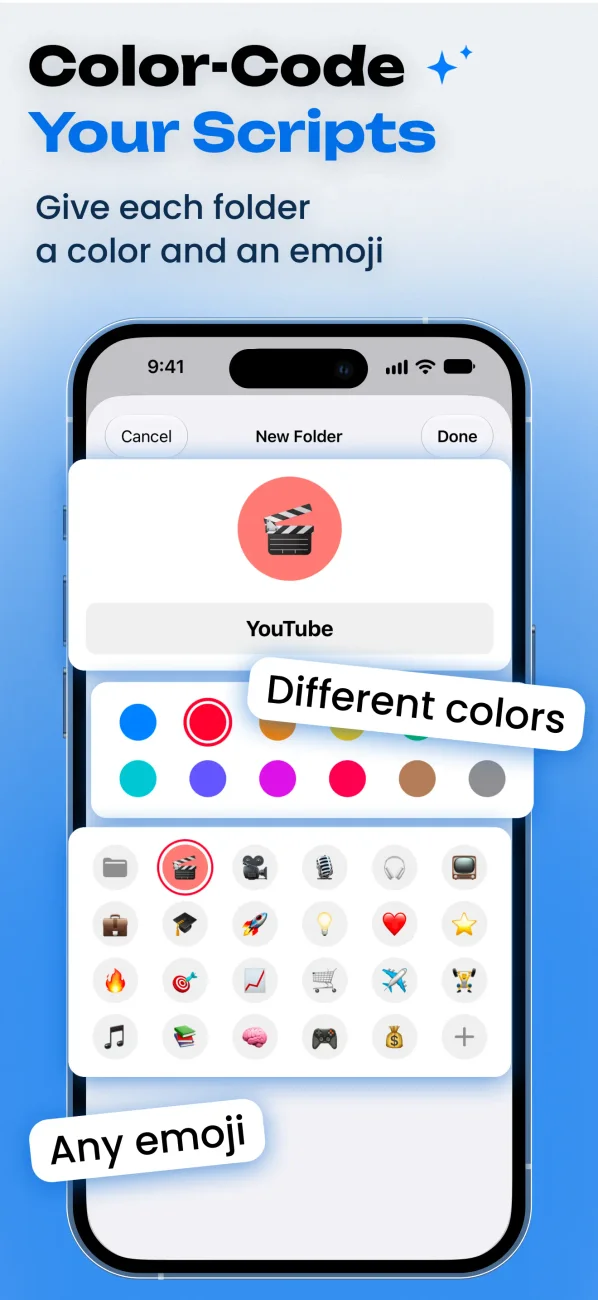
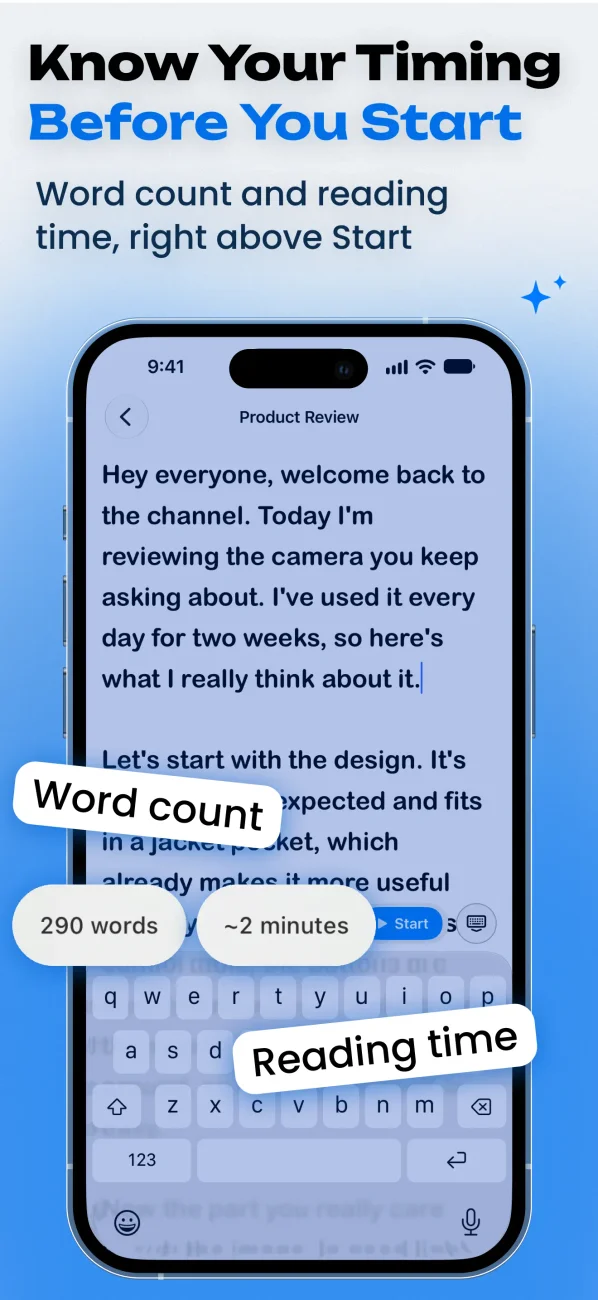
Write in the app or import PDF, Word (.docx), RTF and text files. See the word count and reading time before you start. Give folders a color and an emoji, and drag scripts and folders into any order.
PRIVACY
No account, no sign-up and no ads. Your scripts, speech recognition and captions are processed on your device. Your takes are saved to your own Photos library.
The app's interface is available in 36 languages, including Arabic and Hebrew.
Works on iPhone and iPad with iOS 18 or later.
Support: cuesync@nickswift.dev
Privacy Policy: https://nickswift.dev/projects/cuesync/privacy-policy/
Terms of Use: https://nickswift.dev/projects/cuesync/terms/
What’s new
Version 2.2.0 · Nov 10, 2026
IPHONE DUO SUPPORT
Unfold iPhone Duo to read your script on one half of the screen with the camera on the other, and swap the halves with one tap. Every screen is laid out for iPhone Duo, folded and unfolded.
BUG FIXES AND IMPROVEMENTS
Several bugs fixed, plus stability and performance improvements.
App privacy
What Nikolay Spiridonov declares on the App Store about how this app handles data.
-
Data not linked to you
May be collected but is not linked to your identity.
- Purchases
- Identifiers
- Usage data
- Diagnostics
Privacy practices may vary, for example with the features you use or your age.
Information
- Seller
- Spiridonov Nikolai Aleksandrovich, IP
- Category
- Productivity
- Version
- 2.2.0
- Updated
- Nov 10, 2026
- Released
- Apr 1, 2026
- Size
- 77.8 MB
- Requires
- iOS 18.0 or later
- Age rating
- 4+
- Price
- Free
- In-app purchases
- Yes
- Languages
- English, Arabic, Bulgarian, Catalan, Croatian, Czech, Danish, Dutch, Finnish, French, German, Greek + 25 more
- Copyright
- © CueSync
You might also like
-
 PDF Document Scanner & OCRScan ID, Photos & Convert
-
 Remote & KeyboardPhone to Computer Control
-
 Teleprompter: Video PrompterScript & Prompt Reader Tool
-
 PDF Editor, Files Converter.Convert & Compress Documents
-
 Screen Time App LimitStay Focused for Daily Goals
-
 PDF Compressor: Compress FilesShrink Documents & Reduce Size
-
 Auto Clicker: Click & Tap ToolAutoclicker・Automatic Tapper
-
 PDF Converter: Sign, CreatorScanner documents & Editor
-
 Live Voice: AI TranslatorReal Time Speech Translation