
Video Teleprompter Pro
Autocue & Script Recorder
Designed for iPhone, iPad, Mac
Free · In-app purchases
- Age rating4+
- CategoryPhoto & Video
- DeveloperYohann Taieb
- LanguagesEnglish+ 43 more
- Size8.9 MB
Links to the official App Store page
Download.org hosts no file of Video Teleprompter Pro. The button opens its official App Store page, published by Yohann Taieb. Listing last checked on Nov 24, 2026.
Screenshots

About
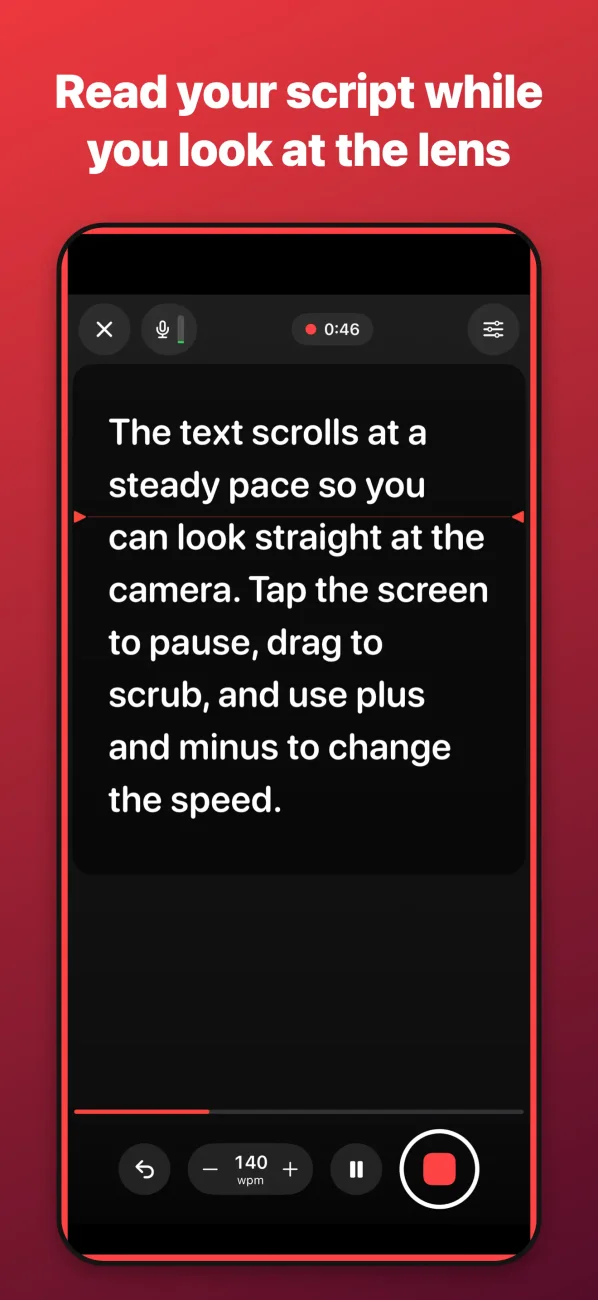
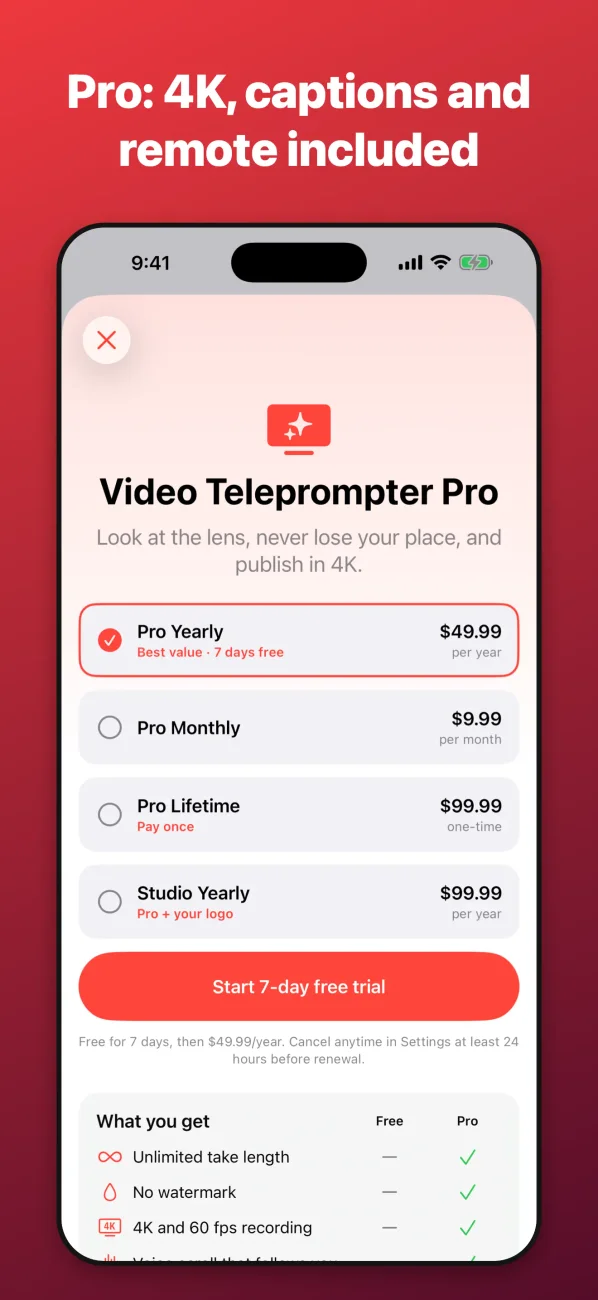
Look at the lens, never lose your place, and publish in 4K. Video Teleprompter Pro scrolls your script right under the camera while you record, so you speak naturally on YouTube, TikTok, Reels, in presentations and interviews.
New in 4.0: a pro studio redesigned for every iPhone and iPad screen, portrait and landscape, and built from your reviews.
HOW IT WORKS
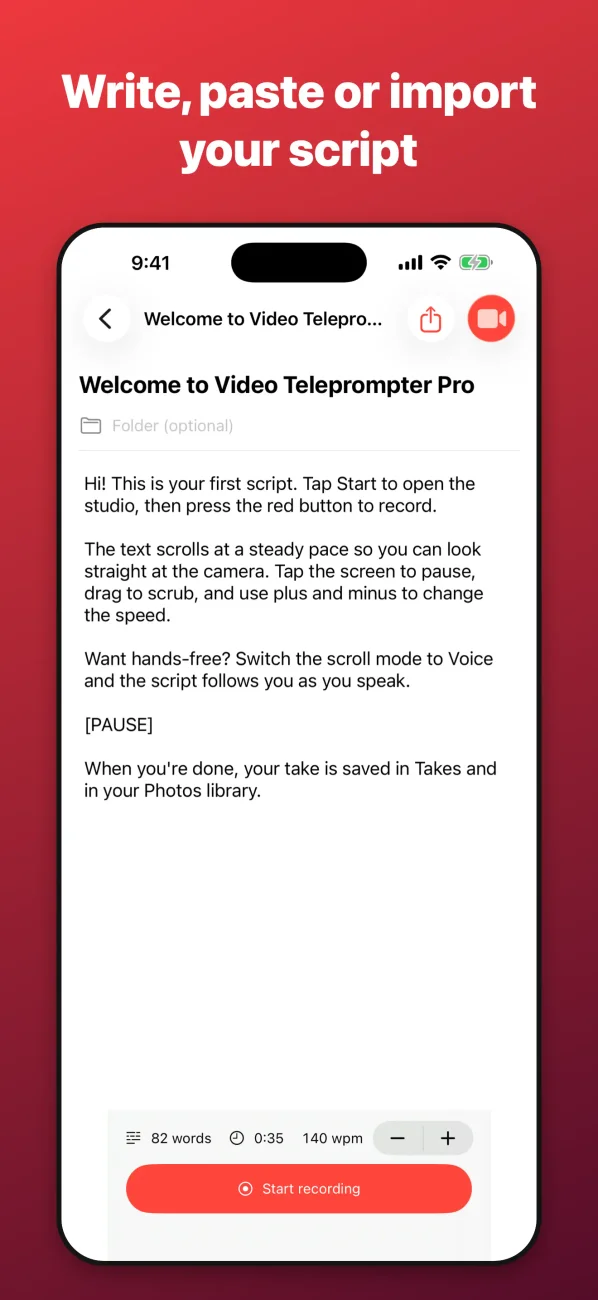
• Write, paste or import your script
• Tap Start: the text scrolls under the lens while you record
• Tap to pause, drag to scroll back, and keep every take
A PROMPTER THAT FOLLOWS YOU
• Voice scroll follows your speech, on-device
• Steady speed in words per minute, or finish on time
• Text size, line spacing, margins, colors and reading guide
• Countdown before every take
• Mirror mode for beam-splitter teleprompter rigs
RECORD IN HIGH QUALITY
• 1080p or 4K at 30 or 60 fps, front or back camera
• Portrait or landscape, on iPhone and iPad
• Every take is kept in the app and can be saved to Photos or shared
• Automatic SRT captions
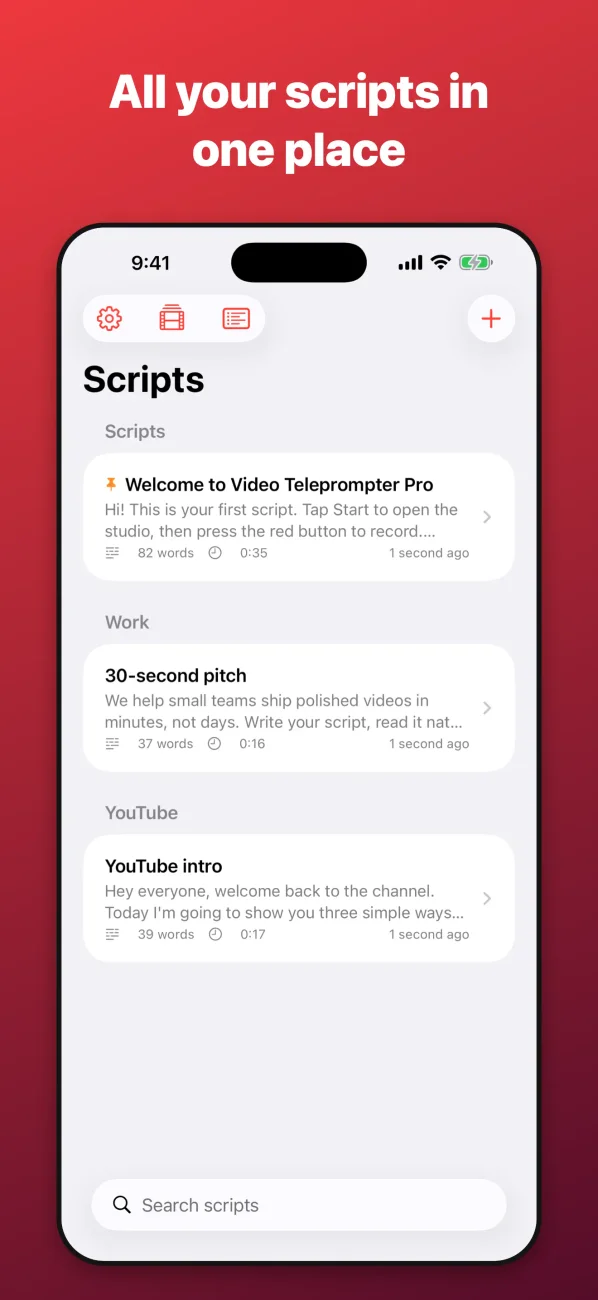
YOUR SCRIPTS IN ONE PLACE
• Folders, search and pins
• Word count and reading time for every script
• Import PDF, Word, RTF, Markdown and text files
• Put [PAUSE] or any note in brackets for cues that aren't counted
NEVER LOSE A TAKE
• If a call or a crash interrupts you, your take is recovered
• A storage check warns you before you run out of space
• Every take is kept in the app, with a storage manager
PRO AUDIO
• Pick your mic: built-in, AirPods, Bluetooth, USB-C, DJI, Rode and more
• The mic stays locked during a take, with a live level meter
• An A/V sync test lines up audio and video
MADE FOR SHOOT DAYS
• Pause and resume within a take, or back up a line and retake it, all in one clip
• Set lists: queue your scripts and go to the next one from the remote or your Watch
• External display and AirPlay: a clean, mirrorable prompter on a second screen
• Recording signal: red frame, timer, haptics and auto-stop at the end of the script
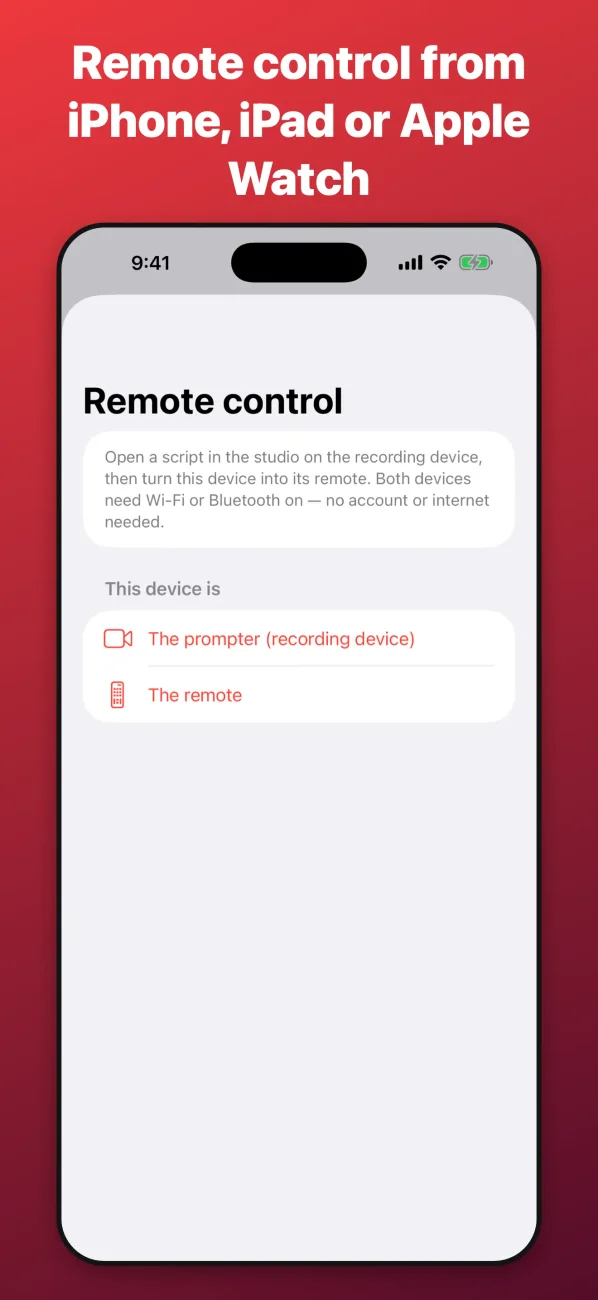
REMOTE CONTROL
• Apple Watch remote: start, pause, speed and next script from your wrist
• Use a second iPhone or iPad, a keyboard or a Bluetooth pedal
• The remote reconnects on its own and always shows its status
• Works offline over Wi-Fi or Bluetooth, no account needed
• One iPhone can control several iPads
PRIVATE BY DESIGN
No ads, no tracking, no account. Voice scroll and captions run on your device.
PRO
The prompter, the editor and 1080p recording are free. Free takes are up to 2 minutes with a small watermark. Pro unlocks unlimited takes without a watermark, 4K and 60 fps, unlimited voice scroll, finish-on-time scrolling, file import and iCloud sync. Pro Monthly, Pro Yearly (starts with a 7-day free trial), Studio Yearly and Pro Lifetime, a one-time purchase, all include the Captions Pack and the Remote Pack with the Apple Watch remote. Studio Yearly adds your own logo. On the free version, the Captions Pack and the Remote Pack are also sold on their own as one-time purchases.
Payment is charged to your Apple ID at confirmation. Subscriptions renew automatically unless cancelled at least 24 hours before the end of the current period. Manage or cancel any time in your App Store account settings. Any unused part of a free trial is forfeited when you buy a subscription.
Terms of Use: https://www.apple.com/legal/internet-services/itunes/dev/stdeula/
Privacy Policy: https://yohann305.github.io/app-legal/video-teleprompter-pro/privacy.html
What’s new
Version 4.1 · Nov 23, 2026
New in version 4.1
• A quick setup that sets your reading speed and gives you a starter script
• Soft vibrations confirm your taps and recordings
• Optional tips and reminders, which you can turn on or off in Settings
• Share the app with a friend from the Settings screen
• Open your latest script with Siri
• Clearer empty screens with a button to start your first script
• Links on our website now open the app directly
• Bug fixes and faster performance
App privacy
What Yohann Taieb declares on the App Store about how this app handles data.
-
Data not collected
The developer does not collect any data from this app.
Privacy practices may vary, for example with the features you use or your age.
Information
- Seller
- Yohann Taieb
- Category
- Photo & Video
- Version
- 4.1
- Updated
- Nov 23, 2026
- Released
- Apr 24, 2016
- Size
- 8.9 MB
- Requires
- iOS 17.0 or later
- Age rating
- 4+
- Price
- Free
- In-app purchases
- Yes
- Languages
- English, Arabic, Bengali, Catalan, Croatian, Czech, Danish, Dutch, Finnish, French, German, Greek + 32 more
- Copyright
- © Best Apps Appfresh us LLC
You might also like
-
 Teleprompter for Video: ScriptRead & Record!
-
 Teleprompter for Video & VlogScript, Subtitle, Autocue app
-
 TeleprompterMaxIntuitive. Flexible. Powerful.
-
 Teleprompter with VideoRead & Record Video
-
 Teleprompter TeletotoPrompter for video camera
-
 Autocue Teleprompter Video CueTeleprompt For Script Prompter
-
 Smart Teleprompter for VideoAutocue Tele Prompter App
-
 Teleprompter™Teleprompter for video
-
 Teleprompter App - AutokueScripts, Captions & Recording
-
 Teleprompter ProElegant Video Script Reader