- Age rating4+
- CategoryMusic
- DeveloperBryan Hargrave
- LanguagesEnglish
- Size1.2 MB
Links to the official App Store page
Download.org hosts no file of Virgil: Remote Controller. The button opens its official App Store page, published by Bryan Hargrave. Listing last checked on Nov 18, 2026.
Screenshots

About
Your guide through the circles.
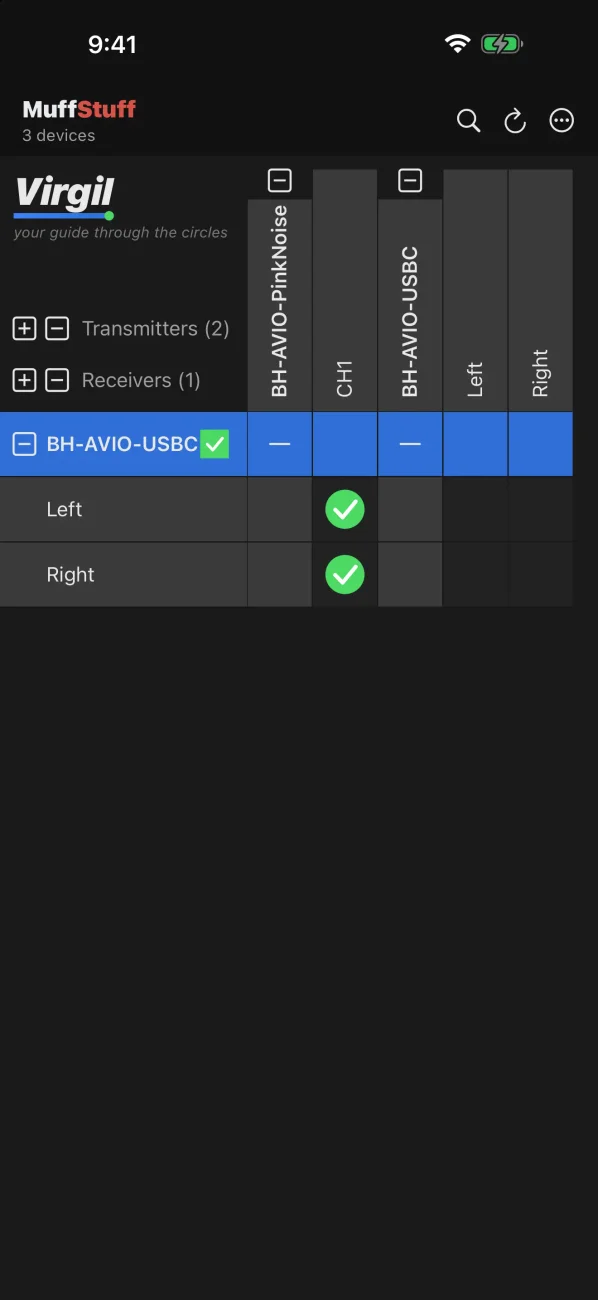
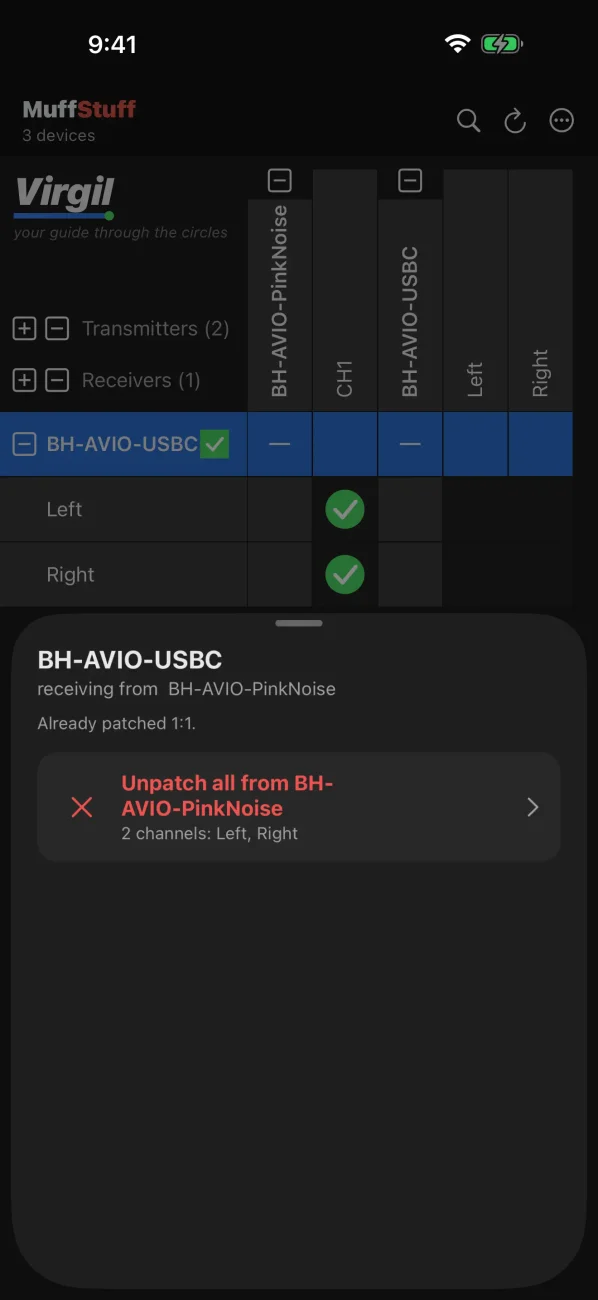
Virgil puts the routing matrix for your Dante-enabled audio network on your iPhone or iPad. Walk the room, stand at FOH or backstage, and patch, check and adjust devices without a laptop or extra hardware.
PATCH FROM A GRID YOU ALREADY KNOW
• Transmitters across the top, receivers down the side. Press and hold where they meet to patch or unpatch, so a stray tap never changes your show.
• Finger-sized boxes, a crosshair that lights up the row and column you're touching, a filling ring while you hold, and haptic confirmation on iPhone.
• Tap the + where two devices meet to open both, or hold it to patch 1:1 in one move (channel 1→1, 2→2…).
• Expand or collapse everything in one tap.
• Pinch to zoom out over a big system, search to filter by device name.
• Green means connected. Amber and red flag trouble, with the reason.
• Stays in sync: when someone patches from Dante Controller, Virgil updates on its own.
• Clock and Events lights in the corner: green means all good. Tap Clock for every device's clock status, or Events for a log of what changed since you opened the app.
DEVICE CONTROL
Long-press any device for its info and settings:
• Model and IP, identify (flash the LEDs to find the box in the rack)
• Rename devices and channels, or reset them to factory names
• Manufacturer, firmware, sample rate and bit depth
• Latency
• Analog input and output levels on AVIO adapters
• Clock role and sync status, plus preferred leader
• Reboot, with confirmation
PRESETS
• Save the routing for a show and recall it later. Virgil shows exactly what will change before it touches anything.
BUILT FOR THE WORK
• Talks directly to devices on your local network. No account, no cloud, no ads, no tracking.
• Finds devices quickly and reliably over multicast, with a clear message if your network blocks it.
• Remembers your devices, and Refresh scans the network for them when Wi-Fi blocks discovery.
• Handles busy Wi-Fi gracefully and tells you when the network drops a reply instead of hanging.
• Keeps the screen awake while you work (switchable).
• Tells you what to check when no devices show up.
• iPhone and iPad, portrait or landscape, iOS 17 and newer.
• Works with VoiceOver: every box and header is described, double-tap-and-hold patches, and every action is on the Actions rotor.
GOOD TO KNOW
• Your iPhone or iPad must be on the same network as the Dante primary interfaces, and Virgil needs Local Network access (iOS asks the first time).
• Supports both the classic and newer (ARC 2.8.15) Dante control protocols.
• Devices enrolled in Dante Domain Manager aren't supported.
Made by MuffStuff for audio people.
Virgil is not affiliated with or endorsed by Audinate. Dante is a trademark of Audinate Pty Ltd.
What’s new
Version 1.3 · Oct 27, 2026
Patching stays instant: background refreshes and scans no longer hold up a patch, even with a device offline.
Preset recall skips devices that are offline instead of waiting on them.
Collapsed devices stay collapsed when renamed.
Hardened against malformed network replies.
The status line now says "1 device" instead of "1 devices".
App privacy
What Bryan Hargrave declares on the App Store about how this app handles data.
-
Data not collected
The developer does not collect any data from this app.
Privacy practices may vary, for example with the features you use or your age.
Information
- Seller
- Bryan Hargrave
- Category
- Music
- Version
- 1.3
- Updated
- Oct 27, 2026
- Released
- Oct 3, 2026
- Size
- 1.2 MB
- Requires
- iOS 17.0 or later
- Age rating
- 4+
- Price
- Free
- Languages
- English
- Copyright
- © 2026 MuffStuff
You might also like
-
 MyFOHApp for Waves eMotion LV1
-
 SoundID ToolsCreate Dolby Atmos profile
-
 Compass Go by Meyer SoundMusic
-
 SW arrayMusic
-
 MixTwinRemote Control of LV1/SR/SG
-
 LSV RTAMusic
-
 mRecallApp for Waves LV1 & SuperRack
-
 RIVAGE PM StageMixEasy on-the-spot monitor setup
-
 DM StageMixMusic
-
 Smaart RTARTA, Spectrograph, SPL Meter