
Virtual Pantry: Food Expiry
Fridge Tracker & Grocery List
Designed for iPhone, iPad
Free · In-app purchases
- Age rating4+
- CategoryFood & Drink
- DeveloperJeremy Potter
- LanguagesEnglish
- Size69.3 MB
Links to the official App Store page
Download.org hosts no file of Virtual Pantry: Food Expiry. The button opens its official App Store page, published by Jeremy Potter. Listing last checked on Nov 23, 2026.
Screenshots
About
Virtual Pantry keeps track of the food you already own, so nothing goes off at the back of the fridge and you stop buying what you have. Now it can plan the week around it, and share it with the people you live with.
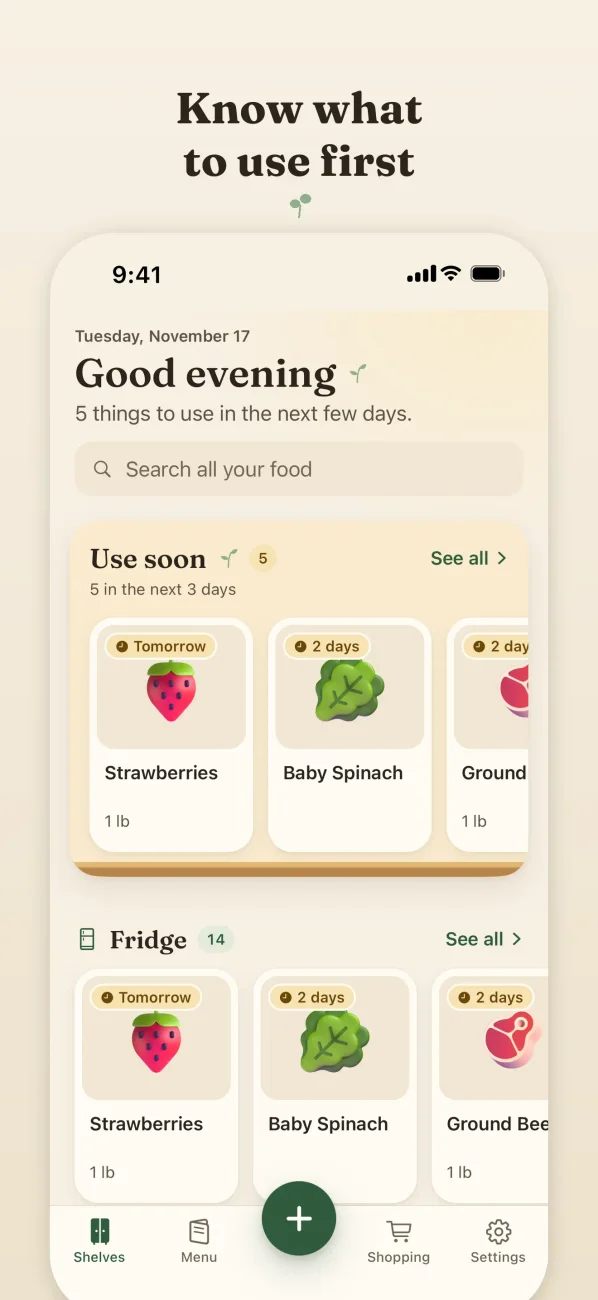
Your home screen is a set of wooden shelves: one for the fridge, one for the freezer, one for the pantry, and any others you add. Every item gets a card. A "Use soon" shelf sits on top, so the thing that needs eating today is the first thing you see.
ADD FOOD IN SECONDS
• Scan a barcode and the name, brand and photo fill themselves in
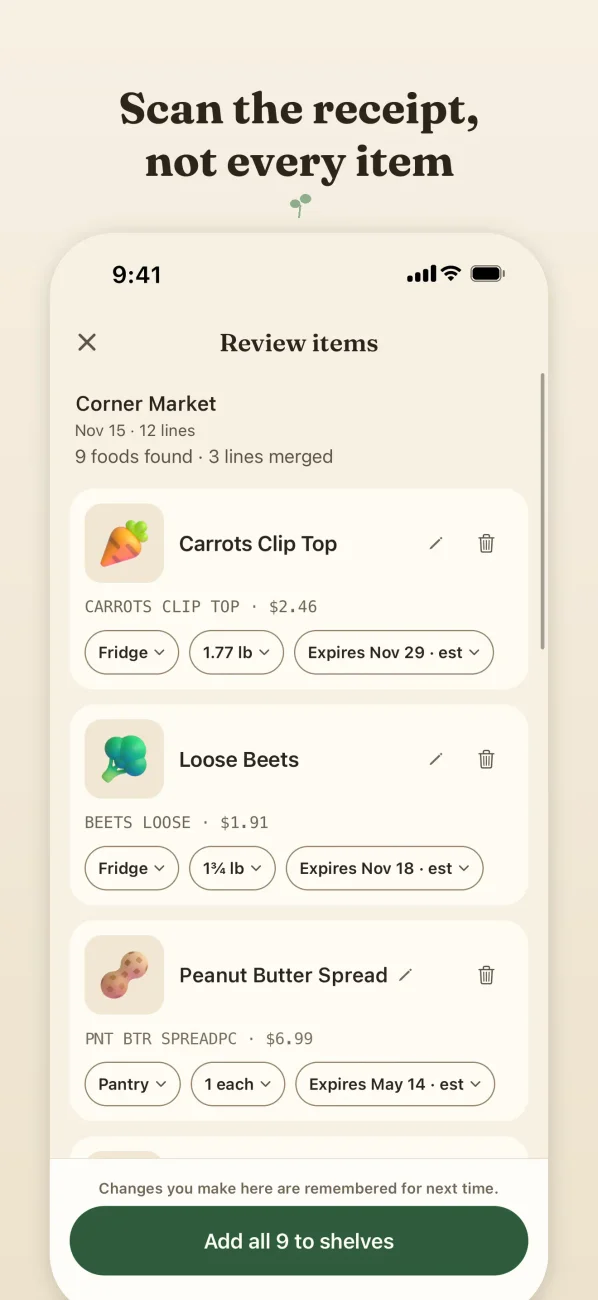
• Scan a grocery receipt and add the whole shop at once
• Or just type a name
DATES THAT MAKE SENSE
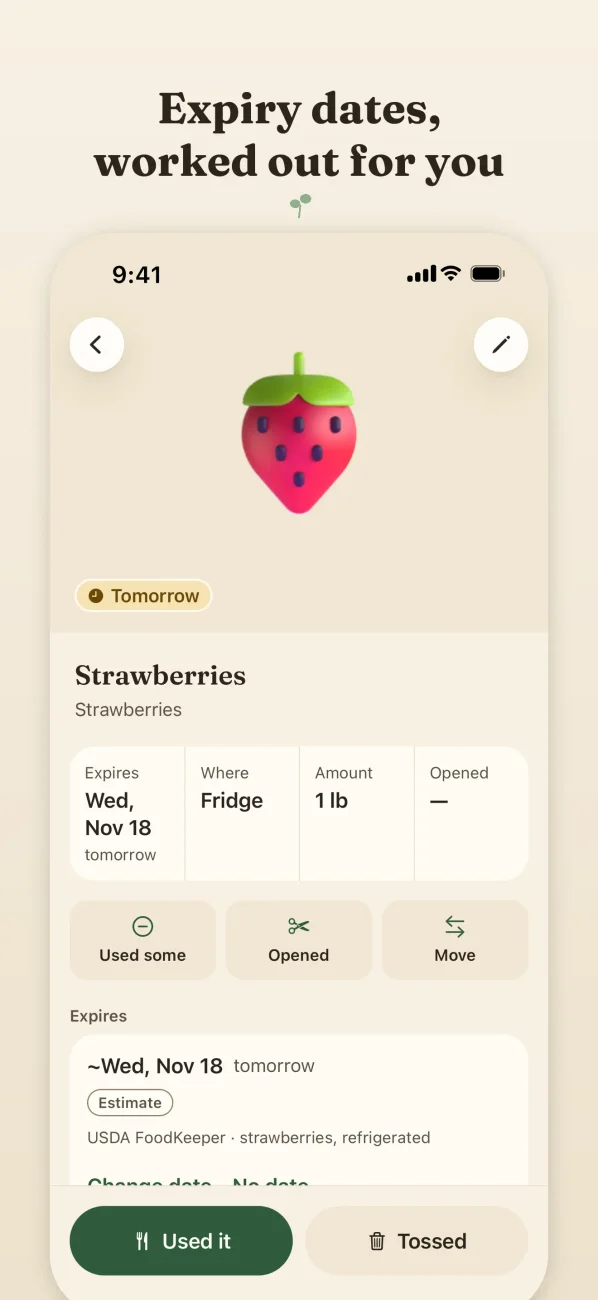
Every food gets a realistic date. Mark something opened and the date shortens. Move it to the freezer and it stretches. Your own corrections always win. Reminders arrive a week before, three days before, on the day and the day after, or at times you choose.
HOME MENU (SUBSCRIPTION)
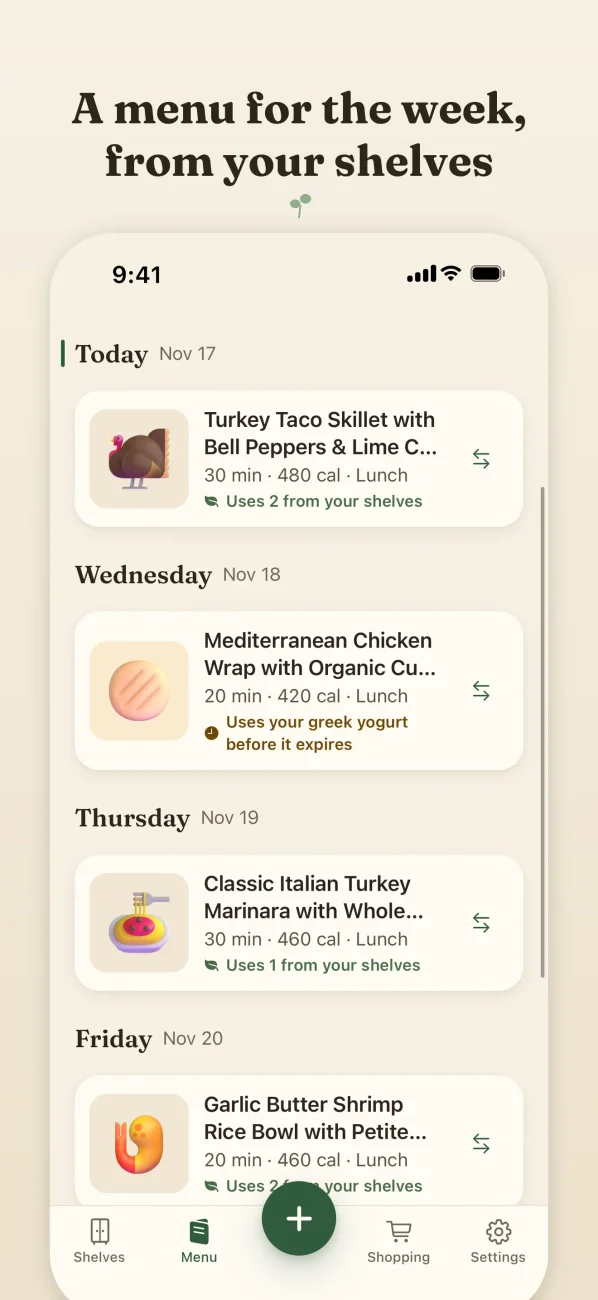
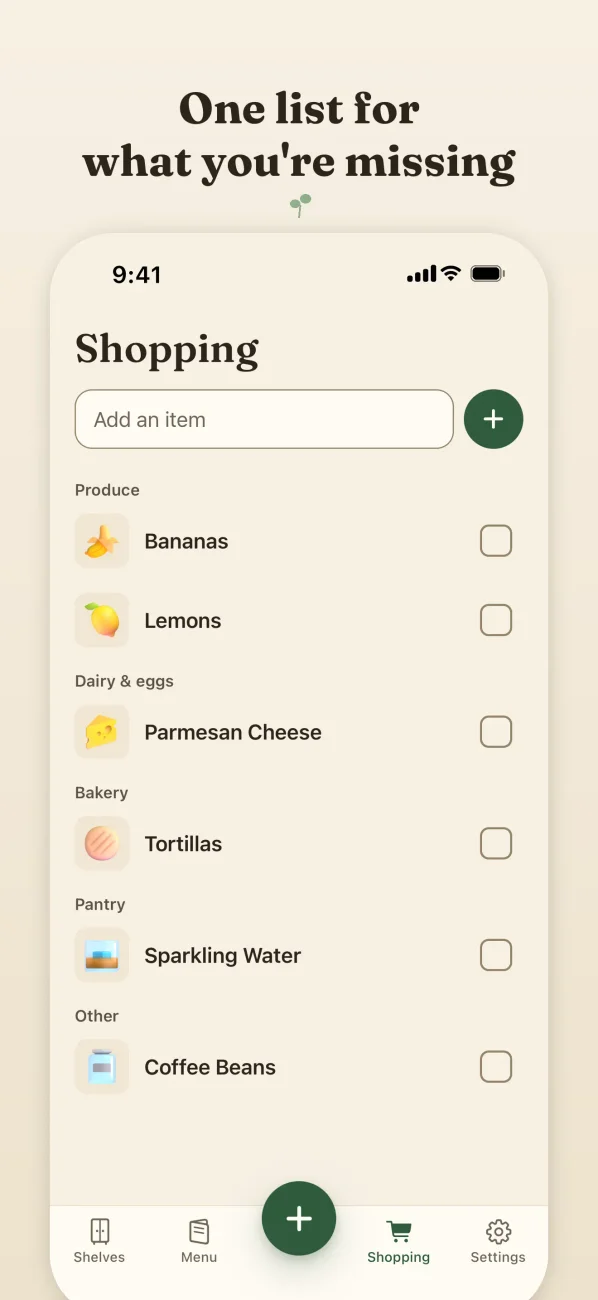
Tell Virtual Pantry what you eat, which diets and allergies to respect (including halal and kosher), what you cook with and your weekly budget. It builds a menu for the days and meals you pick, using the food already on your shelves. Swap a meal you don't fancy, mark one cooked, and send what's missing to your shopping list.
RECIPES
Share a recipe from Safari, Instagram or another app and it lands in your cookbook. Add it to the week, or add one ingredient to your shopping list.
HOUSEHOLDS (SUBSCRIPTION)
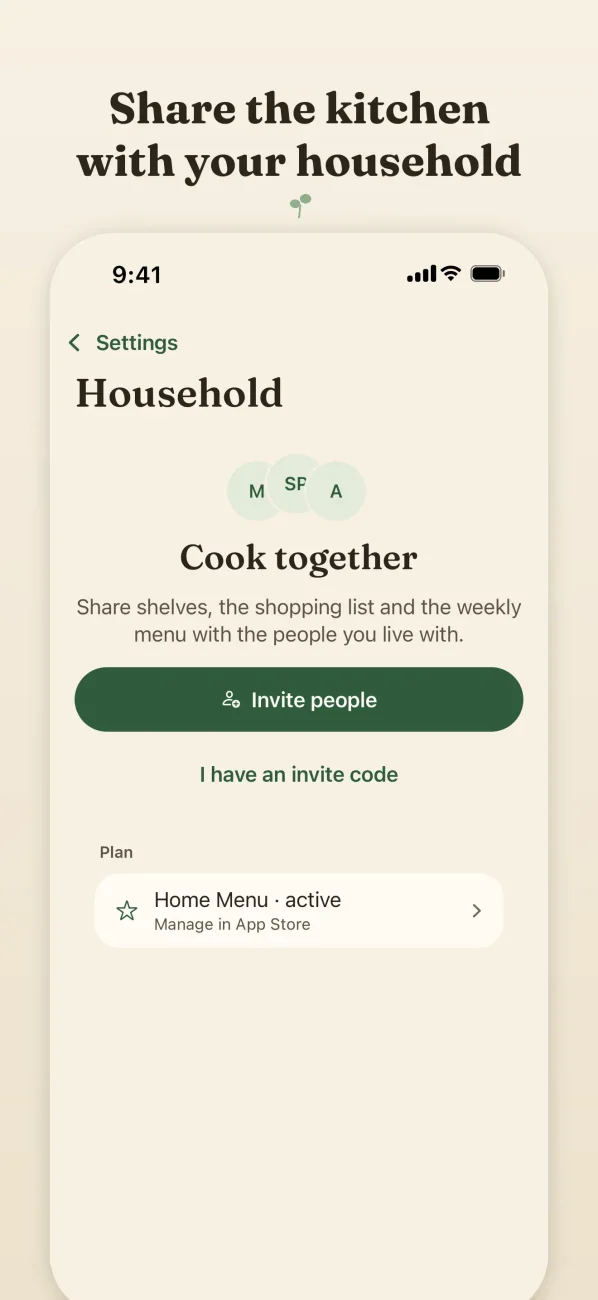
Invite the people you live with by QR code or link. You share one set of shelves, one shopping list and one menu, and everyone's allergies are kept in mind when the menu is planned.
THE REST OF IT
• A shopping list that can put an item straight back on its shelf
• A history of what you used and what you threw away
• Your own photo on any item
• Help & support in Settings: report a problem, attach a screenshot and read the reply in the app
• Dark mode, VoiceOver and Dynamic Type
FREE OR SUBSCRIPTION
Virtual Pantry is free to start: you can keep up to 10 items on your shelves at a time, with scanning, dates, reminders, the shopping list, history and recipes. Households and Home Menu are optional monthly subscriptions, billed through your Apple ID, and either one removes the 10-item limit. If you already have more than 10 items, you keep them; you just can't add more until you subscribe or use some up. You see the price in the app before you buy, and you can cancel any time in Settings > Apple ID > Subscriptions.
YOUR ACCOUNT, YOUR DATA
You need an account to use Virtual Pantry, so your shelves sync between devices and with your household. Your food, lists, recipes, meal plans and preferences are stored on our server. When you read a receipt, estimate a date, plan a menu or import a recipe, the photo, text or food names involved are sent through our server to Google Gemini to do that job. If you send us a support report, we keep what you write, your screenshot if you attach one, and your app version and device type. No ads and no tracking. You can delete your account and your data from Settings > Account.
Privacy policy: https://virtual-pantry.com/privacy
Food data from Open Food Facts (ODbL) and the USDA.
Terms of Use (EULA): https://www.apple.com/legal/internet-services/itunes/dev/stdeula/
What’s new
Version 2.0.2 · Nov 20, 2026
Virtual Pantry 2: your kitchen, shared, and a menu for the week.
• Accounts: sign in with Apple, Google or email; shelves sync between devices
• Households: share shelves, a shopping list and a menu by QR code or link
• Home Menu: a weekly menu built around the food you already have, including halal and kosher
• Recipes: save from Safari or Instagram with the share sheet
• Help & support in Settings: report a problem and follow the reply in the app
• Scanner no longer freezes the phone
Households and Home Menu are optional subscriptions.
App privacy
What Jeremy Potter declares on the App Store about how this app handles data.
-
Data linked to you
May be collected and linked to your identity.
- Health and fitness
- Purchases
- Contact info
- User content
- Identifiers
- Diagnostics
Privacy practices may vary, for example with the features you use or your age.
Information
- Seller
- Jeremy Potter
- Category
- Food & Drink
- Version
- 2.0.2
- Updated
- Nov 20, 2026
- Released
- May 5, 2026
- Size
- 69.3 MB
- Requires
- iOS 16.4 or later
- Age rating
- 4+
- Price
- Free
- In-app purchases
- Yes
- Languages
- English
- Copyright
- © Jeremy Potter 2026
You might also like
-
 Pantry LabFood & Drink
-
 ZeroWaste PantryTrack food & reduce waste
-
 PantryTracker InventoryPantry and fridge inventory
-
 Chefry: Catering & Local ChefsBook Meal Prep, Cooks & Trucks
-
 Bean me upFood & Drink
-
 Milk - Pantry & GroceriesInventory & expiry tracker
-
 Triple Moon Coffee CompanyFood & Drink
-
 Cooklook: Smart Recipe ManagerRecipes, Grocery List, AI Cook
-
 FromaggioFirst smart home cheesemaker
-
 Fromag.io: The Cheese AppThe Ultimate Cheese Experience