
- Age rating4+
- CategoryProductivity
- DeveloperAndreas Esteves
- LanguagesEnglish+ 9 more
- Size8.7 MB
Links to the official App Store page
Download.org hosts no file of Visual Time. The button opens its official App Store page, published by Andreas Esteves. Listing last checked on Nov 23, 2026.
Screenshots

About
Visual Time – Making Time Easier to Understand
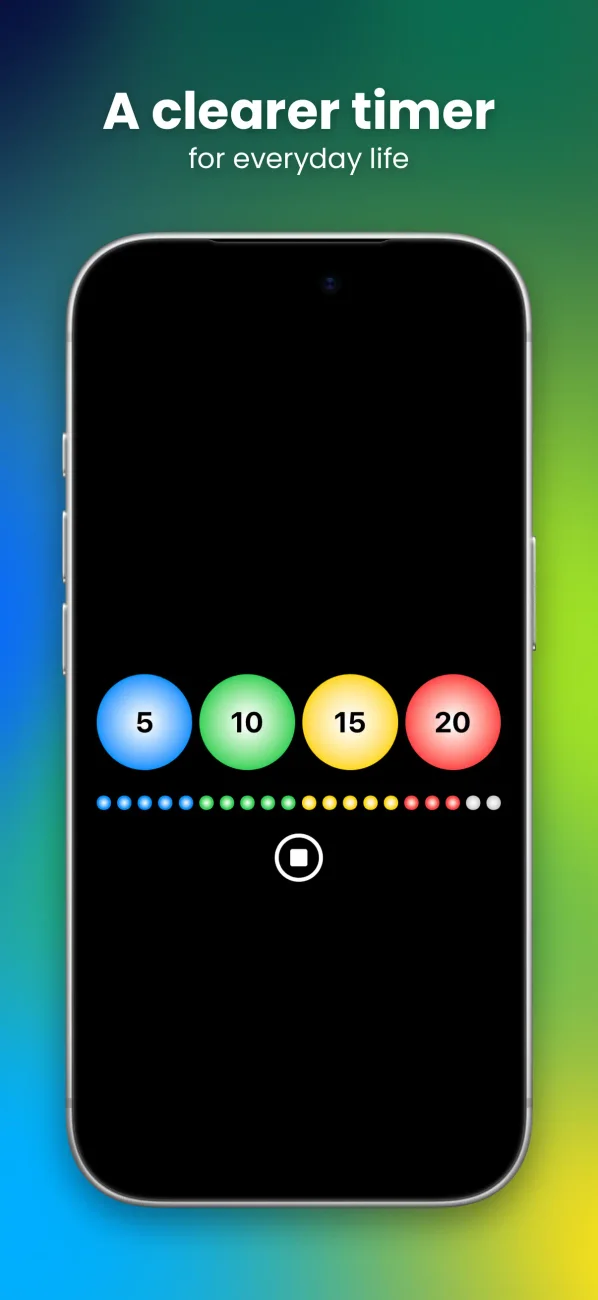
Visual Time is a simple and intuitive visual timer that helps both children and adults see how much time is left.
Time is displayed using colorful balls that make it easy to understand how much time remains. As time passes, the balls disappear one by one, providing a clear visual representation of the remaining time. When the time is up, an alarm sounds.
The app is based on the same concept as a physical visual timer and is particularly helpful for people who find it difficult to keep track of time, including those with ADHD or autism. However, Visual Time is equally useful for anyone who wants a clearer sense of time in everyday life.
Customize the Timer to Your Needs
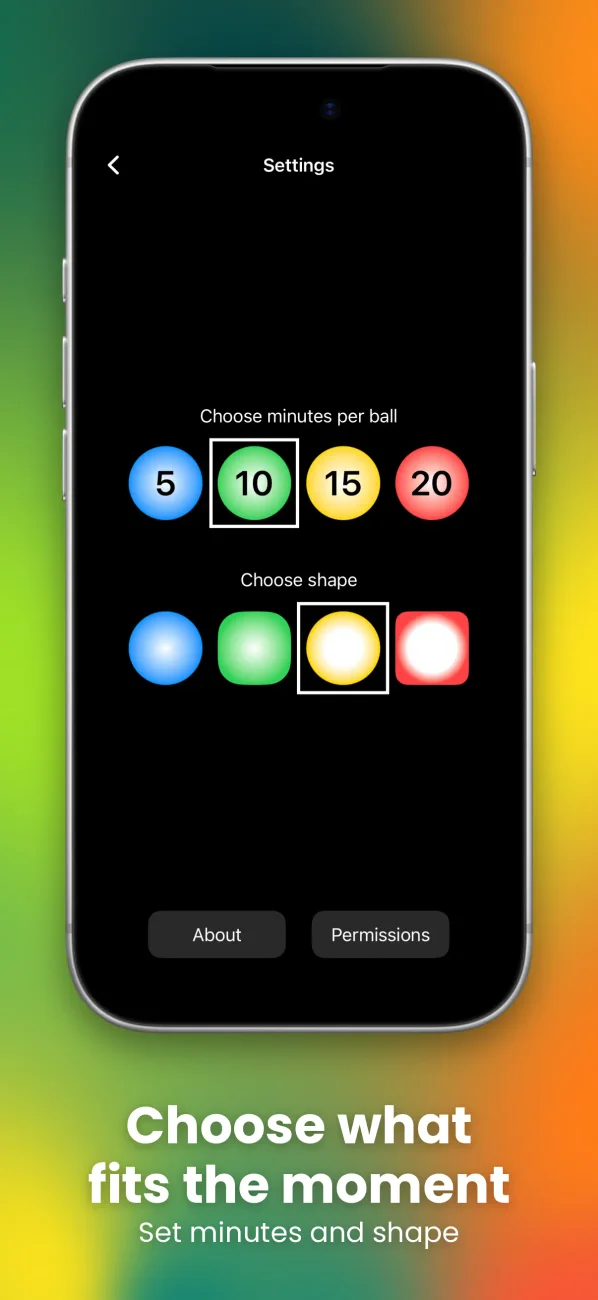
Choose from four different time settings:
• 5 minutes per ball: 5, 10, 15, or 20 minutes.
• 10 minutes per ball: 10, 20, 30, or 40 minutes.
• 15 minutes per ball: 15, 30, 45, or 60 minutes.
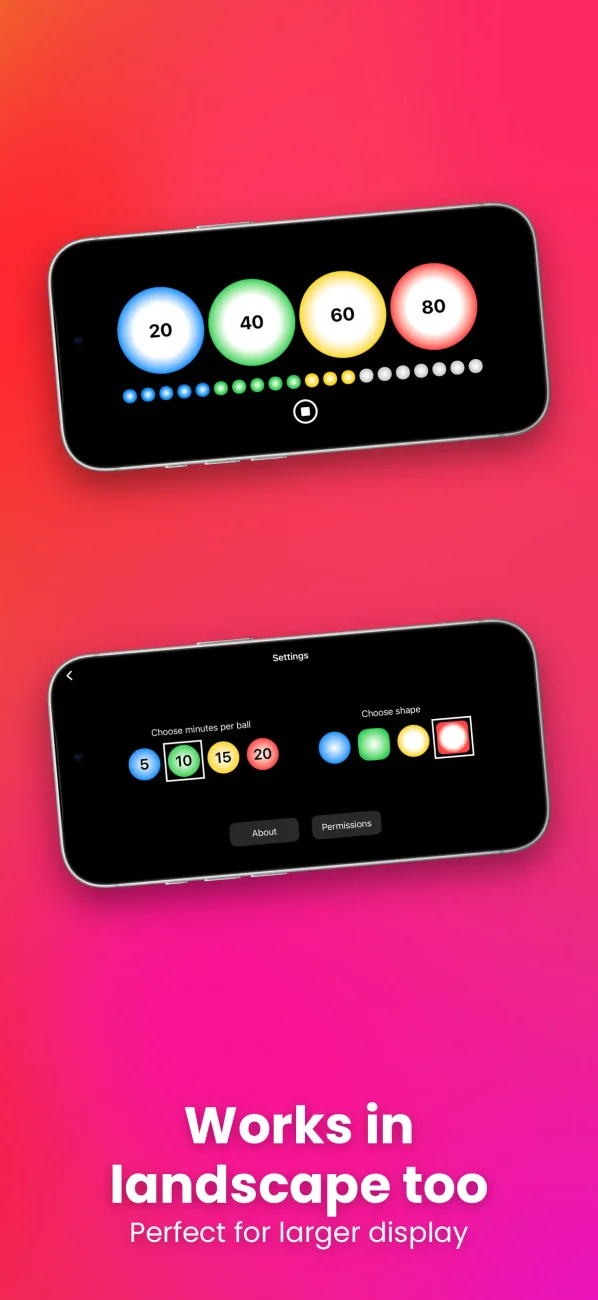
• 20 minutes per ball: 20, 40, 60, or 80 minutes.
You can also choose between four different visual styles for the timer balls.
Use Visual Time in Everyday Life
Visual Time can help make the remaining time easier to understand during homework, activities, breaks, and other everyday situations.
The app works in both portrait and landscape orientation and can be used on iPhone, iPad, and Mac.
What’s new
Version 1.5 · Nov 11, 2026
What’s New in Visual Time 1.5
• Support for both portrait and landscape orientation.
• Improved layouts for different screen sizes and devices.
• Better adaptation for iPhone, iPad, and Mac.
• Improved timer and alarm handling.
• Eight new languages: Danish, Norwegian, Finnish, German, Spanish, Portuguese, Italian, and French.
• Optimizations for the latest iOS versions, along with several smaller improvements and bug fixes.
App privacy
What Andreas Esteves declares on the App Store about how this app handles data.
-
Data not collected
The developer does not collect any data from this app.
Privacy practices may vary, for example with the features you use or your age.
Information
- Seller
- Andreas Esteves
- Category
- Productivity
- Version
- 1.5
- Updated
- Nov 11, 2026
- Released
- Dec 21, 2022
- Size
- 8.7 MB
- Requires
- iOS 16.0 or later
- Age rating
- 4+
- Price
- Free
- Languages
- English, Danish, Finnish, French, German, Italian, Norwegian Bokmål, Portuguese, Spanish, Swedish
- Copyright
- © 2022 Andreas Esteves
You might also like
-
 HeromaProductivity
-
 Mariko digital assistantOrganize, Plan & Prioritize
-
 DayCapeDaily visual planning
-
 Co-parenting: Shared ParentingCustody Schedule & Safe Chat
-
 Aiai AmigoProductivity
-
 Skolschema – enkelt, smidigtProductivity
-
 SpeedAdminProductivity
-
 Tickster BoxPoint MobileProductivity
-
 BovraProductivity
-
 Namnsdagar SverigeProductivity