VisualSchedule24
Design Your Day, Master Time
Designed for iPhone, iPad, iPod touch
In-app purchases
- Age rating4+
- CategoryLifestyle
- DeveloperKwangjin Choe
- LanguagesJapanese+ 2 more
- Size26.8 MB
Links to the official App Store page
Download.org hosts no file of VisualSchedule24. The button opens its official App Store page, published by Kwangjin Choe. Listing last checked on Nov 12, 2026.
Screenshots



About
- Visualize Your 24 Hours, Transform Your Life -
Do you feel like there's never enough time?
The truth is, everyone has the same 24 hours. The difference is how you use them.
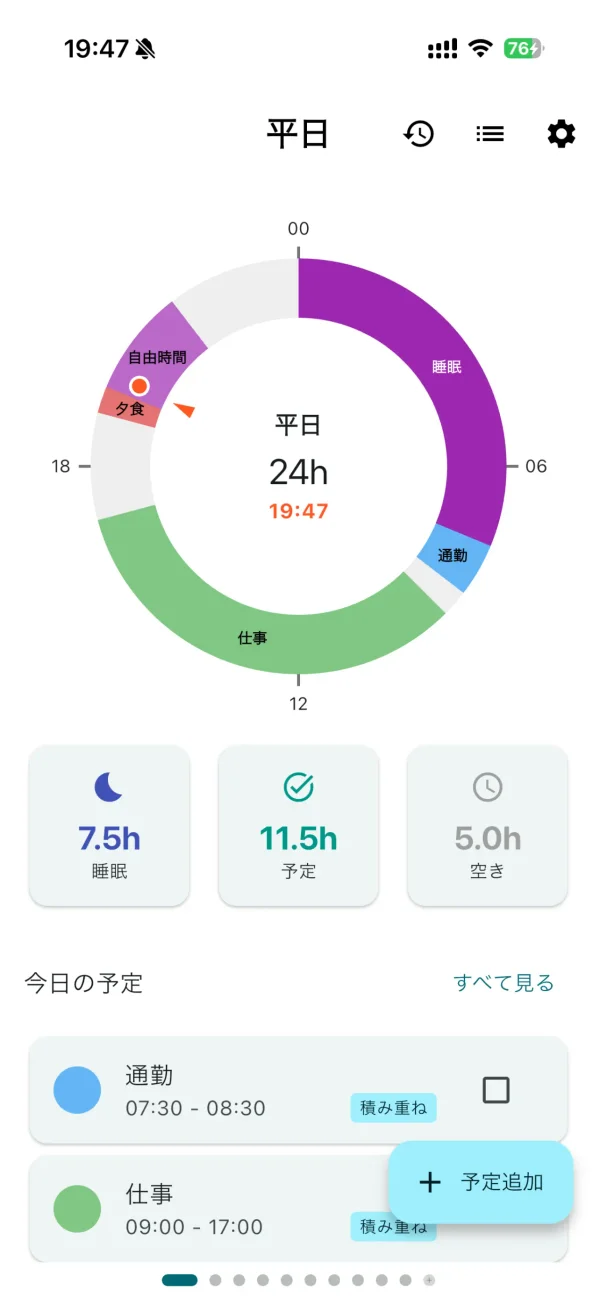
VisualSchedule24 transforms your daily routine with a beautiful ring chart visualization, helping you dramatically improve how you spend your time.
-- KEY FEATURES --
[24-Hour Ring Chart]
- Intuitive visualization of your daily time allocation
- Color-coded display for sleep and tasks
- Real-time current time indicator
- Task name labels for quick reference
[Sleep Time Protection]
- Required sleep time setting
- Maintain your life rhythm while managing time
- 8 colors to choose for sleep display
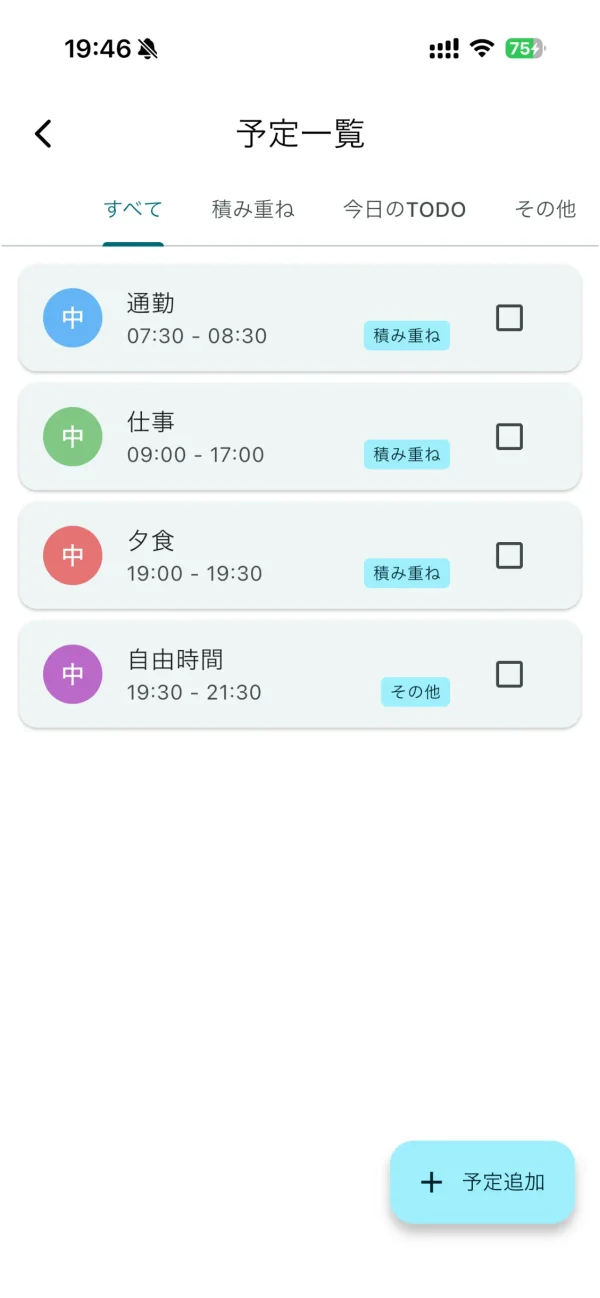
[Flexible Task Management]
- Set precise start times and durations
- 18 colors to choose for task display
- 3 categories (Daily habits / Today's TODO / Others)
- Priority and deadline settings
- Custom category creation
[Smart Notifications]
- Alarm notifications at task start
- Advance reminders (5 min before, etc.)
- 12 notification characters for fun motivation
- Day-of-week notification settings
[Achievement Reports]
- Daily, monthly, and yearly completion rates
- Complete task history tracking
- Motivation support for consistency
[Multiple Schedules]
- Separate work and personal schedules
- Easy switching with swipe gestures
[Personalization]
- Light/Dark/System-sync themes
- Customizable header and background colors
- Auto-generated templates on first launch
-- PERFECT FOR --
- Those who want to use time effectively
- Those building daily habits
- Those working toward goals
- Those reviewing their time usage
- Students and professionals balancing life
-- PREMIUM FEATURES --
- Ad-free experience
- Monthly and yearly reports
- Up to 5 schedule management
- Premium notification characters
Maximize your 24 hours and become
the person you want to be.
Download now and start
designing your day!
-- SUBSCRIPTION INFORMATION --
Premium Plan (Auto-Renewable Subscription)
- Monthly Plan: Renews automatically every month
- Annual Plan: Renews automatically every year
- Payment will be charged to your Apple ID account at confirmation of purchase
- Subscription automatically renews unless canceled at least 24 hours before the end of the current period
- Account will be charged for renewal within 24 hours prior to the end of the current period
- You can manage subscriptions and turn off auto-renewal in your Account Settings after purchase
Privacy Policy: https://sparkly-hedge-39e.notion.site/Privacy-Policy-2e8a7489de3e81ccb617de00d53e3b40
Terms of Use (EULA): https://www.apple.com/legal/internet-services/itunes/dev/stdeula/
What’s new
Version 1.0.2 · Jan 26, 2026
updated store information.
App privacy
What Kwangjin Choe declares on the App Store about how this app handles data.
-
Data not linked to you
May be collected but is not linked to your identity.
- Purchases
- Identifiers
- Usage data
- Diagnostics
Privacy practices may vary, for example with the features you use or your age.
Information
- Seller
- Kwangjin Choe
- Category
- Lifestyle
- Version
- 1.0.2
- Updated
- Jan 26, 2026
- Released
- Jan 21, 2026
- Size
- 26.8 MB
- Requires
- iOS 13.0 or later
- Age rating
- 4+
- In-app purchases
- Yes
- Languages
- Japanese, English, Korean
- Copyright
- © 2026 Kwangjin Choe
You might also like
-
 Day Circle -時間管理・Todo・円グラフ・予定表Lifestyle
-
 Hourglass Life: Time & GoalsRemaining Time & Wishlist
-
 時間管理アプリ24Lifestyle
-
 Wrize - 1日を評価する日記Lifestyle
-
 Reward Points - Point MeowKids chores, homework & habits
-
 GoHome Call: Share Your ETAEasy Arrival Time Messages
-
 DrawWake: Doodle Alarm ClockDraw to Wake Up, Stop Snoozing
-
 Question Diary 365The same questions. Every year
-
 Five Year Diary: GonenOne line a day, 5-year journal
-
 Inkline: One Line a Day Diary5 Year Journal, Meet Your Past