
- Age rating4+
- CategoryUtilities
- DeveloperERDEM GULEN
- LanguagesEnglish
- Size1.9 MB
Links to the official App Store page
Download.org hosts no file of VisuCraft. The button opens its official App Store page, published by ERDEM GULEN. Listing last checked on Nov 13, 2026.
Screenshots




About
VisuCraft turns any photo into a step-by-step repair or build guide — no searching, no videos, no guesswork.
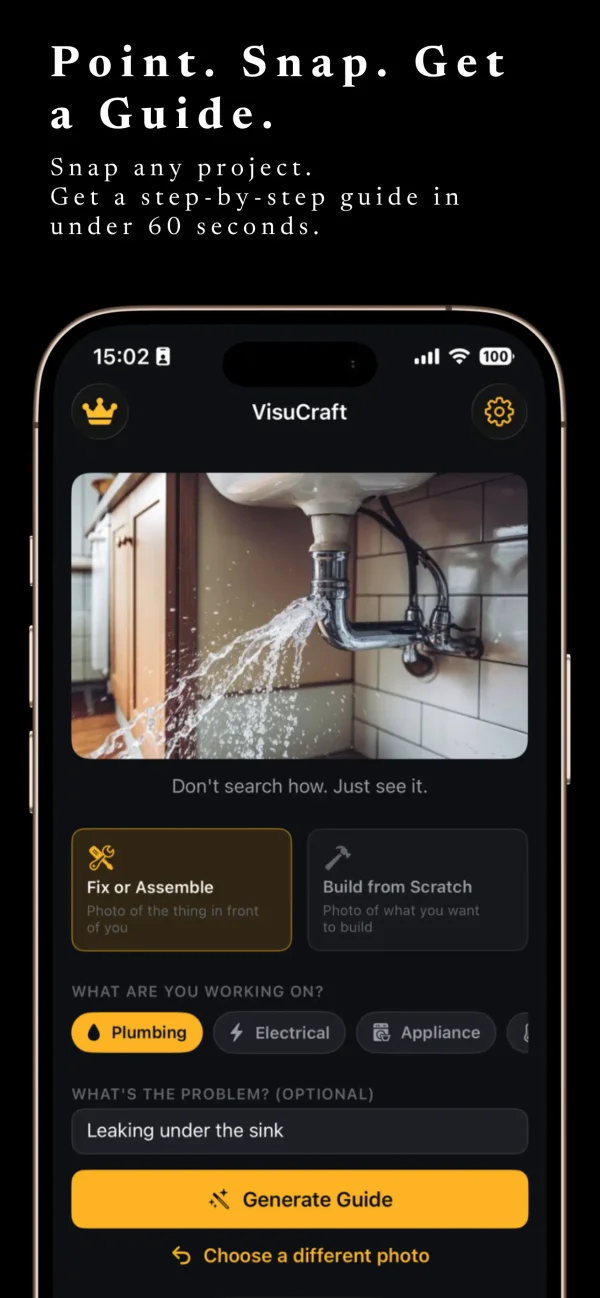
Point your camera at anything — a leaking faucet, a rattling appliance, a flat-pack furniture kit, a car engine — and VisuCraft reads the scene and generates a personalized blueprint in seconds. No templates. No generic YouTube tutorials. Just the exact guide for what's actually in front of you.
WHAT YOU GET
• Annotated step-by-step guide — every step is overlaid directly on your captured photo with highlighted callouts, measurement markers, and numbered pins so you always know exactly where to look.
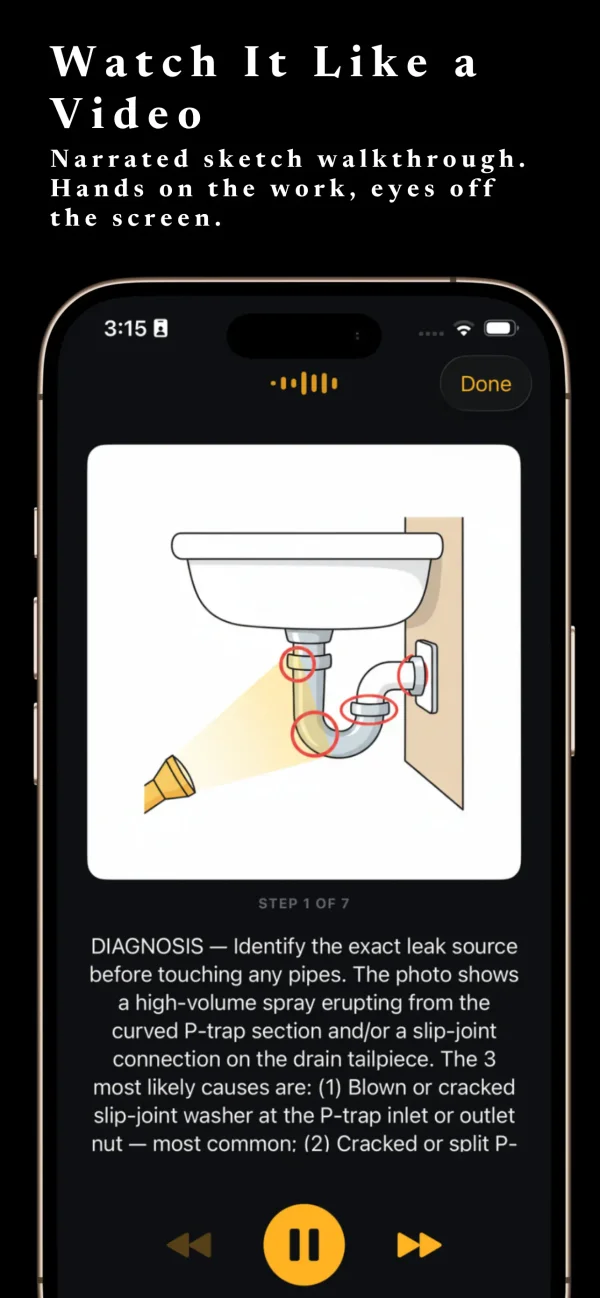
• AI diagnosis first — describe your symptom ("leaking under the sink," "tripping the breaker") and VisuCraft leads with a diagnosis before the fix, so you're solving the right problem every time.
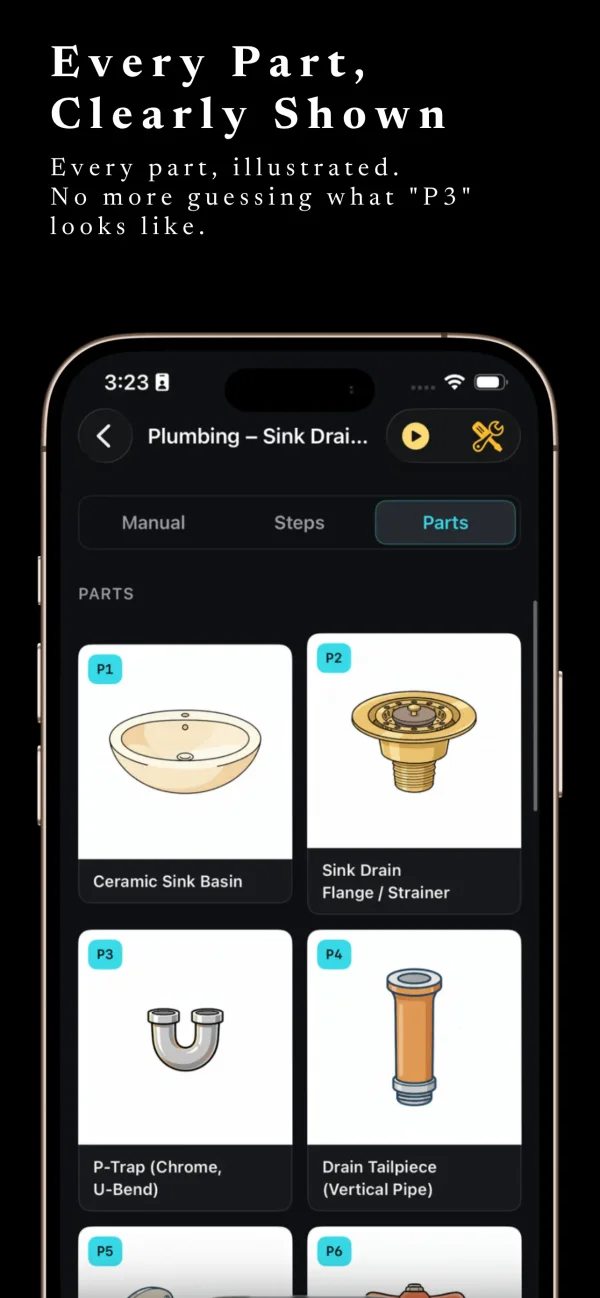
• Full parts breakdown — an IKEA-style exploded view identifies every part and links it to a shopping search so you can source what you need without leaving the app. Pro adds a clean catalog-style illustration for every part.
• Printable PDF manual — every guide generates a professional, shareable PDF you can print, text to a family member, or keep for next time.
• Watch mode — each guide becomes a narrated cartoon walkthrough: a hand-drawn sketch for every step, read aloud while your hands stay on the work. No phone watching required.
• Step Check-In — snap a checkpoint photo after each step and VisuCraft's AI looks at what you did and confirms you're ready to move on. Mis-tightened bolt? Wrong side panel? It will catch it.
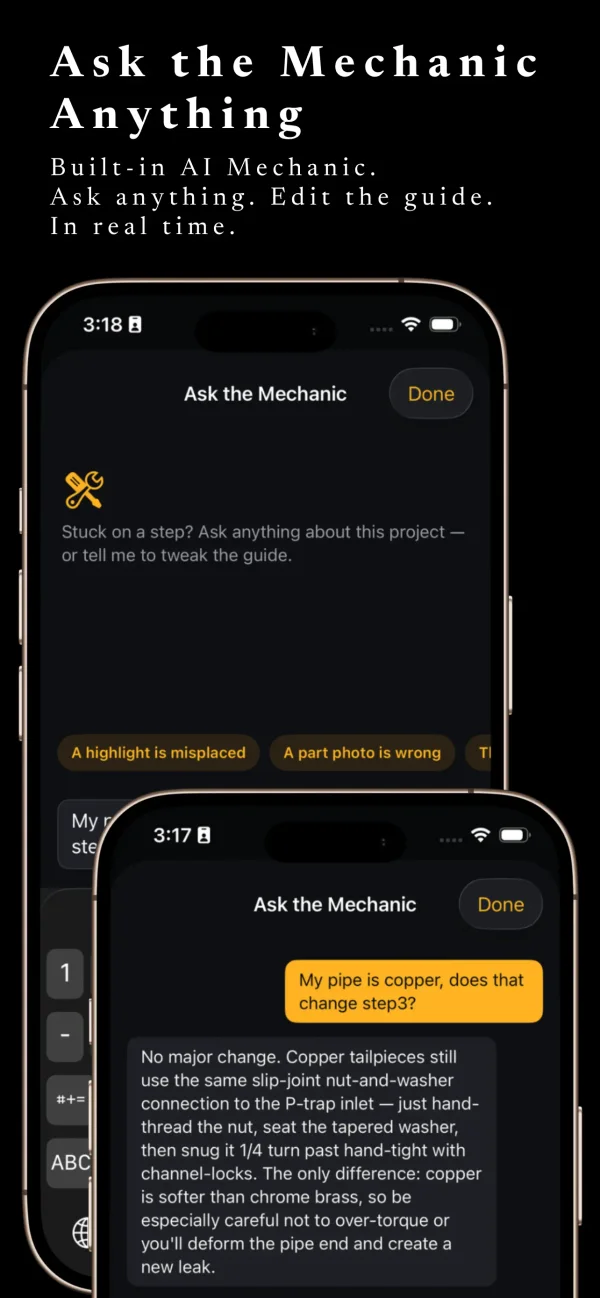
• AI Mechanic / Carpenter — a grounded chat assistant that knows your exact guide. Ask "what if my pipe is copper?", ask it to convert measurements to metric, ask it to simplify a step — it can even rewrite the guide in real time.
• Save and track — every guide stays in your on-device library. Progress bars show how far you've gotten, and you can pick back up exactly where you left off.
WORKS ON
Plumbing · Electrical · Appliances · Heating & Cooling · Doors & Windows · Furniture · Home Improvement · Exterior & Yard · Automotive · Electronics · Model Kits
HOW IT WORKS
1. Point your camera at the project (or import from your Photos library).
2. Select a category and — for repairs — describe the symptom.
3. Tap "Generate Guide" and wait about 60 seconds.
4. Follow the annotated photo guide, check off steps, and ask the AI Mechanic anything along the way.
FREE PLAN
• 3 free guides — full annotated steps, parts breakdown, spoken steps, and the printable PDF manual. No subscription, no account.
VISUCRAFT PRO ($9.99/mo · $69.99/yr — 3-day free trial on yearly)
Unlimited guides · Step Check-In · AI Mechanic chat · Watch mode · Parts illustrations
Cancel anytime.
No data sold. No account required. All your guides are stored privately on your device.
---------
Privacy Policy URL: https://virtusop.us/visucraft/privacy-policy.html
Terms (EULA): https://virtusop.us/visucraft/terms-of-use.html
App privacy
What ERDEM GULEN declares on the App Store about how this app handles data.
-
Data not linked to you
May be collected but is not linked to your identity.
- User content
Privacy practices may vary, for example with the features you use or your age.
Information
- Seller
- ERDEM GULEN
- Category
- Utilities
- Version
- 1.0
- Updated
- Jul 14, 2026
- Released
- Jul 14, 2026
- Size
- 1.9 MB
- Requires
- iOS 17.0 or later
- Age rating
- 4+
- In-app purchases
- Yes
- Languages
- English
- Copyright
- © Erdem Gülen
You might also like
-
 Levity: Photo CleanerSwipe, Review, Clear Storage
-
 ZoneLinkTime zone meeting planner
-
 Shuffly: Team & Name PickerFair turns, pairs and lineups
-
 AI Assembly AssistantScan. Build. Done. with AI
-
 SpotFix AI: DIY Home RepairPhoto Diagnosis, Fix or Hire
-
 ProofNest: Evidence & DisputesGPS-Tagged Photos That Hold Up
-
 DiDa scooterUtilities
-
 Video to Live ClipUtilities
-
 SnapQR : QR & BarCode ReaderScan codes with confidence
-
 Dot - Vusi StudiosUtilities