
ViviScape Work Mobile
Tasks and time. Just ask Viv.
Designed for iPhone, iPad, iPod touch
Free
- Age rating4+
- CategoryProductivity
- DeveloperViviScape
- LanguagesEnglish
- Size123.8 MB
Links to the official App Store page
Download.org hosts no file of ViviScape Work Mobile. The button opens its official App Store page, published by ViviScape. Listing last checked on Nov 20, 2026.
Screenshots

About
ViviScape Work Mobile keeps your workday in one place: your tasks, your time, your notes, and now Viv, a voice assistant you can simply talk to.
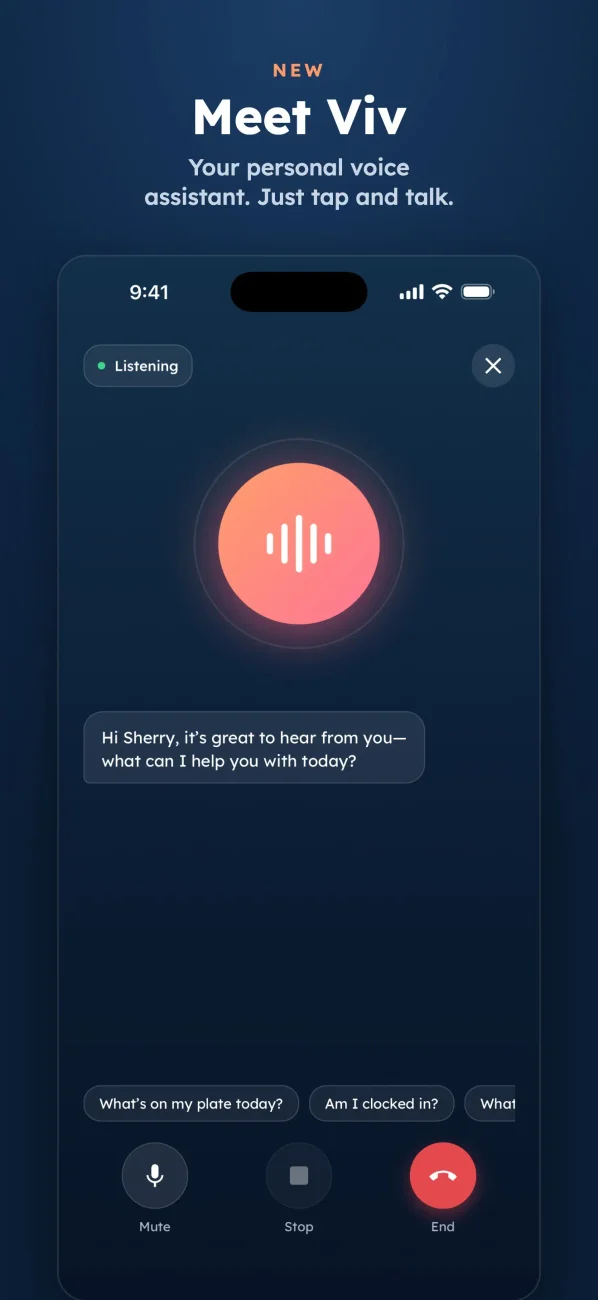
MEET VIV
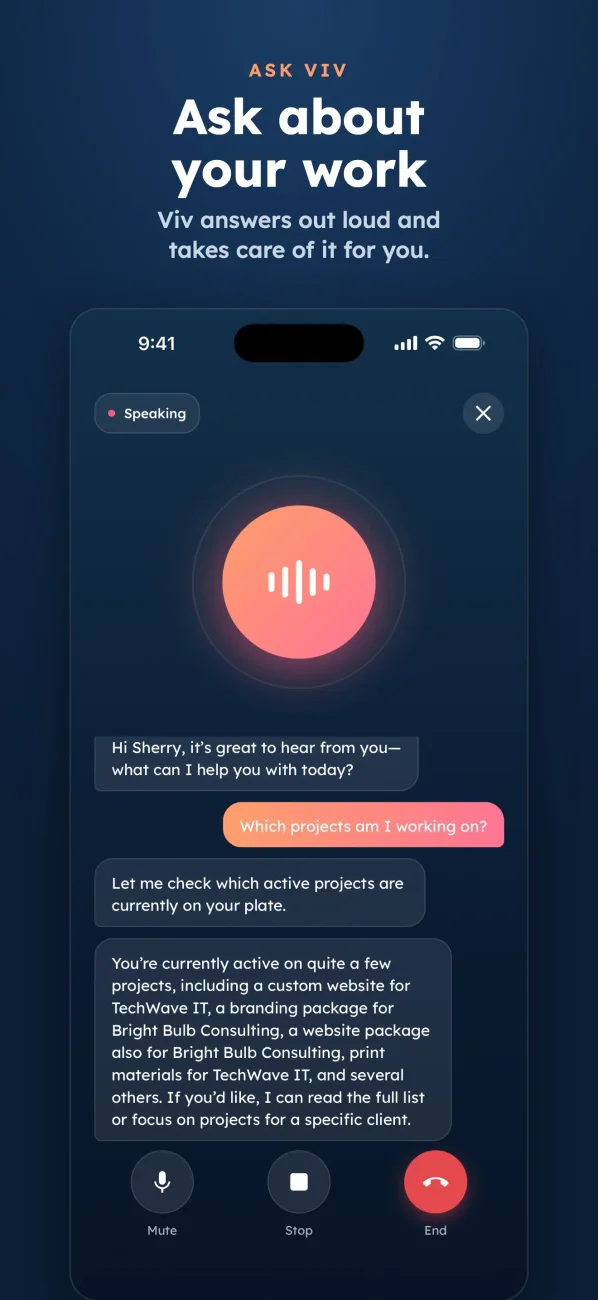
Tap Ask Viv at the bottom of any screen and talk the way you would to a coworker. Viv listens, answers out loud, and takes care of things for you.
• "What's on my plate today?" Hear what you're working on and what's due.
• "What's overdue?" Find out what needs your attention first.
• "Create a task to call the supplier on Friday." Viv adds it for you.
• "Clock me in." Start your workday without opening a single screen.
• "Start a timer on the website redesign." Track your time hands-free.
• "Log two hours to the Johnson project." Done.
• "Add a note: the client wants blue, not green." Saved to your notes.
Viv always checks with you before it changes anything, and it can only see and do what your own account allows.
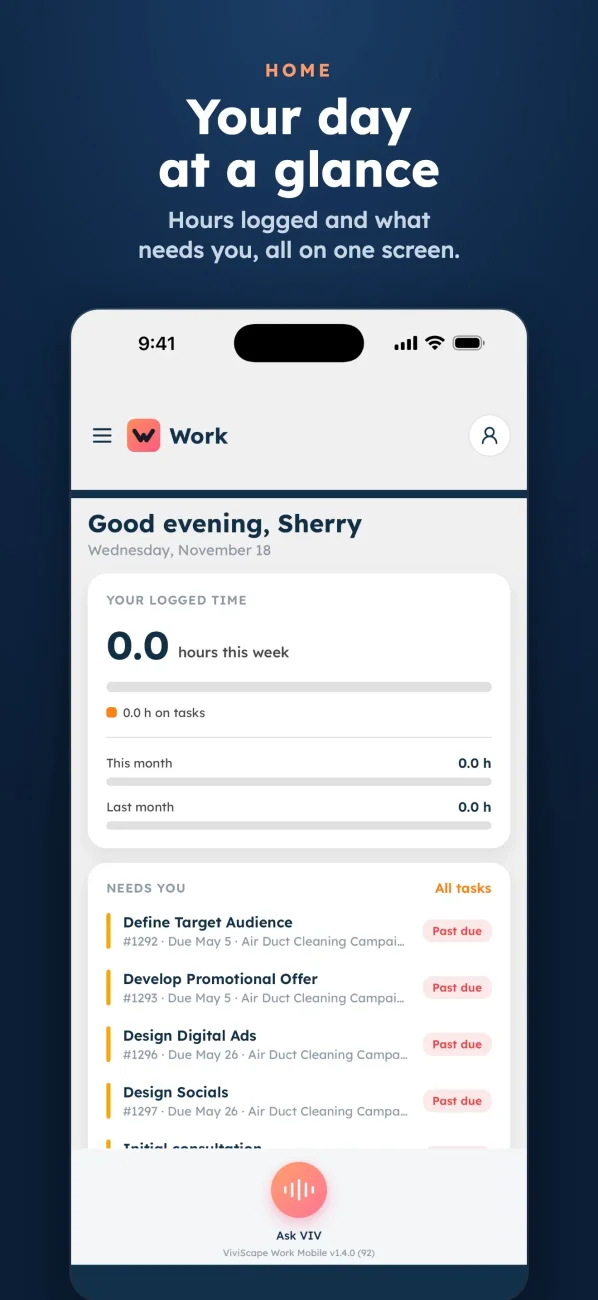
YOUR DAY AT A GLANCE
The new Home screen shows the hours you've logged this week and what needs you right now: work that's past due, items flagged for your attention, and the tasks you've pinned. Quick counts of your open tasks, tickets, and to-dos are one tap away.
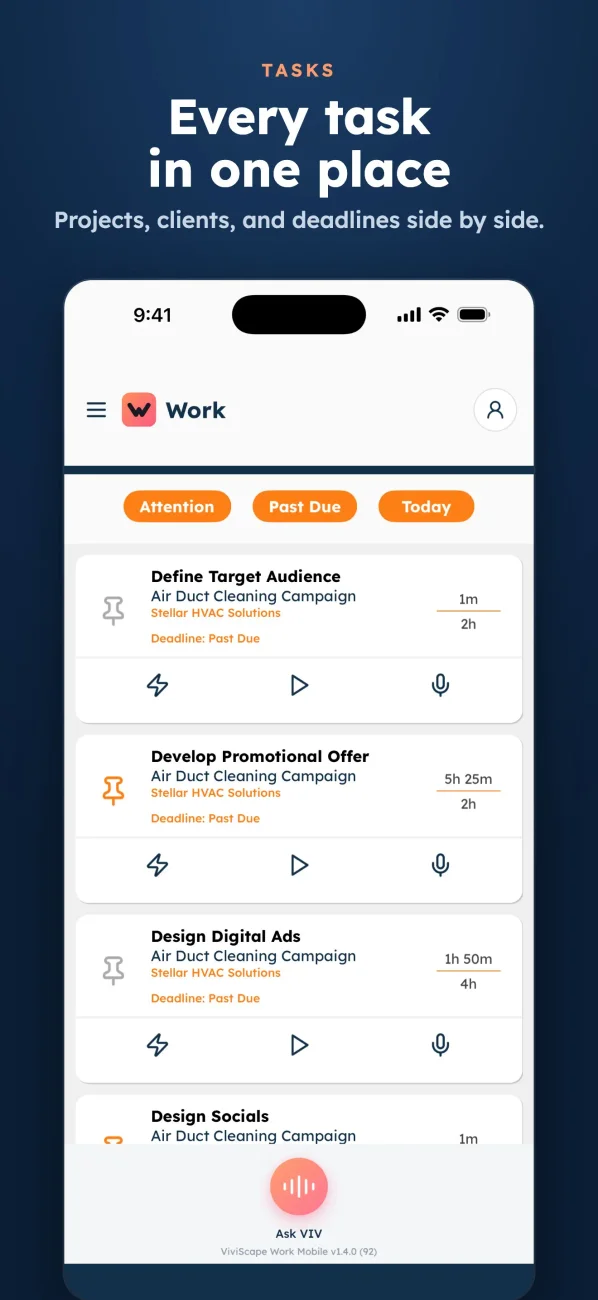
TASKS AND FOCUS
• See every task with its project, client, and deadline
• Pin the tasks that matter most to your Focus list
• Start a timer on any task with one tap
• Add comments, files, and notes to a task
TIME TRACKING
• Clock in and out, with the location saved on each punch
• Time from your task timers is logged for you
• Look back at where your hours went
NOTES AND VOICE NOTES
• Write notes, or record a meeting or a quick voice memo
• Recordings are turned into written notes you can read and search
• Send text, photos, and files from other apps into Work with the Share button
TO-DOS AND TICKETS
• Keep a simple to-do list for the small stuff
• Look up, read, and create client tickets (Enterprise plan)
Work Mobile goes with your ViviScape Work account. Sign in with the same email and password you use on the web, and everything stays in sync. Some features depend on your plan.
What’s new
Version 1.4.1 · Nov 19, 2026
Meet Viv, your personal voice assistant.
Tap Ask Viv at the bottom of any screen and just talk. Ask what's on your plate, clock in, start a timer, or add a task, and Viv handles it for you.
Also new:
• A Home screen that shows your week at a glance
• Cleaner, clearer icons throughout the app
• iPhone and iPad now need iOS 15 or later
App privacy
What ViviScape declares on the App Store about how this app handles data.
-
Data not collected
The developer does not collect any data from this app.
Privacy practices may vary, for example with the features you use or your age.
Information
- Seller
- Viviscape LLC
- Category
- Productivity
- Version
- 1.4.1
- Updated
- Nov 19, 2026
- Released
- Mar 22, 2023
- Size
- 123.8 MB
- Requires
- iOS 15.0 or later
- Age rating
- 4+
- Price
- Free
- Languages
- English
- Copyright
- © ViviScape
You might also like
-
 AivrarSimplify, Organize, Live Free
-
 Pomora - Focus TimerProductivity
-
 To Do List & AI Planner: TASKnChat, Progress, Schedule, Done
-
 ADHD Daily Planner Mind VortexFocus Timer, Routines & To Do
-
 FocusTime: Time TrackerSmart Time Management
-
 Lean PDProductivity
-
 Crastinate • To-Do made SimpleCheck off today, no sweat
-
 Deployment ManagerSecuritas Healthcare RTLS Tool
-
 focus - work and study timerwork and study pomodoro timer
-
 Focus Now - Pomodoro TimerAesthetic Work & Study Timer