
- Age rating4+
- CategoryHealth & Fitness
- DeveloperFluidlogic, Inc.
- LanguagesEnglish
- Size6.8 MB
Links to the official App Store page
Download.org hosts no file of VMR Classic. The button opens its official App Store page, published by Fluidlogic, Inc. Listing last checked on Nov 12, 2026.
Screenshots

About
FluidLogic VMR Control App
Engineered for precision. Built for performance.
The FluidLogic VMR Control App puts you in command of your FluidLogic VMR System—our hands-free hydration platform trusted by elite race teams worldwide. Built for vehicle-mounted systems, the app lets you fine-tune your hydration strategy straight from your phone.
Your VMR System works out of the box with default settings. But to unlock full control, connect to the app and customize your hydration plan.
Key Features
- Bluetooth control of your FluidLogic VMR System
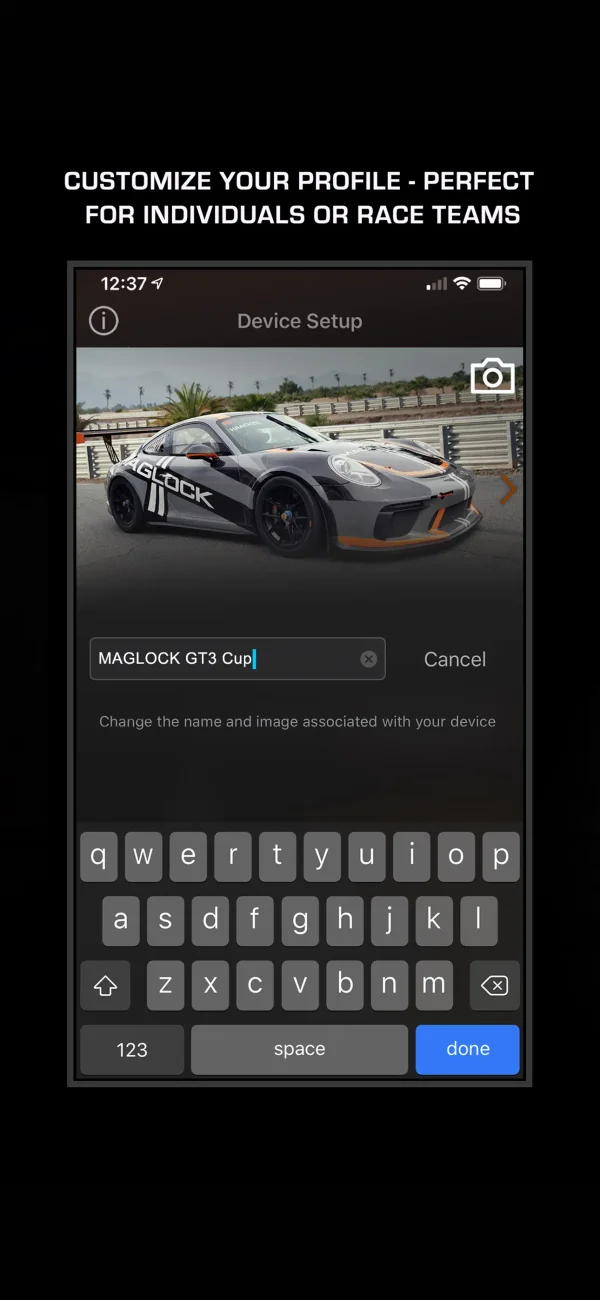
- Custom hydration profiles for individual drivers or cars
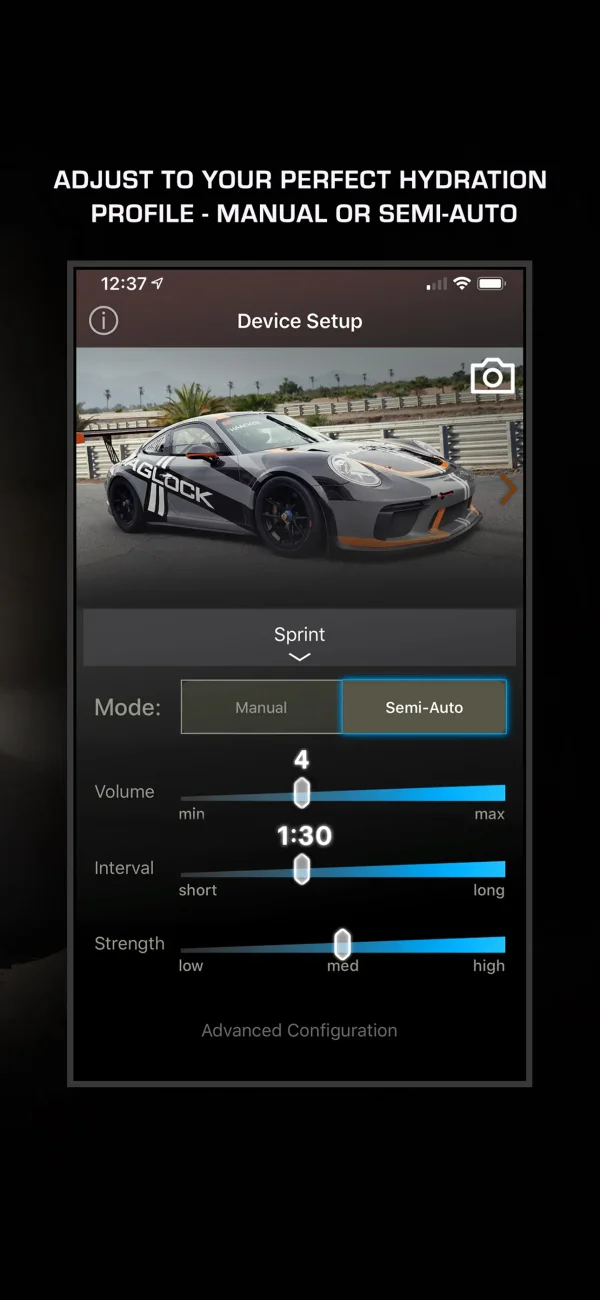
- Two modes: Manual and Semi-Auto, tailored to your race pace
- Adjustable Volume (dose size) and Strength (flow rate)
- LED alert customization for hydration reminders and visibility
Modes of Operation
Manual Mode
- Precision control when you need it.
- Set Volume (1–10 ml) per tap
- Set Strength (Low–Med–High) for delivery force
- Tap the Microbutton for a measured dose, or hold for continuous flow
- Adjust Idle LED brightness in Advanced Configuration
Semi-Auto Mode
- Timed prompts, manual delivery.
- Volume and Strength settings remain active
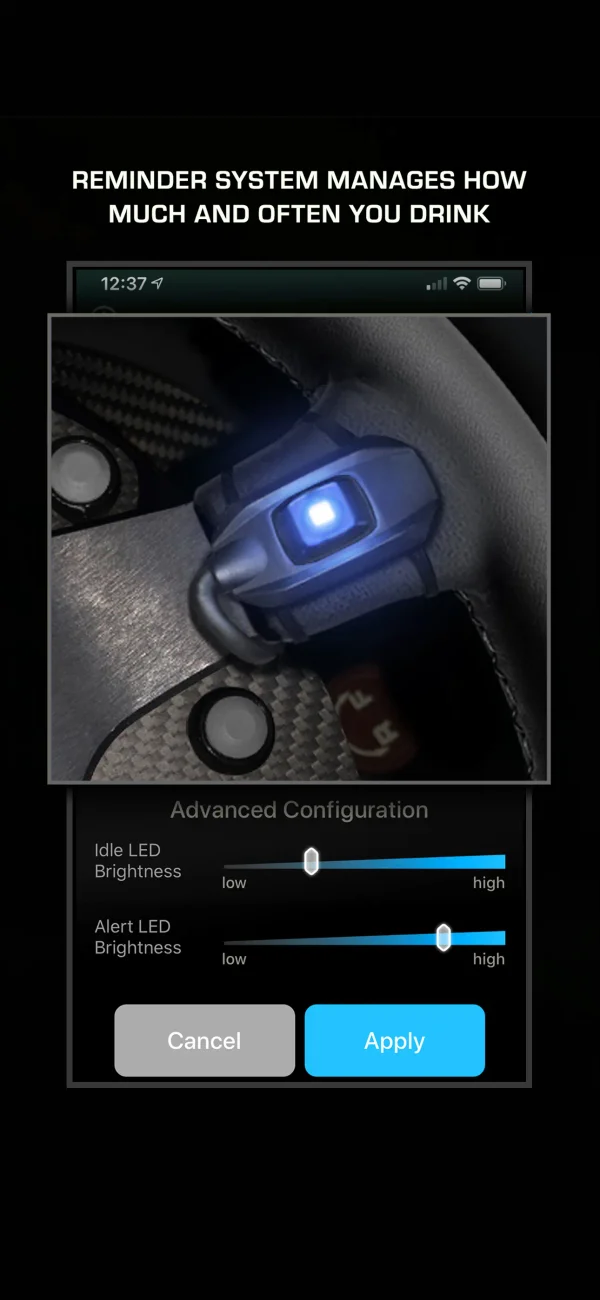
- Enable Reminder System for timed LED prompts
- Set Interval (e.g., every 30 sec) for reminder frequency
- LED blinks, then stays on until pressed—resetting the cycle
- Adjust Idle and Alert LED brightness in Advanced Configuration
To Connect Your VMR System:
1. ) Open the app and tap Add New Device
2.) Hit the + icon to scan the QR code on the included card or the back of the POD—or enter the code manually
3.) Name your device, add a profile image, and begin setup
4.) Use the Device Setup screen to tailor hydration to your race
What’s new
Version 1.1.2 · Sep 8, 2025
Same fundamental functionality with some design refresh.
App privacy
What Fluidlogic, Inc. declares on the App Store about how this app handles data.
-
Data not collected
The developer does not collect any data from this app.
Privacy practices may vary, for example with the features you use or your age.
Information
- Seller
- Fluidlogic, Inc.
- Category
- Health & Fitness
- Version
- 1.1.2
- Updated
- Sep 8, 2025
- Released
- Feb 26, 2020
- Size
- 6.8 MB
- Requires
- iOS 13.0 or later
- Age rating
- 4+
- Price
- Free
- Languages
- English
- Copyright
- 2020-2021 © Rainmaker Solutions, Inc.
You might also like
-
 MeadowhawkCognitive Performance
-
 BMI Pro: Calculate SimplyPersonal BMI Calculator
-
 HydroAI - Hydration TrackerTrack Hydration, Get Reminders
-
 Tony Cress 360 HealthHealth & Fitness
-
 Kaigo Plus+UrinScope Plus
-
 Tony Cress Training CenterHealth & Fitness
-
 Exact Fuel: Sports NutritionTrack Carbs, Sweat & Recovery
-
 healthPiperpsychiatrist chat
-
 EMSFITHealth & Fitness
-
 Group Solutions FacilitatorHealth & Fitness