
VOA English Learning
English listening, day by day
Designed for iPhone, iPad
Free · In-app purchases
- Age rating4+
- CategoryEducation
- DeveloperAndie Nguyen
- LanguagesEnglish
- Size170.8 MB
Links to the official App Store page
Download.org hosts no file of VOA English Learning. The button opens its official App Store page, published by Andie Nguyen. Listing last checked on Nov 27, 2026.
Screenshots



About
Learn English from real news stories, one focused lesson a day. We pick today's lesson for your level, your interests and the time you have, then help you remember the words you found.
Open the app, press Start, and learn. No endless feed, no guessing what to do next.
YOUR DAILY PLAN
• Get one lesson chosen for your level, your topics and a 10, 15 or 20 minute session
• Listen or watch while the transcript follows along, paragraph by paragraph
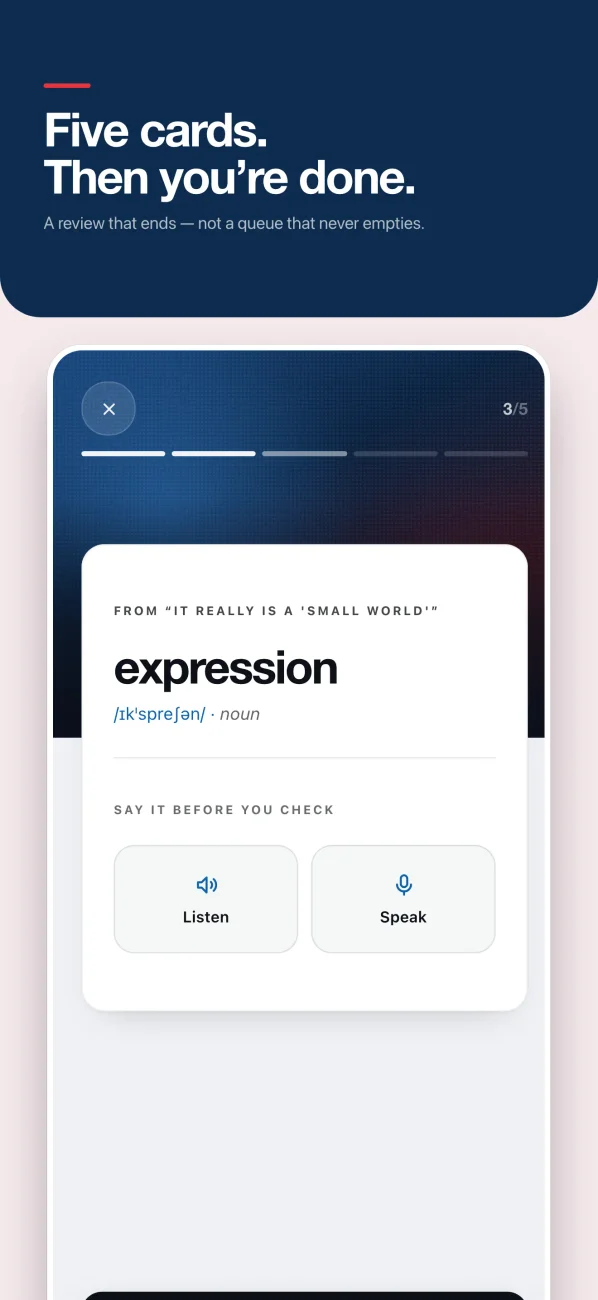
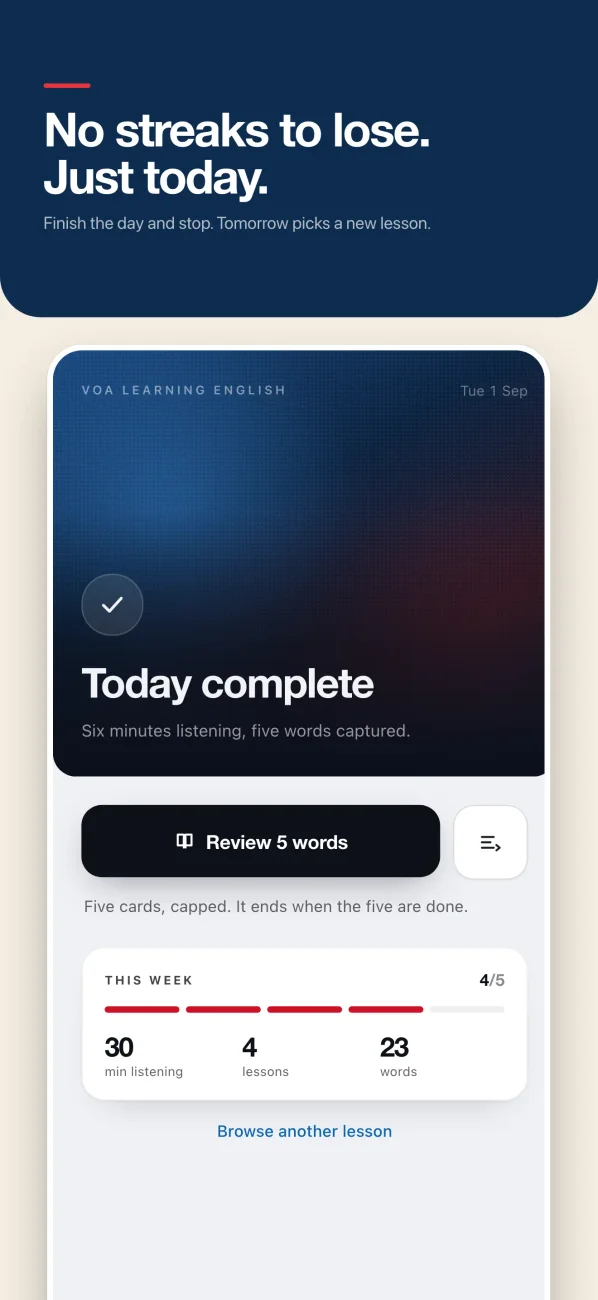
• Finish with a short review of up to five words, so review never piles up
• Track your sessions, listening minutes and words reviewed against your weekly goal
LOOK UP WORDS WITHOUT STOPPING
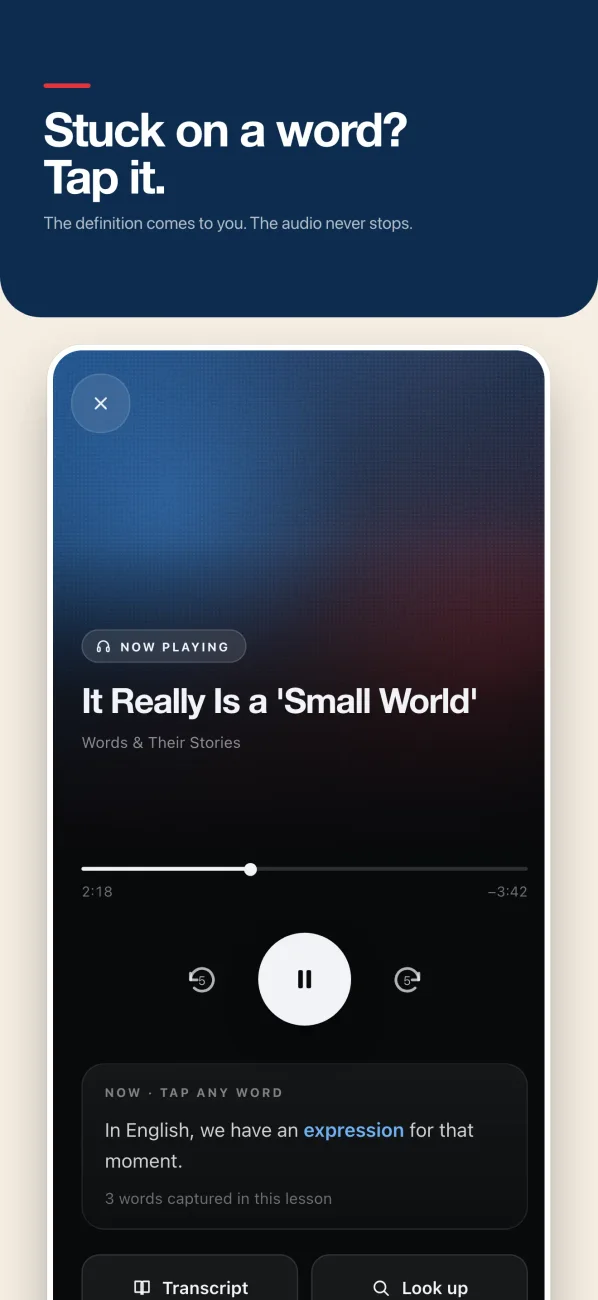
• Tap any word in the transcript to see its meaning right away
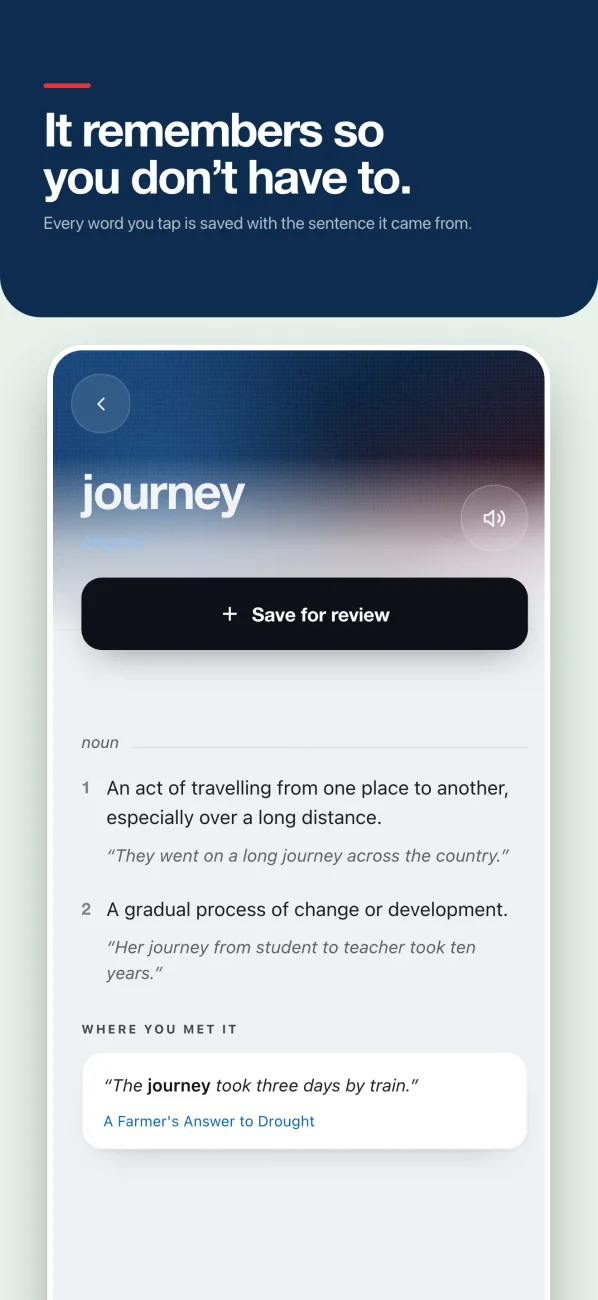
• Save the words you want to keep. Each one keeps the sentence and the story you found it in
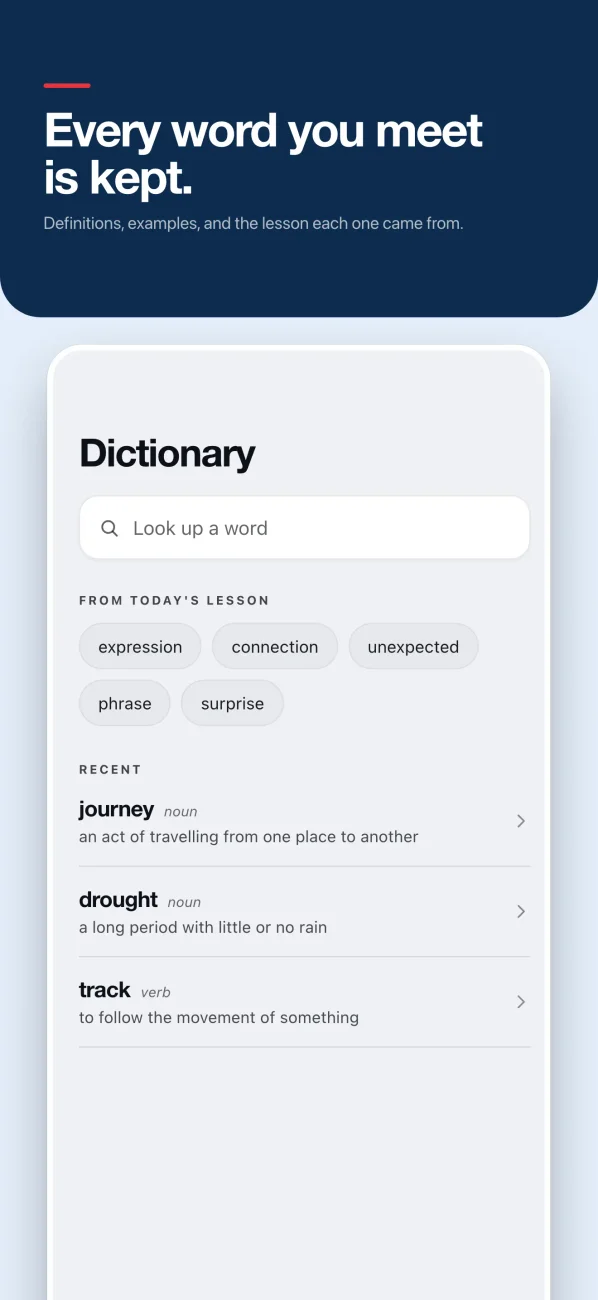
• Search a built-in dictionary with clear definitions and your recent lookups
SPEAK WITH SHADOW MODE
• Replay a single paragraph, repeat it, and record yourself
• Compare your voice with the speaker's, with no scores and no pressure
• Recordings stay on your device and are deleted when you finish
REVIEW THAT STICKS
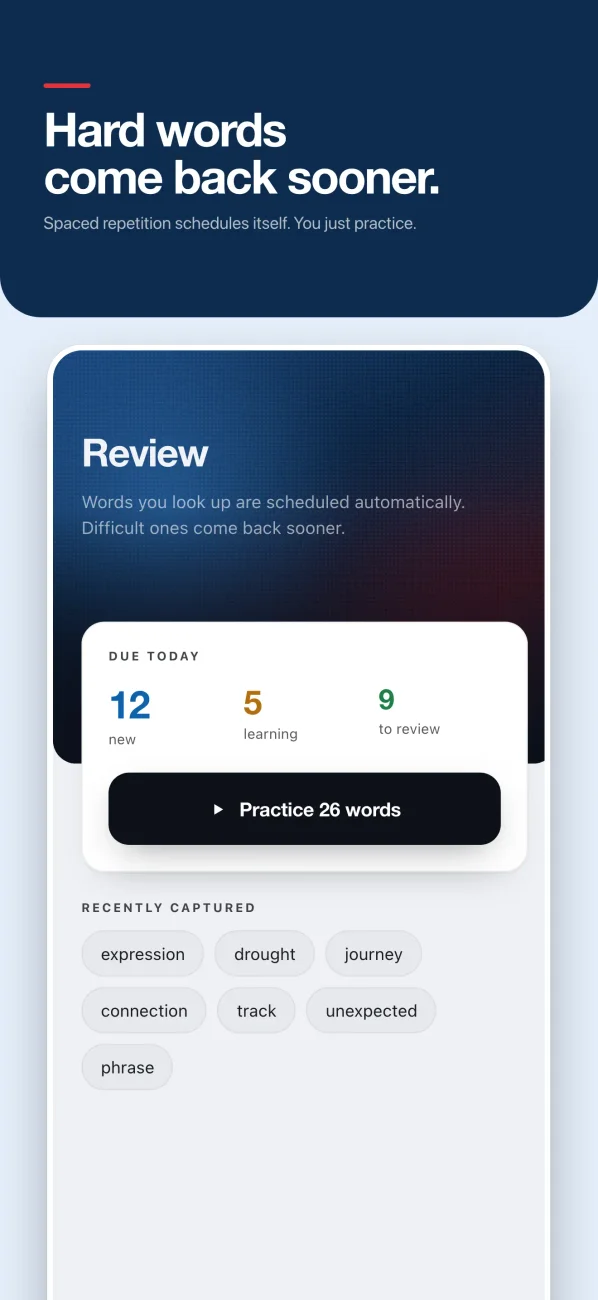
• Practice saved words with spaced-repetition flashcards
• Hear the pronunciation, try saying it, and rate each card Again, Hard, Good or Easy
• See each word again with the lesson sentence you found it in
LEARN YOUR WAY
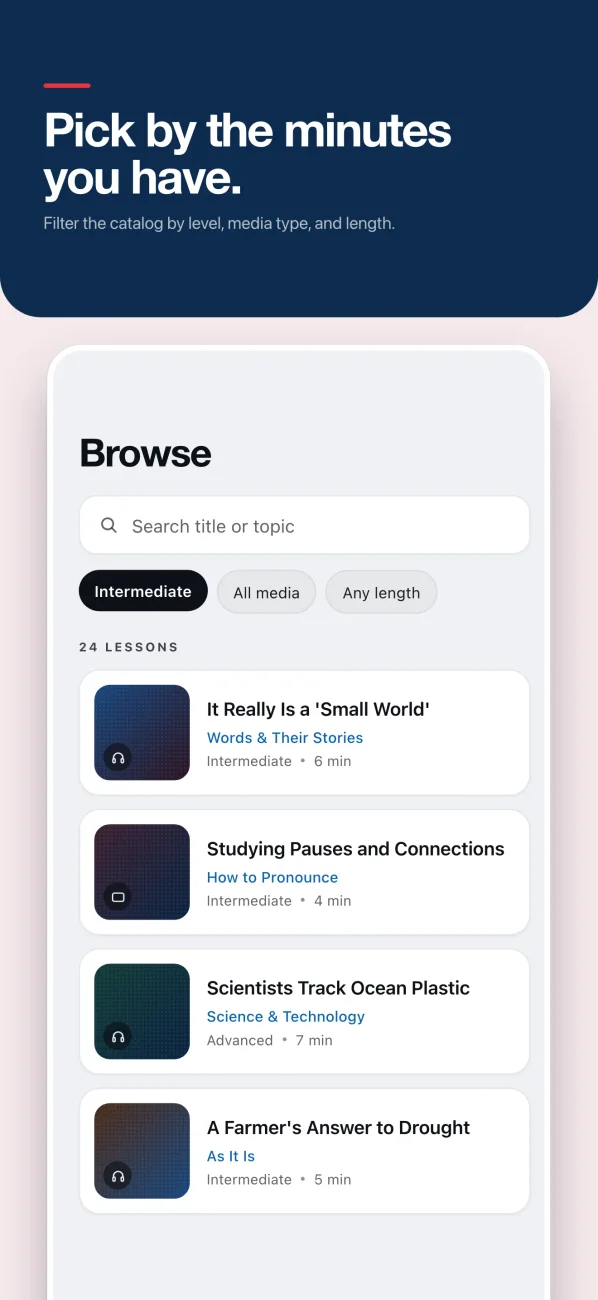
• Browse the full library by level and topic, or pick any story for today
• Keep listening in the mini player while you use the rest of the app, including on the lock screen
• Designed for iPhone and iPad, in light or dark mode
• Not sure of your level? Take an optional two-minute listening check
PRIVATE BY DESIGN
No account needed. Your progress, saved words and recordings stay on your device.
PLUS
Learning is free. Plus removes every ad, including banners and ads between lessons. Plus is available as a monthly or yearly auto-renewing subscription. Payment is charged to your Apple Account. Your subscription renews automatically unless you cancel at least 24 hours before the end of the current period. You can manage or cancel it in your App Store account settings.
Terms of Use: https://www.apple.com/legal/internet-services/itunes/dev/stdeula/
Start today's lesson. It takes about ten minutes.
What’s new
Version 26.1.0 · Oct 7, 2026
• Profile brings your lessons, recent study, courses, saves, and downloads together.
• Preview your lesson's vocabulary and definitions directly from Today before you start.
• Follow a Listen for prompt that changes with the story. Tap a transcript passage to jump to it, or hold a word to look up its meaning.
• Explore all available dictionary meanings with a new Show all meanings option.
• Move backward and forward between paragraphs in Shadow Mode, with improved playback recovery after recording.
• From the Lock Screen, scrub to any point or skip 15 seconds. A video lesson's audio keeps going when you leave the app or lock the screen.
• Your chosen lesson stays selected. After you start today's lesson, other suggestions open for extra study and leave the day's plan unchanged.
• Reviews completed in the Review tab now count toward Today's plan. Days with no words due finish after your lesson.
• The Review overview shows only words saved for review.
• Saving or downloading a lesson confirms with a short message.
• Tidier Browse cards make interests easier to scan.
App privacy
What Andie Nguyen declares on the App Store about how this app handles data.
-
Data not linked to you
May be collected but is not linked to your identity.
- Usage data
Privacy practices may vary, for example with the features you use or your age.
Information
- Seller
- Andie Nguyen
- Category
- Education
- Version
- 26.1.0
- Updated
- Oct 7, 2026
- Released
- Aug 16, 2018
- Size
- 170.8 MB
- Requires
- iOS 17.0 or later
- Age rating
- 4+
- Price
- Free
- In-app purchases
- Yes
- Languages
- English
- Copyright
- © Andie
You might also like
-
 Learn American English PodcastPractice listening everyday
-
 VOA Learning English (+Tests)Improve your English every day
-
 Special English ListeningListen, Watch & Speak Better
-
 VOA Learning English.Listening, Reading & Speaking
-
 English Listening - 6minsLearning English Offline
-
 6 Minute English (+Worksheets)Practical English learning
-
 ESL English Listening TestIELTS Listening Preparation
-
 Learning English: Podcast6 Minute English, BBC Learning
-
 All Ears English ListeningAmerican vocabulary lessons
-
 Learn English with VOALearn English listening daily