
- Age rating4+
- CategoryProductivity
- DeveloperGygesLabs
- LanguagesEnglish+ 2 more
- Size164.9 MB
Links to the official App Store page
Download.org hosts no file of Vocci. The button opens its official App Store page, published by GygesLabs. Listing last checked on Nov 24, 2026.
Screenshots




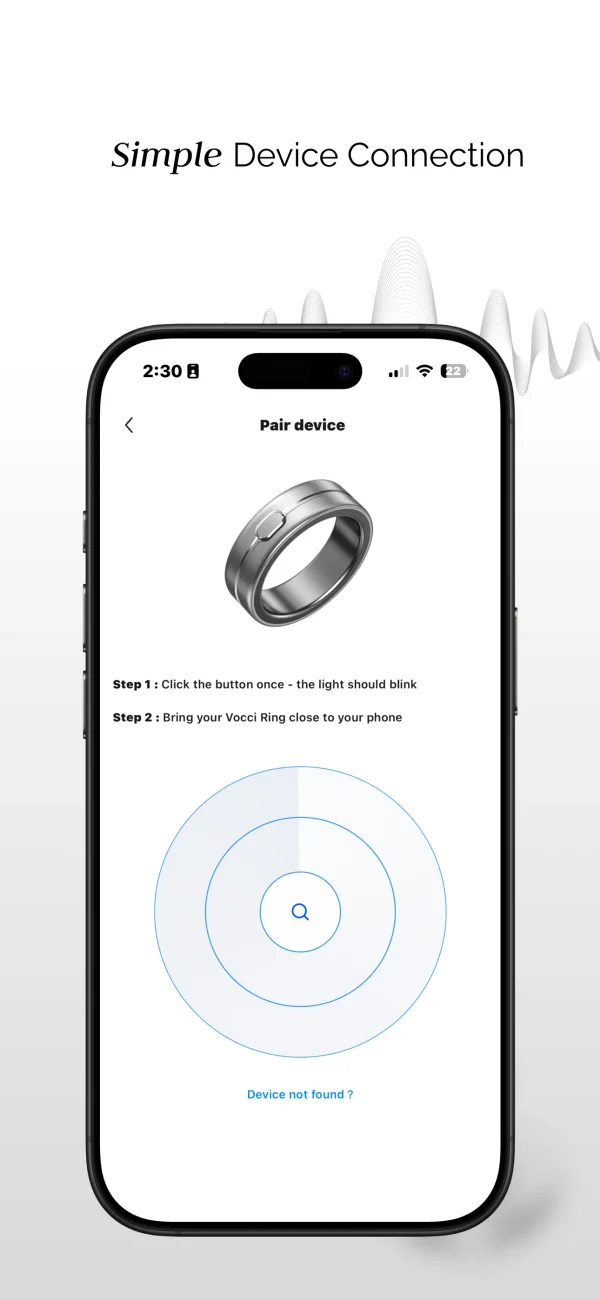
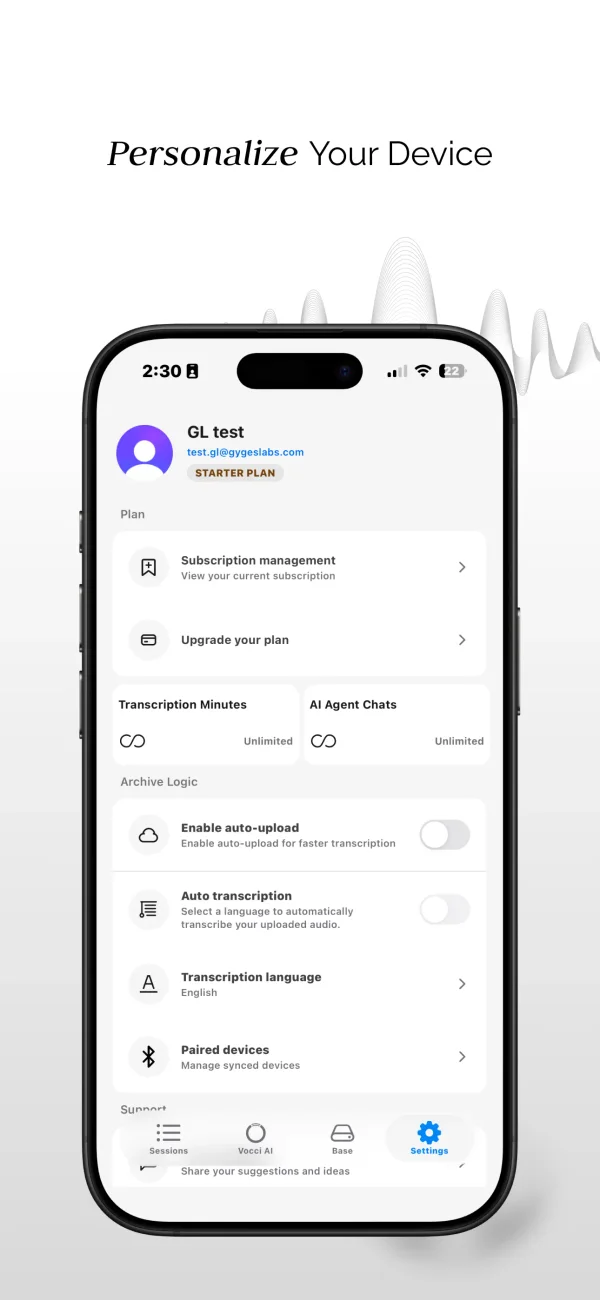
About
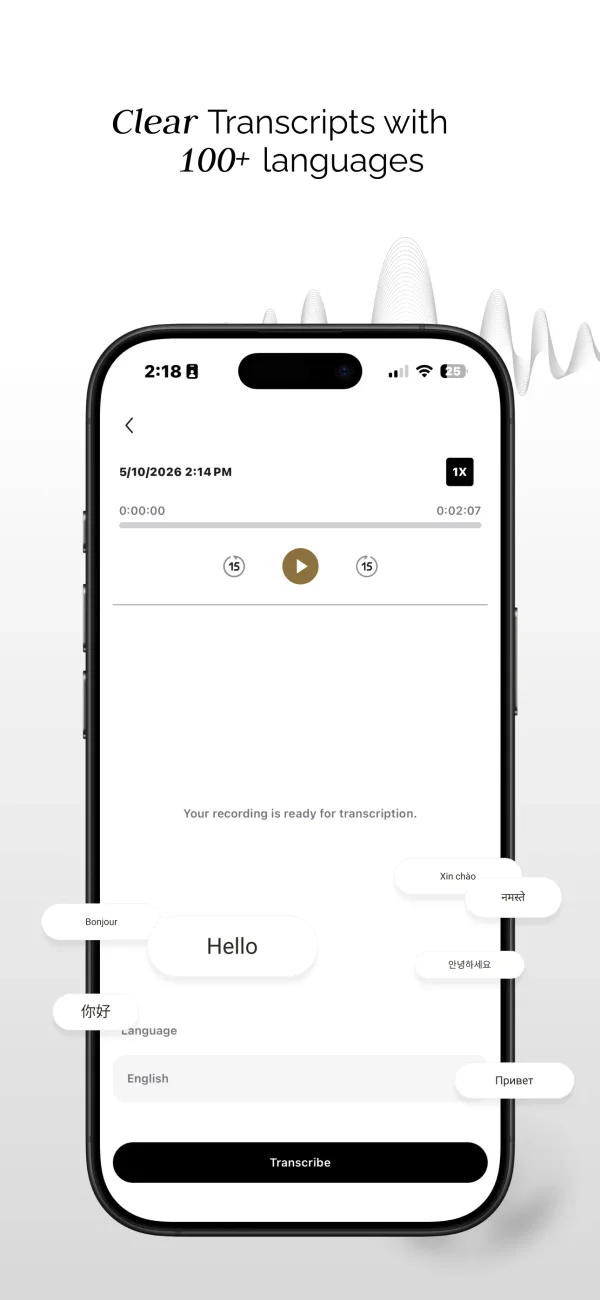
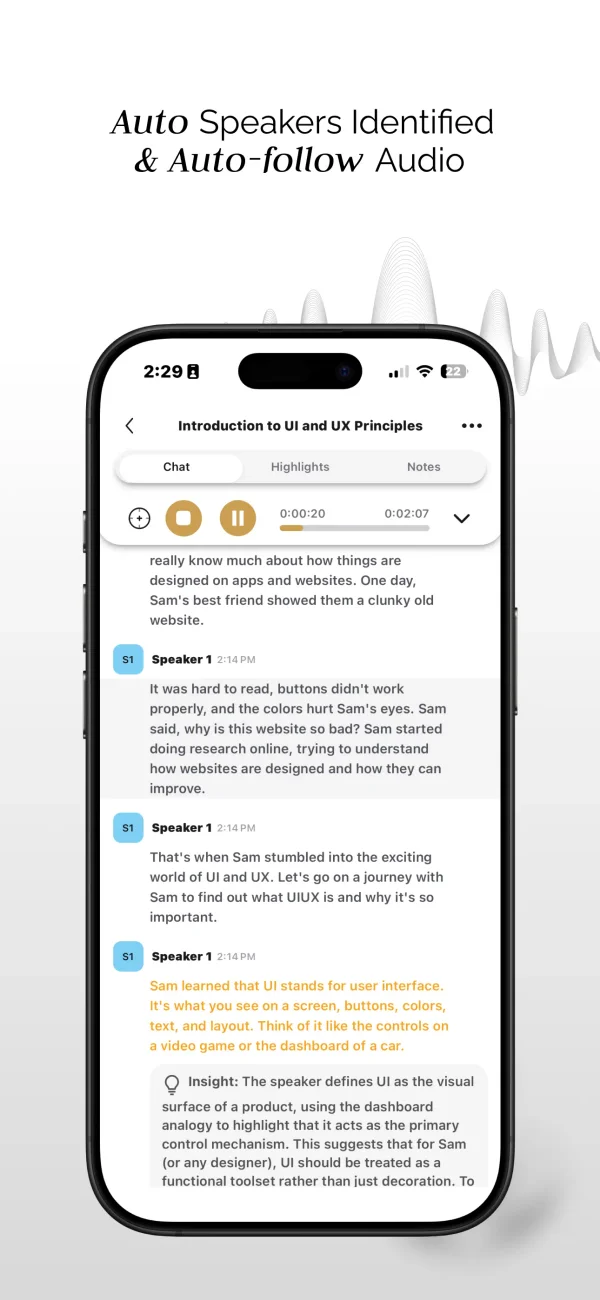
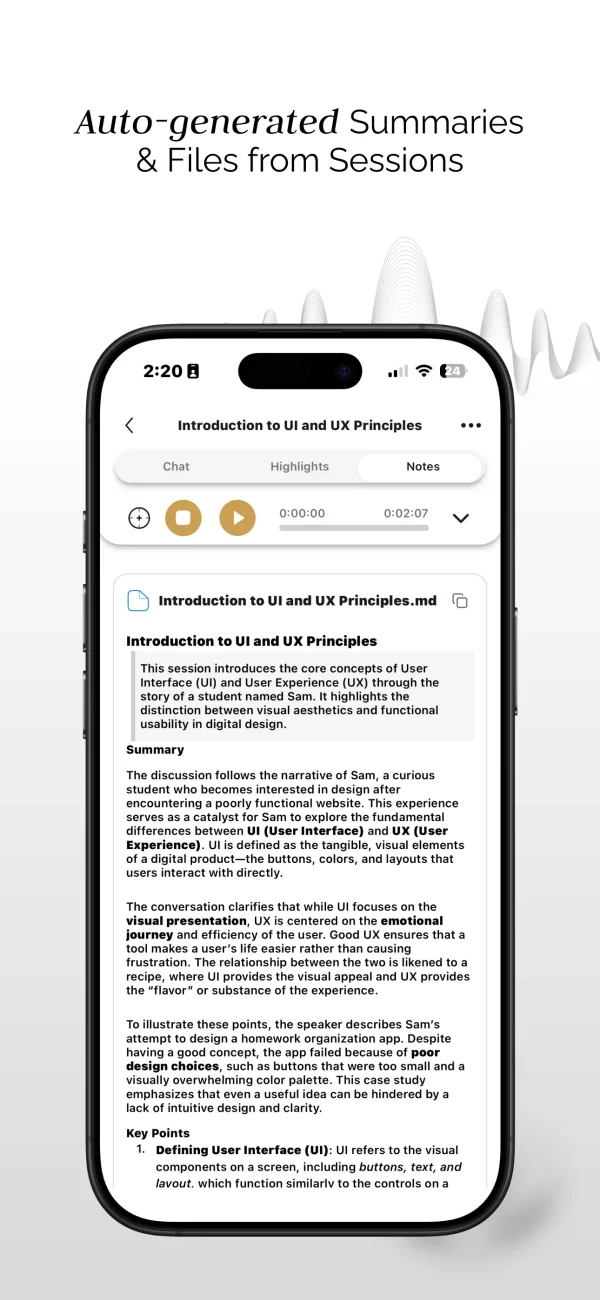
Vocci is an AI note-taking ring and companion app. Capture conversations and ideas, then revisit searchable transcripts, summaries, highlights, notes and original audio.
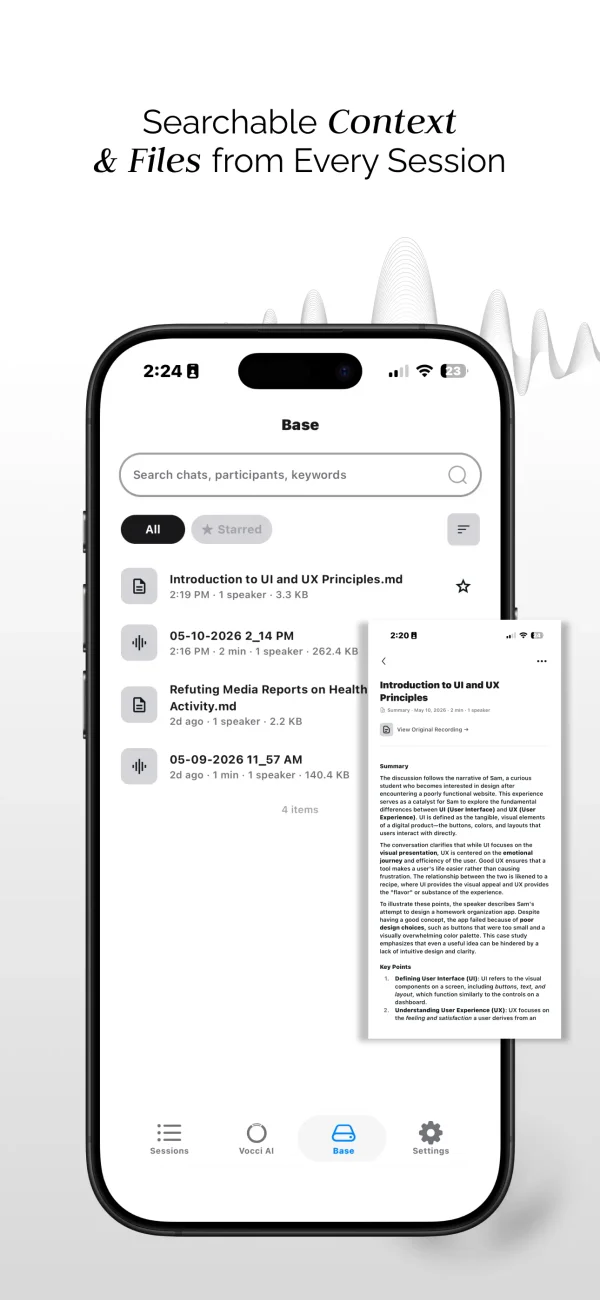
Ask Vocci AI about sessions, notes and files, and create reports, drafts and slides. Connect Gmail, Google Calendar, Slack and Notion with permission. Search, sort and star files, or give supported AI apps access to your Vocci context.
What's New in Vocci
Background Ring Sync
After setup on supported phones, new Ring recordings can sync while your phone is locked or Vocci is in the background, when the system allows. You may need to reopen Vocci if it was stopped or closed.
Live Status
Follow Ring recording, sync and processing, plus ongoing Vocci AI work, with iOS Live Activities on supported devices. Availability depends on settings and system permissions.
Sessions, Files and exports
• Export transcripts, summaries, notes and audio from multiple sessions at once.
• Share multiple files in one system share sheet or delete selected items together.
• Briefly undo deletions in Sessions, Files and Vocci AI chat history.
• Read downloaded transcripts and notes offline. Recent transcripts and notes download ahead while online. Audio is not downloaded automatically.
• Enhance compatible local Ring recordings before upload and stop supported uploads in progress.
• Export recordings from your phone before cloud upload.
• Preview compatible PDF, Word and Excel files in Vocci on iOS.
• Find your uploads more easily in Files.
• Tap timestamps in session notes to play from that point when audio is available.
To Do, tags and widgets
• Collect suggested to-dos, add your own and manage session Follow-ups, due dates, reminders and priorities. Control automatic collection in To Do Settings.
• Organize Sessions, Files and to-dos with tags and filters.
• Use Sessions and To Do home-screen widgets to filter by tag, open items and complete to-dos. Changes sync when Vocci next runs. To Do follows your setting.
Vocci AI
• Open the dedicated Vocci AI tab and search chats in its side panel.
• Rate replies with a thumbs-up or thumbs-down.
• Keep unsent drafts, retry messages after reconnecting and pin chats.
• Choose when Vocci AI asks before acting. Review and edit supported action details before approval, with clearer confirmations and results.
• Start with suggested requests and get clearer Ring voice-input hints. Get nearby help when location permission and sharing are enabled.
Connected apps and AI apps
• Browse connected apps by category. Check account status, rename, reconnect or disconnect multiple accounts.
• Find new Gemini and Grok setup guides and smoother setup handoffs for supported AI apps such as ChatGPT and Claude.
Account and everyday reliability
Choose Light, Dark or Match system in Settings > Appearance. Edit your name and avatar in My Account. Find simpler Settings and clearer offline and reconnecting status. Fixes improve Ring sync, playback controls, chat scrolling, tables, unread indicators, sharing and voice-command notifications.
Privacy
Vocci is built with privacy at its core and is compliant with GDPR. We are also working with external auditors to complete certification of SOC 2 and ISO 27001 compliance. Your data is encrypted and under your control.
Subscriptions
Vocci Plus and Pro offer monthly and annual auto-renewable subscriptions. Your Apple Account is charged at purchase confirmation. Subscriptions renew unless auto-renew is turned off at least 24 hours before the current period ends. Manage or cancel in Apple Account settings.
Features depend on device, permissions, plan, region and connected services. Ring features require a compatible Vocci Ring.
Terms of Use (EULA): https://www.apple.com/legal/internet-services/itunes/dev/stdeula/
What’s new
Version 1.1.49 · Nov 23, 2026
New
• Thanksgiving theme with festive pumpkin details
• Withdraw queued messages to edit them
• Browse files and earlier versions in agent threads
• Choose model and effort before handoff
• View agent usage for each paired computer
Improved
• iPad support with resizable windows, portrait and landscape, and side-by-side views
• iPhone DUO layout support
• Steps and files appear alongside replies
• Questions stay above the message box
• More reliable recording deletion during sync
• To Do notes stay cleared after saving
• More reliable To Do opening from notifications and widgets
Terms of Use (EULA): https://www.apple.com/legal/internet-services/itunes/dev/stdeula/
App privacy
What GygesLabs declares on the App Store about how this app handles data.
-
Data linked to you
May be collected and linked to your identity.
- Purchases
- Contact info
- User content
- Identifiers
- Usage data
- Diagnostics
-
Data not linked to you
May be collected but is not linked to your identity.
- Identifiers
Privacy practices may vary, for example with the features you use or your age.
Information
- Seller
- GYGES LABS INC
- Category
- Productivity
- Version
- 1.1.49
- Updated
- Nov 23, 2026
- Released
- May 29, 2026
- Size
- 164.9 MB
- Requires
- iOS 18.0 or later
- Age rating
- 4+
- Price
- Free
- In-app purchases
- Yes
- Languages
- English, Japanese, Traditional Chinese
- Copyright
- © 2026 GYGES LABS
You might also like
-
 Flowtica: AI Note TakerConversations to Next Steps
-
 MemoketCapture Context,Free Your Mind
-
 SpeakON: AI Voice KeyboardDictation, Translation & Notes
-
 Mira GlassesYour Second Brain
-
 Omi - Smart Meeting NotesYour AI Companion
-
 MEMO Whiteboard ScannerSave your MEMO digitally
-
 Loona DeskmateEmbodied desktop AI assistant
-
 Mudra BandProductivity
-
 Vibe AI: Notes & MemoryCapture more, forget nothing
-
 Stream by SandbarVoice Notes, Chat, & Dictation